
Introduction
This manual provides detailed instructions for the installation, operation, and maintenance of your SODSEA Smart Alexa Ceiling Fan Remote Control Kit, Model 1240. This kit is designed to enhance the functionality of your 42/52 inch ceiling fan with light, offering convenient control options including remote, smart app, and voice commands via Alexa and Google Assistant.
Product Overview
The SODSEA Smart Alexa Ceiling Fan Remote Control Kit includes a receiver unit and a remote control. The receiver integrates with your existing ceiling fan, enabling smart control features. The remote control features rubberized buttons for ease of use and comes with a wall-mount bracket.

Image: Overview of the SODSEA Smart Alexa Ceiling Fan Remote Control Kit, showing the fan, remote, smart app interface, and compatibility with Alexa and Google Assistant.
Key Features:
- Compatibility: Works with 42/52 inch ceiling fans with lights.
- Multiple Control Methods: Remote control, smart app, and voice control (Alexa, Google Assistant).
- Fan Speed Control: 6 adjustable fan speeds (high/medium/low).
- Light Control: On/off, 3 color temperature options, and 0%-100% infinite dimming.
- Timer Function: 1-hour, 3-hour, and 6-hour timer settings.
- Independent Operation: Allows two fan lights in one room to be controlled independently.
Setup and Installation
Before beginning installation, ensure the power to the ceiling fan circuit is turned off at the circuit breaker. This kit is designed for easy and quick installation.
Important Considerations:
- Receiver Size: Verify that there is sufficient space inside your fan's canopy or housing to accommodate the receiver unit.
- Antenna: The receiver unit includes an antenna, typically located within a black box. Ensure it is not obstructed.
Installation Steps (General Guide):
- Disconnect Power: Turn off the main power supply to the ceiling fan at the circuit breaker.
- Access Fan Wiring: Carefully remove the fan canopy to expose the wiring connections.
- Install Receiver: Connect the receiver unit according to the wiring diagram provided with your specific ceiling fan and the remote kit. Typically, this involves connecting the fan's power wires to the receiver's output and the house's power wires to the receiver's input.
- Secure Receiver: Place the receiver unit inside the fan canopy, ensuring wires are not pinched.
- Reassemble Fan: Reattach the fan canopy.
- Restore Power: Turn the main power supply back on at the circuit breaker.
- Pair Remote: Follow the pairing instructions for the remote control, usually involving pressing a button on the remote within a short time after restoring power. (Specific pairing instructions may vary and should be referenced from the included quick start guide).
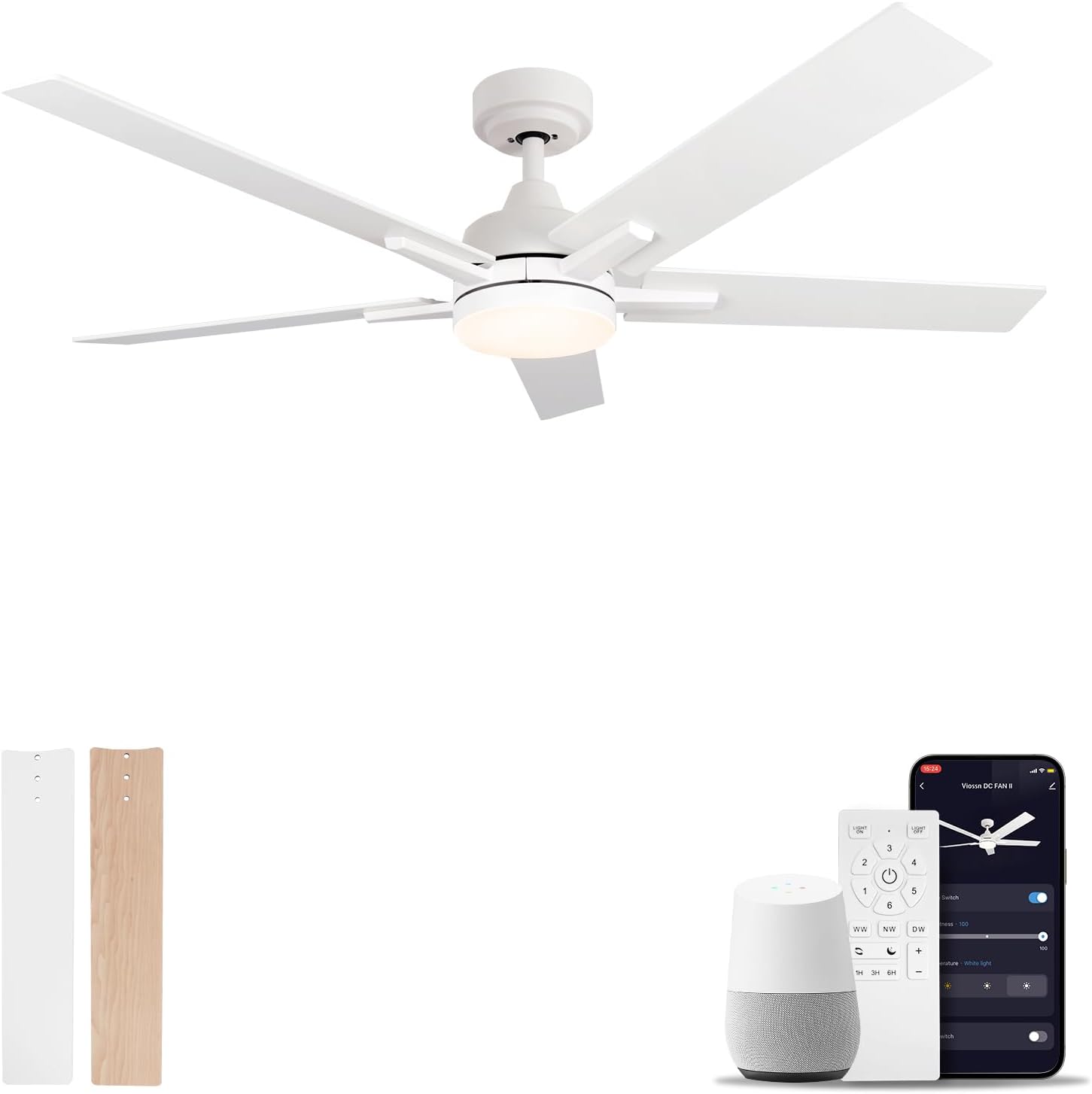
Image: Components of the white SODSEA Smart Alexa Ceiling Fan Remote Control Kit, including the fan, remote, smart speaker, and smartphone app for control.
Operating Instructions
The remote control provides comprehensive control over your ceiling fan and light functions.
Remote Control Functions:
- Fan On/Off: Press the dedicated fan power button to turn the fan on or off.
- Fan Speed Adjustment: Use the speed buttons (e.g., 1-6 or High/Medium/Low) to cycle through 6 fan speeds.
- Light On/Off: Press the light power button to turn the light on or off.
- Light Dimming: Use the 0%-100% dimming buttons to adjust light brightness.
- Color Temperature: Select from 3 color temperature options using the dedicated buttons.
- Timer Settings: Set the fan to turn off after 1 hour, 3 hours, or 6 hours using the 1H, 3H, 6H buttons.
Smart Control (Alexa/Google Assistant & App):
For smart control, refer to the specific instructions provided with the kit for connecting to your smart home system (e.g., Tuya Smart app, Alexa app, Google Home app). Once connected, you can use voice commands or the app to control fan speed, light settings, and timers.

Image: A SODSEA ceiling fan with light wood blades, controlled by the kit, installed in a bedroom setting.
Maintenance
Regular maintenance ensures optimal performance and longevity of your remote control kit.
- Cleaning: Wipe the remote control with a soft, dry cloth. Do not use abrasive cleaners or solvents.
- Battery Replacement: Replace batteries in the remote control when its range decreases or buttons become unresponsive. Refer to the remote's battery compartment for battery type (typically AAA or AA).
- Receiver: The receiver unit is maintenance-free once installed. Ensure it remains dry and free from dust accumulation within the fan canopy.
Troubleshooting
If you encounter issues with your SODSEA Smart Alexa Ceiling Fan Remote Control Kit Model 1240, refer to the following common solutions:
| Problem | Possible Cause | Solution |
|---|---|---|
| Fan/Light not responding to remote. |
|
|
| Fan operates, but light does not. |
|
|
| Smart control (Alexa/Google/App) not working. |
|
|
Specifications
| Brand | SODSEA |
| Model Number | 1240 (Tuya-Remote) |
| Material | Plastic |
| Power Source | DC |
| Wattage | 100 watts |
| Number of Fan Speeds | 6 |
| Control Method | Remote, Button Control, Voice Control (Alexa, Google Assistant) |
| Indoor/Outdoor Usage | Indoor, Outdoor |
| Product Dimensions | 1"D x 1"W x 1"H (Receiver/Remote) |
Warranty
The manufacturer states that there is no warranty provided with this product. For any issues, please refer to the troubleshooting section or contact the seller directly.
Support
For further assistance or inquiries regarding your SODSEA Smart Alexa Ceiling Fan Remote Control Kit Model 1240, please contact the seller through the platform where the product was purchased. Ensure you have your purchase details and model number ready for efficient support.
You can also visit the official SODSEA store for more information: SODSEA Store on Amazon