1. Product Overview
The OMIZN M8 is a 4G Push-to-Talk over Cellular (PoC) two-way radio designed for reliable, nationwide communication. It features AES256 encryption for secure transmissions, IP65 dust and water resistance, and a long-lasting 6800mAh battery with USB-C fast charging.

Image 1.1: Front view of the OMIZN M8 4G PoC Two-Way Radio, showing the display and SIM card slot.
Key Features:
- Unlimited Nationwide Range: Utilizes LTE network connectivity for instant push-to-talk communication across the country.
- Pre-installed SIM Card: Includes a SIM card with 1 year of service. Optional global service is available for over 172 countries.
- AES256 Encryption: Provides secure and private communication, protecting against eavesdropping.
- Intelligent Noise Reduction: Enhances voice clarity by reducing background noise.
- Type-C Fast Charging: Convenient and rapid charging for the 6800mAh battery.
- IP65 Rated Protection: Dustproof and water-resistant design for durability in various environments.
- Integrated Flashlight: Features a strong flashlight with multiple modes.
2. Package Contents
Verify that all items are present in your package:

Image 2.1: Diagram showing the OMIZN M8 radio and its included accessories: Antenna, Type-C cable, 6800mAh Battery, Lanyard, Back Clip, and Charging Adapter.
- OMIZN M8 4G PoC Two-Way Radio
- Antenna
- 6800mAh Battery
- Type-C Charging Cable
- Charging Adapter
- Back Clip
- Lanyard
- Pre-installed Micro SIM Card (with 1 year service)
3. Device Layout
Familiarize yourself with the buttons and ports on your OMIZN M8 radio:
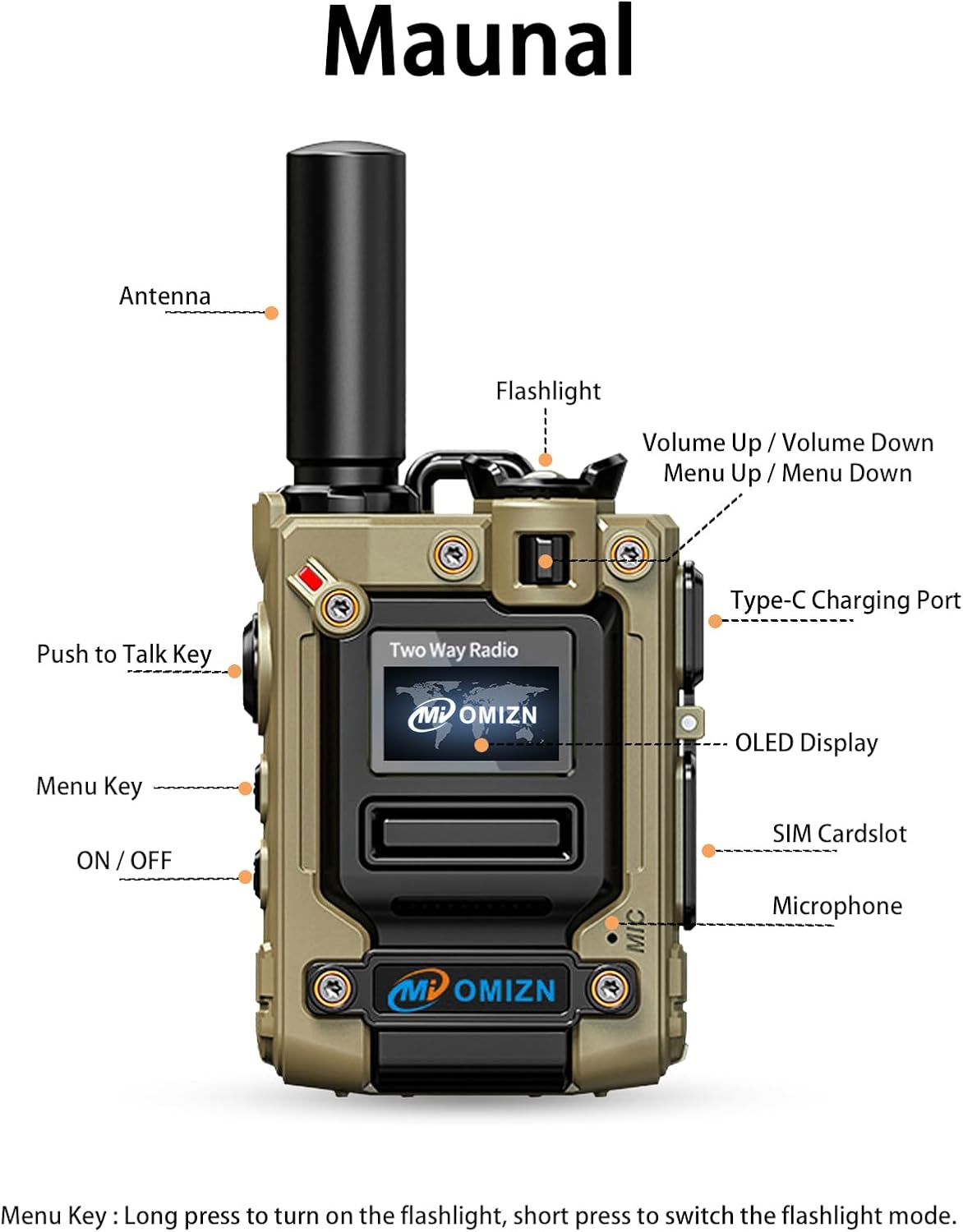
Image 3.1: Front view of the OMIZN M8 radio with key components labeled, including Antenna, Flashlight, Volume Up/Down, Type-C Charging Port, OLED Display, SIM Cardslot, Microphone, Push to Talk Key, Menu Key, and ON/OFF button.
- Antenna: For signal reception and transmission.
- Flashlight: Integrated light source.
- Volume Up / Volume Down: Adjusts audio volume and navigates menu options.
- Type-C Charging Port: For connecting the charging cable.
- OLED Display: Shows status, menu, and communication information.
- SIM Cardslot: Houses the Micro SIM card.
- Microphone: For voice input.
- Push to Talk (PTT) Key: Press and hold to transmit voice.
- Menu Key: Long press to turn on/off the flashlight; short press to switch flashlight modes.
- ON / OFF Button: Powers the device on or off.
4. Setup Guide
4.1. Battery Installation and Charging
- Ensure the radio is powered off.
- Locate the battery compartment on the back of the radio.
- Insert the 6800mAh battery, ensuring the contacts align correctly.
- Secure the battery compartment cover.
- Connect the Type-C charging cable to the radio's Type-C port and the charging adapter. Plug the adapter into a power outlet.
- The OLED display will indicate charging status. A full charge provides approximately 48 hours of continuous use or 168 hours of standby time.

Image 4.1: The OMIZN M8 radio connected to a power adapter via its Type-C port for charging. Various charging methods are depicted, including power bank, car, PC, and Type-C wall charging.
4.2. SIM Card Activation
Your OMIZN M8 radio comes with a pre-installed Micro SIM card. This SIM card includes 1 year of service for nationwide coverage. No additional activation steps are typically required for initial use within the covered region.

Image 4.2: Illustration of different SIM card sizes (Standard, Micro, Nano). The OMIZN M8 uses a Micro SIM card.
For optional global service or renewal after the first year, please refer to the contact information in the Support section.
4.3. Powering On/Off
- To Power On: Press and hold the ON/OFF button until the OLED display illuminates.
- To Power Off: Press and hold the ON/OFF button until the display turns off.
5. Operating Instructions
5.1. Basic Communication
- Ensure the radio is powered on and connected to the network (indicated on the OLED display).
- Select the desired group or contact using the menu navigation (Volume Up/Down buttons).
- To transmit, press and hold the Push to Talk (PTT) key. Speak clearly into the microphone.
- Release the PTT key to listen for a response.
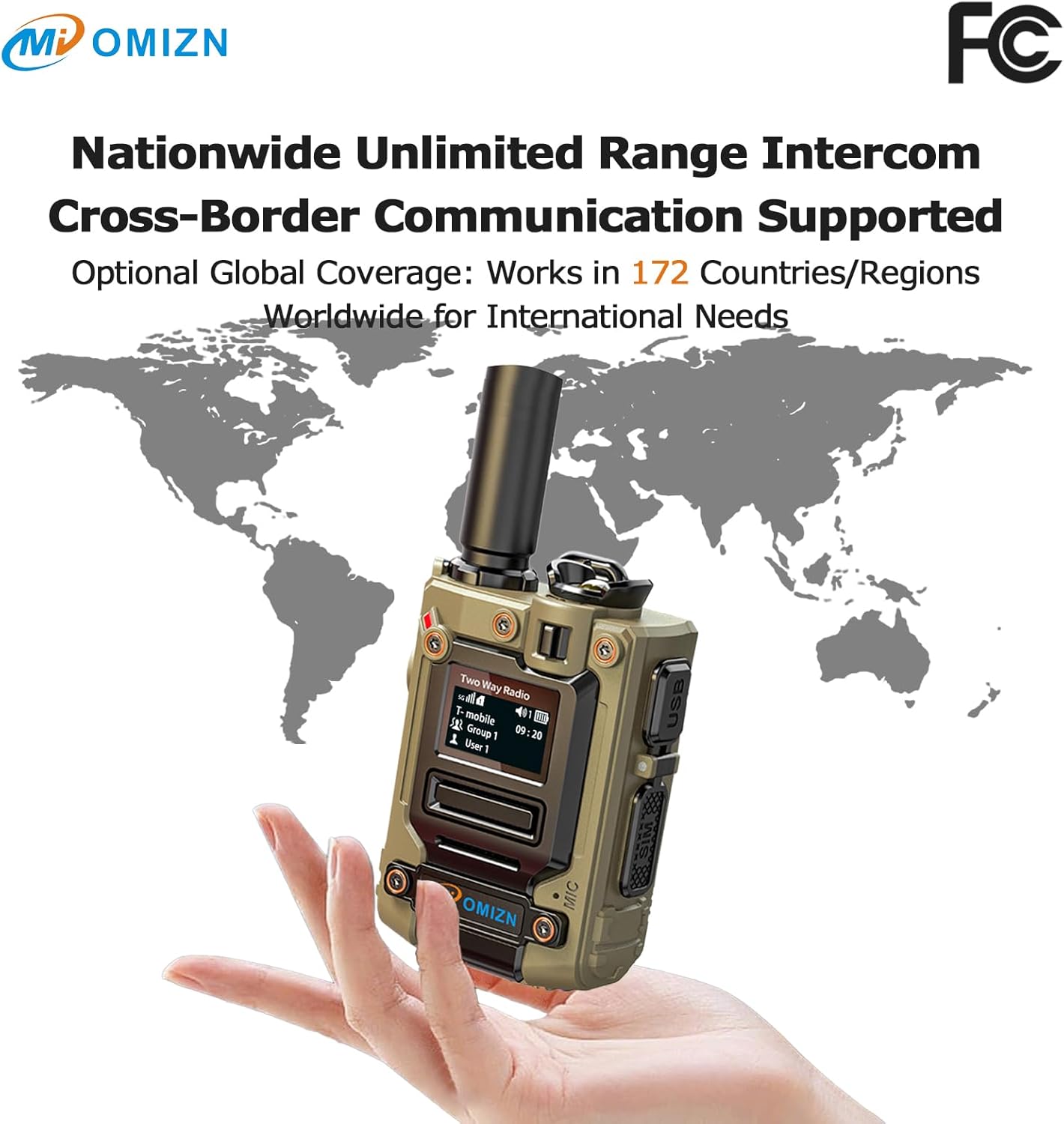
Image 5.1: The OMIZN M8 radio shown against a world map, emphasizing its nationwide and cross-border communication capabilities.
5.2. Volume Adjustment
Use the Volume Up and Volume Down buttons to increase or decrease the listening volume.
5.3. Flashlight Operation
- To Turn On/Off: Long press the Menu Key.
- To Switch Modes: Short press the Menu Key to cycle through Strong, Weak, and Strobe (SOS) light modes.
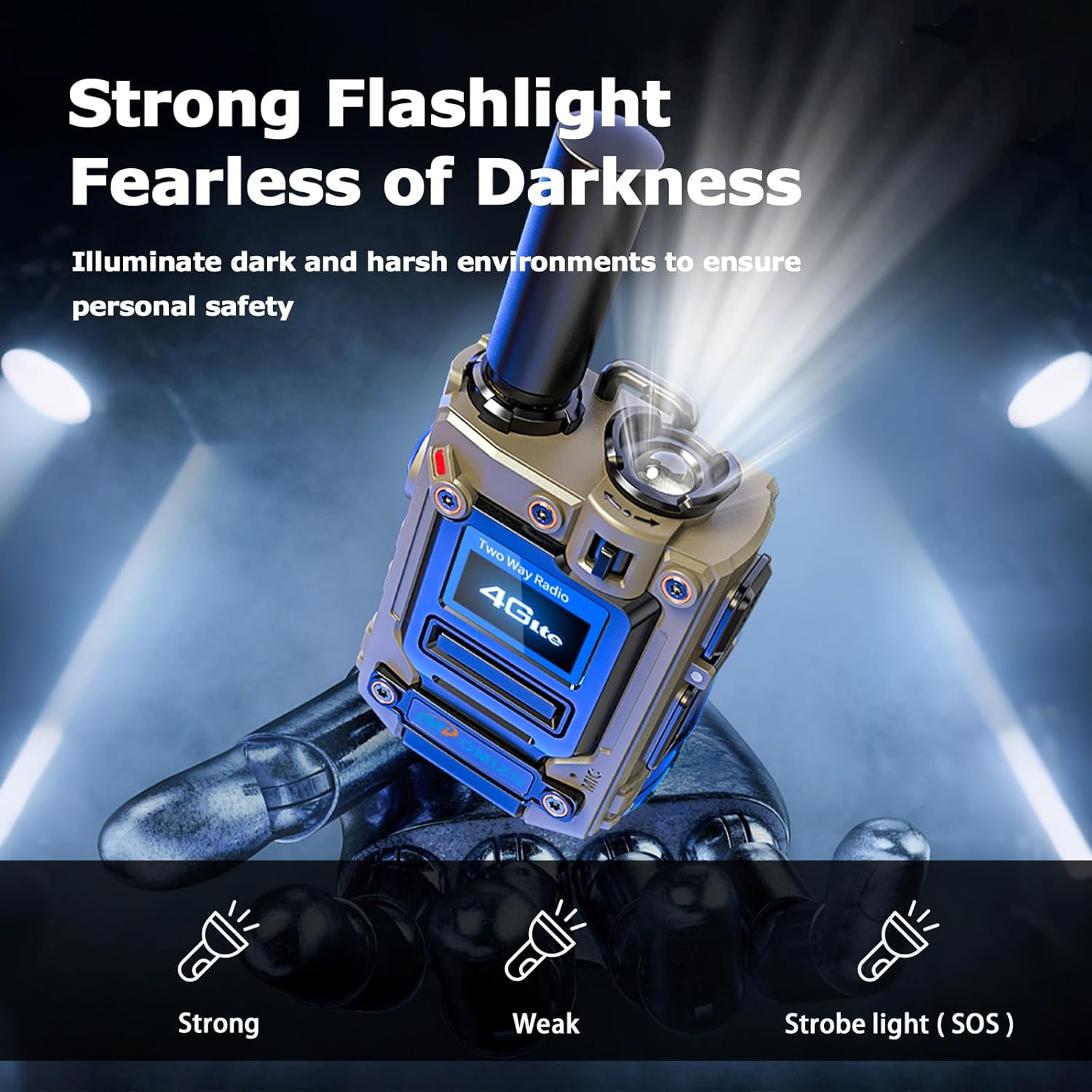
Image 5.2: The OMIZN M8 radio's integrated flashlight in operation, demonstrating its ability to illuminate dark environments with Strong, Weak, and Strobe (SOS) modes.
5.4. AES256 Encryption
The OMIZN M8 radio is equipped with AES256 encryption, which automatically secures your communications. This feature helps prevent unauthorized interception and ensures privacy for your conversations.

Image 5.3: Two OMIZN M8 radios illustrating the AES256 encryption feature, highlighting secure communication with a 256-bit key.
6. Maintenance and Care
6.1. Cleaning
The OMIZN M8 radio has an IP65 rating, making it dustproof and water-resistant. To clean the device, wipe it with a soft, damp cloth. Do not use harsh chemicals or abrasive cleaners. Ensure all ports are closed before cleaning with moisture.
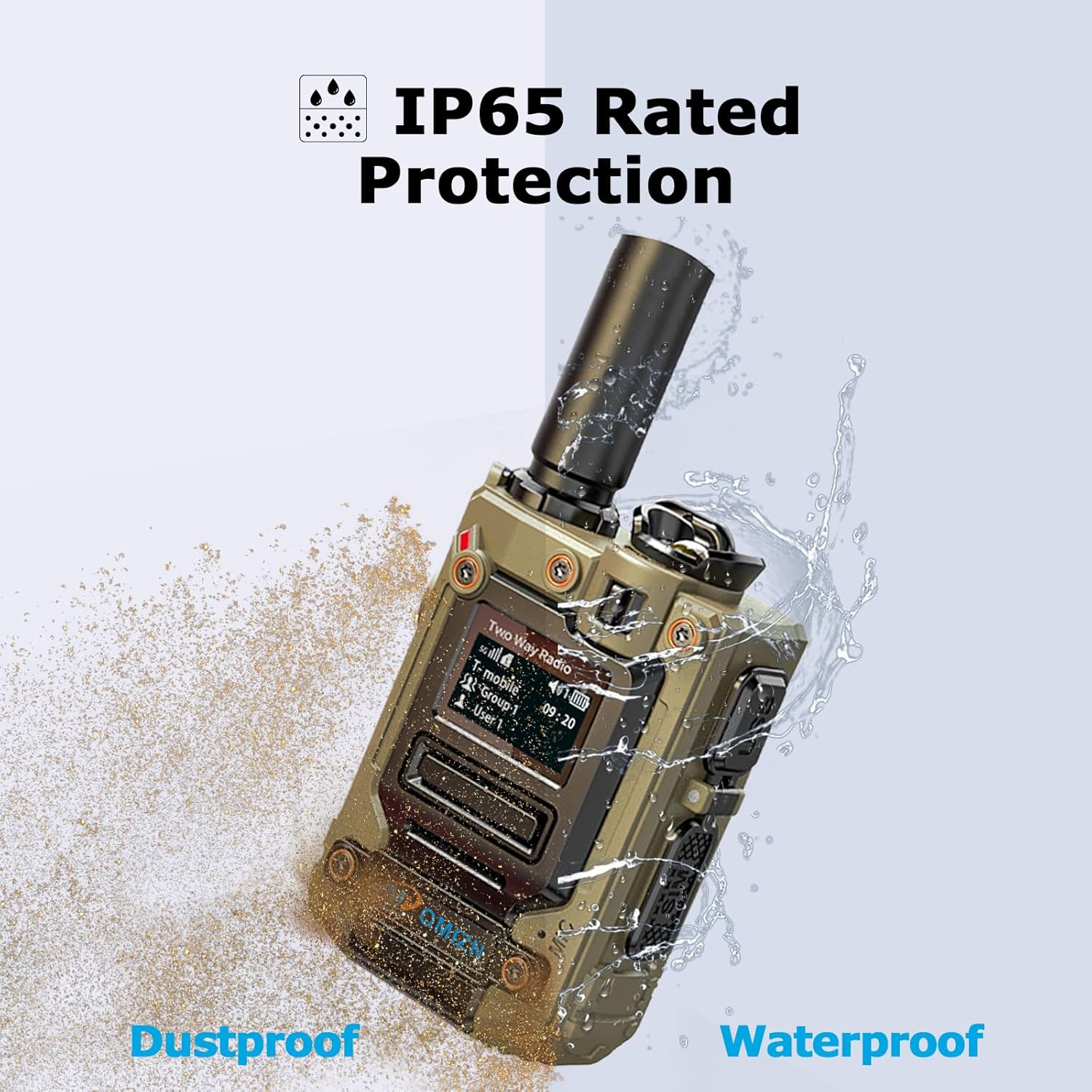
Image 6.1: The OMIZN M8 radio demonstrating its IP65 rating, showing resistance to both dust and water splashes.
6.2. Battery Care
- Charge the battery fully before first use.
- Avoid completely draining the battery regularly to prolong its lifespan.
- Store the radio and battery in a cool, dry place when not in use for extended periods.
7. Troubleshooting
If you encounter any issues with your OMIZN M8 radio, please refer to the following common solutions:
- No Power: Ensure the battery is correctly installed and charged. Try charging the device for at least 30 minutes.
- No Signal/Communication: Check if the radio is powered on and within network coverage. Verify the SIM card is properly inserted and active.
- Poor Audio Quality: Adjust the volume. Ensure the microphone and speaker are not obstructed. The intelligent noise reduction feature should automatically optimize sound.
- Flashlight Not Working: Ensure the radio is powered on. Long press the Menu Key to activate the flashlight.
If you experience a malfunction, signal issues, or are unsure how to use a feature, please contact our support team immediately. We are committed to resolving your concerns promptly and can provide online debugging services.

Image 7.1: A customer support representative, symbolizing assistance for product inquiries and troubleshooting.
8. Technical Specifications

Image 8.1: A detailed graphic outlining the OMIZN M8's product features and technical specifications.
| Feature | Specification |
|---|---|
| Model Number | M8 |
| Brand | OMIZN |
| Product Dimensions | 1.45 x 2.28 x 3.07 inches |
| Weight | 0.27 KG (approx.) |
| Display Type | OLED |
| Number of Channels | 200 |
| Special Features | Digital Display, Integrated Flashlight, Long Range, Noise Reduction, Weather Resistant |
| Frequency Range | TD-LTE: B38/B41, FDD-LTE: B2/B3/B4/B5/B7/B12/B13/B17/B26/B28, GSM: 850/900/1800/1900, WCDMA: B2/B4/B5 |
| Talking Range Maximum | Nationwide (via LTE network) |
| Voltage | 3.7 Volts |
| Water Resistance Level | IP65 (Dustproof, Water Resistant) |
| Battery Capacity | 6800mAh |
| Operating System | Rtos |
| SIM Card Type | Micro SIM Card |
| Working / Standby Time | 48 Hours / 168 Hours |
| Operating Temperature | -20°C to 55°C |
| Storage Temperature | -40°C to 85°C |
9. Warranty Information
Please refer to your purchase documentation or contact OMIZN customer support for detailed warranty information regarding your M8 4G PoC Two-Way Radio.
10. Customer Support
For any order-related issues, including damage, defects, or questions about product functionality, please contact OMIZN customer support through Amazon Messages. Our team is dedicated to providing prompt assistance and resolving your concerns.
For global service inquiries or SIM card renewal, please reach out to our after-sales service team in advance.


