
CHZHVAN S10
CHZHVAN Android Tracker Tags User Manual
Model: S10
Product Overview
The CHZHVAN S10 Android Tracker Tag is a Google-certified smart Bluetooth tracker designed to help you locate misplaced items. It pairs with the "Find Hub" app on Android devices (version 9 and above) to track essentials such as keys, wallets, bags, and luggage. This device offers a reliable solution for keeping track of your belongings.
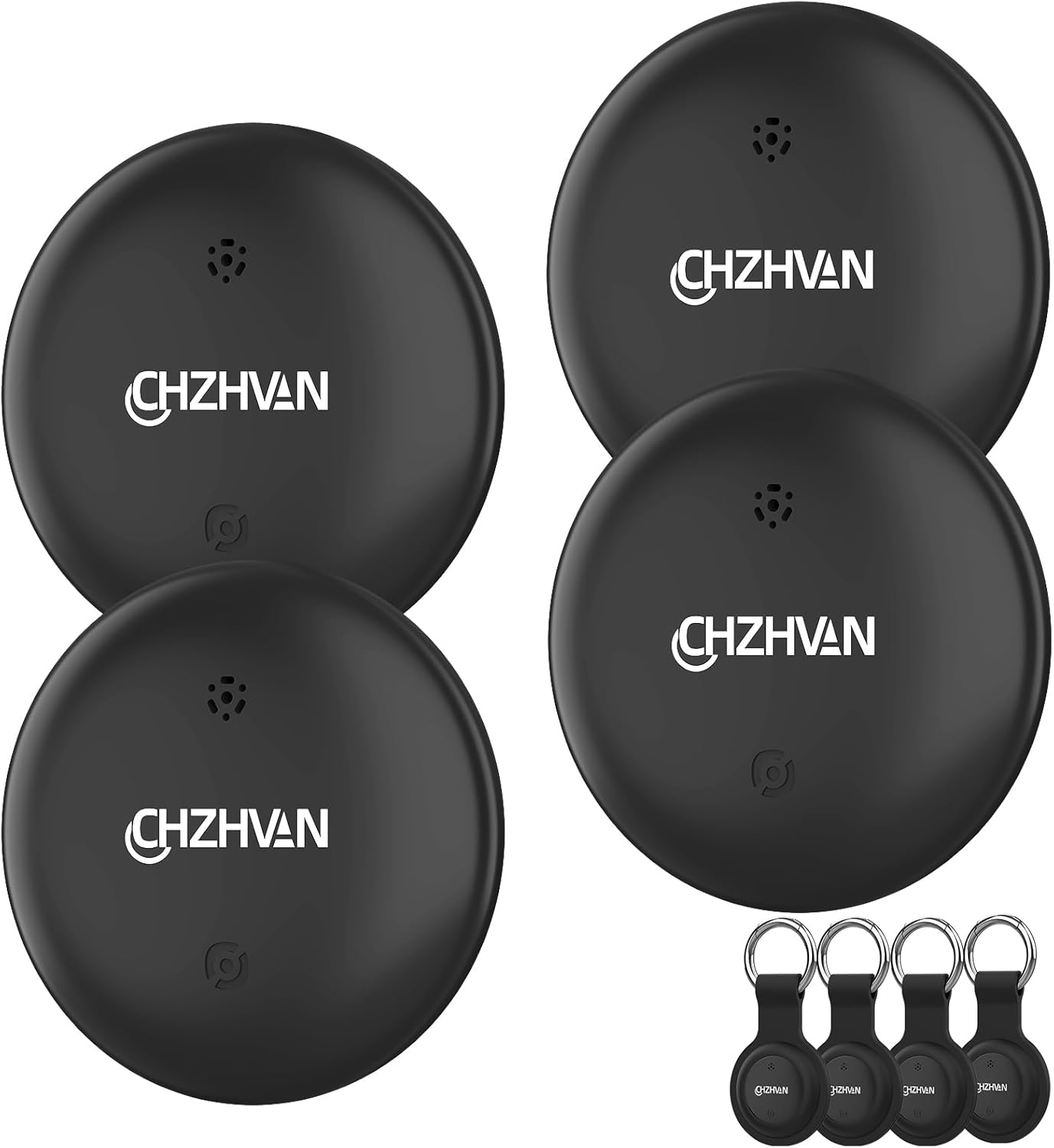
Image: Four CHZHVAN Android Tracker Tags, ready for use with keyrings.
Key Features:
- Google Certified: Designed specifically for Android (9 and above), compatible with the "Find Hub" app.
- IP67 Waterproof: Can be submerged in water for up to 30 minutes, offering protection against splashes, rain, and short periods of immersion.
- Replaceable Battery: Features a CR2032 battery with a life of up to 12 months (may vary with usage).
- Ultra-Loud Sound: Activate a loud ring within Bluetooth range (up to 50m/160ft) via the Find Hub app or voice commands to quickly locate items.
- No Fees, No Extra Apps: Utilizes the Google Find Hub app without requiring subscriptions or additional applications.
- Device Sharing: Allows sharing the tracker's location with friends and family, enabling multiple phones to track one device.
- Privacy Protection: Location data is kept private, anonymous, and encrypted.

Image: Diverse applications of the CHZHVAN tracker tag.
Setup Guide
Follow these steps to set up your CHZHVAN Android Tracker Tag and connect it to your Android device.

Image: Visual guide for initial setup of the Find Hub app.
- Download and Install the "Find Hub" App: Go to the Google Play Store on your Android phone, search for "Find Hub," and install the application.
- Open the App and Set It Up: Once installed, tap "Open" or locate the "Find Hub" app icon on your home screen and tap it. Log in with your Google account to access the "Find Hub" page.
- Select Your Primary Account: If you have multiple Google accounts, ensure you choose your primary account to link your tracker to it.
- Grant Necessary Permissions: The app may request certain permissions (e.g., location, Bluetooth). Review and grant these permissions as requested to complete the setup process.
Pairing Your Tracker:
After setting up the app, proceed with pairing your CHZHVAN Tracker Tag:

Image: Step-by-step visual guide for pairing the tracker.
- Turn on the Wireless Tag: Press the button on the CHZHVAN tracker tag to activate it. Ensure your phone's Bluetooth is switched on.
- Pairing Window Opens Automatically: A pairing window for the "Wireless tag" should appear on your phone.
- Follow On-Screen Instructions: Proceed with the instructions displayed on your phone to complete the pairing process.
- Open App: Once pairing is complete, you can open the Find Hub app to manage your new tracker. If the pairing window does not appear, update your phone's system or restart your device.
Operating Instructions
Learn how to effectively use your CHZHVAN Android Tracker Tag to locate your belongings.
Using the Find Hub App:

Image: The Find Hub app interface on an Android phone.
- Locate Nearby Items: Within Bluetooth range, open the Find Hub app and select your tracker. Tap the "Play sound" button to make the tracker emit a loud ring, helping you quickly find misplaced items like keys or wallets.

Image: Locating keys nearby using the sound feature.

Image: The tracker emitting a loud sound to aid in finding.
- Locate Far Away Items: If your item is out of Bluetooth range, the Find Hub app will display its last known location on a map, utilizing the Google Find Hub network to help you track it worldwide.

Image: Tracking items globally using the Find Hub network.
- Lost Mode: Enable "Lost Mode" notifications on your phone to be automatically alerted if an item is accidentally left behind.
- Share Device: Use the "Share device" feature to allow others (friends or family) to track the same Wireless Tag location from their own Android phones.

Image: Illustrating the device sharing feature.
Maintenance
Proper maintenance ensures the longevity and optimal performance of your CHZHVAN Android Tracker Tag.
Battery Replacement:
The tracker uses a replaceable CR2032 coin cell battery. When the battery level is low, you will be notified via the Find Hub app. To replace the battery:
- Gently twist or pry open the tracker casing.
- Remove the old CR2032 battery.
- Insert a new CR2032 battery with the positive (+) side facing up.
- Close the casing securely, ensuring a tight seal to maintain water resistance.

Image: Illustration of the replaceable battery feature.
Water Resistance:
The CHZHVAN Tracker Tag is IP67 rated, meaning it is protected from dust and can withstand immersion in water up to 1 meter (3.3 feet) for 30 minutes. While it is water-resistant, it is not recommended for prolonged submersion or use during activities like swimming.

Image: The tracker demonstrating its IP67 water resistance.
Troubleshooting
If you encounter issues with your CHZHVAN Android Tracker Tag, refer to the following common troubleshooting steps:
- Tracker Not Connecting/Pairing:
- Ensure Bluetooth is enabled on your Android phone.
- Make sure the tracker's battery is not depleted. Replace if necessary.
- Restart your phone and try the pairing process again.
- Ensure the Find Hub app is updated to the latest version.
- Move the tracker closer to your phone during pairing.
- Sound Not Emitting:
- Check if the tracker is within Bluetooth range of your phone.
- Verify the battery level of the tracker.
- Ensure the volume on your phone is turned up.
- Inaccurate Location:
- Ensure location services are enabled on your Android phone for the Find Hub app.
- Check for strong GPS signal in your area.
- The accuracy of location tracking can be affected by environmental factors (e.g., dense buildings, underground areas).
- App Crashing/Freezing:
- Clear the cache and data for the Find Hub app in your phone's settings.
- Uninstall and reinstall the app.
- Ensure your Android operating system is up to date.
Specifications
Detailed technical specifications for the CHZHVAN Android Tracker Tag.

Image: Dimensions of the CHZHVAN Tracker Tag.
| Feature | Detail |
|---|---|
| Model Number | S10 |
| Brand | CHZHVAN |
| Compatibility | Android 9 and above (Not compatible with iOS and Huawei) |
| App | Find Hub |
| Connectivity | Bluetooth |
| Water Resistance | IP67 |
| Battery Type | CR2032 (included) |
| Battery Life | Up to 12 months (varies with usage) |
| Bluetooth Range | Up to 50 meters / 160 feet |
| Item Weight | 2.82 ounces |
| Dimensions | 1.26 x 1.26 x 0.3 inches (approx. 3.2 x 3.2 x 0.8 cm) |
Warranty and Support
For warranty information, please refer to the documentation included with your purchase or contact the manufacturer directly. Protection plans may be available for purchase separately.
For product support, frequently asked questions, or to contact CHZHVAN customer service, please visit the official CHZHVAN store on Amazon or their official website:
CHZHVAN Amazon Store: https://www.amazon.com/stores/CHZHVAN/page/9C5087C7-6045-4326-A186-E28F6ACBD390
Please note: No official product videos with 'creator_type: Seller' were found in the provided data to embed in this manual.
Related documentsS10


Ask a question about this manual
Ask about setup, troubleshooting, compatibility, parts, safety, or missing instructions. Manuals+ will review the question and use this page’s manual context to help answer it.