
ANGEL W-J3680-ROB15
ANGEL Reverse Osmosis Water Filter System (Model W-J3680-ROB15)
User Instruction Manual
Introduction
This manual provides detailed instructions for the installation, operation, and maintenance of your ANGEL Reverse Osmosis Water Filter System, Model W-J3680-ROB15. This 7-stage under-sink water filtration system is designed to deliver clean, great-tasting water by effectively reducing contaminants such as PFAS/PFOS, fluoride, chlorine, and other impurities. Please read this manual thoroughly before installation and use to ensure proper function and longevity of your system.
Important Safety Information
- Ensure all connections are secure to prevent leaks.
- Do not operate the system outside the specified operating pressure range (14.5-87 PSI).
- Do not expose the system to temperatures below 39°F (4°C) or above 104°F (40°C).
- Only use genuine ANGEL replacement filters to maintain performance and warranty.
- If you are unsure about any installation step, consult a qualified plumber.
- Keep the power adapter away from water.
What's in the Box
Verify that all components are present before beginning installation.

Image: All components included in the ANGEL Reverse Osmosis Water Filter System kit.
- RO system main unit
- CFII/RO/NAC filters (pre-installed or separate)
- Faucet
- Storage Tank
- Feed Water Valve
- PE Tubing (3/8" and 1/2")
- Adapter & Lock Clips
- Drain Saddle & Screws
- Power Adapter
- User Manual (this document)
Video: Overview of accessories and tools included with the ANGEL Under-Sink RO Water Purifier.
Setup and Installation
Follow these steps carefully for proper installation. Refer to the installation video for visual guidance.

Image: The compact design of the ANGEL RO system, measuring 14.25"L x 5.04"W x 12.99"H, allows it to fit in smaller under-sink spaces compared to bulkier traditional systems.
General Installation Notes:
- Ensure sufficient space under your sink for the main unit and tank.
- Turn off the main water supply before starting installation.
- Have basic plumbing tools ready (e.g., wrench, drill, pipe cutter).
Installation Steps:
- Prepare the Faucet: Install the new faucet in a suitable location on your sink or countertop. Ensure proper washer order and secure tightening.
- Connect the Feed Water Valve: Install the feed water adapter to your cold water line.
- Install the Drain Saddle: Attach the drain saddle to the drain pipe under your sink. Drill a hole as instructed for the wastewater line.
- Connect Tubing: Connect the PE tubing from the feed water valve, drain saddle, and faucet to the main RO unit and storage tank according to the provided diagram.
- Place the RO Unit and Tank: Position the main unit and storage tank under the sink.
- Power Connection: Connect the power adapter to the RO unit and plug it into an electrical outlet.
- Flush the System: Turn on the water supply and allow the system to fill and flush for several minutes as per the manual's instructions to remove air and carbon fines.
Video: Step-by-step guide for installing the ANGEL Reverse Osmosis System.
Operating Instructions
Once installed, your ANGEL RO system operates automatically. Here are some key operational aspects:
- First Use: After installation and flushing, allow the storage tank to fill completely before drawing water. This may take some time.
- Water Dispensing: Turn the dedicated RO faucet handle to dispense purified water.
- Flow Rate: The system provides a fast flow rate, capable of filling an 8oz cup in approximately 6 seconds.
- Automatic Operation: The system automatically fills the storage tank as water is used and shuts off when the tank is full.

Image: The ANGEL Q1 system demonstrates a faster flow rate, filling a cup in 6 seconds compared to 60 seconds for other systems.

Image: The ANGEL RO Filtration System offers a total capacity of 3000 gallons and a 3-year RO filter life.
Maintenance and Filter Replacement
Regular filter replacement is crucial for maintaining optimal water quality and system performance. The system features a built-in filter indicator light to remind you when it's time for replacement.
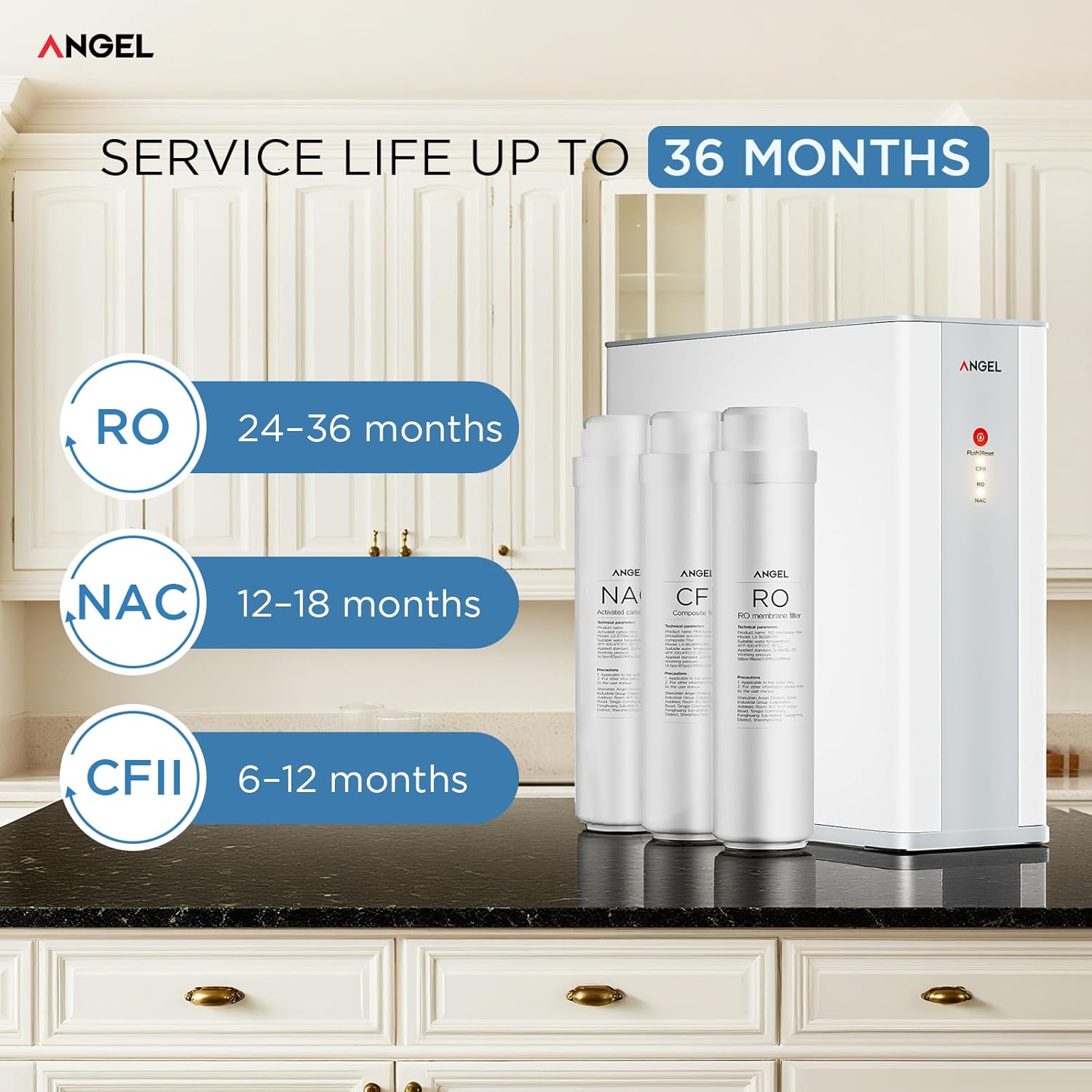
Image: Filter lifespan details: RO filters last 24-36 months, NAC filters 12-18 months, and CFII filters 6-12 months.
Filter Lifespan:
- RO Filter: 24-36 months
- NAC Filter: 12-18 months
- CFII Filter: 6-12 months
Replacement Procedure:
- Turn off the water supply to the RO system and depressurize the system by opening the RO faucet.
- Unplug the power adapter.
- Remove the system cover to access the filters.
- Twist and pull out the old filter cartridge.
- Insert the new filter cartridge, twisting it into place until a distinct 'click' sound confirms secure installation.
- Replace the system cover.
- Restore power and water supply, then flush the new filter as per the initial setup instructions.
Video: Guide for replacing filter cartridges in the ANGEL Under-Sink RO Water Purifier.
Troubleshooting
This section addresses common issues you might encounter with your RO system.
| Problem | Possible Cause | Solution |
|---|---|---|
| Low water flow from faucet | Clogged filters, low water pressure, air in system, partially closed shut-off valve. | Check filter indicator light and replace filters if needed. Ensure water supply valve is fully open. Allow system to fill tank completely. Check household water pressure. |
| Unusual taste or odor | New filters not flushed, expired filters, contaminated storage tank. | Flush new filters thoroughly. Replace expired filters. Sanitize the storage tank if necessary. |
| Water leakage | Loose connections, damaged O-rings, improperly seated filters. | Turn off water supply. Check all tubing connections and tighten if loose. Inspect O-rings for damage and replace if needed. Ensure filters are correctly installed and locked. |
| System not producing water | No power, water supply off, clogged RO membrane. | Check power connection. Ensure water supply is on. Replace RO membrane if it's past its lifespan or severely clogged. |
If you experience issues not covered here, or if solutions do not resolve the problem, please contact ANGEL customer support.
Specifications
| Brand | ANGEL |
| Model Name | W-J3680-ROB15 |
| Product Dimensions (L x W x H) | 14.25"L x 5.04"W x 12.99"H |
| Material | Plastic, Stainless Steel |
| Purification Method | Reverse Osmosis (7-stage filtration) |
| Total Filtration Capacity | 3,000 Gallons |
| RO Filter Lifespan | 24-36 Months |
| NAC Filter Lifespan | 12-18 Months |
| CFII Filter Lifespan | 6-12 Months |
| Pure to Drain Ratio | 2:1 |
| Operating Pressure Range | 14.5-87 PSI |
| Operating Temperature Range | 39°F - 104°F (4°C - 40°C) |
| Maximum Flow Rate | 0.5 Gallons Per Minute |
| Supported Water TDS Level Maximum | 1000 PPM |
| Special Features | 7-stage Filtration, Automatic Shut-Off, Change Filter Indicator, Easy Installation, Reduces TDS, Lead-Free Construction |
| Certifications | NSF 58, 42, 372 standards, CSA tested, FCC certified |
Warranty and Support
ANGEL provides reliable support for its products. While specific warranty details may vary, the system is designed for long-lasting performance with RO filters lasting up to 3 years.
Customer Support:
For assistance with installation, troubleshooting, or any product-related questions, please contact ANGEL customer support. Our team is available 24/7 and aims to respond within 12 hours to ensure your complete satisfaction.
Refer to the product packaging or the official ANGEL website for contact information.
Related documentsW-J3680-ROB15

Ask a question about this manual
Ask about setup, troubleshooting, compatibility, parts, safety, or missing instructions. Manuals+ will review the question and use this page’s manual context to help answer it.