
Introduction
The Sudio N3 Pro Wireless Earbuds are designed to provide a high-definition listening experience with active noise cancelling. These earbuds offer up to 30 hours of total playtime, are sweat and splashproof, and feature an eco-friendly design incorporating recycled plastics. Their comfortable fit and premium metallic finish make them suitable for all-day wear, seamlessly transitioning from work to leisure activities.
The pebble-inspired charging case is smooth to the touch and compact, fitting easily into your pocket. With multipoint connection, the Sudio N3 Pro allows convenient sharing across multiple devices.
What's in the Box
- Sudio N3 Pro Earbuds and Charging Case
- USB-C Charging Cable
- Eartip Card with 4 Silicone Eartip Sizes
- User Manual

Image: Contents of the Sudio N3 Pro package, showing the earbuds, charging case, USB-C cable, and different sized silicone eartips.
Product Overview
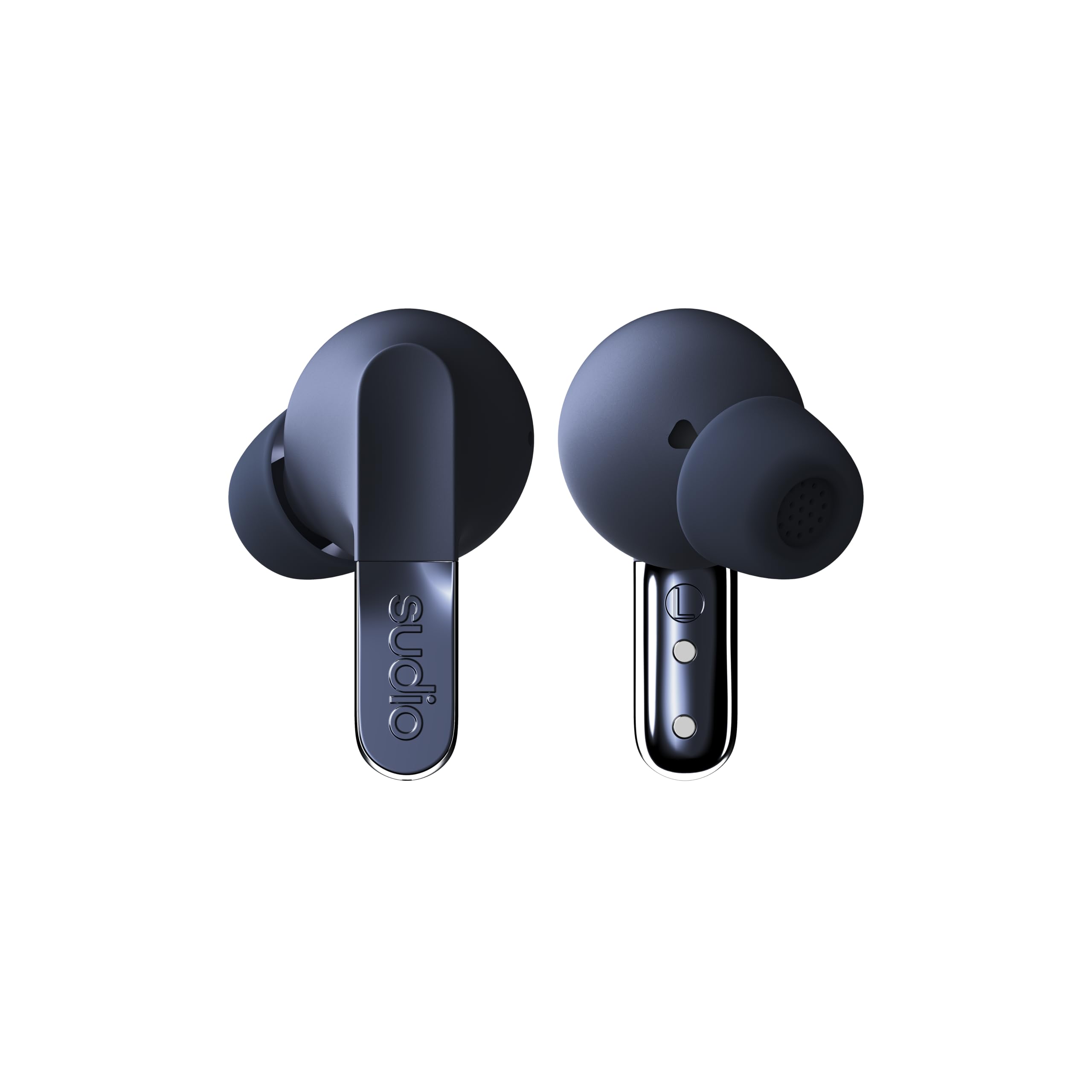
Image: The Sudio N3 Pro earbuds and their pebble-shaped charging case.
The Sudio N3 Pro earbuds are designed for a comfortable in-ear fit, featuring a stem design with touch controls. The compact charging case not only protects the earbuds but also provides additional battery life and features a USB-C charging port.
Setup
Initial Use
- Unpack: Carefully remove the earbuds and charging case from the packaging.
- Remove Protective Film: Before first use, remove any protective film covering the charging contacts on the earbuds.
- Charge: Place the earbuds into the charging case and connect the USB-C cable to a power source to fully charge the device. The LED indicator on the case will show charging status.
- Select Eartips: Choose the silicone eartips that provide the most comfortable and secure fit for your ears. A good seal is crucial for optimal sound quality and Active Noise Cancelling performance.
Bluetooth Pairing
- Open the charging case. The earbuds will automatically enter pairing mode.
- On your device (smartphone, tablet, etc.), go to the Bluetooth settings.
- Select "Sudio N3 Pro" from the list of available devices.
- Once connected, you will hear an audio prompt confirming successful pairing.

Image: A user wearing the Sudio N3 Pro earbuds, illustrating the in-ear fit.
Operating Instructions
Power On/Off
- Power On: Open the charging case, and the earbuds will automatically power on and attempt to connect to the last paired device.
- Power Off: Place the earbuds back into the charging case and close the lid. They will automatically power off and begin charging.
Music Playback
- Play/Pause: Tap either earbud once.
- Next Track: Double-tap the right earbud.
- Previous Track: Double-tap the left earbud.
Call Management
- Answer/End Call: Tap either earbud once.
- Reject Call: Press and hold either earbud for 2 seconds.
Voice Assistant
- Activate Voice Assistant: Triple-tap either earbud.
Active Noise Cancelling (ANC)
The Sudio N3 Pro features adaptive hybrid Active Noise Cancelling technology, capable of reducing ambient noise by up to -50dB. This allows you to focus on your audio content without distractions from your surroundings.
ANC Modes
- ANC On: Blocks out most external noise.
- Transparency Mode: Allows ambient sounds to pass through, keeping you aware of your surroundings while still enjoying your audio.
- ANC Off: Disables noise cancelling and transparency modes.
Toggling ANC Modes
Press and hold the touch sensor on either earbud for 2 seconds to cycle through ANC On, Transparency Mode, and ANC Off.

Image: Sudio N3 Pro earbuds in their charging case, illustrating the Active Noise Cancelling feature.
Touch Controls
The Sudio N3 Pro earbuds feature intuitive touch controls on both earbuds for easy management of music, calls, and noise cancelling modes.
| Action | Function |
|---|---|
| Single Tap (Either Earbud) | Play/Pause Music, Answer/End Call |
| Double Tap (Right Earbud) | Next Track |
| Double Tap (Left Earbud) | Previous Track |
| Triple Tap (Either Earbud) | Activate Voice Assistant |
| Press & Hold (2s, Either Earbud) | Cycle ANC Modes (ANC On / Transparency / ANC Off), Reject Call |
Battery and Charging
The Sudio N3 Pro earbuds offer extended listening times, ensuring your music accompanies you throughout the day.
- Earbud Playtime: Up to 5.5 hours on a single charge.
- Total Playtime: Up to 30 hours with the charging case.
- Charging Interface: USB-C.
Charging the Case
- Connect the provided USB-C charging cable to the port on the charging case.
- Connect the other end of the cable to a compatible USB power adapter (not included).
- The LED indicator on the case will illuminate to show charging status and turn off when fully charged.

Image: Sudio N3 Pro charging case and earbuds, highlighting battery life and USB-C charging.
Care and Maintenance
Proper care ensures the longevity and optimal performance of your Sudio N3 Pro earbuds.
- Cleaning: Regularly clean the earbuds, especially the eartips and charging contacts, with a soft, dry cloth. Avoid using harsh chemicals or abrasive materials.
- Water Resistance: The earbuds are sweat and splashproof (IPX4 equivalent). Avoid submerging them in water or exposing them to heavy rain. Dry them thoroughly before placing them back in the charging case.
- Storage: Store the earbuds in their charging case when not in use to protect them and keep them charged.
- Temperature: Avoid exposing the earbuds to extreme temperatures, as this can affect battery life and overall performance.
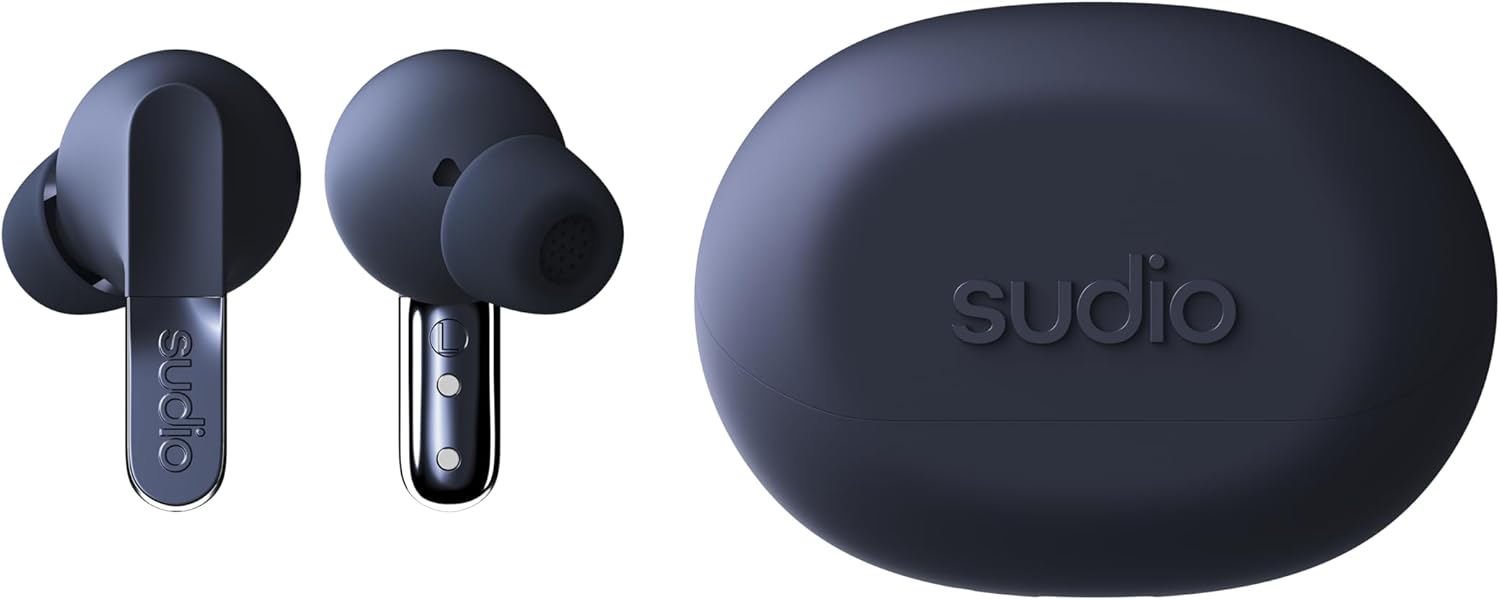
Image: Detailed view of the Sudio N3 Pro earbuds, emphasizing their design and eartips.
Troubleshooting
If you encounter any issues with your Sudio N3 Pro earbuds, refer to the following common solutions:
- No Sound/Poor Sound Quality:
- Ensure earbuds are charged.
- Check Bluetooth connection and ensure earbuds are paired correctly.
- Adjust volume on both your device and the earbuds.
- Try different sized eartips for a better seal.
- Pairing Issues:
- Ensure earbuds are in pairing mode (open case).
- Turn off and on Bluetooth on your device.
- Forget "Sudio N3 Pro" from your device's Bluetooth list and re-pair.
- Ensure earbuds are fully charged.
- Charging Issues:
- Ensure the USB-C cable is securely connected to both the case and the power source.
- Check if the charging contacts on the earbuds and inside the case are clean and free of debris.
- Try a different USB-C cable or power adapter.
Specifications
| Feature | Detail |
|---|---|
| Model Name | SUDIO N3 Pro |
| Noise Control | Active Noise Cancellation |
| Battery Life | Up to 30 Hours (with charging case) |
| Connectivity Technology | Wireless (Bluetooth) |
| Bluetooth Version | 5.4 |
| Water Resistance Level | Water Resistant (Sweat & Splashproof) |
| Material | Plastic, Silicone (20% recycled plastics) |
| Control Method | Touch |
| Audio Driver Type | Dynamic Driver |
| Item Weight | 94.7 Grams (3.34 ounces) |
Warranty and Support
For warranty information, product support, or to register your Sudio N3 Pro earbuds, please visit the official Sudio website or contact their customer service directly.
Manufacturer: Sudio
Website: www.sudio.com


