
1. Introduction
Thank you for purchasing the Newsoul 15.6-inch Dual Portable Monitor M156. This manual provides essential information for setting up, operating, and maintaining your new device. Please read it carefully before use to ensure optimal performance and longevity.
2. Setup
2.1 Driver-Free Instant Setup
The Newsoul M156 monitor supports dual connection methods: USB Type-C and HDMI. It is designed for plug-and-play functionality, requiring no driver installation.
- USB Type-C Connection: For Windows systems with a full-featured Type-C port, connect with one Type-C cable and a power source for immediate dual display. For MacOS, two Type-C cables are required.
- HDMI Connection: When using HDMI, a separate power source is required. Simply connect the HDMI cable and power for quick setup.

Image: The Newsoul M156 monitor connected to a laptop, demonstrating driver-free dual screen setup via USB Type-C for both Windows (one cable) and MacOS (two cables).
3. Operating Instructions
3.1 Enhanced Productivity with Multi-Tasking
This dual display system is designed to significantly improve work efficiency for various tasks, such as programming, content creation, and general office work. It allows for seamless screen sharing and extension.
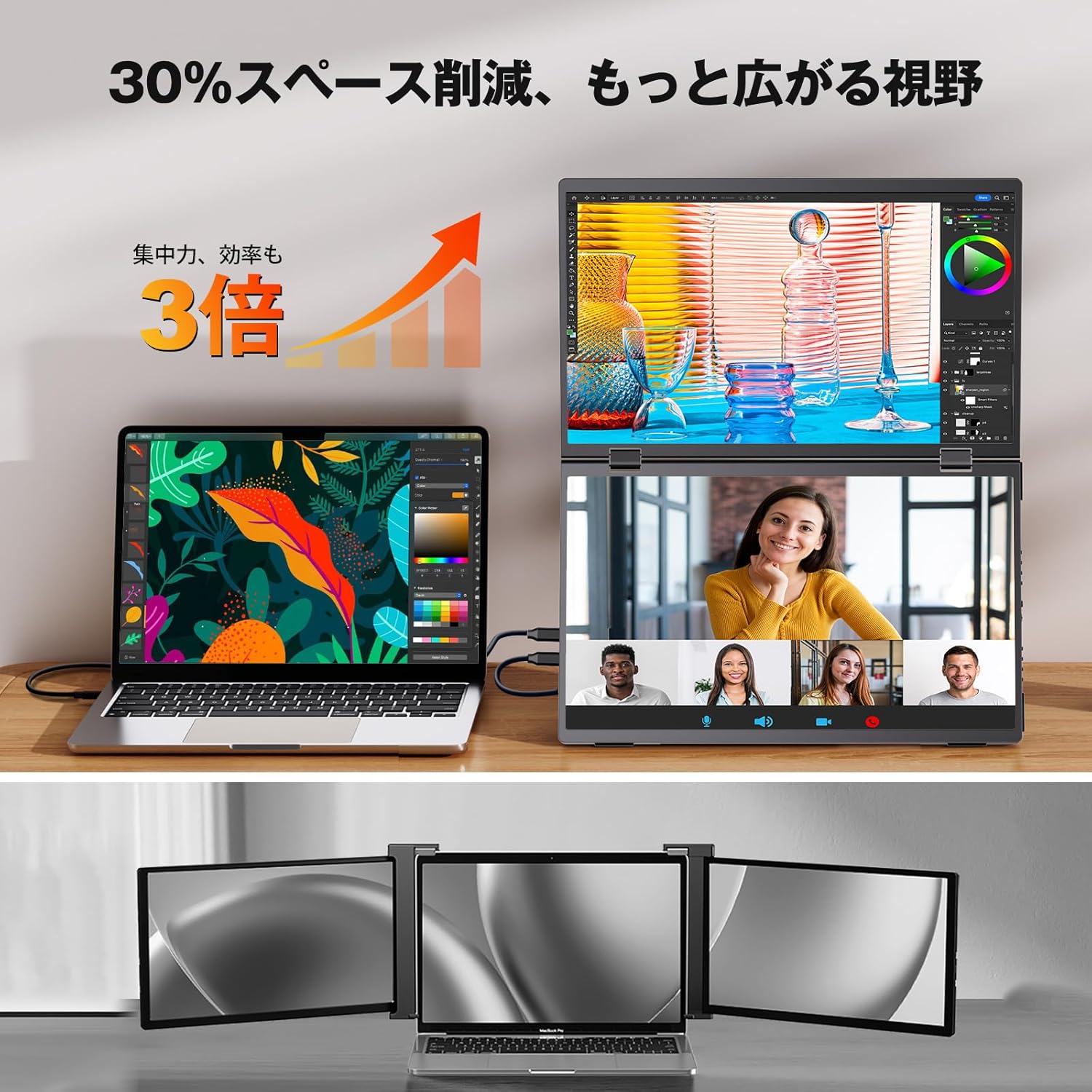
Image: A laptop connected to the Newsoul M156 monitor, demonstrating how the dual screen setup can reduce space and increase efficiency by displaying multiple applications simultaneously.
3.2 Display Modes
The monitor supports various display modes to suit your needs:
- Share Mode: Displays the same content on both screens.
- Extend Mode: Displays different content on each screen, extending your desktop. (Note: Compatible only with laptops equipped with Type-C 3.1/Thunderbolt 3/4 ports.)
- Link Mode: Combines the two screens into one large, seamless display.
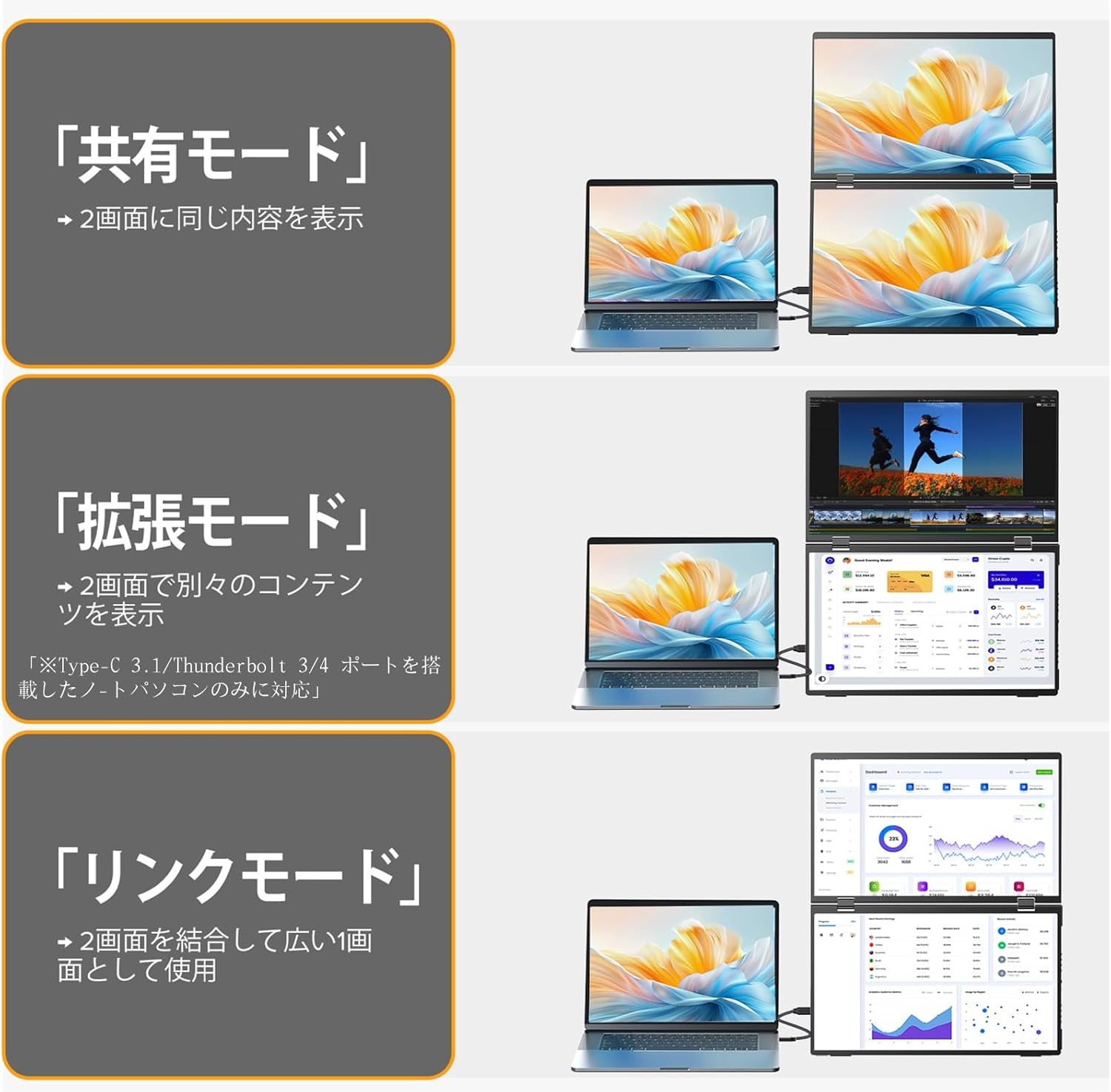
Image: Visual representation of the three display modes: Share Mode (duplicate screens), Extend Mode (separate content on each screen), and Link Mode (combined large screen).
3.3 One-Touch Flip and 360° Rotation
The upper display features a one-touch instant flip function, allowing you to quickly reverse the screen orientation. Additionally, the upper display can smoothly rotate 360 degrees, facilitating easy material sharing during meetings or collaborations with clients.

Image: A user demonstrating the 360-degree rotation feature of the upper screen for easy content sharing in a business meeting scenario.
3.4 Wide Compatibility and Dual Terminal Display
The monitor is equipped with multiple ports, including Mini HDMI and USB Type-C, allowing simultaneous connection of two terminals. This enables parallel display of content from different devices, such as gaming and remote work applications.
- Type-C: Compatible with laptops and smartphones.
- HDMI: Easily connects with devices like PS5 and Nintendo Switch.
The 178-degree wide viewing angle ensures comfortable sharing from various positions in a room.

Image: The Newsoul M156 monitor displaying content from a laptop and a game console simultaneously, highlighting its multi-device compatibility and dual-terminal display capability.
3.5 IPS Panel with Wide Viewing Angle
Experience rich colors and an immersive dual-screen experience with the 178-degree wide viewing angle IPS panel.
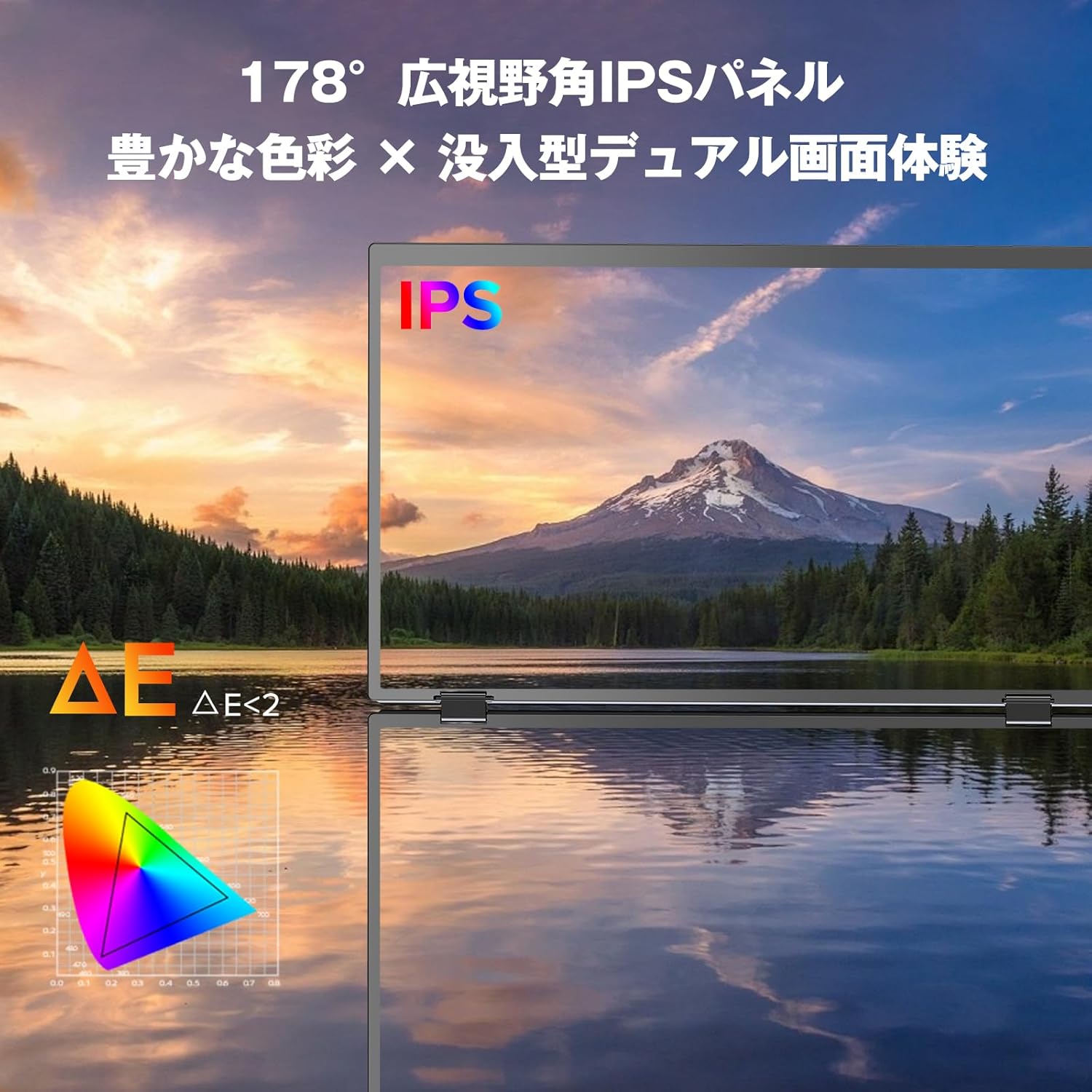
Image: A close-up of the Newsoul M156 monitor screen, emphasizing the IPS panel technology and its wide viewing angle for vibrant colors.
3.6 Ergonomic Design and Built-in Stand
The monitor features a 120-degree stepless tilt adjustment and a 360-degree rotating upper screen, allowing you to achieve an optimal viewing height and angle for comfortable desk work. This design helps reduce strain on your neck and shoulders, promoting a better working posture for extended periods. It also includes low blue light and flicker-free technology to reduce eye strain.

Image: The Newsoul M156 monitor showcasing its built-in stand with 120-degree stepless tilt adjustment, illustrating various ergonomic positions.
3.7 Product Videos
Video: This video demonstrates the various features and functionalities of the Newsoul M156 Dual Portable Monitor, including its setup and usage scenarios.
Video: A detailed overview of the Newsoul M156 monitor, showcasing its portability and ease of connection with different devices.
Video: This clip illustrates the ergonomic adjustments and flexible viewing angles offered by the Newsoul M156 monitor.
4. Maintenance
To ensure the longevity and optimal performance of your Newsoul M156 monitor, follow these maintenance guidelines:
- Cleaning: Gently wipe the screen with a soft, lint-free cloth. For stubborn smudges, use a screen-cleaning solution specifically designed for electronic displays. Avoid harsh chemicals or abrasive materials.
- Storage: When not in use, store the monitor in a cool, dry place, away from direct sunlight and extreme temperatures. Utilize the compact 360-degree foldable design for safe and convenient storage in a business bag.
- Handling: Always handle the monitor with care. Avoid dropping it or subjecting it to strong impacts.
- Cables: Ensure all cables are connected securely and are not bent or crimped, which can cause damage over time.
5. Troubleshooting
If you encounter issues with your Newsoul M156 monitor, refer to the following common troubleshooting steps:
- No Display/No Signal:
- Ensure all cables (USB-C, HDMI, power) are securely connected to both the monitor and the source device.
- Verify that the source device (laptop, smartphone, game console) is powered on and outputting a signal.
- If using USB-C, confirm that your device's Type-C port supports video output (full-featured Type-C).
- Try connecting the monitor to a different source device or using different cables to rule out cable or source issues.
- Ensure the monitor's input source is correctly selected (if applicable).
- Power Issues:
- Confirm the power adapter is properly connected to a working power outlet and the monitor.
- If using USB-C for power, ensure the source device provides sufficient power or use the dedicated power adapter.
- Image Quality Issues (Flickering, Distorted Image):
- Check cable connections for looseness or damage.
- Adjust the display settings on your source device (resolution, refresh rate).
- Ensure the monitor is receiving adequate power.
- Screen Rotation Not Working:
- Ensure the monitor is properly unfolded and positioned.
- Check for any physical obstructions preventing rotation.
If these steps do not resolve the issue, please contact customer support.
6. Specifications
| Brand | Newsoul |
| Manufacturer | Newsoul |
| Product Model Number | M156 |
| Standing Screen Display Size | 15.6 Inches |
| Resolution | FHD 1080p |
| Aspect Ratio | 16:9 |
| Screen Surface Description | Glossy |
| Product Dimensions (L x W x H) | 28 x 16 x 2 cm |
| Item Weight | 2.32 Kilograms |
| ASIN | B0F5WTJNPR |
7. Warranty and Support
The Newsoul M156 Dual Portable Monitor comes with a 1-year manufacturer's warranty. This warranty covers defects in materials and workmanship under normal use.
For technical support, warranty claims, or any inquiries regarding your product, please contact Newsoul customer service through the following channels:
- Email: support@newsoul.com (Example email, please refer to actual product documentation for correct contact.)
- Website: Newsoul Official Store on Amazon
Please have your product model number (M156) and proof of purchase ready when contacting support.