
1. Introduction
The HUAWEI WATCH FIT 4 Pro is a versatile smartwatch designed for both daily wear and active lifestyles. It features a durable, lightweight design with advanced health and fitness tracking capabilities. This manual provides essential information for setting up, operating, and maintaining your device.
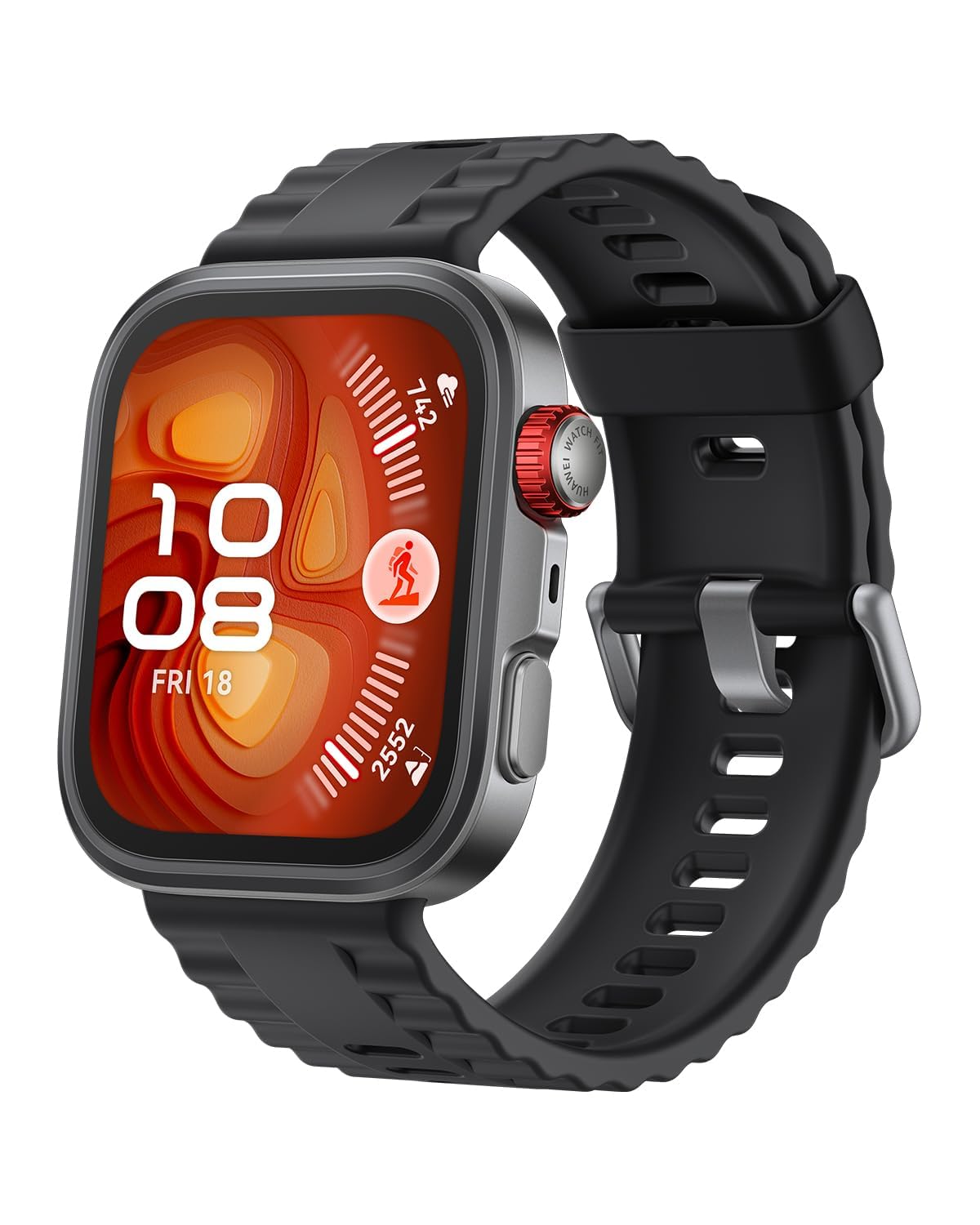
Figure 1: HUAWEI WATCH FIT 4 Pro Smartwatch (Black variant)
2. Getting Started
2.1. HUAWEI Health App Installation
To use your HUAWEI WATCH FIT 4 Pro, you must first install the dedicated HUAWEI Health app on your smartphone. Follow the instructions below:
- For iOS devices: Search for "HUAWEI Health" in the Apple App Store or scan the QR code provided on the product packaging.
- For Android devices: Scan the QR code provided on the product packaging to download the app from the HUAWEI App Gallery.
2.2. Pairing Your Smartwatch
After installing the HUAWEI Health app, follow these steps to pair your smartwatch with your smartphone:
- Open the HUAWEI Health app on your smartphone.
- Navigate to the device pairing section within the app.
- Follow the on-screen instructions to search for and connect to your HUAWEI WATCH FIT 4 Pro.
- If prompted, confirm the pairing request on both your smartphone and smartwatch.
For a visual guide on app installation and pairing, please refer to the video below:
Video 1: HUAWEI Smartwatch Android Smartphone Pairing Method. This video demonstrates the steps for installing the HUAWEI Health app and pairing your smartwatch with an Android smartphone.
3. Features and Functions
3.1. Display and Design
The HUAWEI WATCH FIT 4 Pro boasts a sleek and durable design:
- Ultra-thin and Lightweight: Approximately 9.3mm thick and 30.4g in weight (excluding strap).
- Premium Materials: Features a titanium alloy bezel, aerospace-grade aluminum alloy front case, and sapphire glass display for enhanced durability and scratch resistance.
- Vibrant Display: A 1.82-inch display with 3000 nits brightness and 480x408 pixel resolution ensures clear visibility even outdoors.

Figure 2: Slim and lightweight design of the HUAWEI WATCH FIT 4 Pro.

Figure 3: Durable construction with sapphire glass and titanium alloy bezel.
3.2. Health Monitoring
The watch offers comprehensive 24-hour health management:
- ECG Measurement: Accurate electrocardiogram signal collection for heart health monitoring.
- Heart Rate Monitoring: Continuous optical heart rate tracking with alerts.
- Blood Oxygen (SpO2) Monitoring: Measures blood oxygen levels.
- Stress Monitoring: Tracks stress levels throughout the day.
- Sleep Tracking: Monitors sleep stages, HRV, and detects sleep breathing disturbances.
- Skin Temperature: Measures skin temperature.
- Breathing Exercises: Guided breathing exercises for relaxation.
- Health Clovers & Menstrual Cycle Calendar: Additional health management features.

Figure 4: Performing an ECG measurement on the smartwatch.

Figure 5: Overview of 24-hour health data including stress, heart rate, and blood oxygen.
3.3. Workout Modes
The watch supports over 100 workout modes, including:
- Outdoor Activities: Running, Track Running, Trail Run, Walking, Cycling, Open Water, Mountaineering, Hiking, Skiing, Snowboarding, Cross-country Skiing, Triathlon, Freediving, Golf Course Mode.
- Indoor Activities: Running, Walking, Cycling, Pool Swimming, Jump Rope, Elliptical, Rowing, Free Training, Stair Climbing, Driving Range.
- Automatic Recognition: Automatically detects 6 types of workouts (Indoor/Outdoor Running, Indoor/Outdoor Walking, Elliptical, Rowing).
- Running Courses: 13 types of guided running courses.

Figure 6: Visual representation of various workout modes available on the smartwatch.
3.4. Outdoor Features
Equipped with advanced outdoor tracking capabilities:
- High-Precision GPS: Supports GPS, GLONASS, Galileo, BeiDou, and QZSS for accurate positioning.
- Barometer: Integrated barometer for high-level altitude and air pressure measurements, useful for mountaineering.
- Golf Navigation: Powerful golf navigation features, supporting over 2400 golf courses in Japan and 60 countries/regions globally.
- Mountaineering & Trail Running: Supports GPX file import for route navigation and displays rich data like contour maps.
- Freediving: Water resistant up to 5ATM, suitable for freediving up to 40m.

Figure 7: Detailed golf course information displayed on the watch.

Figure 8: GPX file import and data display for mountaineering and trail running.

Figure 9: Full-color map display with route and contour lines for outdoor navigation.
Watch the video below for a demonstration of the HUAWEI WATCH FIT 4 Pro's outdoor features:
Video 2: HUAWEI WATCH FIT 4 Pro Outdoor Features. This video highlights the watch's capabilities for various outdoor activities like hiking, surfing, and golf.
3.5. Smart Assistant
Stay connected and organized with smart features:
- Smart Notifications: Receive alerts for calls, messages, emails, calendar events, and social media apps.
- Quick Replies: Send quick replies to messages directly from your wrist.
- Smartphone Finder: Locate your paired smartphone.
- Other Tools: Calendar, Alarm settings, Stopwatch, Weather information, Flashlight, Remote shutter.
4. Battery Life
The HUAWEI WATCH FIT 4 Pro offers impressive battery performance:
- Typical Use: Up to 10 days.
- Heavy Use: Up to 7 days.
- Always-On Display: Up to 4 days.
- Fast Charging: A 10-minute charge provides approximately 1 day of use.

Figure 10: Battery life indicators for typical and heavy usage.
5. Specifications
| Feature | Description |
|---|---|
| Model Number | SYA-B29 |
| OS | Harmony OS |
| Dimensions (WxHxD) | Approx. 40 x 44.5 x 9.3 mm |
| Weight (excluding strap) | Approx. 30.4 g |
| Wrist Size | 130-210 mm |
| Display | 1.82-inch, 480 x 408 resolution, 3000 nits brightness, Sapphire Glass |
| Case Material | Aluminum alloy (front), Polymer composite material (rear) |
| Bezel Material | Titanium alloy |
| Strap Material | Fluoroelastomer / Woven |
| Water Resistance | 5ATM (suitable for freediving up to 40m) |
| Connectivity | Bluetooth |
| Positioning | GPS, GLONASS, Galileo, BeiDou, QZSS |
| Sensors | 9-axis sensor (accelerometer, gyroscope, geomagnetic), Optical heart rate, Ambient light, Barometric pressure |
| Battery Type | Lithium Ion (1 non-standard battery included) |
| Charging | Wireless charging |
| Special Features | Touchscreen, Text Messaging, Daily Workout Memory, Wireless Charging, Voice Calls |
| Box Contents | Smartwatch, Setup Guide & After-sales Service Information, USB cable with charging cradle |
6. Care and Maintenance
To ensure the longevity and optimal performance of your HUAWEI WATCH FIT 4 Pro, follow these care guidelines:
- Cleaning: Regularly clean your smartwatch and strap with a soft, damp cloth. Avoid harsh chemicals or abrasive materials.
- Drying: Ensure the watch is completely dry after exposure to water, especially before charging.
- Storage: Store the watch in a cool, dry place away from direct sunlight and extreme temperatures.
- Avoid Impacts: While durable, avoid dropping the watch or subjecting it to strong impacts.
7. Troubleshooting
If you encounter issues with your HUAWEI WATCH FIT 4 Pro, consider the following common solutions:
- Pairing Issues: Ensure Bluetooth is enabled on your smartphone and the watch is within range. Restart both devices and try pairing again.
- Notifications Not Received: Check that the HUAWEI Health app has the necessary permissions for notifications on your smartphone. Ensure the app is running in the background and not optimized for battery saving.
- Inaccurate Data: Ensure the watch is worn snugly on your wrist. For GPS-related activities, ensure a clear view of the sky.
- Battery Draining Quickly: Reduce screen brightness, disable unnecessary features like Always-On Display, and limit background app refresh.
- App Functionality: Ensure your HUAWEI Health app is updated to the latest version.
For more detailed troubleshooting, refer to the HUAWEI support page or contact customer service.
8. Warranty and Support
HUAWEI provides the following warranty for this product:
- Device Body: 1 year from the date of purchase.
- Charger: 6 months from the date of purchase.
- USB Cable: 3 months from the date of purchase.
Please retain your Amazon invoice as proof of purchase for warranty claims. The warranty applies to products purchased directly from Amazon.co.jp as the seller/shipper.
Customer Support
For customer support, you can contact HUAWEI via email:
Email: Support.jp@huawei.com


