
1. Product Overview
The JBL Stage2 55F Gen2 5.25 inch coaxial car speakers are designed to upgrade your vehicle's audio system, delivering enhanced sound quality with solid bass, balanced mid-range, and clear high frequencies. These 2-way speakers feature a Plus One™ polypropylene woofer cone for improved low-frequency efficiency and a PEI dome tweeter for accurate high-frequency reproduction.
They are engineered for compatibility with most factory car radio systems without requiring an external amplifier, offering a straightforward upgrade solution.
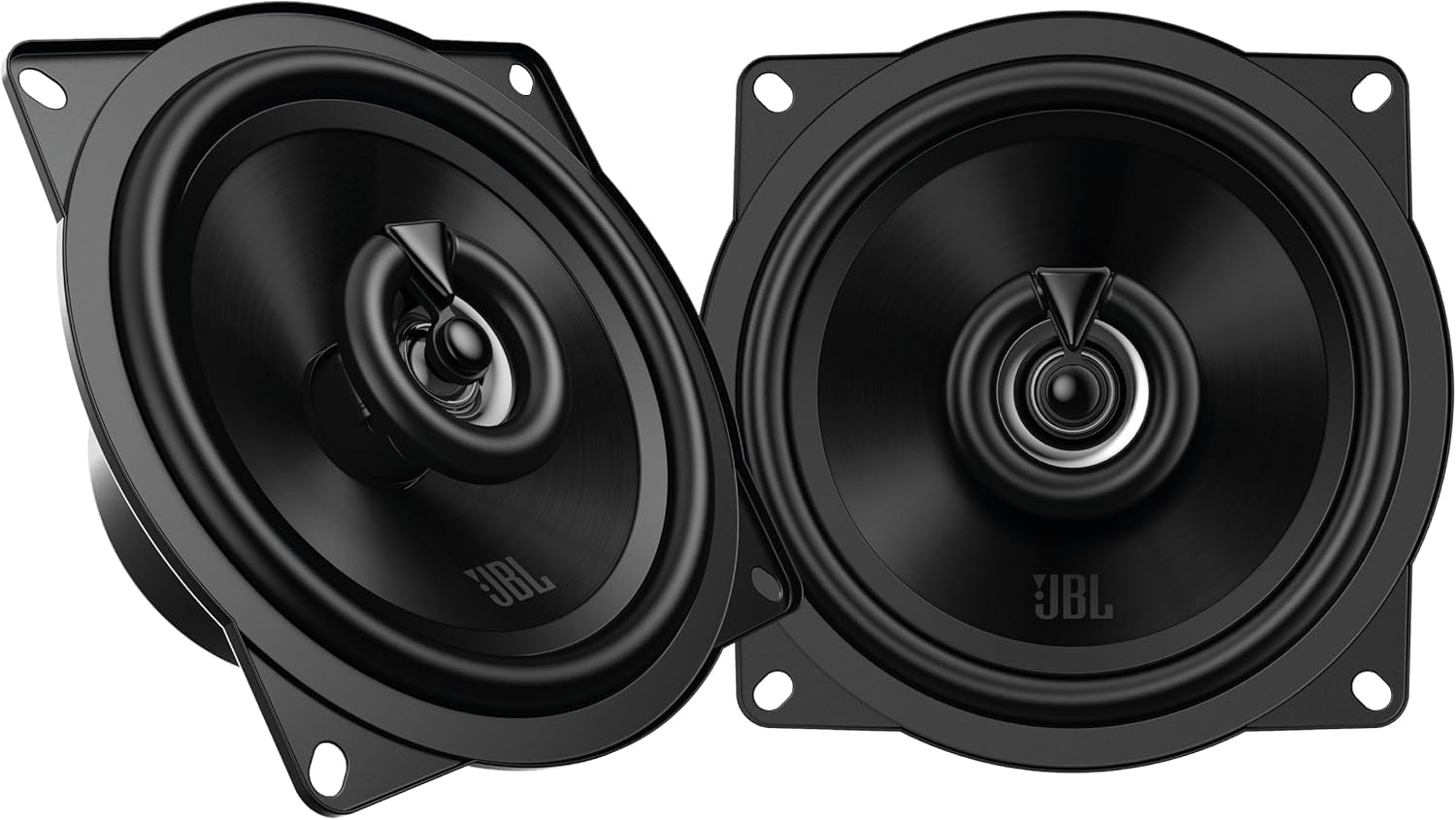
Image 1.1: Front view of the JBL Stage2 55F Gen2 5.25 inch coaxial car speaker, showcasing its black cone and central tweeter.
2. Important Safety Information
- Always disconnect the vehicle's battery before beginning any electrical installation to prevent electrical shock or damage.
- Ensure all wiring is properly insulated and secured to prevent short circuits and potential fire hazards.
- Do not mount speakers in locations that obstruct the driver's view or interfere with vehicle safety features (e.g., airbags).
- Wear appropriate safety gear, including eye protection, during installation.
- Consult a professional installer if you are unsure about any part of the installation process.
- Avoid prolonged exposure to high volume levels, which can cause permanent hearing damage.
3. Package Contents
Verify that all items are present in the package before beginning installation:
- 2x JBL Stage2 55F Gen2 5.25 inch Coaxial Car Speakers
- 8x Mounting Screws + Clips
- 2x Gaskets
- Warranty Card
- Quick Start Guide

Image 3.1: The JBL Stage2 55F Gen2 speakers shown in their retail packaging, indicating the contents.
4. Setup and Installation
The JBL Stage2 55F Gen2 speakers are designed for easy flush mounting in standard 5.25 inch (13 cm) openings. Proper installation is crucial for optimal sound performance and vehicle safety.
4.1. Pre-Installation Checks
- Verify Fitment: Before starting, measure the existing speaker openings and mounting depth in your vehicle. Compare these measurements with the speaker dimensions provided in the specifications section or the fitment guide image below.
- Gather Tools: You will need basic hand tools such as screwdrivers, wire strippers, crimpers, and possibly a drill.
- Disconnect Battery: Always disconnect the negative terminal of your vehicle's battery before performing any electrical work.

Image 4.1: A detailed guide illustrating how to measure your car's speaker openings for cone diameter, mounting depth, and outer diameter to ensure proper fitment.
4.2. Mounting the Speakers
- Remove Old Speakers: Carefully remove the existing speakers from their mounting locations. This usually involves removing grilles, screws, and disconnecting wiring.
- Position New Speakers: Place the new JBL Stage2 55F Gen2 speakers into the openings. Use the provided gaskets to ensure a snug fit and prevent vibrations.
- Secure Speakers: Use the included mounting screws and clips to firmly secure the speakers in place. Do not overtighten the screws.

Image 4.2: Side profile of the JBL Stage2 55F Gen2 speaker, showing its shallow mounting depth for easier installation.
4.3. Wiring Connections
The JBL Stage2 55F Gen2 speakers are 2-way coaxial speakers with a 4 Ohm impedance. They are designed to connect directly to your car's existing speaker wiring from the head unit.
- Identify Polarity: Observe the polarity markings on the speaker terminals (usually + and -) and match them to your vehicle's wiring. Incorrect polarity can lead to poor sound quality.
- Connect Wires: Connect the positive (+) wire from your car's audio system to the positive terminal of the speaker, and the negative (-) wire to the negative terminal. Ensure connections are secure, either by crimping or soldering, and insulate them with electrical tape or heat shrink tubing.
- Test Connections: Before reassembling the vehicle's interior, temporarily reconnect the battery and test the speakers to ensure they are functioning correctly.

Image 4.3: Rear view of the JBL Stage2 55F Gen2 speaker, displaying the wiring terminals and product label with model number and specifications.
5. Operating Instructions
Once properly installed, your JBL Stage2 55F Gen2 speakers will operate as part of your car's audio system. No special operation is required for the speakers themselves.
- Power On: Turn on your car's head unit (radio/stereo).
- Adjust Volume: Start with a low volume level and gradually increase it to a comfortable listening level.
- Audio Settings: Use your head unit's equalizer and balance/fader controls to fine-tune the sound to your preference. These speakers are designed to deliver clear sound without additional tuning, but minor adjustments can optimize the audio experience for your vehicle's acoustics.
- Break-in Period: Like all new speakers, these may benefit from a short break-in period (approximately 10-20 hours of normal use) to allow the cone materials to loosen and achieve their full sonic potential.
6. Maintenance
The JBL Stage2 55F Gen2 speakers are built with durable materials designed for a long lifespan in automotive environments. Minimal maintenance is required.
- Cleaning: Periodically wipe the speaker grilles (if applicable) and surrounds with a soft, dry cloth to remove dust and debris. Avoid using harsh chemicals or abrasive cleaners.
- Inspection: Occasionally inspect the speaker cones and surrounds for any signs of damage or wear. Ensure all mounting screws remain tight.
- Environmental Factors: While durable, these speakers are not water-resistant. Avoid exposing them to direct moisture or extreme temperatures beyond typical automotive conditions.
7. Troubleshooting
If you experience issues with your JBL Stage2 55F Gen2 speakers, refer to the following common problems and solutions:
| Problem | Possible Cause | Solution |
|---|---|---|
| No sound from speakers | Loose or incorrect wiring connections Head unit not powered on or muted Speaker damaged | Check all wiring connections for proper polarity and secure fit. Ensure head unit is on and not muted. Test with another known working speaker if possible. |
| Distorted or unclear sound | Incorrect wiring polarity Volume too high for speaker capacity Loose mounting Damaged speaker cone/surround | Verify wiring polarity. Reduce volume. Check speaker mounting for tightness. Inspect speaker for physical damage. |
| Weak bass response | Incorrect wiring polarity Poor seal around speaker Head unit bass settings too low | Check wiring polarity. Ensure speaker is securely mounted with gasket for a good seal. Adjust bass settings on your head unit. |
| Intermittent sound | Loose wiring connection Faulty head unit or amplifier | Inspect all wiring connections for looseness. Test with another audio source or head unit if possible. |
8. Technical Specifications
Detailed specifications for the JBL Stage2 55F Gen2 5.25 inch coaxial car speakers:
| Feature | Specification |
|---|---|
| Model Name | JBL STAGE2 GEN2 55F |
| Speaker Type | 2-way Coaxial |
| Speaker Size | 5.25 inches (13 cm) |
| Woofer Diameter | 13 Centimeter |
| Peak Power Handling | 400 Watts |
| RMS Power Handling | 50 Watts |
| Impedance | 4 Ohm |
| Sensitivity (2.83V/1m) | 89 dB |
| Frequency Response | 75 Hz - 20 kHz |
| Input Voltage | 12 Volt (DC) |
| Mounting Type | Flush Mount |
| Material | Metal, Plastic |
| Color | Black |
| Water Resistance | No |
| Product Dimensions (L x W x H) | 6.28 x 12.9 x 12.9 cm |
| Product Weight | 870 g |
| Connectivity Technology | Coaxial |
| Audio Output Mode | Stereo |

Image 8.1: Technical drawing providing precise dimensions for the JBL Stage2 55F Gen2 speaker, essential for installation planning.
9. Warranty and Support
9.1. Manufacturer's Warranty
JBL provides a manufacturer's warranty for 90 days from the date of purchase. This warranty covers defects in materials and workmanship under normal use. Please retain your proof of purchase for warranty claims.
For customers within the EU, spare parts availability is guaranteed for 2 years.
9.2. Customer Support
For technical assistance, warranty claims, or further information, please contact JBL customer support through their official website or the contact details provided in your Quick Start Guide.
You can visit the official JBL website for support resources: www.jbl.com/support


