Introduction
This manual provides detailed instructions for the operation and maintenance of your Paekole YYK-Q16 H3 AI Real-Time Translation Earbuds. Please read this manual thoroughly before using the product to ensure proper function and to maximize your user experience. These earbuds are designed to facilitate communication across language barriers, offer high-quality audio, and provide additional smart features.
What's in the Box
- 2 x AI Translation Earbuds
- 1 x Charging Case
- 1 x USB-C Cable
- 1 x User Manual
Product Overview
The Paekole YYK-Q16 H3 AI Translation Earbuds feature an open-ear design for comfort and situational awareness. They come with a portable charging case that provides extended battery life. The earbuds are equipped with advanced technology for real-time language translation, music playback, and call management.

Image: Paekole YYK-Q16 H3 AI Translation Earbuds shown in their open charging case. The earbuds are black with metallic accents and feature a touch-sensitive area. The charging case has an LED display indicating battery levels for both the case and individual earbuds.

Image: A graphic displaying the Paekole brand and the YYK-Q16 H3 AI Translation Earbuds, highlighting their support for 144 languages. The earbuds are shown in their charging case against a blue background with geometric patterns.

Image: A collage showcasing key features of the earbuds, including Crystal-Clear AAC Sound Quality, Advanced Air Conduction Technology, 60 Hours of Total Playtime, IP68 Waterproof Protection, Safe and Reliable Usage, and Open-Ear Comfort Design.

Image: A cutaway view of a Paekole Translation Earbud, highlighting its internal components, including a powerful 15mm dynamic driver and precision directional sound design for an immersive audio experience.
Setup
Follow these steps to set up your Paekole Translation Earbuds:
- Download the App: Scan the QR code or visit bitdynamic.ai/app/download.html to download the dedicated application on your smartphone.
- Sign Up or Log In: Open the app and create a new account or log in with an existing one.
- Pair via Bluetooth:
- Ensure your earbuds are charged and in pairing mode (usually indicated by a flashing LED).
- Enable Bluetooth on your smartphone.
- Select "YYK-Q16" from the list of available devices to pair.
- Confirm pairing on your phone if prompted.
- Explore the App: Once connected, use the app to access translation modes, settings, and other features.
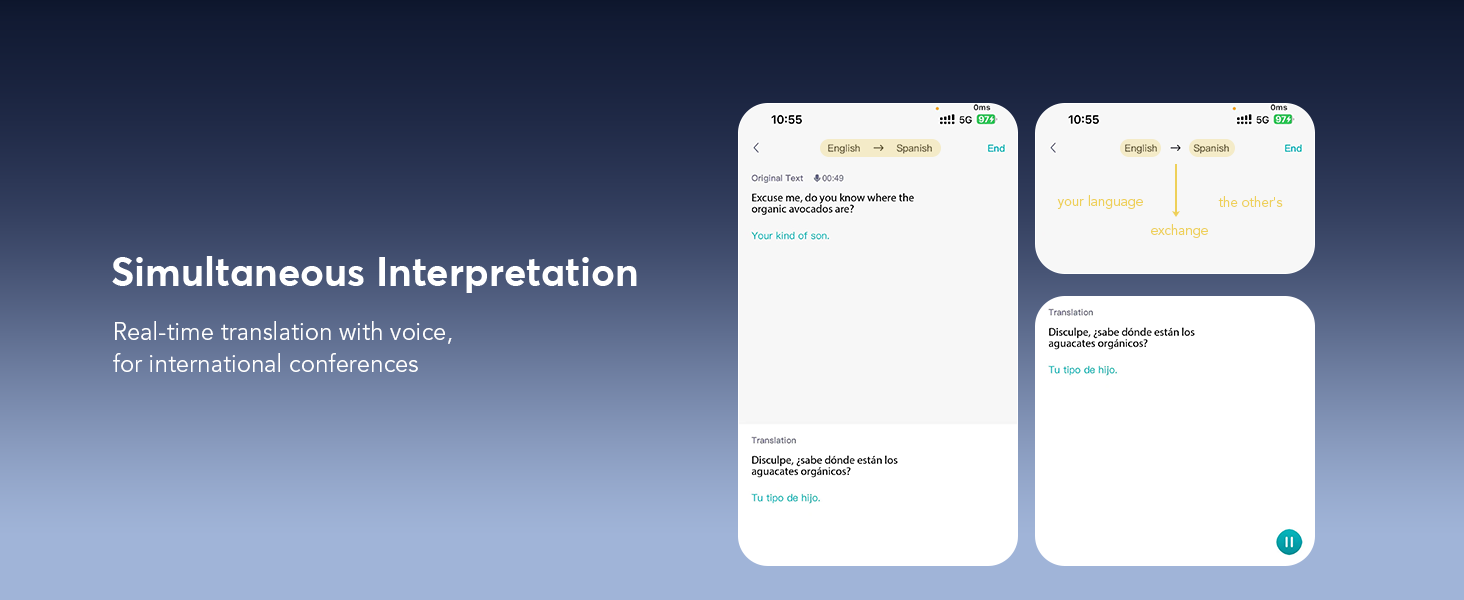
Image: A visual guide showing the four steps for setting up the earbuds: scanning a QR code to download the app, signing up or logging in, pairing via Bluetooth, and exploring the app interface.
Operating Modes
The Paekole Translation Earbuds offer various modes to suit different communication needs:
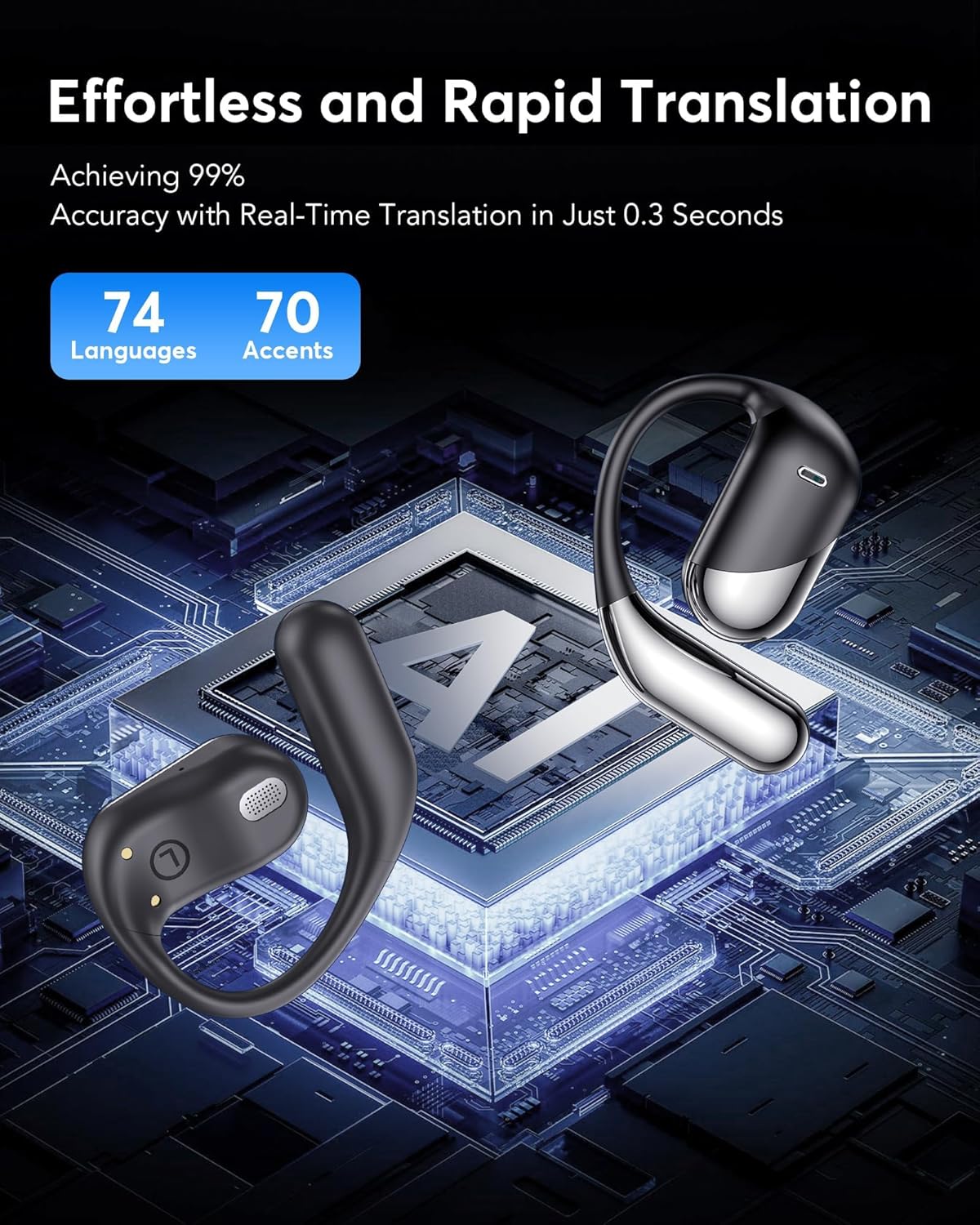
Image: A graphic illustrating the earbuds' capability for effortless and rapid translation, achieving 99% accuracy with real-time translation in just 0.3 seconds across 74 languages and 70 accents, set against a backdrop of an AI chip.
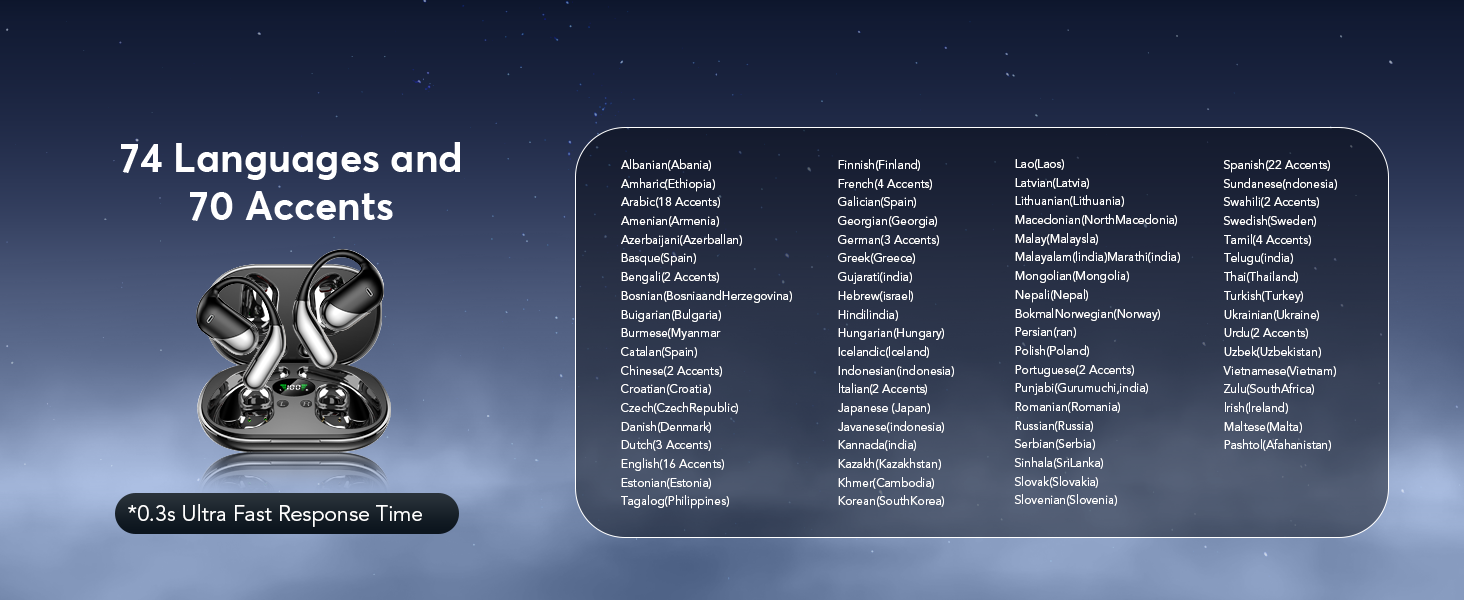
Image: A detailed list of 74 languages and 70 accents supported by the earbuds, emphasizing an ultra-fast 0.3-second response time for translation.
Translation Modes
- Simultaneous Interpretation Mode: Ideal for conferences or situations requiring real-time, continuous translation. The earbuds translate spoken language as it happens.
- Dual Earbuds Mode (Face-to-Face): Share one earbud with another person for two-way, real-time conversation translation. Both individuals can speak and hear translations simultaneously.
- Mobile + Headphones Mode (Face-to-Face): Use your phone's speaker for one language and your earbud for the other, facilitating face-to-face conversations with translation displayed on your phone screen.
- Video Call Translation: Integrate translation into video calls, allowing participants to communicate across languages with real-time translated captions or audio.
- Live Recording Translation: Record conversations or speeches and receive a real-time translated transcript.

Image: A graphic illustrating how the earbuds break language barriers, showing a video call with real-time translation and various country flags representing supported languages like English, German, Spanish, French, Chinese, Russian, Japanese, and Arabic.
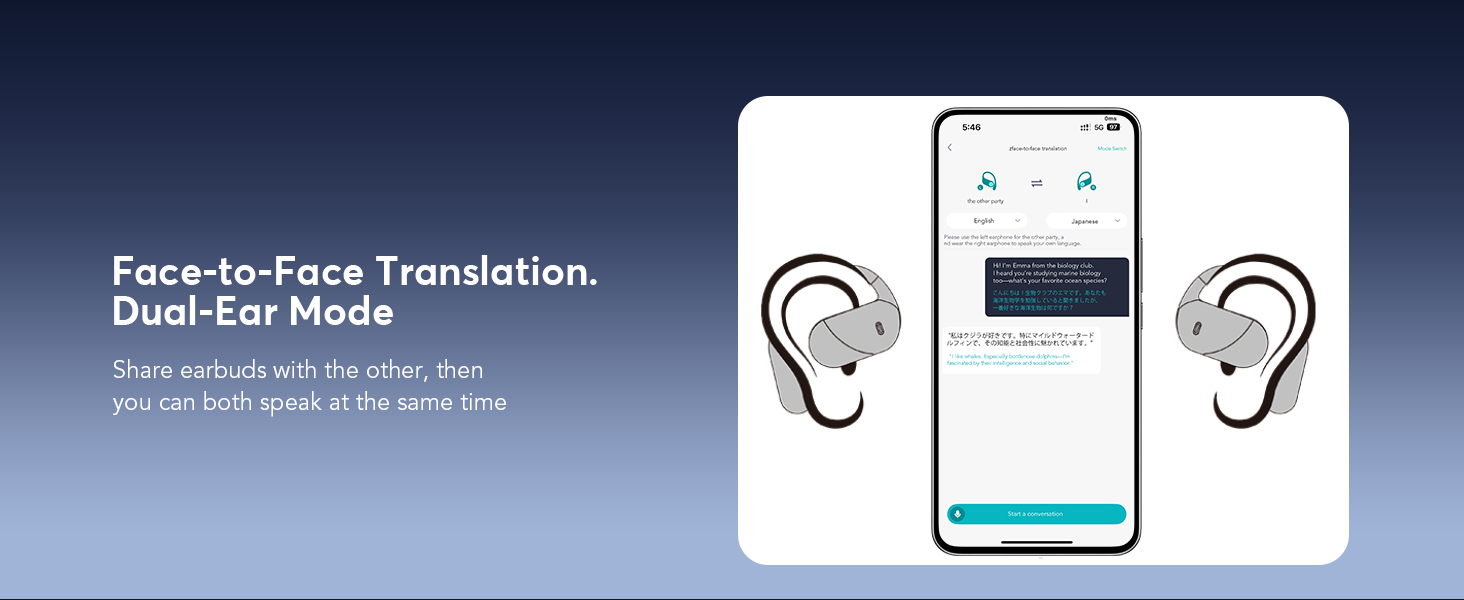
Image: A screenshot of the app interface demonstrating various real-time translation modes, including Free Talk, Touch mode, Speaker Mode, and photo translation, showing how spoken words are translated and displayed.

Image: A visual representation of the simultaneous interpretation feature, showing how spoken language is translated in real-time for international conferences, with text displayed on a smartphone screen.
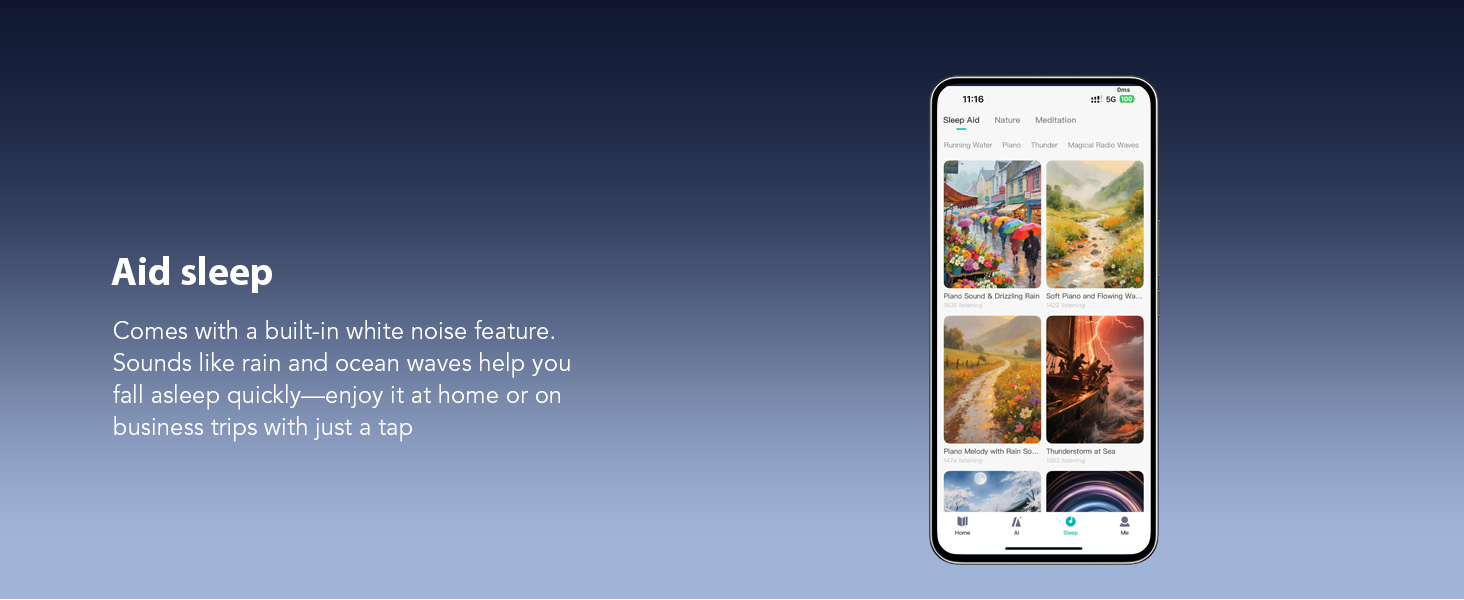
Image: An illustration of the Face-to-Face translation mode, where one person uses the earbuds and the other speaks into the mobile phone, with translations displayed on the screen, facilitating two-way communication.

Image: A depiction of the Dual-Ear Face-to-Face translation mode, where two individuals each wear an earbud, allowing for simultaneous two-way translation during a conversation.
AI Voice Smart Dialogue
Engage with the AI Assistant through real-time voice interaction. Ask questions and receive intelligent responses directly through your earbuds.
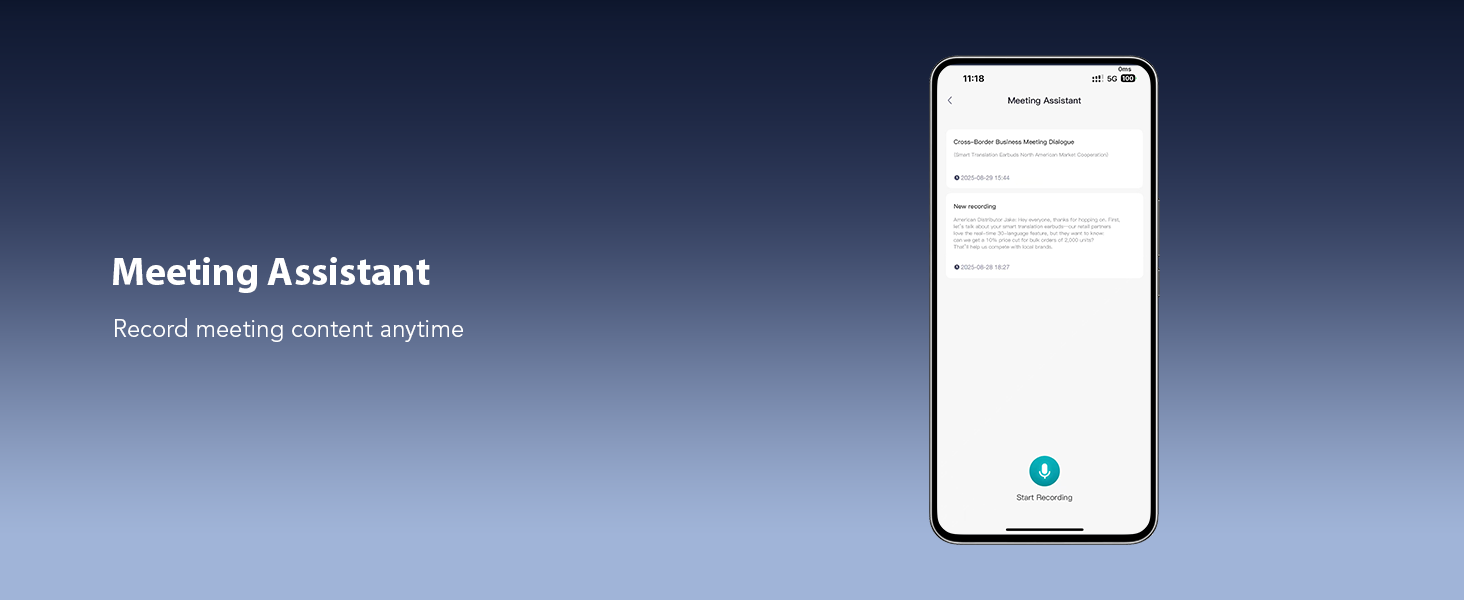
Image: Screenshots of the app showing the AI Voice Smart Dialogue interface, where users can interact with an AI assistant by typing or speaking questions.
Live Recording & Meeting Assistant
The earbuds support live recording, converting spoken content into text for meeting notes or documentation. The Meeting Assistant feature allows you to record and manage meeting content efficiently.

Image: A smartphone screen displaying the Live Recording function within the app, showing audio being converted into a text transcript for meeting notes.

Image: A screenshot of the Meeting Assistant feature in the app, which allows users to record and manage meeting content, displaying a list of recorded sessions.

Image: A collage depicting various translation scenarios: Live Recording, where a speaker's words are translated into text; Simultaneous Interpretation, showing a meeting with real-time translation; and Face-to-Face Translation, illustrating a direct conversation with translated speech.

Image: Multiple screenshots illustrating the Summary & Playback feature, which provides AI-generated summaries and speaker identification for historical recordings, along with options to share the content.
Audio and Video Call Translation
Conduct online audio and video calls with real-time translation. The app generates an invitation link for seamless communication, allowing participants to interact without needing the app installed on their end.
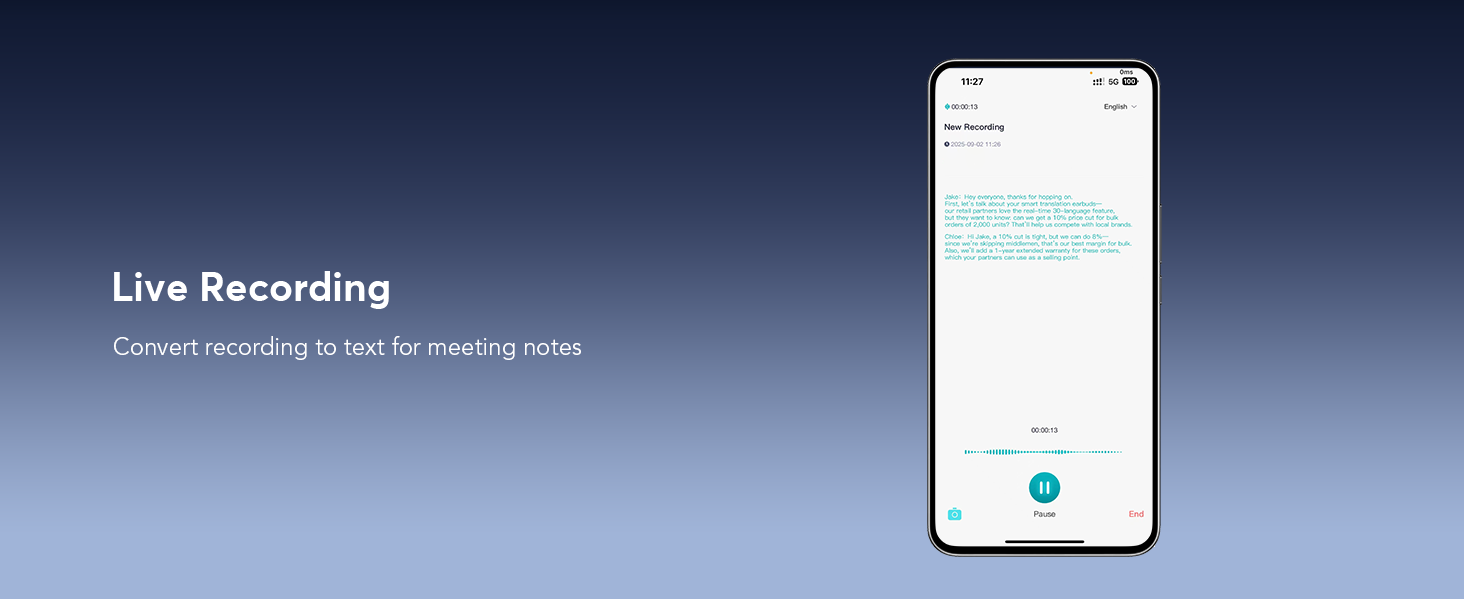
Image: A smartphone screen showing an ongoing video call with real-time translation displayed as text bubbles, enabling effortless communication between speakers of different languages.
Sleep Aid
The earbuds include a built-in white noise feature with sounds like rain and ocean waves to assist with relaxation and sleep.
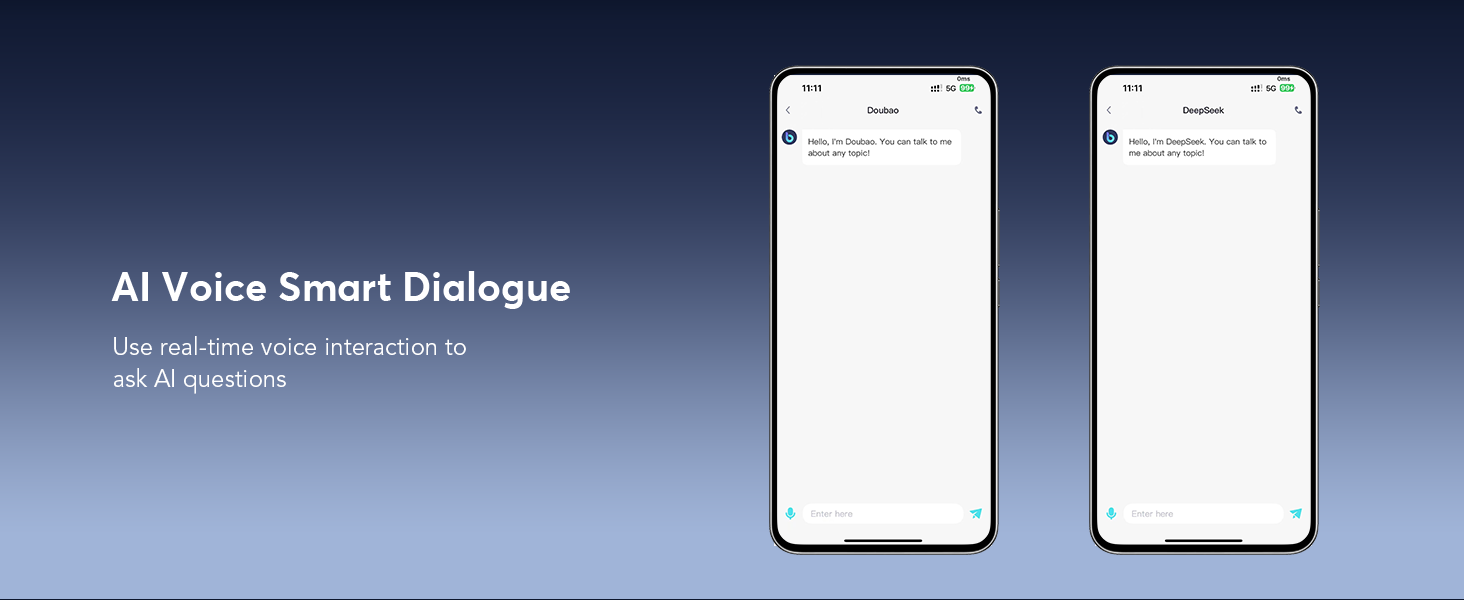
Image: A smartphone screen displaying the Sleep Aid feature within the app, offering various white noise options such as rain, ocean waves, and piano to help users relax or fall asleep.
Battery and Charging
The earbuds provide up to 10 hours of playtime on a single charge. The charging case extends the total usage time to approximately 60 hours. A quick 5-minute charge can provide an hour of listening time.
- Charging the Earbuds: Place the earbuds into the charging case. They will automatically begin charging.
- Charging the Case: Connect the included USB-C cable to the charging port on the case and to a power source. The LED display on the case indicates its battery level.

Image: A graphic illustrating the battery life of the earbuds and charging case, showing 10 hours of single playtime and 60 hours total with the case. It also highlights 1.5 hours for fast charging via USB-C and displays the power levels of the case and individual earbuds.
Comfort and Design
The earbuds feature a lightweight, open-ear design made from PC material, weighing only 8g each. Soft silicone ear hooks ensure a secure and comfortable fit, suitable for various activities while allowing you to remain aware of your surroundings. They are also IPX7 waterproof.

Image: A woman wearing a Paekole Translation Earbud, demonstrating its open-ear design and comfortable fit. The image also shows sound waves emanating from the earbud, indicating audio output.
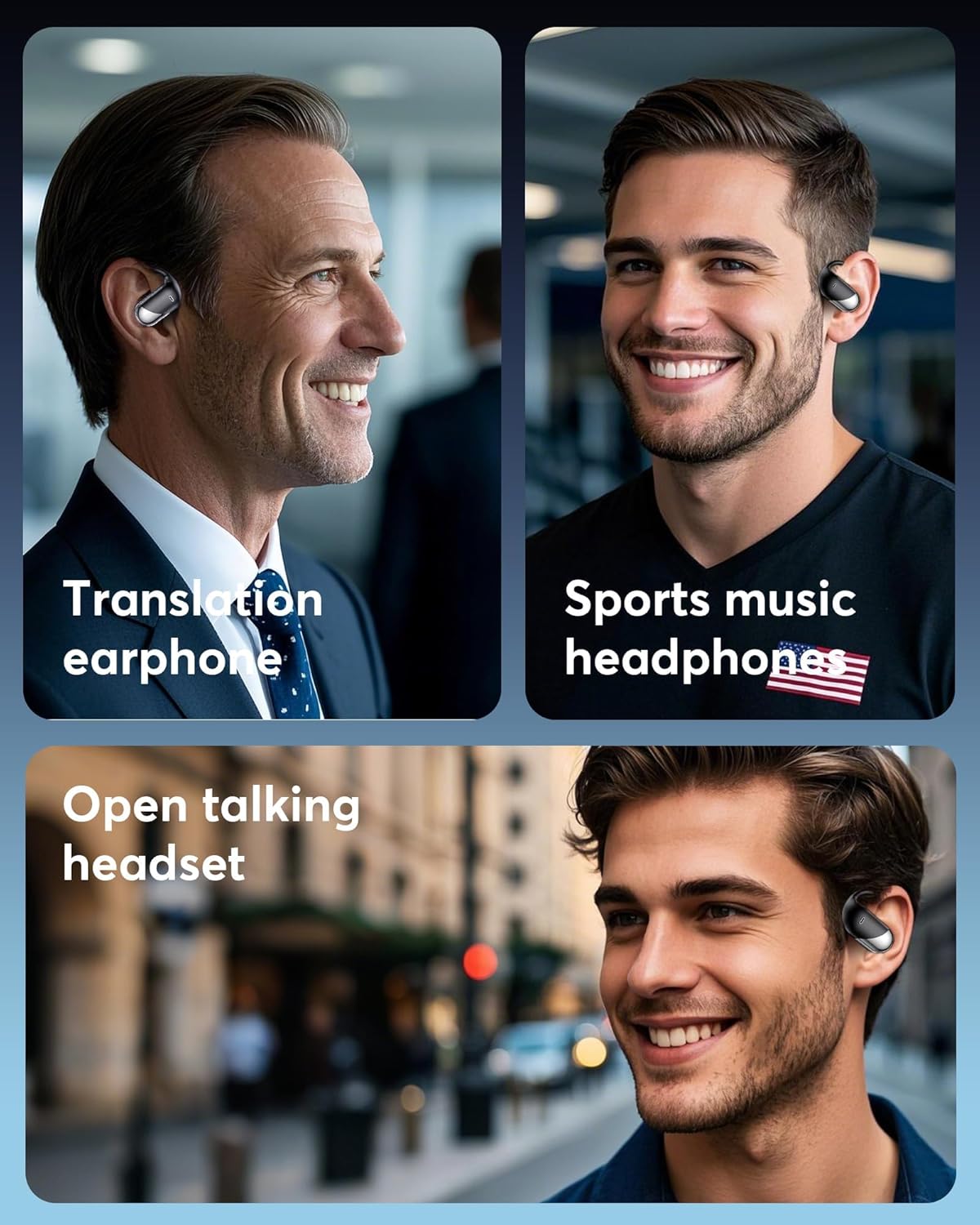
Image: A collage showing different scenarios where the earbuds can be used: as translation earphones in a business setting, as sports music headphones, and as an open talking headset in an outdoor environment, highlighting their versatility.
Specifications
| Model Name | YYK-Q16 (Q16 H3 AI) |
| Brand | Paekole |
| Connectivity Technology | Wireless (Bluetooth 5.4) |
| Bluetooth Range | Up to 15 meters (33 feet) |
| Battery Life (Earbuds) | Up to 10 hours |
| Total Playtime (with Case) | Up to 60 hours |
| Charging Time | 5 minutes for 1 hour playtime (rapid charging) |
| Water Resistance Level | IPX7 Waterproof |
| Earbud Weight | 8g (each) |
| Material | Polycarbonate (PC) |
| Audio Driver Size | 14.3 mm |
| Noise Control | Active Noise Cancellation |
| Control Type | Touch Control, App Control |
| Supported Languages | 144 languages (including Chinese, English, Japanese, Korean, Russian, German, French, Spanish) |
Maintenance
- Cleaning: Use a soft, dry cloth to clean the earbuds and charging case. Avoid using abrasive materials or harsh chemicals.
- Storage: Store the earbuds in their charging case when not in use to protect them and keep them charged. Store in a cool, dry place away from direct sunlight and extreme temperatures.
- Water Exposure: While IPX7 waterproof, avoid prolonged submersion in water. Ensure earbuds are dry before placing them back in the charging case.
Troubleshooting
- Earbuds not pairing:
- Ensure both earbuds are charged.
- Turn off and on your phone's Bluetooth.
- Reset the earbuds (refer to app settings or manufacturer's website for specific instructions).
- Ensure the earbuds are within the Bluetooth range of your device.
- Translation inaccuracies or delays:
- Check your internet connection; a stable connection is crucial for real-time translation.
- Ensure you are speaking clearly and at a moderate pace.
- Verify that the correct source and target languages are selected in the app.
- Update the app to the latest version.
- No sound from earbuds:
- Check the volume level on your device and the earbuds.
- Ensure the earbuds are properly connected to your device.
- Re-pair the earbuds with your device.
Warranty and Support
For warranty information, technical support, or further assistance, please refer to the official Paekole website or contact Paekole customer service directly. Details can typically be found on the product packaging or within the companion application.