
1. Introduction
This manual provides essential information for the safe and effective operation of your AZZUNO TIG-180L Cold TIG Welder. The TIG-180L is a 180A 5-in-1 TIG welding machine offering (DC) high-frequency TIG, pulsed HF TIG, COLD TIG, SPOT TIG, and stick welding modes. It is designed to handle a wide range of welding applications with precision and control, suitable for various materials including stainless steel, carbon steel, and copper.
2. Safety Information
WARNING: Welding can be hazardous. Always follow safety precautions to prevent injury or death.
- Electric Shock Can Kill: Do not touch live electrical parts. Wear dry welding gloves and protective clothing. Ensure the welding machine is properly grounded.
- Fumes and Gases Can Be Hazardous: Keep your head out of the fumes. Use enough ventilation, exhaust at the arc, or both, to keep fumes and gases away from your breathing zone and the general area.
- Arc Rays Can Burn Eyes and Skin: Wear a welding helmet with a proper shade of filter to protect your face and eyes when welding or watching. Wear appropriate eye protection with side shields. Wear protective clothing made from durable, flame-resistant material.
- Fire and Explosion Hazard: Remove all flammables from the welding area. Have a fire extinguisher nearby. Do not weld on containers that have held combustibles.
- Hot Parts Can Cause Severe Burns: Allow hot parts to cool before touching. Wear insulated welding gloves and protective clothing to prevent burns.
- Magnetic Fields Can Affect Pacemakers: Pacemaker wearers should consult their doctor before welding.
- Noise Can Damage Hearing: Wear ear protection if noise levels are high.
3. Package Contents
The AZZUNO TIG-180L package includes the following items:
- TIG Welder (AZZUNO TIG-180L) ×1
- Electrode Holder ×1
- Ground Clamp ×1
- 110V~220V Adapter ×1
- Gas Hose ×1
- Hose Band ×2
- TIG Torch with Consumables (Ceramic Cups*3, Collet*3, Collet Body*1, Long Back Cap*1, Short Back Cap*1)
Note: Gas Regulator and Tungsten Electrode are NOT included.

Image: AZZUNO TIG-180L Welder with its accessories, including the TIG torch, electrode holder, ground clamp, adapter cord, gas hose, and hose bands. The main unit is white and blue with a large LED display.
4. Product Overview
The AZZUNO TIG-180L is a versatile 5-in-1 multiprocess TIG welder designed for precision and control across various welding tasks.

Image: Visual representation of the 5-in-1 welding modes: (DC) HF TIG, (DC) PULSE TIG, COLD TIG, SPOT TIG, and STICK welding.
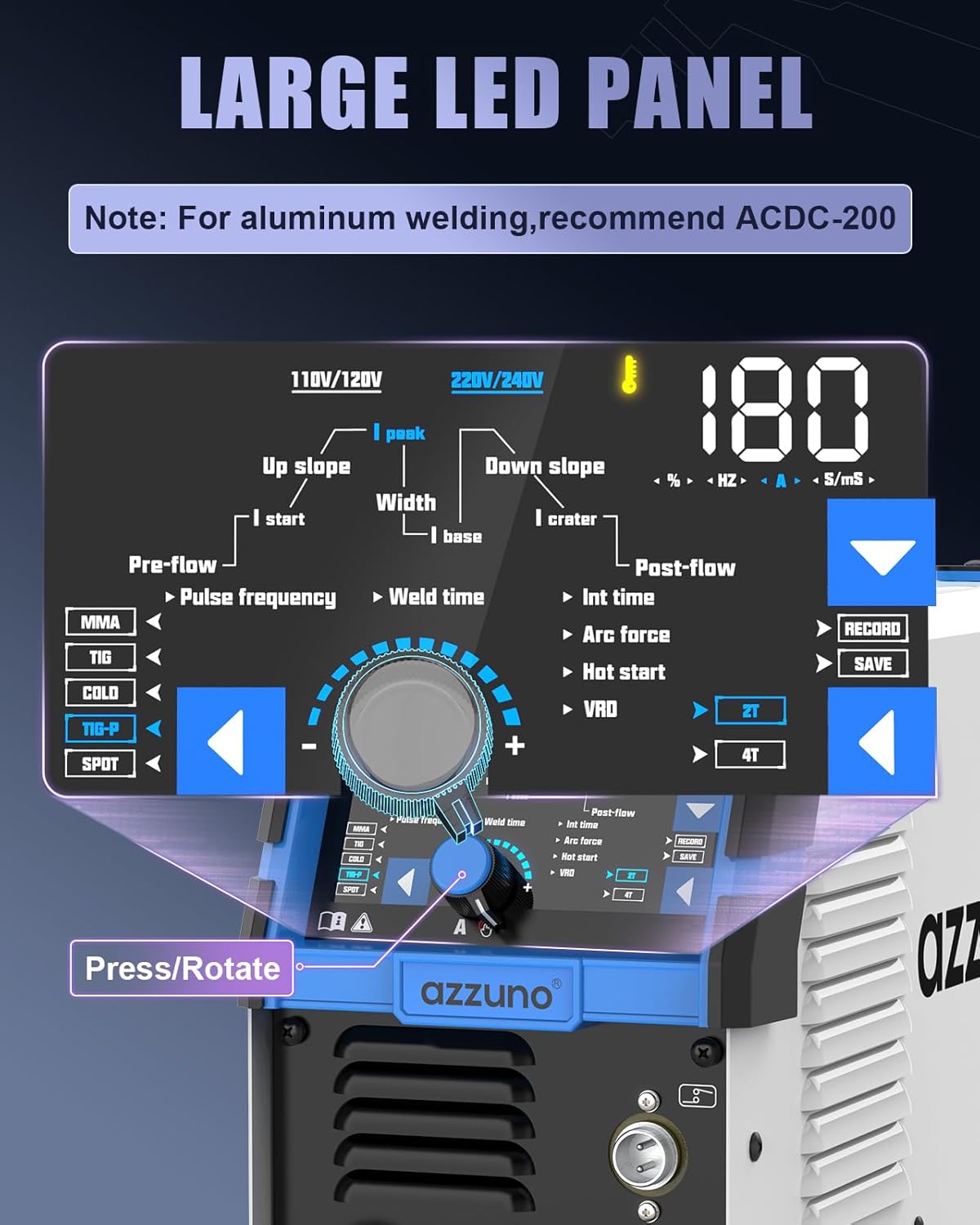
Image: Close-up of the large LED digital control panel, showing various parameters like voltage (110V/120V, 220V/240V), amperage (180A), pulse frequency, weld time, pre-flow, post-flow, and mode selection buttons (MMA, TIG, COLD, TIG-P, SPOT). A note indicates that for aluminum welding, the ACDC-200 welder is recommended.
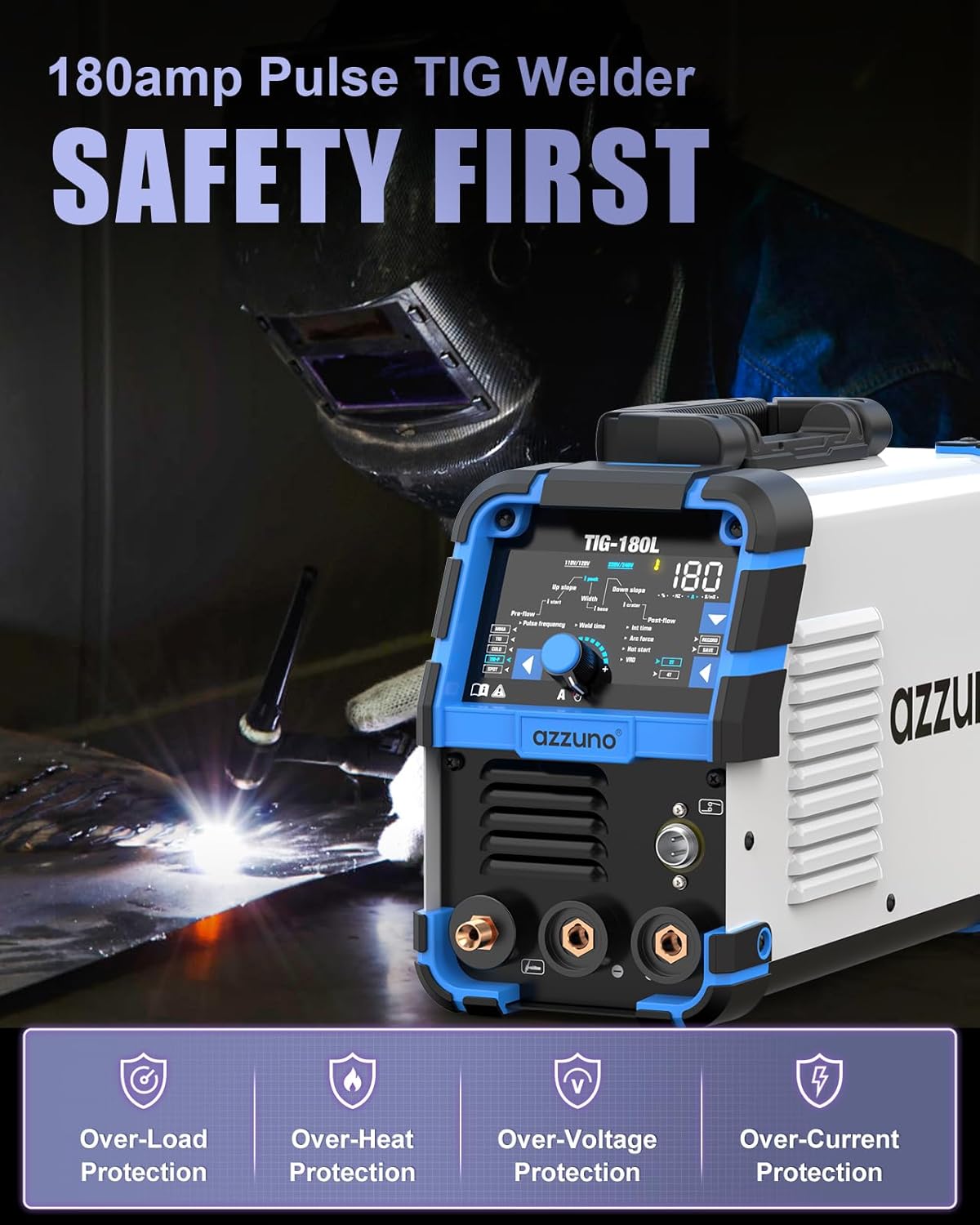
Image: The AZZUNO TIG-180L welder in a welding environment, highlighting its safety features: Over-Load Protection, Over-Heat Protection, Over-Voltage Protection, and Over-Current Protection.

Image: The compact and portable design of the AZZUNO TIG-180L welder, showing its dimensions (14"x6"x8.5") and weight (10.5 LBS).
5. Setup
Follow these steps to set up your AZZUNO TIG-180L welder for operation:
- Power Connection: Connect the power cable to the appropriate voltage supply (110V or 220V). Use the provided 110V~220V adapter if necessary.
- Ground Clamp: Attach the ground clamp cable to the designated terminal on the welder and securely fasten the clamp to your workpiece or welding table.
- Electrode Holder (for Stick Welding): For stick welding, connect the electrode holder cable to the appropriate terminal.
- TIG Torch: Connect the TIG torch to the welder. Ensure all connections are secure.
- Gas Hose: Connect the gas hose from your shielding gas cylinder (not included) to the gas inlet on the welder. Secure with hose bands.
- Power On: Turn on the welder using the main power switch.
Video: A demonstration of connecting the TIG torch and other cables to a TIG welder. This video, titled "YESWELDER Large LED Display TIG Welder With Pulse 205Amp" by YESWELDER-CA, illustrates the physical connections for setting up a TIG welding machine.
6. Operating Modes
The AZZUNO TIG-180L offers five distinct welding modes:
- DC HF TIG: Direct Current High-Frequency TIG welding for precise welds on various metals, excluding aluminum.
- PULSE TIG: Offers greater control and cleaner welds, especially on thin metals, by cycling between high and low amperage.
- COLD TIG: Minimizes heat input, reducing distortion and preventing burn-through on delicate or heat-sensitive materials like stainless steel and thin sheet metal.
- SPOT TIG: Ideal for tack welding or creating small, precise spot welds.
- STICK (MMA): Manual Metal Arc welding for general-purpose welding with coated electrodes.
Video: This video, titled "YESWELDER Large LED Display TIG Welder With Pulse 205Amp" by YESWELDER-CA, demonstrates the Pulse TIG and Stick welding modes, showing how to adjust parameters and the resulting welds.
Video: This video, titled "ARCCAPTAIN iControl TIG 205 Pro Welder Machine with APP" by ARCCAPTAIN, demonstrates Cold TIG welding and the use of a foot pedal for amperage control, showcasing precise welding on thin materials.
7. Operating Instructions
The large LED display simplifies parameter adjustments for precise control.
- Mode Selection: Use the 'MODE' button on the control panel to cycle through the available welding modes (MMA, TIG, COLD, TIG-P, SPOT).
- Parameter Adjustment: Once a mode is selected, use the rotary knob and corresponding buttons to adjust parameters such as amperage, pulse frequency, weld time, pre-flow, and post-flow. The large LED screen will clearly display the current settings.
- Memory Function: The welder features a memory function to save and recall up to 10 custom welding parameter sets. Use the 'RECORD' and 'SAVE' functions to store your preferred settings for different materials or tasks, improving efficiency and consistency.
- Dual Voltage Operation: The machine automatically detects the input voltage (110V or 220V). Ensure the correct power cable and adapter are used for your power source.
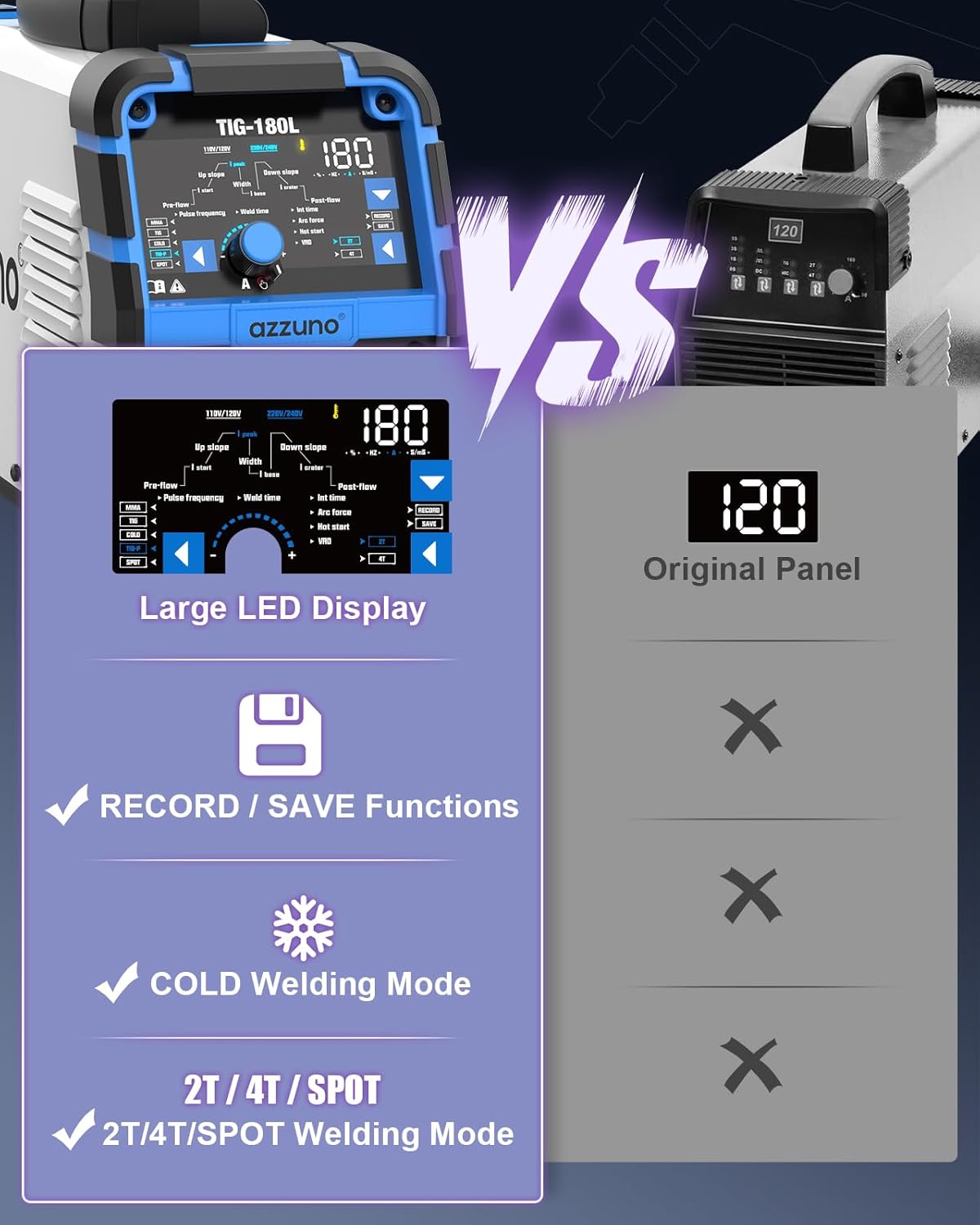
Image: A comparison showing the AZZUNO TIG-180L's large LED display with record/save functions, COLD welding mode, and 2T/4T/SPOT welding mode, contrasted with an older, simpler panel.
8. Maintenance
Regular maintenance ensures the longevity and optimal performance of your welder:
- Cleaning: Periodically clean the exterior of the machine with a dry cloth. Ensure cooling vents are free from dust and debris to prevent overheating.
- Cable Inspection: Regularly inspect all cables (power, ground, electrode, TIG torch) for any signs of damage, cuts, or frayed insulation. Replace damaged cables immediately.
- TIG Torch Consumables: Check and replace ceramic cups, collets, and collet bodies as they wear out to maintain arc stability and weld quality.
- Gas Hose: Ensure the gas hose connections are tight and free from leaks.
- Storage: Store the welder in a clean, dry environment away from excessive dust, moisture, and extreme temperatures.
9. Troubleshooting
If you encounter issues, refer to the following common troubleshooting tips:
- No Power: Check the power cable connection, ensure the power switch is ON, and verify the circuit breaker.
- No Arc: Ensure the ground clamp is securely attached to the workpiece. Check TIG torch connections and consumables. Verify proper gas flow.
- Unstable Arc: Inspect TIG torch consumables for wear. Ensure proper gas flow and correct amperage settings for the material and thickness.
- Overheating: If the overload indicator lights up, allow the machine to cool down. Ensure cooling vents are clear and the duty cycle is not exceeded.
- Poor Weld Quality: Check for proper material preparation, correct gas type and flow rate, appropriate filler rod, and optimal welding parameters for the selected mode.
10. Specifications
| Feature | Specification |
|---|---|
| Manufacturer | AZZUNO |
| Part Number | TIG-180L |
| Dimensions (L x W x H) | 44.15 x 41.83 x 32.13 cm (14"x6"x8.5" approx.) |
| Item Weight | 8.37 kg (10.5 LBS approx.) |
| Input Voltage | 110V & 220V (Dual Voltage) |
| Amperage | 180A |
| Welding Modes | DC HF TIG, Pulsed HF TIG, COLD TIG, SPOT TIG, STICK |
| Material Capability | Stainless steel, Carbon steel, Copper (Not recommended for Aluminum welding) |
| Display | Large LED Digital Panel |
| Special Features | Memory Function (save/recall up to 10 parameter sets) |
| Included Components | TIG Welder, Electrode Holder, Ground Clamp, 110V~220V Adapter, Gas Hose, Hose Band (x2), TIG Torch with Consumables |
11. Warranty and Support
For warranty information, technical support, or service inquiries, please contact AZZUNO customer service through the retailer where the product was purchased or refer to the official AZZUNO website for contact details.