
1. Introduction
This manual provides detailed instructions for the AGPTEK A53PL 64GB MP3 Player. Please read this manual carefully before using the device to ensure proper operation and to maximize its lifespan. The A53PL is a compact and lightweight portable music player designed for ease of use, featuring Bluetooth 5.3 connectivity, FM radio, and a clip-on design suitable for sports and active lifestyles.
2. What's in the Box
Upon unpacking, please verify that all the following items are included:
- 1x AGPTEK A53PL MP3 Player
- 1x Wired Earphones
- 1x USB-C Charging Cable
- 1x User Manual

Image: Package contents of the AGPTEK A53PL MP3 Player.
3. Device Overview
Familiarize yourself with the buttons and ports of your AGPTEK A53PL MP3 player.

Image: Front and side view of the AGPTEK A53PL, highlighting its clip, buttons, and ports.
- Clip: Located on the back for attaching to clothing or accessories.
- Power Button: Press and hold to turn on/off. Short press to adjust volume (when not in playback).
- Volume + / -: Dedicated buttons for increasing or decreasing volume.
- Earphone Jack: 3.5mm port for wired earphones.
- Play/Pause Button: Central button for controlling playback.
- Previous Track / Rewind: Navigate to the previous track or rewind within a track.
- Next Track / Fast Forward: Navigate to the next track or fast forward within a track.
- Mode Button (Music/FM): Switch between Music playback and FM Radio mode.
- Bluetooth Button: Activate Bluetooth pairing mode.
- LED Indicator: Provides status information (e.g., charging, Bluetooth pairing).
- Playback Mode Switch: Slide switch for sequential or shuffle playback.
- USB-C Port: For charging and data transfer.
4. Setup
4.1 Charging the Device
Before first use, fully charge the MP3 player. Connect the provided USB-C cable to the device's USB-C port and the other end to a USB power adapter (not included) or a computer's USB port. The LED indicator will show charging status.
- Full charge time: Approximately 2 hours.
- Battery life: Up to 21 hours for music playback with wired earphones, 9.5 hours with Bluetooth.

Image: Battery capacity and estimated playback times.
4.2 Loading Music Files
The AGPTEK A53PL has 64GB of internal storage. To transfer music:
- Connect the MP3 player to your computer using the USB-C cable.
- The device will appear as a removable disk drive on your computer.
- Drag and drop your music files (MP3, APE, FLAC, ACELP, WAV) into the device's storage.
- Safely eject the device from your computer before disconnecting the cable.
The device also supports OTG transmission for direct file transfer from compatible smartphones (OTG cable not included).

Image: OTG transmission for direct file transfer.
5. Operating Instructions
5.1 Power On/Off
- To turn on: Press and hold the Power button until the LED indicator lights up.
- To turn off: Press and hold the Power button until the LED indicator turns off.
5.2 Basic Music Playback
- Ensure the device is in Music mode (use the Mode button if necessary).
- Connect your wired earphones to the 3.5mm jack or pair a Bluetooth device (see 5.3 Bluetooth Pairing).
- Press the Play/Pause button to start or pause music.
- Press the Next Track button to skip to the next song.
- Press the Previous Track button to go back to the beginning of the current song or to the previous song.
- Press Volume + or Volume - to adjust the volume.
- Use the Playback Mode Switch on the side to toggle between sequential and shuffle playback.
5.3 Bluetooth Pairing
The A53PL supports Bluetooth 5.3 for connecting to Bluetooth speakers and headphones. It does not support connection to smartphones.
- Turn on your Bluetooth headphones or speaker and set them to pairing mode.
- On the A53PL, press the Bluetooth button. The LED indicator will flash, indicating it's searching for devices.
- Once paired, the LED indicator will change its pattern (e.g., slow green blink).
- The device will automatically reconnect to the last paired device if it's available.
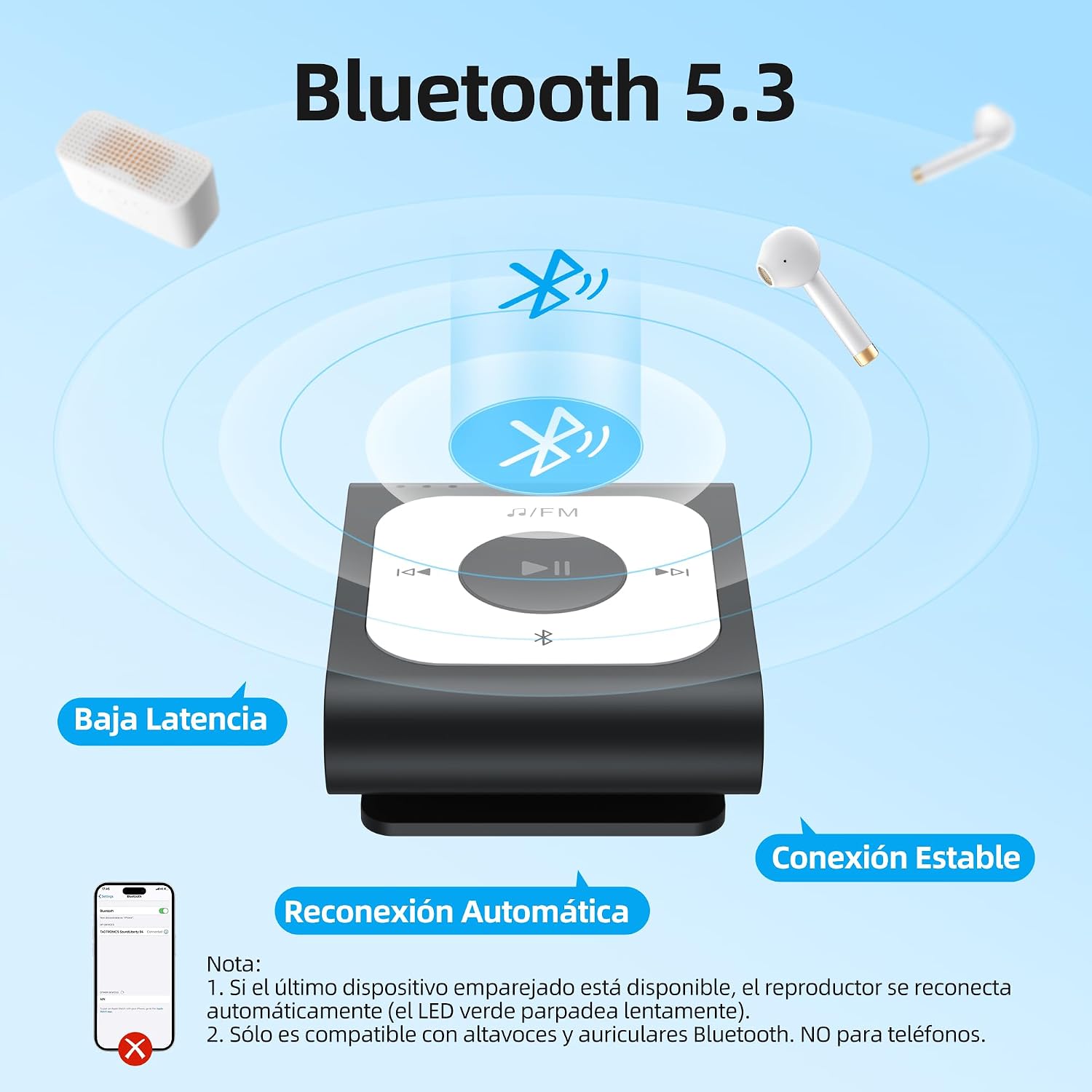
Image: Bluetooth 5.3 features and pairing process.
5.4 FM Radio
To use the FM radio function:
- Connect wired earphones; they act as the antenna for the FM radio.
- Press the Mode button to switch to FM Radio mode.
- The device will automatically search for available FM stations.
- Use the Next Track and Previous Track buttons to navigate between stations.

Image: Automatic FM search function.
6. Maintenance
- Keep the device dry. Moisture can damage electronic components.
- Avoid extreme temperatures.
- Clean the device with a soft, dry cloth. Do not use harsh chemicals or solvents.
- Do not drop or subject the device to strong impacts.
- Store the device in a clean, dust-free environment when not in use.
7. Troubleshooting
7.1 Device does not turn on.
- Ensure the battery is charged. Connect the device to a power source and charge for at least 10 minutes before attempting to turn it on again.
- Try pressing and holding the Power button for a longer duration (e.g., 10-15 seconds) to perform a hard reset.
7.2 Cannot transfer files to the device.
- Ensure the USB-C cable is securely connected to both the device and the computer.
- Try a different USB port on your computer.
- Ensure the device is recognized as a removable disk drive. If not, try restarting both the device and the computer.
- Check if the device's storage is full.
7.3 Bluetooth pairing fails.
- Ensure your Bluetooth headphones/speaker are in pairing mode and within range.
- Make sure the A53PL is in Bluetooth pairing mode (LED flashing).
- The A53PL only connects to Bluetooth audio devices (headphones, speakers), not smartphones.
- Try turning off and on both the A53PL and the Bluetooth audio device.
7.4 No sound from earphones.
- Check if the earphones are properly plugged into the 3.5mm jack.
- Ensure the volume is not set to minimum or muted.
- Test with another pair of earphones to rule out faulty earphones.
- If using Bluetooth, ensure it is properly paired and connected.
8. Specifications
| Model Name | A53PL |
| Storage Capacity | 64 GB |
| Connectivity Technology | Bluetooth 5.3 |
| Supported Audio Formats | MP3, APE, FLAC, ACELP, WAV |
| Special Features | FM Radio, Shuffle Function, Clip Design |
| Battery Life (Music Playback) | Up to 21 hours (wired earphones) |
| Battery Life (Bluetooth Playback) | Up to 9.5 hours |
| Charging Time | Approx. 2 hours |
| Dimensions | 4.4 cm x 3.7 cm x 1.8 cm (approx. 1.72 x 1.46 x 0.7 inches) |
| Weight | 20g (0.71 ounces) |

Image: Device dimensions.

Image: Supported audio formats.
9. Warranty & Support
AGPTEK products come with a standard manufacturer's warranty. For specific warranty terms and conditions, please refer to the warranty card included with your purchase or visit the official AGPTEK website.
For technical support, troubleshooting assistance, or any inquiries regarding your AGPTEK A53PL MP3 Player, please contact AGPTEK customer service through their official website or the contact information provided in your product packaging.


