1. Introduction
Thank you for choosing the Tonnlog 64GB Digital Voice Recorder. This compact and powerful device is designed to capture high-quality audio for various purposes, including lectures, interviews, meetings, and personal memos. Featuring 1536Kbps HD recording, advanced noise reduction, and a user-friendly interface, the TL-V73 ensures clear and reliable audio capture. Please read this manual carefully to understand the device's functions and ensure optimal performance.

Image 1.1: The Tonnlog 64GB Digital Voice Recorder, showcasing its compact size when held in a hand.
2. What's in the Box
Please check the package contents upon unboxing:
- 1 x Tonnlog Digital Voice Recorder (Model: TL-V73)
- 1 x USB Type-C Cable
- 1 x Dual Type-C Short Cable
- 1 x Wired Headphone
- 1 x Lanyard
- 1 x User Manual

Image 2.1: All items included in the Tonnlog Digital Voice Recorder package.
3. Product Overview and Features
3.1. Device Layout

Image 3.1: Front, back, and side views of the recorder with key features labeled, including dimensions, lanyard hole, recording button, reset key, indicator/sound hole, power button, and USB-C charging port.
3.2. Key Features
- One-Click Recording: Simple slide switch for instant recording and saving.
- Compact & Lightweight: Weighing only 0.92 oz (26 grams) with a durable zinc alloy casing, making it highly portable.
- 1536Kbps HD Recording: Equipped with DSP noise reduction technology and an upgraded 2159 intelligent chip for crystal-clear audio.
- 64GB Massive Memory: Stores up to 4640 hours of recording content (at 32Kbps).
- Long Battery Life: Built-in 400 mAh rechargeable battery provides up to 35 hours of continuous recording on a 2-hour charge.
- Voice Activated Recording (VAR): Adjustable 6-level sensitivity to automatically start recording when sound is detected and pause during silence.
- Password Protection: Set a 6-digit password to secure your recordings.
- Intuitive Screen: Dynamic, tech-savvy patterned screen displays recording progress, file information, battery status, and clock.

Image 3.2: The compact dimensions of the Tonnlog voice recorder, measuring approximately 3 inches in length, 1 inch in width, and 0.3 inches in depth.
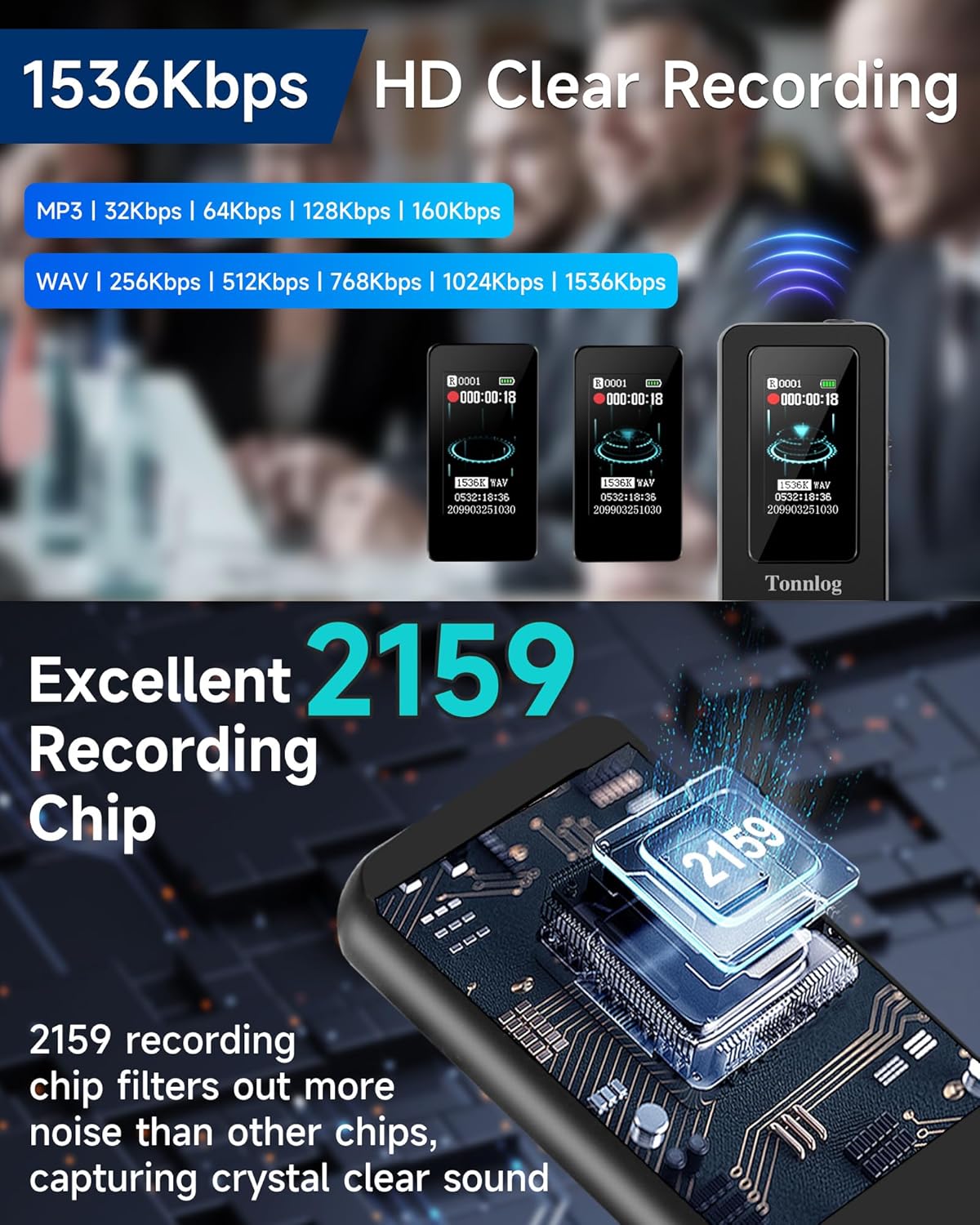
Image 3.3: Illustration of the 1536Kbps HD clear recording capability and the advanced 2159 recording chip for superior noise filtration.
4. Setup
4.1. Initial Charging
Before first use, fully charge the device. Connect the voice recorder to a USB power adapter (not included) or a computer using the provided USB Type-C cable. The battery indicator on the screen will show charging status. A full charge takes approximately 2 hours.
4.2. Synchronizing Time
For accurate file timestamps, it is recommended to synchronize the recorder's time with your local time. This can typically be done via the device's settings menu when connected to a computer or through the on-screen interface.
5. Operating Instructions
5.1. One-Click Recording and Saving
- To start recording, slide the REC/SAVE switch UP. The recording indicator will illuminate, and the screen will show recording in progress.
- To save the current recording, slide the REC/SAVE switch DOWN. The recording will be saved, and the device will stop recording.

Image 5.1: Visual guide for the one-click recording and saving function using the REC/SAVE switch.
5.2. Voice Activated Recording (VAR)
The Voice Activated Recording feature allows the recorder to automatically start recording when sound is detected and pause when there is silence, conserving memory and battery life.
- Access the settings menu (usually by long-pressing the Menu Key on the wired controller or navigating via the device screen).
- Locate and enable the 'VAR' or 'Voice Activated Recording' option.
- Adjust the sensitivity level (1-6) as needed. Higher sensitivity detects quieter sounds.

Image 5.2: The Voice Activation Mode in action, showing how the recorder captures audio only when speech is present, reducing silent periods.
5.3. Playback and Settings via Headphones
To play back recordings, delete files, or access the menu settings, connect the provided wired headphones to the 3.5mm headphone jack.
- Wired Controller: The included wired controller provides convenient access to Volume (+/-), Previous/Next track, Play/Pause/Confirm, and the Menu Key.
- Menu Key: Long press to enter Settings; Short press to return.

Image 5.3: A user utilizing the wired headphones and controller to manage playback and settings on the Tonnlog voice recorder.
6. Connecting to Devices
6.1. Connecting to PC/Mac
To transfer files to your computer, connect the voice recorder using the USB Type-C cable. The device will appear as a removable disk. You can then drag and drop recording files (typically WAV or MP3 format) to your computer.

Image 6.1: The voice recorder connected to both a laptop and an Android phone, illustrating its versatility for charging and data transfer.
6.2. Connecting to Android Phone (OTG Function)
The recorder supports OTG function for direct connection to Android phones (iPhones are not compatible).
- Go to your phone's Settings > Search for 'OTG' > Open OTG function.
- Ensure the voice recorder is on. Use the provided Dual Type-C Short Cable to connect the recorder to your Android phone.
- Wait approximately 10 seconds for the connection to complete automatically. The phone should recognize the recorder as external storage.

Image 6.2: Step-by-step guide on how to connect the voice recorder to an Android phone using the OTG function for direct file access.
7. Maintenance
- Cleaning: Use a soft, dry cloth to clean the device. Avoid liquid cleaners or abrasive materials.
- Storage: Store the recorder in a cool, dry place away from direct sunlight, extreme temperatures, and high humidity.
- Battery Care: To prolong battery life, avoid fully discharging the battery frequently. Charge the device regularly, even if not in use for extended periods.
- Avoid Drops: While durable, avoid dropping the device to prevent internal damage.
8. Troubleshooting
- Device not turning on: Ensure the battery is charged. If not, connect to a power source. If still unresponsive, try pressing the Reset key (a small pinhole on the side, use a paperclip).
- Cannot record: Check if the memory is full. Delete unnecessary files to free up space. Ensure the REC/SAVE switch is in the 'REC' position.
- Poor sound quality: Ensure the microphone is not obstructed. Record in a quieter environment. Check recording settings (bitrate, noise reduction) and adjust if necessary.
- Cannot connect to computer/phone: Ensure the USB cable is securely connected. Try a different USB port or cable. For Android, ensure OTG function is enabled.
- Files not showing up: After connecting to a computer, ensure the device is recognized as a removable disk. Check the file format compatibility with your playback software.
9. Specifications
| Feature | Specification |
|---|---|
| Model Number | TL-V73 |
| Memory Storage Capacity | 64 GB |
| Recording Quality | Up to 1536Kbps HD |
| Recording Formats | WAV, MP3 Audio |
| Battery Capacity | 400 mAh Lithium Ion |
| Continuous Recording Time | Up to 35 hours |
| Charging Time | Approx. 2 hours |
| Product Dimensions | 0.27"D x 1.02"W x 3.07"H (0.69 x 2.59 x 7.8 cm) |
| Item Weight | 0.917 ounces (26 grams) |
| Hardware Interface | USB Type-C |
| Headphones Jack | 3.5 millimeters |
| Compatible Devices | Personal Computer, Android Smartphone |
10. Warranty and Support
Tonnlog is committed to providing high-quality products and excellent customer service.
- Warranty: This product comes with a 2-year warranty from the date of purchase, covering manufacturing defects.
- Technical Support: We offer lifetime technical support for our products.
For any questions, issues, or technical assistance, please contact Tonnlog customer support through the retailer's platform or visit the official Tonnlog website for contact information.

Image 10.1: Tonnlog's commitment to customer satisfaction, including 24-hour online reply, 2-year warranty, and lifetime technical support.


