1. Introduction
The TELESIN Fun Shot Magnetic Grip transforms your smartphone into a traditional camera, offering enhanced grip, stability, and control for photography and videography. Its ergonomic design ensures comfortable handling, while the detachable wireless remote provides flexibility for various shooting scenarios. This manual provides detailed instructions for setup, operation, and maintenance of your device.
2. What's in the Box
- Magnetic Phone Camera Grip
3. Setup Guide
3.1. Initial Connection
Follow these steps to connect your Fun Shot Magnetic Grip to your smartphone:
- Power On: Press and hold the shutter button on the grip for 2 seconds. The indicator light will flash, indicating it's in Bluetooth pairing mode.
- Connect via Bluetooth: On your smartphone, go to Bluetooth settings and connect to "TELESIN_MG".
3.2. iPhone Specific Settings (for Zoom Functionality)
For iPhone users, after the initial connection, enable the Zoom function for full control:
- Go to Settings > Accessibility > Zoom.
- Turn on Zoom.
- Set Zoom Region to Full Screen Zoom.
- To restore normal view, double-tap the screen with three fingers.
Note: For Android phones, simply complete the first two steps of the initial connection.

Image: Visual guide for connecting the grip via Bluetooth and enabling iPhone zoom settings.
4. Operating Instructions
4.1. Grip Features Overview
The Fun Shot Magnetic Grip offers several intuitive controls for an enhanced shooting experience:
- Two-Stage Shutter: Half-press to focus, full-press to capture photos or start/stop video recording.
- Zoom Lever: Slide the lever to zoom in or out.
- Mode Switch: Cycle through different shooting modes (e.g., photo, video, portrait).
- Quick Camera Launch: Instantly open your phone's camera app.
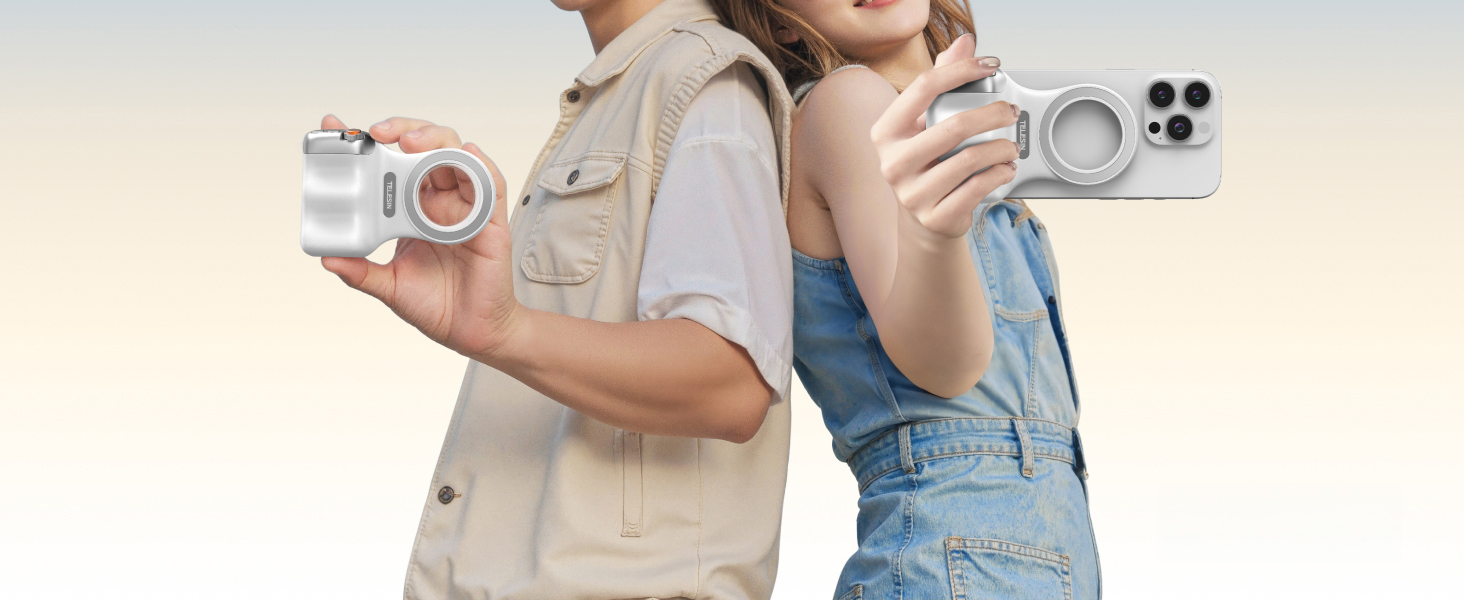
Image: Overview of the Fun Shot Magnetic Grip's controls, including the two-stage shutter, zoom lever, and mode switch.
4.2. Detachable Wireless Remote Control
The grip features a detachable wireless remote control with a range of up to 10 meters (32.8 feet). This allows for remote photo capture and video recording, ideal for group shots or stable long-distance shooting.

Image: The detachable wireless remote control, highlighting its magnetic quick-detach design and 1/4" tripod thread.
4.3. Quick Wake Function
The grip supports quick wake functionality for various phone models. Refer to the table below for supported models and wake methods:
| Supported Models | Wake Methods |
|---|---|
| iPhone / HUAWEI / HONOR / Xiaomi / oppo / vivo / OnePlus / Redmi / iQOO | 1. Wake from Locked Screen (Screen Off): Long press Mode 1 button for 2 seconds (Exception: vivo/iQOO models require double press). 2. Wake from Unlocked Screen (Screen On but Locked): Long press Mode 1 button for 2 seconds (Exception: iPhone requires single click on Mode 2 button). |
| Unsupported Models: HUAWEI devices with HarmonyOS NEXT 5.0 or above / Samsung | N/A |
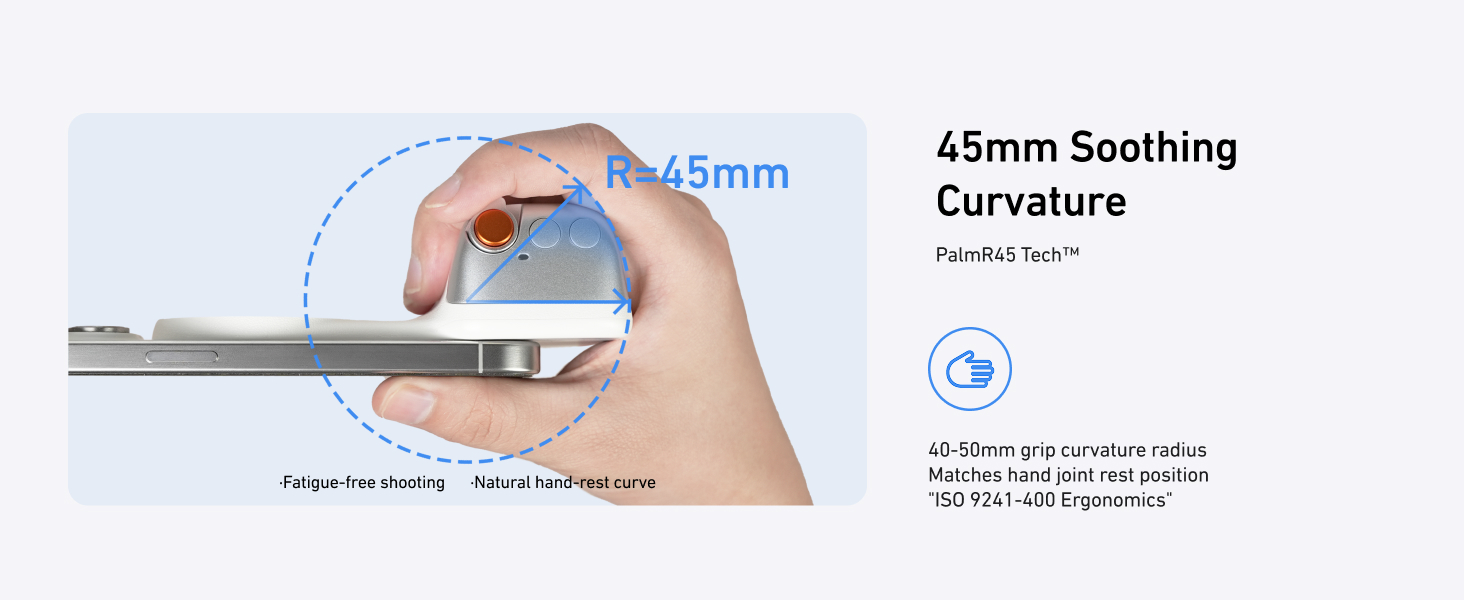
Image: Visual demonstration of the quick wake function for different phone states.
4.4. Ergonomic Design
The grip features a comfortable ergonomic finger hook design, providing balance and stability during extended use. This design helps reduce fatigue and improves overall handling.

Image: A hand holding a smartphone with the TELESIN Fun Shot Magnetic Grip, showcasing its ergonomic finger hook design for comfortable and stable shooting.
5. Charging the Remote Control
To charge the detachable wireless remote control:
- Gently remove the remote control from the grip.
- Locate the Type-C charging port on the remote.
- Plug in a standard Type-C cable to charge.
Video: Demonstration of removing and charging the detachable remote control via a Type-C cable.
6. Compatibility
The TELESIN Fun Shot Magnetic Grip is widely compatible with iPhone and Android phones. It is designed for use with iPhone 12 and newer models. For optimal magnetic connection, it is recommended to use a MagSafe-compatible phone case.
6.1. For MagSafe Phone or MagSafe Case Users
The grip attaches directly to MagSafe-compatible devices or cases.
6.2. For Non-MagSafe Phone or Non-MagSafe Case Users
For phones without MagSafe or non-MagSafe cases, a magnetic ring (often included or sold separately) can be attached to a smooth, flat phone case to enable compatibility with the grip. Ensure the magnetic ring is securely attached.

Image: Illustrates compatibility with MagSafe phones/cases and the use of a magnetic ring for non-MagSafe devices.
7. Safety Notes
To ensure safe and secure usage of your TELESIN Fun Shot Magnetic Grip, especially in dynamic environments:
- In complex or crowded scenarios, always use the product with a magnetic phone case and a phone lanyard for added security.
- Avoid using the product in high-impact or other sports scenarios where the phone may be subjected to strong forces or sudden movements.
Video: Demonstrates attaching a phone lanyard to a phone case for secure use with the magnetic grip.
8. Specifications
| Feature | Detail |
|---|---|
| Product Name | Fun Shot Magnetic Grip |
| Material | ABS + PC + Aluminum Alloy |
| Product Dimensions | 124.7mm × 79.6mm × 37.7mm (4.91in × 3.13in × 1.48in) |
| Product Weight | 109g (3.84 ounces) |
| Battery Capacity | 130mAh (1 Lithium Polymer battery required) |
| Bluetooth Compatibility | Common phone models (iOS & Android) |
| Magnetic Strength | > 8x Phone Weight (Max 3KG with magnetic case/ring) |
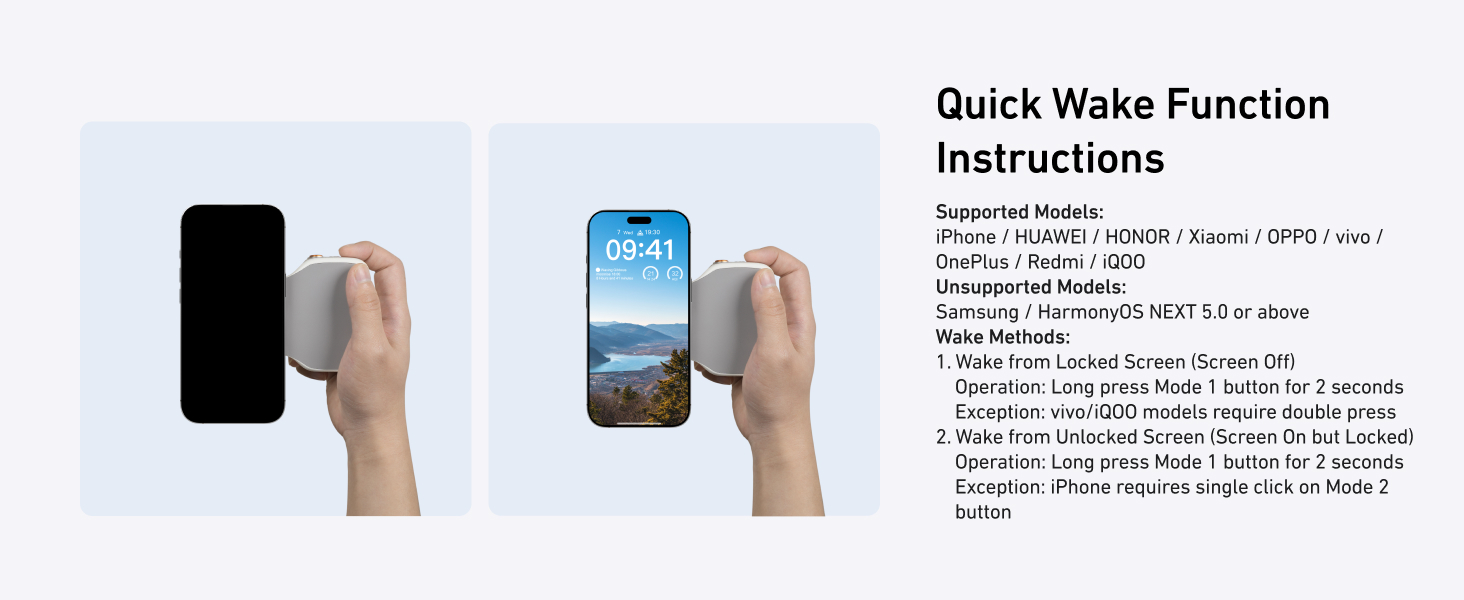
Image: Detailed product specifications including dimensions, weight, and battery information.
9. Troubleshooting
If you encounter issues with your TELESIN Fun Shot Magnetic Grip, please try the following:
- Connection Issues: Ensure Bluetooth is enabled on your phone and the grip is powered on and in pairing mode. Try forgetting the device in your phone's Bluetooth settings and re-pairing.
- Button Unresponsive: Check if the remote control is fully charged. Ensure it is securely attached to the grip or within Bluetooth range if detached.
- Zoom/Mode Issues (iPhone): Verify that the Accessibility Zoom settings are correctly configured as described in Section 3.2.
- Magnetic Attachment: Ensure your phone case is MagSafe compatible or that a magnetic ring is properly installed on a smooth, flat case.
10. Warranty and Support
For warranty information, technical support, or further assistance, please refer to the official TELESIN website or contact their customer service directly. Keep your purchase receipt for warranty claims.