
1. Introduction
Thank you for choosing the TOPZEE 3L Electric Countertop Compost Bin. This appliance is designed to efficiently convert food waste into a nutrient-rich soil amendment, reducing household waste and supporting sustainable living. It features a smart system with fast and standard composting modes, an odorless auto-cleaning function, and a compact design suitable for any kitchen. Please read this manual thoroughly before first use to ensure safe and optimal operation.

Image 1.1: The TOPZEE Electric Countertop Compost Bin, illustrating its capacity for food waste. The unit is black with a stainless steel blade visible inside the processing bucket.
2. Safety Information
To prevent injury or damage, always observe basic safety precautions when using electrical appliances.
- Read all instructions before use.
- Do not immerse the main unit in water or other liquids.
- Ensure the power cord is not damaged and is properly connected to a grounded outlet.
- Keep hands and utensils away from moving parts during operation.
- This appliance is not intended for use by persons with reduced physical, sensory, or mental capabilities, or lack of experience and knowledge, unless they have been given supervision or instruction concerning use of the appliance by a person responsible for their safety.
- Supervise children to ensure they do not play with the appliance. The unit features a child lock function for added safety.
- Unplug the appliance from the outlet when not in use and before cleaning.
- Do not operate any appliance with a damaged cord or plug, or after the appliance malfunctions or has been damaged in any manner.
- Use only manufacturer-recommended attachments.
- Do not use outdoors.

Image 2.1: The child lock feature ensures safety during operation, preventing accidental access by children.
3. Package Contents
Please check the package contents upon unboxing. If any items are missing or damaged, contact customer support.
- TOPZEE Electric Countertop Compost Bin Main Unit
- Removable Processing Bucket (3L capacity, non-stick coating)
- Lid with Integrated Filter Compartment
- Activated Charcoal Filters (pre-installed or separate)
- Power Cord
- User Manual (this document)
4. Setup
- Unpack: Carefully remove all components from the packaging. Retain packaging for future transport or storage.
- Placement: Place the compost bin on a stable, flat, heat-resistant surface in your kitchen or desired area. Ensure adequate ventilation around the unit. The compact size (approximately 9.05"L x 9.05"W x 10.62"H) allows for flexible placement.
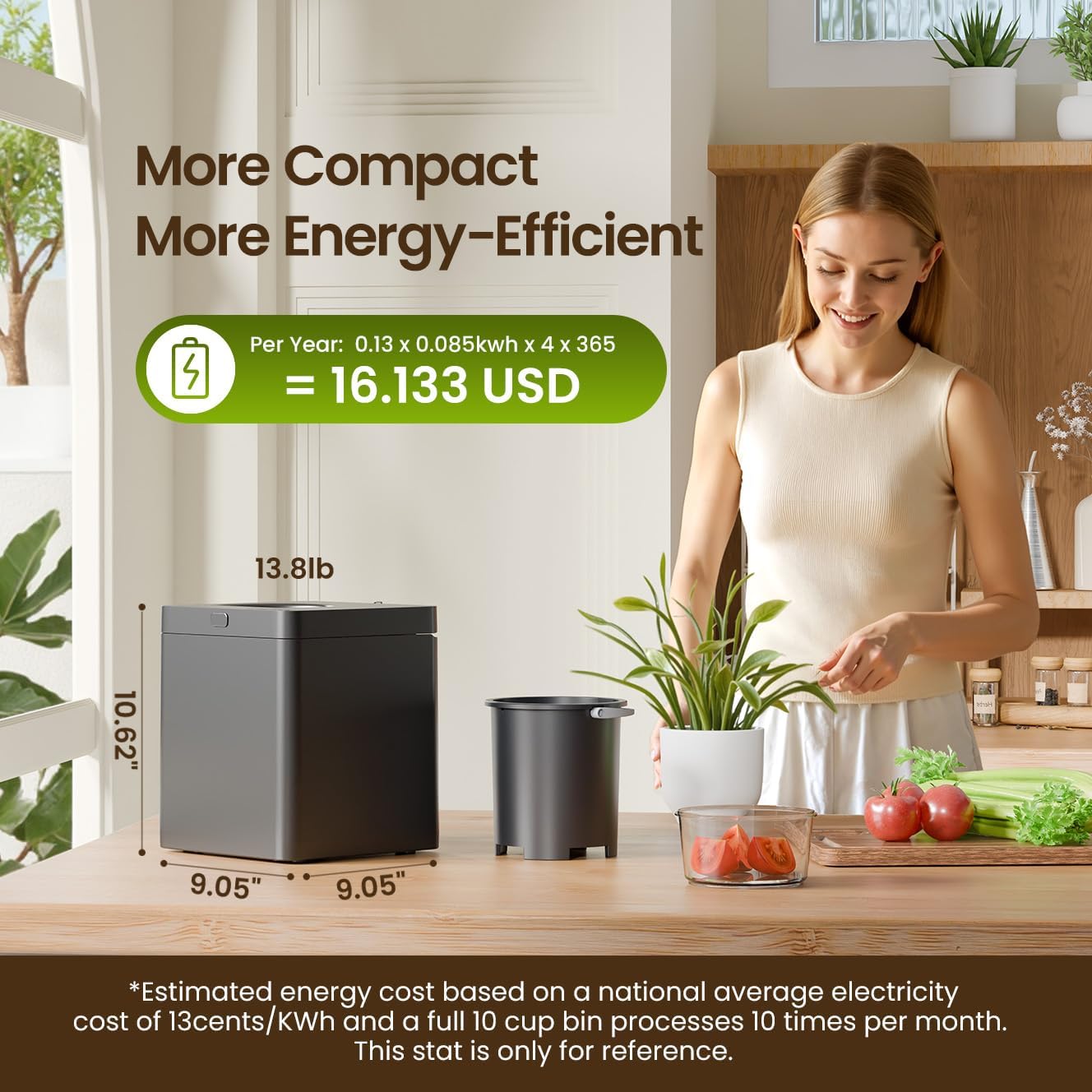
Image 4.1: The compact dimensions of the compost bin, demonstrating its suitability for countertop placement.
- Install Filter: Ensure the activated charcoal filters are correctly installed in the designated compartment within the lid. Refer to the maintenance section for filter replacement instructions.
- Connect Power: Plug the power cord into the back of the unit and then into a standard electrical outlet.
- First Use Preparation: Before adding food waste, it is recommended to run an empty "Clean" cycle to ensure the interior is ready for use.
5. Operating Instructions
5.1 Control Panel Overview

Image 5.1: The intuitive one-touch control panel for easy operation.
- Power Button: Turns the unit on/off.
- Model Button: Cycles through composting modes (Fast, Standard) and activates the cleaning mode. Press and hold for 3 seconds to activate/deactivate Child Lock.
- Start/Pause Button: Initiates or pauses the selected cycle. Press and hold for 3 seconds to reset the unit.
- Display: Shows remaining time and current mode.
- Consumables Warning Light: Indicates when filters need replacement.
5.2 Adding Food Waste
- Open the lid of the compost bin.
- Place food scraps into the removable processing bucket. Ensure the bucket does not overflow.
- Close the lid securely.
Acceptable Food Waste: The composter can process a wide variety of organic materials including fruits, vegetables, bread, pasta, eggs, coffee grounds, meat scraps, and fish bones (ensure animal bones are chopped into smaller pieces).
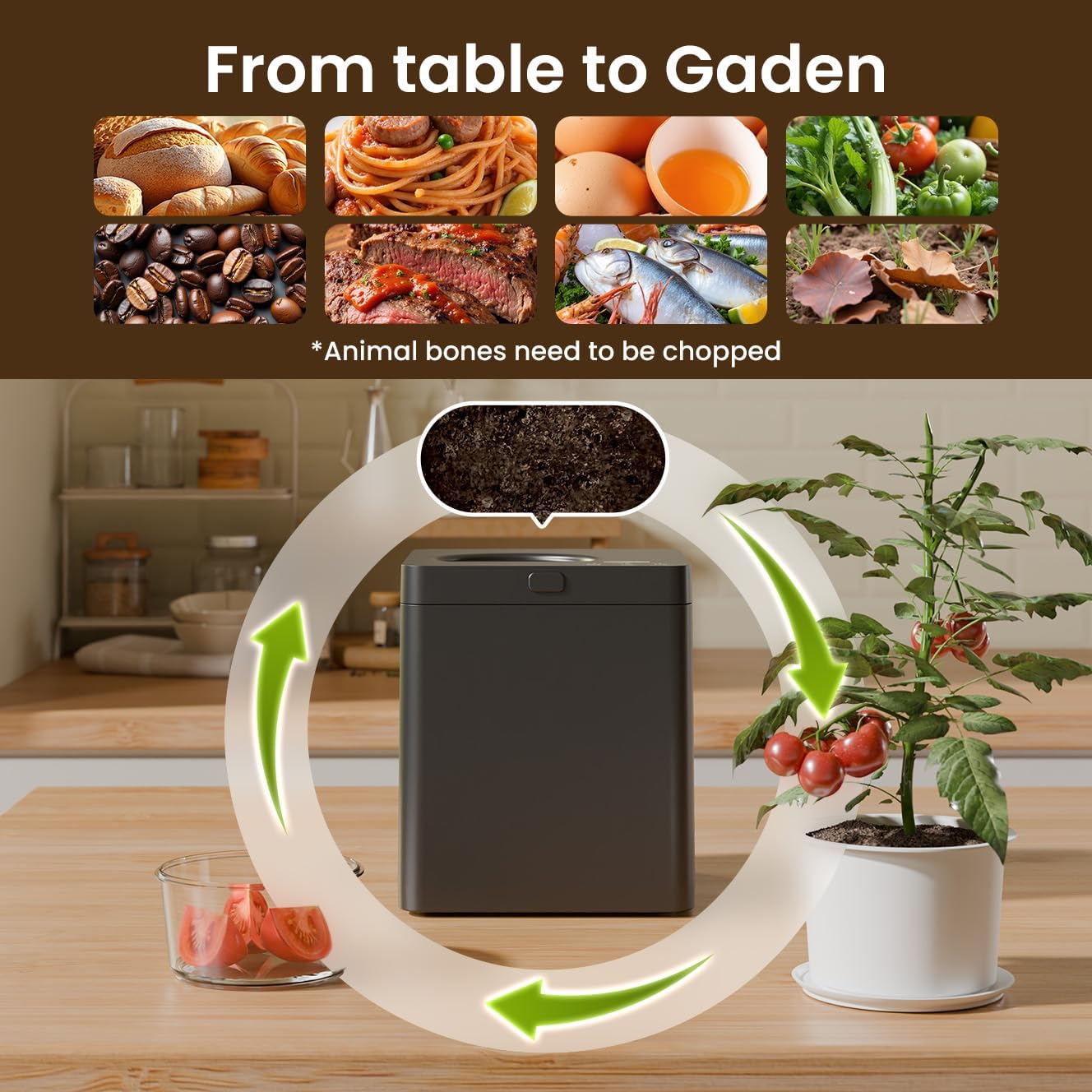
Image 5.2: Examples of food waste suitable for composting.
Unacceptable Items: Avoid large bones, hard pits (e.g., avocado, peach), excessive liquids, cooking oils, dairy products, and non-food items (e.g., plastic, metal, glass).
5.3 Selecting a Composting Mode
Press the Model button to cycle through the available modes:
- Fast Mode (4H): For quicker processing of smaller amounts of waste or less dense materials.
- Standard Mode (6H): Recommended for larger quantities or denser food waste, ensuring thorough processing.
- Clean Mode: Activates the automatic cleaning cycle for the processing bucket.

Image 5.3: The composting process reduces food waste volume significantly within 4-6 hours.
5.4 Starting and Pausing a Cycle
- After selecting your desired mode, press the Start/Pause button to begin the cycle.
- To pause an active cycle, press the Start/Pause button once. Press again to resume.
- To cancel a cycle, press and hold the Start/Pause button for 3 seconds.
5.5 Child Lock Function
To activate the child lock, press and hold the Model button for 3 seconds. The child lock indicator will illuminate. This prevents accidental operation by children. To deactivate, press and hold the Model button for 3 seconds again.

Image 5.4: The compost bin operates at a low noise level, typically below 40 decibels.
6. Maintenance
6.1 Cleaning the Processing Bucket
The processing bucket features a non-stick coating for easy cleaning.
- After each cycle, remove the bucket from the unit.
- For light residue, use the automatic "Clean" mode.
- For more stubborn residue, wash the bucket with warm, soapy water and a soft sponge. Do not use abrasive cleaners or scourers.
- Ensure the bucket is completely dry before placing it back into the unit.
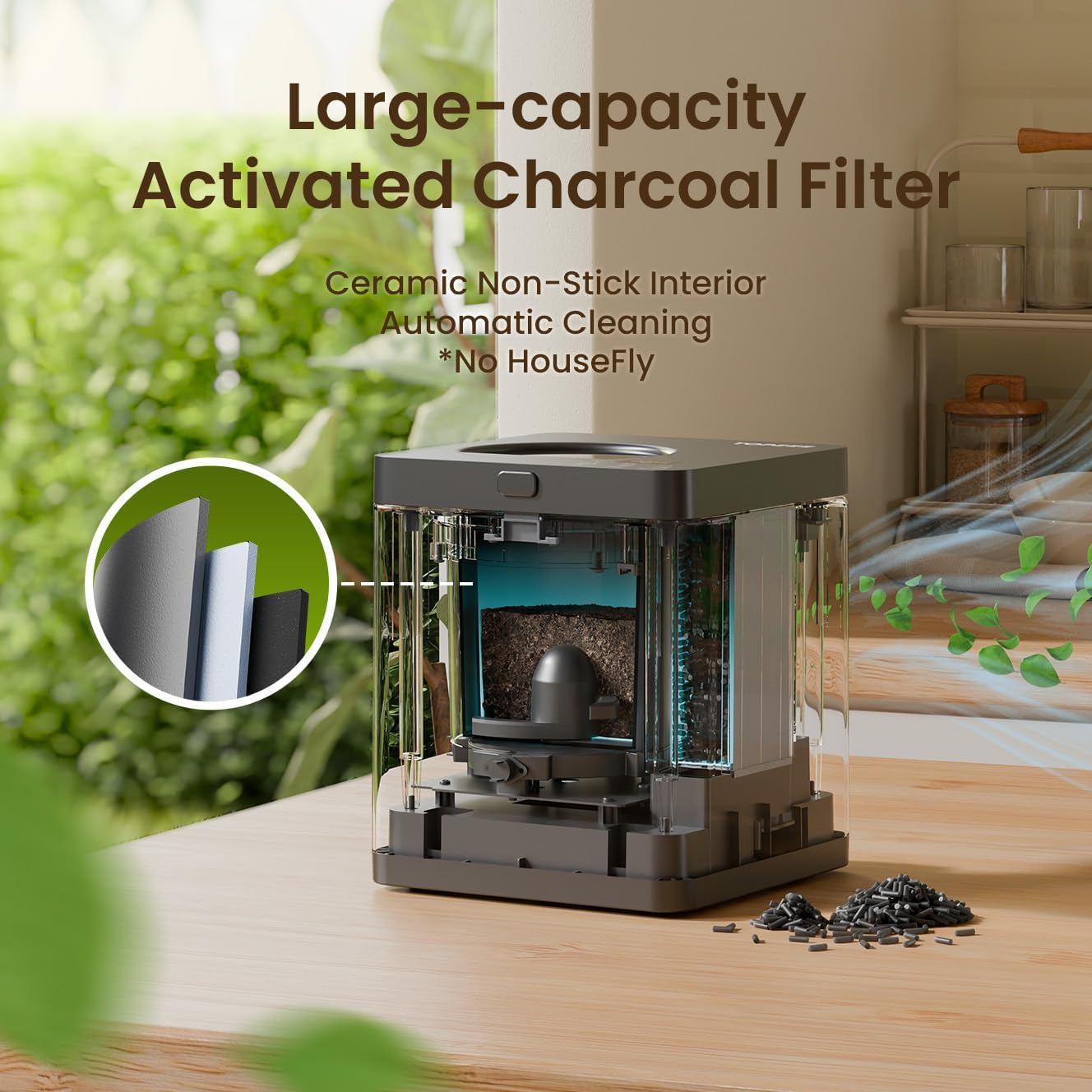
Image 6.1: Internal view highlighting the activated charcoal filter and non-stick interior for easy cleaning.
6.2 Replacing Activated Charcoal Filters
The activated charcoal filters are crucial for odor absorption. The consumables warning light on the control panel will indicate when replacement is needed. Filters typically last up to three months depending on usage.
- Ensure the unit is unplugged.
- Open the filter compartment on the lid.
- Remove the old filters and dispose of them responsibly.
- Insert new activated charcoal filters, ensuring they are correctly seated.
- Close the filter compartment securely.
Replacement filters can be purchased from authorized TOPZEE retailers or the official TOPZEE website.
7. Troubleshooting
| Problem | Possible Cause | Solution |
|---|---|---|
| Unit does not power on. | Power cord not properly connected; no power from outlet. | Check power cord connection. Test outlet with another appliance. |
| Odor present during operation. | Filters need replacement; lid not closed properly; inappropriate items composted. | Replace activated charcoal filters. Ensure lid is securely closed. Review acceptable items for composting. |
| Compost is not dry or fully processed. | Too much liquid in food waste; overloaded bucket; incorrect mode selected. | Drain excess liquid from food waste. Do not overfill the bucket. Select Standard mode for larger loads. |
| Unit is noisy. | Large, hard items in the bucket; unit not on a stable surface. | Ensure hard items are chopped into smaller pieces. Place unit on a stable, flat surface. |
| Child lock engaged unexpectedly. | Accidental activation. | Press and hold the Model button for 3 seconds to deactivate. |
8. Specifications
- Brand: TOPZEE
- Model: B0F5VW5HVL
- Capacity: 3 Liters (approx. 6.3 Pounds)
- Product Dimensions: 10.62"L x 9.05"W x 9.05"H
- Item Weight: 13.87 pounds (approx. 6.31 Kilograms)
- Material: High Temperature Resistant ABS Material, Aluminum alloy, Nonstick Coating Bucket
- Color: Black
- Noise Level: < 40 dB
- Energy Consumption: Approximately 0.51 kWh per use
- Composting Modes: Fast (4 hours), Standard (6 hours), Clean
9. Warranty Information
The TOPZEE Electric Countertop Compost Bin is covered by a manufacturer's warranty against defects in materials and workmanship. Please refer to the warranty card included with your purchase or visit the official TOPZEE website for detailed warranty terms and conditions. Keep your proof of purchase for warranty claims.
10. Customer Support
For technical assistance, troubleshooting, or to order replacement parts and filters, please contact TOPZEE customer support.
- Website: Visit the TOPZEE Store on Amazon
- Email: Refer to your product packaging or official website for contact email.
- Phone: Refer to your product packaging or official website for contact phone number.
When contacting support, please have your model number (B0F5VW5HVL) and purchase date available.


