Introduction
Thank you for purchasing the FOTN Mini Digital Camera Keychain. This compact and portable camera is designed for easy photo and video recording on the go. Please read this manual carefully to ensure proper use and optimal performance of your device.
What's in the Box
- FOTN Mini Digital Camera Keychain
- USB Charging Cable
- Keychain Accessories
- 1 Wrist Strap
- 1 Card Reader
- User Manual
- Optional SD Card (depending on purchase variant)
Product Overview and Features
The FOTN Mini Digital Camera Keychain offers a range of features in a compact design:
- Portable Design: Measures only 1.6 x 1.1 x 0.6 inches, ideal for carrying on a keychain.
- 1080P Video Recording: Equipped with a CMOS sensor for high-definition video.
- Long Battery Life: Up to 100 minutes of video recording or 120 minutes of photo shooting.
- Multiple Filter Options: Enhance media with 6 different filters (Original, Green, Black, Blue, Pink, Vintage).

Image: Overview of the FOTN Mini Digital Camera's key features.

Image: Product dimensions showing the compact size of the camera.

Image: The camera's portability, shown attached to various items.
Video: An overview of the FOTN Mini Digital Camera, showcasing its compact size, photo/video capabilities, filter function, and connectivity options.
Setup
1. Inserting a Memory Card
The camera requires a Micro SD card (not included with "No Memory Card" variants) to store photos and videos. Locate the SD card slot on the side of the camera. Gently insert the Micro SD card with the gold contacts facing down until it clicks into place. To remove, push the card in again until it springs out.
2. Charging the Camera
Before first use, fully charge the camera. Connect the provided USB charging cable to the camera's USB port and the other end to a USB power adapter (not included) or a computer's USB port. The indicator light will show charging status (e.g., red for charging, off when fully charged). A full charge provides up to 100 minutes of video recording or 120 minutes of photo shooting.
Operating Instructions
1. Power On/Off
Press and hold the Power button (usually located on the top or side) for a few seconds to turn the camera on. Repeat the action to turn it off.
2. Taking Photos
Once powered on, the camera typically defaults to photo mode. Frame your shot using the small LCD screen. Press the Shutter button (usually a distinct button on top) once to take a photo.
3. Recording Videos
To switch to video mode, press the Mode button (if available, refer to physical buttons on your device). Once in video mode, press the Shutter button to start recording. Press it again to stop recording.
4. Using Filter Options
The camera features 6 different filters to enhance your photos and videos: Original, Green, Black, Blue, Pink, and Vintage. Use the navigation buttons (often labeled with arrows or specific icons) to cycle through the filter options on the LCD screen before taking a photo or recording a video.
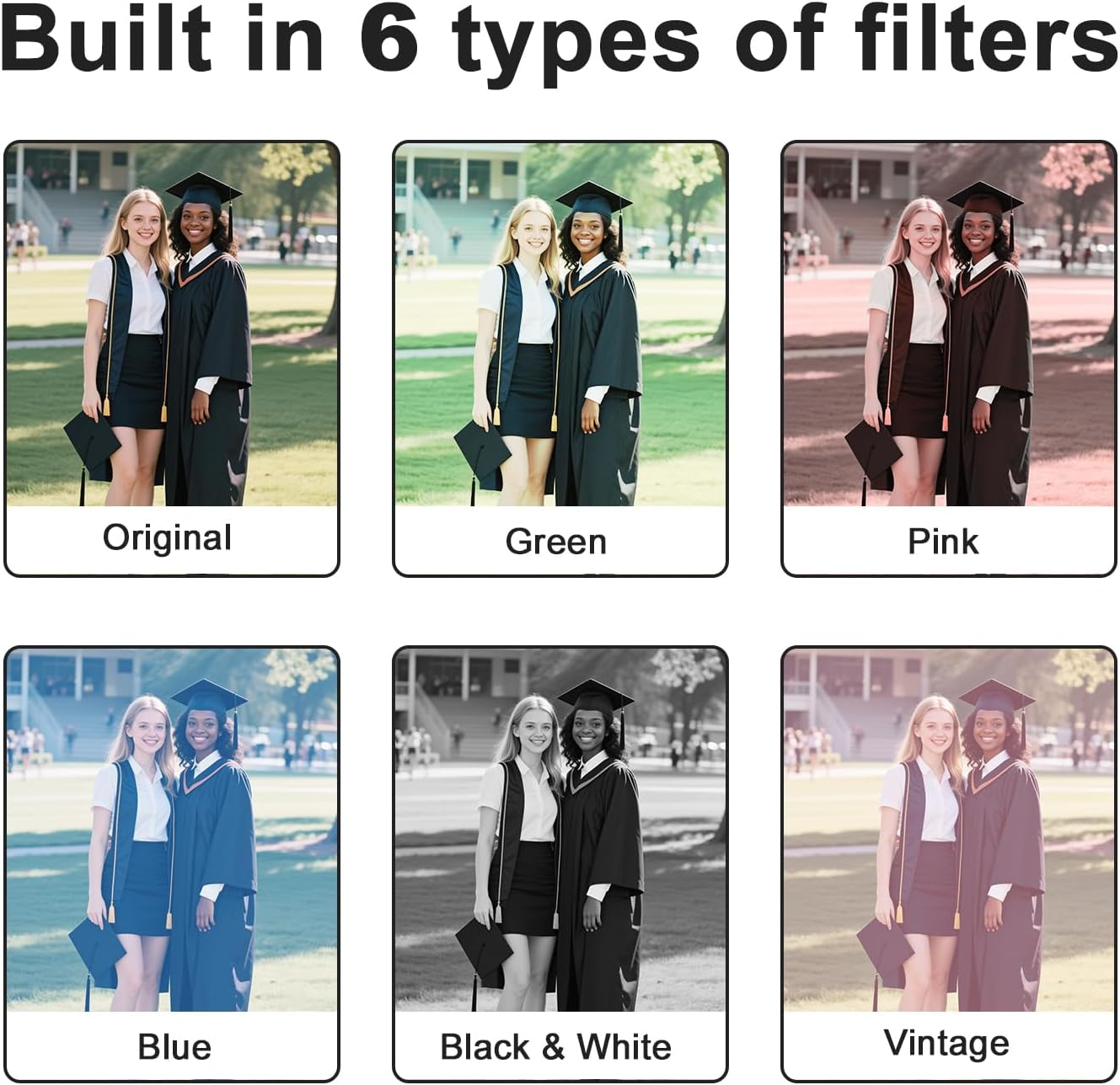
Image: Demonstration of the camera's built-in filter options.
5. Transferring Files
To transfer photos and videos to a computer or smartphone, connect the camera using the provided USB cable. The camera will appear as a removable storage device. You can then drag and drop files as needed. Alternatively, remove the Micro SD card and use the included card reader to transfer files.

Image: Instructions for connecting the camera to a computer or phone for file transfer.
Maintenance
- Keep the camera clean by wiping it with a soft, dry cloth.
- Avoid exposing the camera to extreme temperatures, direct sunlight, or moisture.
- Do not attempt to disassemble the camera, as this will void the warranty.
- Ensure the USB port cover (if present) is closed when not in use to prevent dust and debris from entering.
Troubleshooting
- Camera not turning on:
- Ensure the battery is charged. Connect the camera to a power source and allow it to charge for at least 30 minutes before attempting to power on again.
- Cannot take photos/record videos:
- Check if a Micro SD card is properly inserted and has sufficient free space. The camera will not function without a memory card.
- Files not transferring to computer:
- Verify the USB cable connection. Try a different USB port or cable. Ensure the camera is powered on when connected to the computer. If using a card reader, ensure the SD card is correctly inserted into the reader and the reader is connected to the computer.
- Poor image/video quality:
- Ensure the lens is clean and free from smudges. Check lighting conditions. The camera performs best in well-lit environments.
Specifications
| Feature | Detail |
|---|---|
| Brand | FOTN |
| Model Number | DJTMNXJ |
| Photo Sensor Technology | CMOS |
| Video Capture Resolution | 1080p |
| Flash Memory Type | SD (Micro SD card required) |
| Video Capture Format | MP4 |
| Supported Audio Format | MP4 |
| Screen Size | 0.96 Inches |
| Connectivity Technology | USB |
| Special Feature | Portable |
Warranty and Support
FOTN products are designed for reliability and performance. For warranty information or technical support, please refer to the contact details provided with your purchase or visit the official FOTN website. Keep your proof of purchase for warranty claims.