
1. Introduction
The SVBONY SV28 Plus Spotting Scope with WiFi Camera is designed for observing distant subjects with clarity and convenience. This manual provides detailed instructions for setting up, operating, and maintaining your spotting scope and its integrated WiFi camera system. Please read this manual thoroughly before use to ensure optimal performance and longevity of your device.
2. What's Included
Verify that all items listed below are present in your package:
- 1 x SV28 Plus Spotting Scope
- 1 x Tripod
- 1 x Phone Adapter
- 1 x SC002 Wireless Camera
- 1 x 32GB TF Card
- 1 x Type-C Charging Data Cable
- 1 x Dust Cover
- 1 x Cleaning Cloth
- 1 x Instruction Manual

Image: All components included in the SVBONY SV28 Plus Spotting Scope package.
3. Product Features
- Digiscoping Solution: The SC002 WiFi camera captures crisp wildlife moments with 2 megapixels and H.264 encoding, featuring 3x digital zoom (Full/1x/2x/3x) and 25-30fps smooth video.
- 10m Wireless Live View & Multi-OS APP: Control remotely via 2.4GHz WiFi (150Mbps) within a 10m range. The SvbonyCam APP supports Android, iOS, and HarmonyOS with a 9-language interface, enabling real-time framing adjustments and scheduled shooting (3s/5s/10s intervals). It allows connection to two mobile devices simultaneously.
- Universal Eyepiece Compatibility: SV28 (40.5mm) and SV13 (47.5mm) adapters ensure connection to most spotting scopes, enhancing birdwatching and astronomy observations.
- Extended Outdoor Performance: A 1500mAh battery delivers over 3 hours of continuous recording, ideal for extended outdoor use.
- Three Modes: The SVBONY SC002 Wi-Fi camera supports recording, photo-taking, and previewing.
- Easy Connection: Features a built-in Wi-Fi hotspot for fast, stable data transmission without external network requirements.
- High-Quality Optics: Equipped with high index Bak4 prisms and Fully Multi-Coated (FMC) lenses for superior brightness, resolution, and edge clarity.
- Large Objective Lens: A 70mm objective lens gathers more light for clear and sharp images.
- Extendable Sunshade: Reduces glare and protects the objective lens from scratches, damage, and raindrops.
- Twist-Up Eyecup: Provides comfortable viewing for users with or without glasses.
- Durable Design: IP65 waterproof and fogproof construction ensures reliable performance in various weather conditions.

Image: Porro Bak4 Prism for enhanced image quality.

Image: FMC (Fully Multi-Coated) A5 Wine Red Coating on the objective lens.

Image: Adjustable Twist-Up Eyecup for user comfort.
4. Setup Instructions
- Attach the Tripod: Securely mount the SV28 Plus spotting scope onto the included tripod. Ensure the scope is balanced and stable.
- Install the SC002 WiFi Camera or Eyepiece:
- To use the standard eyepiece: Insert the eyepiece into the scope's eyepiece holder and tighten the retaining screw.
- To use the SC002 WiFi Camera: Remove the standard eyepiece. The SC002 camera comes with adapters (SV28 for 40.5mm and SV13 for 47.5mm) to fit various spotting scope eyepieces. Select the appropriate adapter, screw it onto the camera, and then insert the camera assembly into the scope's eyepiece holder. Tighten the retaining screw to secure it.

Image: Steps for attaching the SC002 WiFi Camera to the spotting scope.
- Charge the SC002 WiFi Camera: Connect the SC002 camera to a power source using the provided Type-C charging data cable. The indicator light will show charging status.
- Install the SvbonyCam App: Download and install the "SvbonyCam" application from your mobile device's app store (available for Android, iOS, and HarmonyOS).
- Connect to WiFi: Turn on the SC002 WiFi camera. On your mobile device, go to WiFi settings and connect to the camera's built-in WiFi hotspot. No external network is required.
- Attach Phone Adapter (Optional): If using your phone for digiscoping without the SC002 camera, attach the phone adapter to the eyepiece and secure your phone.
5. Operating Instructions
5.1 Basic Spotting Scope Operation
- Adjust Magnification: Rotate the eyepiece to adjust the magnification from 25x to 75x.
- Focus: Use the large focus knob on the side of the scope to achieve a clear image. Turn slowly for fine adjustments.
- Extend Sunshade: Slide out the extendable sunshade from the objective lens barrel to reduce glare in bright conditions.

Image: Field of View at various magnifications (25x, 50x, 75x).
5.2 SC002 WiFi Camera Operation
- Launch SvbonyCam App: Open the SvbonyCam app on your connected mobile device.
- Live View: The app will display a real-time live view from the camera.
- Photo & Video Modes: Select between photo, video, or preview modes within the app interface. The camera supports 3 photo ratios (1:1, 4:3, 16:9) and 1080p video recording.
- Digital Zoom: Utilize the 1x, 2x, and 3x digital zoom functions in the app to capture more precise images.
- Scheduled Shooting: Set intervals (3s/5s/10s) for automated photo capture.
- Simultaneous Viewing: The camera supports simultaneous viewing on up to two mobile devices. Note that the second device can only view and cannot control photo capture.

Image: SC002 WiFi Camera's photo ratios and shooting modes.
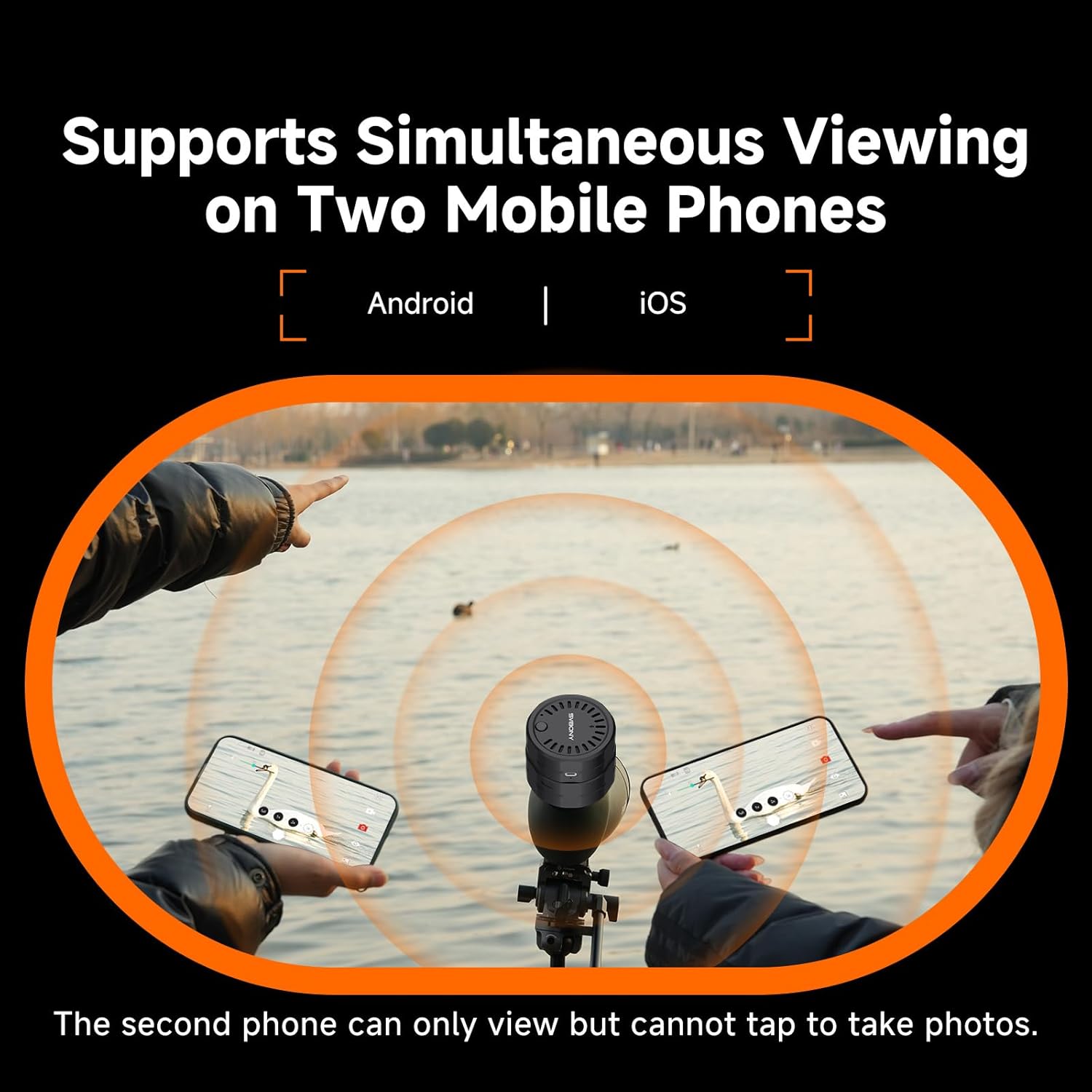
Image: Simultaneous viewing on two mobile phones.
6. Maintenance
- Cleaning Lenses: Use the provided cleaning cloth or a soft, lint-free cloth specifically designed for optical surfaces. Gently wipe the lenses to remove dust and smudges. Avoid using abrasive materials or harsh chemicals.
- Storage: When not in use, store the spotting scope and camera in a dry, cool place, away from direct sunlight and extreme temperatures. Use the dust covers for the lenses and eyepiece to protect them from dust and moisture.
- Waterproof/Fogproof Care: While the scope is IP65 rated, avoid submerging it in water. If it gets wet, wipe it dry immediately. Do not attempt to disassemble the waterproof components.
- Battery Care: For the SC002 camera, charge the battery regularly, even if not in use, to maintain its lifespan. Avoid fully discharging the battery for extended periods.
7. Troubleshooting
- Problem: Blurry Image
- Solution:
- Adjust the focus knob slowly until the image is sharp.
- Ensure the lenses are clean and free of dust or smudges.
- Check that the eyepiece or SC002 camera is securely attached to the scope.
- Verify that the magnification is set appropriately for the viewing distance.
- Problem: WiFi Connection Issues (SC002 Camera)
- Solution:
- Ensure the SC002 camera is powered on.
- Check that your mobile device is within the 10m WiFi range of the camera.
- Restart the SC002 camera and your mobile device.
- Verify that you are connected to the camera's specific WiFi hotspot (e.g., "SVBONY_XXXX").
- Problem: SC002 Camera Not Powering On
- Solution:
- Connect the camera to the Type-C charging cable and a power source to ensure it is charged.
- Allow some time for charging if the battery is completely depleted.
- Problem: Poor Image Quality (SC002 Camera)
- Solution:
- Ensure the spotting scope itself is properly focused. The camera captures what the scope sees.
- Check the lighting conditions; very low light can affect camera performance.
- Avoid excessive digital zoom, as it can reduce image clarity.
8. Specifications
| Feature | Detail |
|---|---|
| Model Name | FF9308J-F9396A |
| Magnification | 25-75x |
| Objective Lens Diameter | 70mm |
| Prism Type | Porro Bak4 |
| Lens Coating | FMC (Fully Multi-Coated) |
| Field of View | 64-43 ft/1000yds |
| Waterproof Rating | IP65 |
| SC002 WiFi Camera Resolution | 2 Megapixels |
| Video Capture Resolution | 1080p |
| SC002 Battery | 1500mAh Li-ion (3+ hours continuous recording) |
| Storage | 32GB TF card included (expandable up to 128GB) |
| Connectivity Technology | 2.4GHz Wi-Fi |
| Item Weight (Scope) | 157 Grams |
| Package Weight | 2.35 Kilograms |
| Package Dimensions (L x W x H) | 20.51 x 9.33 x 7.17 inches |
| Color | Black |
9. Warranty Information
SVBONY provides a lifetime warranty for defects in materials and workmanship for its spotting scopes, monoculars, and binoculars. SVBONY is responsible for repair; however, the customer shall be responsible for all costs of transportation related to warranty service.
10. Support
For further assistance, technical support, or to inquire about warranty service, please visit the official SVBONY website or contact their customer service department. You can often find FAQs, additional resources, and contact information on their website.
SVBONY Official Website: Visit SVBONY Store on Amazon