
Introduction
This manual provides detailed instructions for setting up, operating, maintaining, and troubleshooting your HotYeah 23.8" 100Hz Portable Monitor. Please read this manual thoroughly before using the product to ensure optimal performance and longevity.
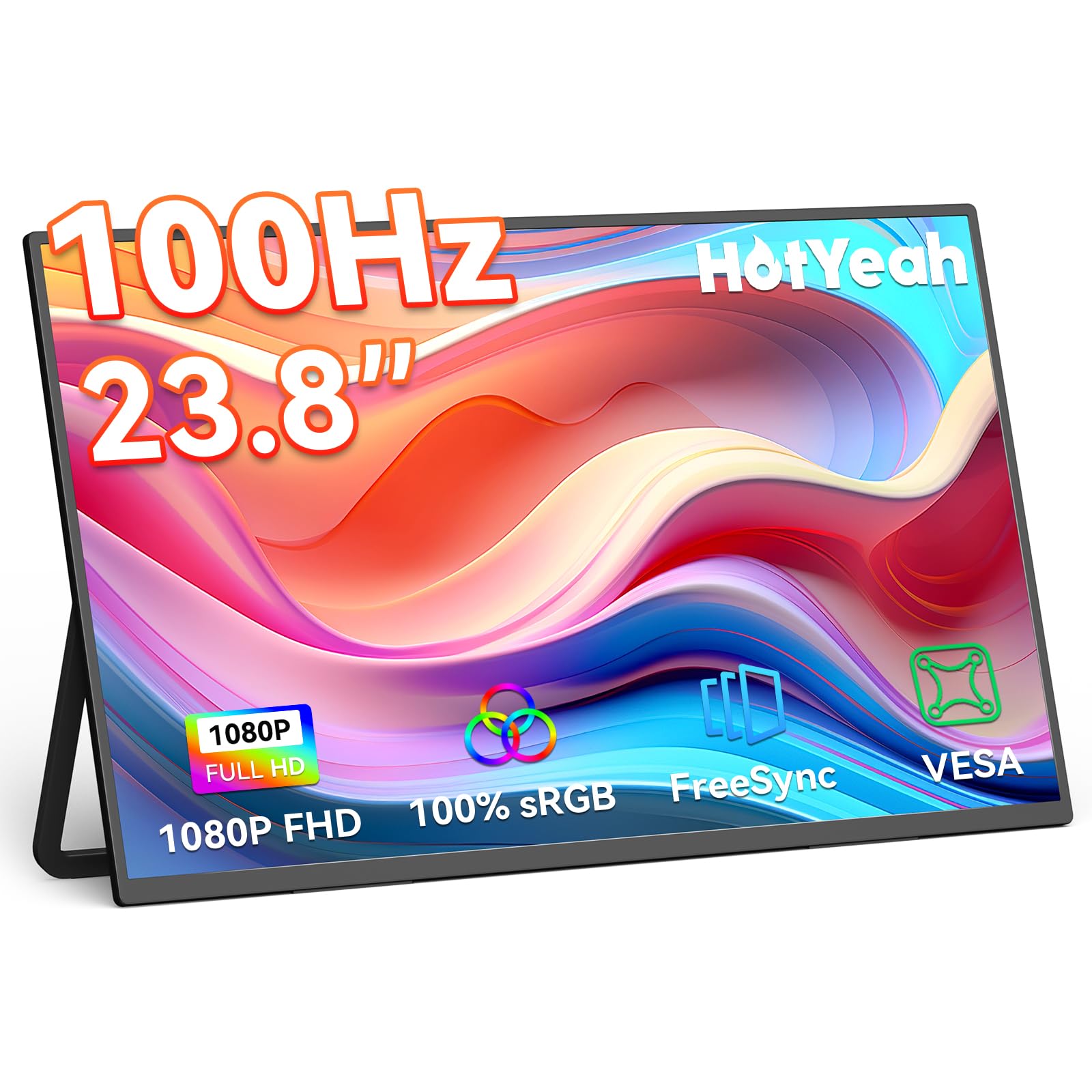
Image: HotYeah 23.8 inch 100Hz Portable Monitor, showcasing its sleek design.
Package Contents
Verify that all items are present in the package:
- 1 x 23.8'' Portable Monitor
- 2 x USB-C to USB-C Cable
- 1 x HDMI to HDMI Cable
- 1 x Power Adapter

Image: All accessories included with the HotYeah portable monitor, featuring two USB-C cables, one HDMI cable, and a power adapter.
Product Overview
Familiarize yourself with the monitor's ports and control buttons:

Image: Detailed view of the HotYeah portable monitor's side panels, highlighting two full-function USB-C ports, an HDMI port, a 3.5mm audio jack, an OTG port, and control buttons for power, OSD menu, up, down, and return functions.
Ports:
- Full-Function USB-C Ports (x2): Supports video, audio, and power delivery.
- Mini-HDMI Port: For video input from various devices.
- 3.5mm Audio Jack: For connecting external headphones or speakers.
- OTG Port: For connecting USB peripherals like a mouse or keyboard.
Control Buttons:
- Power Button: Turns the monitor on/off.
- OSD Menu Button: Accesses the On-Screen Display menu.
- Up/Down Buttons: Navigates menu options and adjusts settings.
- Return Button: Exits menu or confirms selection.
Setup
Connection Methods
The HotYeah portable monitor offers versatile connectivity options:
USB-C Connection (Video & Power)
For devices with a full-function USB-C port (supporting DisplayPort Alt Mode and power delivery), a single USB-C to USB-C cable can transmit both video signal and power.
- Connect one end of the included USB-C to USB-C cable to your device's full-function USB-C port.
- Connect the other end of the USB-C to USB-C cable to one of the monitor's full-function USB-C ports.
- If the screen flickers or turns black, connect the included power adapter to the monitor's second USB-C port for stable operation.

Image: Diagram illustrating a laptop connected to the portable monitor via a single USB-C cable for both video and power. An optional power adapter is shown for additional power supply if needed.
HDMI Connection (Video Only)
For devices using HDMI, external power is required for the monitor.
- Connect one end of the included HDMI to HDMI cable to your device's HDMI port.
- Connect the other end of the HDMI cable to the monitor's Mini-HDMI port.
- Connect the included power adapter to one of the monitor's USB-C ports and plug it into a power outlet. This is required for HDMI connections.

Image: Diagram illustrating a laptop connected to the portable monitor via an HDMI cable for video, with a separate power adapter connected to the monitor for power supply.
Physical Setup
Using the Adjustable Kickstand
The monitor features a durable, built-in 180° adjustable metal kickstand for flexible positioning. Adjust the kickstand to achieve your desired viewing angle.

Image: The HotYeah portable monitor positioned on a desk using its integrated 180° adjustable metal kickstand, demonstrating its flexibility for various viewing angles.
VESA Mounting
For a more permanent setup or integration into a multi-screen rig, the monitor supports standard 100x100 mm VESA mounting.
- Ensure the monitor is powered off and disconnected from all devices.
- Carefully remove the kickstand if it obstructs the VESA mounting holes.
- Attach the monitor to a compatible VESA arm or bracket using M4 bolts (not included).

Image: The HotYeah portable monitor shown mounted on a VESA stand, highlighting the 100x100mm VESA compatibility and the use of M4 bolts for secure attachment.
Setup Video Guide
Video: Official HotYeah guide demonstrating how to connect the 23.8'' Portable Monitor (Y238AH3D) to various devices using USB-C and HDMI, and how to set up different display modes.
Operating the Monitor
Display Modes
The monitor supports various display modes to enhance productivity and entertainment:
- Extend Mode: Extends your desktop workspace across both screens, allowing for multitasking.
- Mirror Mode: Duplicates your primary screen's content onto the portable monitor, ideal for presentations or sharing content.
- Portrait Mode: Rotate the monitor 90 degrees for a vertical display, useful for coding, document viewing, or social media feeds. Adjust this setting in your device's display settings.
On-Screen Display (OSD) Menu
Use the control buttons on the side of the monitor to navigate and adjust settings in the OSD menu. Common settings include brightness, contrast, color temperature, input source, and display mode.

Image: The HotYeah portable monitor displaying a high-refresh-rate gaming scene, emphasizing its 100Hz capability for smooth visuals.

Image: A size comparison showing the 23.8-inch HotYeah portable monitor next to a laptop, illustrating its larger display area for enhanced productivity or entertainment.
Maintenance
Cleaning
To clean the monitor screen, gently wipe it with a soft, lint-free cloth. For stubborn marks, dampen the cloth with a small amount of water or a non-abrasive screen cleaner. Avoid using harsh chemicals or abrasive materials.
Storage
When not in use, store the monitor in a cool, dry place away from direct sunlight and extreme temperatures. Use the original packaging or a protective sleeve to prevent scratches and damage.
Troubleshooting
Common Issues and Solutions
- Screen Flickering or Black Screen: If the screen flickers or turns black, ensure the monitor is receiving sufficient power. Connect the included power adapter to the monitor's USB-C port for stable operation, especially when using HDMI or if your device's USB-C port does not provide enough power.
- "No Signal" Message: Verify that the video cable (USB-C or HDMI) is securely connected to both the monitor and your device. Ensure your device's output settings are configured to detect and send a signal to the external monitor. For USB-C, confirm your device's port supports DisplayPort Alt Mode.
- Screen Not Smooth Enough (100Hz): Ensure your device and game/application support 100Hz or above. Adjust the refresh rate setting on your host device's display settings to 100Hz.
- USB-C Cable Compatibility: Use a USB-C cable that is version 3.1 or above and supports video output for optimal performance.
- No Drivers Needed: The monitor is plug-and-play and does not require additional driver installation.

Image: A frequently asked questions (FAQ) section addressing common concerns such as screen flickering, 'no signal' issues, refresh rate settings, and USB-C cable compatibility.
Specifications
Key technical specifications for the HotYeah 23.8" 100Hz Portable Monitor:
| Feature | Specification |
|---|---|
| Screen Size | 23.8 Inches |
| Resolution | 1920 x 1080 Pixels (FHD 1080p) |
| Refresh Rate | 100Hz |
| Panel Type | IPS Matte Panel |
| Color Gamut | 100% sRGB, 8 Bits 16.7 million colors |
| Brightness | 300 Nits |
| Contrast Ratio | 1000:1 |
| Viewing Angle | 178° |
| Aspect Ratio | 16:9, 4:3 |
| Connectivity | 2x Full-Function USB-C, 1x Mini-HDMI, 1x 3.5mm Audio, 1x OTG Port |
| Item Weight | 5 pounds |
| Product Dimensions | 12.4 x 21.3 x 0.3 inches |
| Model Number | Y238AH3D |

Image: Infographic detailing the display features of the HotYeah portable monitor, including 1080P FHD resolution, 100% sRGB, 16:9 aspect ratio, 300 nits brightness, IPS matte panel, 178° viewing angle, low blue light, and 1000:1 contrast ratio.

Image: A visual representation of the monitor's portability, showing its slim 0.3-inch thickness and 5 lbs weight compared to a 10 lbs object.
Warranty and Support
Warranty Information
HotYeah provides a 1-Year Warranty for this product, covering manufacturing defects and malfunctions under normal use. Additionally, a 30-day Refund policy and a 1-year Replacement policy are offered.
Customer Support
For any questions, technical assistance, or warranty claims, please contact HotYeah customer support. We offer 24/7 Online Support to assist you.

Image: HotYeah's warranty and support details, including a 30-day refund policy, 1-year replacement policy, 1-year warranty, and 24/7 online support.