
Introduction
The ORIA Bluetooth Auxiliary Adapter (Model CP329) is a versatile 2-in-1 device functioning as both a Bluetooth transmitter (TX) and receiver (RX). It enables wireless audio connectivity for a wide range of devices, transforming non-Bluetooth equipment into Bluetooth-enabled systems. Featuring Bluetooth 5.3 technology, it offers stable connections, low latency, and supports hands-free calling in receiver mode.
Package Contents
- 1 x ORIA Bluetooth Auxiliary Adapter (CP329)
- 1 x Type-C Charging Cable
- 1 x User Manual
Product Overview
Familiarize yourself with the components of your ORIA Bluetooth Auxiliary Adapter:
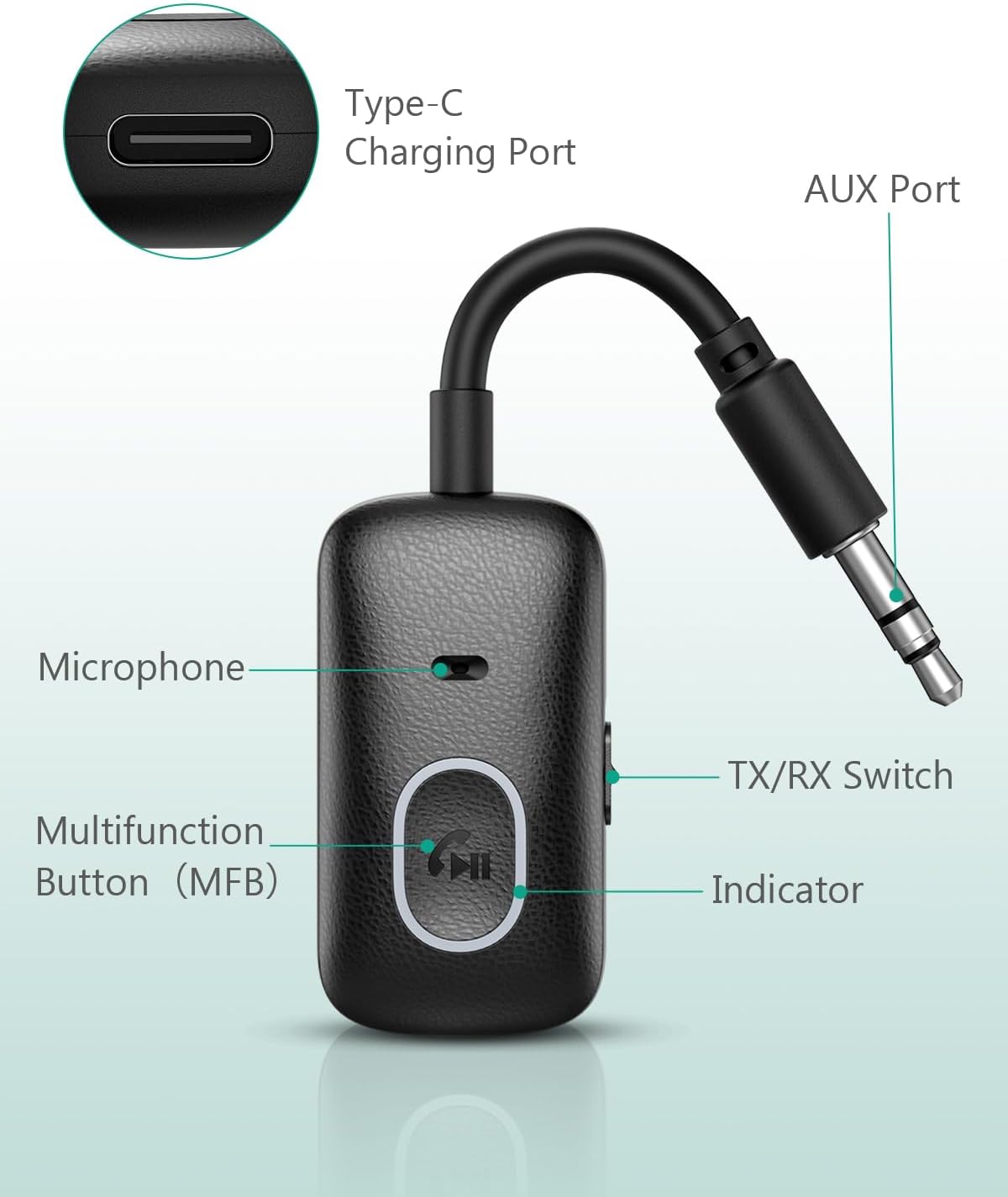
Image: Labeled components of the ORIA Bluetooth Auxiliary Adapter.
- Multifunction Button (MFB): Power on/off, Play/Pause, Answer/End/Reject calls, Redial.
- TX/RX Switch: Toggles between Transmitter (TX) and Receiver (RX) modes.
- Indicator Light: Displays device status (pairing, connected, charging).
- Microphone: For hands-free calling in RX mode.
- AUX Port (3.5mm Jack): Connects to audio input/output devices.
- Type-C Charging Port: For charging the device.
Specifications
| Feature | Detail |
|---|---|
| Model Number | CP329 |
| Bluetooth Version | 5.3 |
| Connectivity Technology | Bluetooth |
| Connector Type | 3.5mm Jack |
| Operating Modes | Transmitter (TX) and Receiver (RX) |
| Special Feature | Hands-free Calling |
| Battery Life (Receiver Mode) | Up to 7 hours |
| Battery Life (Transmitter Mode) | Up to 5 hours |
| Charging Time | Approximately 1 hour (via Type-C) |
| Wireless Range | Up to 10 meters (33 feet) without obstacles |
| Weight | 43 Grams |
| Color | Black |
Setup and Charging
Charging the Device
Before first use, fully charge the adapter. Connect the provided Type-C charging cable to the adapter's Type-C port and the other end to a USB power source (e.g., wall adapter, computer USB port). The indicator light will show charging status and turn off when fully charged. The device can be used while charging.

Image: Charging the ORIA Bluetooth Auxiliary Adapter.
Power On/Off
- Power On: Press and hold the Multifunction Button (MFB) for approximately 3 seconds until the indicator light flashes.
- Power Off: Press and hold the MFB for approximately 3 seconds until the indicator light turns off.
Operating Instructions
The ORIA Bluetooth Auxiliary Adapter has two operating modes: Transmitter (TX) and Receiver (RX). Use the TX/RX switch on the side of the device to select the desired mode.
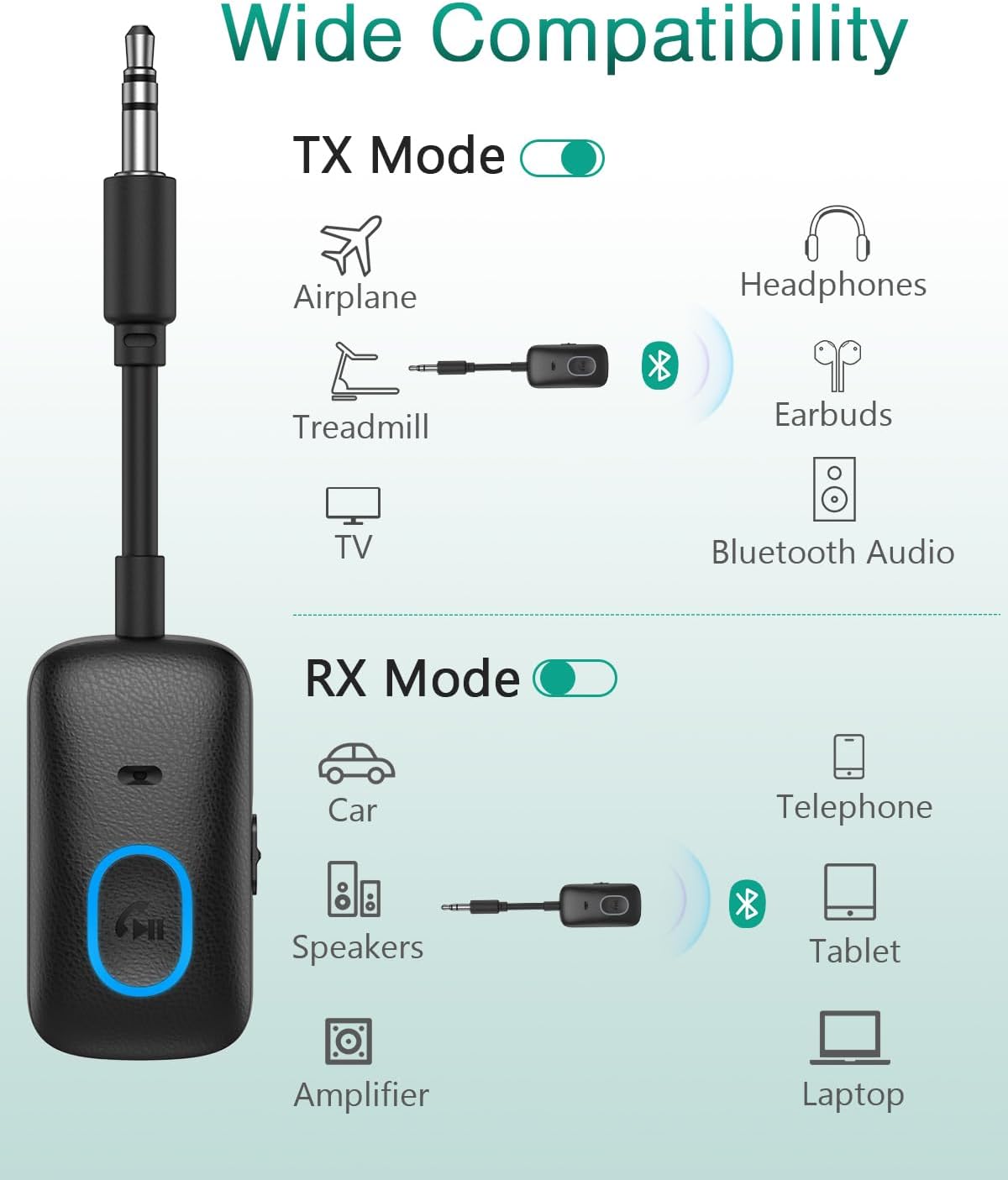
Image: Wide compatibility of the ORIA Bluetooth Auxiliary Adapter in TX and RX modes.

Image: Steps for powering on, selecting mode, pairing, and enjoying audio.
Transmitter (TX) Mode
In TX mode, the adapter converts non-Bluetooth audio sources (e.g., TV, PC, treadmill, airplane audio system) into Bluetooth signals, allowing you to stream audio wirelessly to Bluetooth headphones or speakers.
- Switch the adapter to TX mode using the TX/RX switch.
- Plug the 3.5mm AUX jack of the adapter into the audio output port of your non-Bluetooth device (e.g., TV headphone jack).
- Ensure your Bluetooth headphones or speaker are in pairing mode.
- The adapter will automatically search for and connect to nearby Bluetooth receiving devices. The indicator light will show a stable blue light once connected.
- Adjust the volume on your receiving device (headphones/speaker) or the source device.

Image: ORIA Bluetooth Adapter in TX mode connected to a TV.

Image: Using the ORIA Bluetooth Adapter for airplane audio.

Image: Connecting the adapter to single or double 3.5mm airplane audio jacks.
Receiver (RX) Mode
In RX mode, the adapter receives Bluetooth audio signals from your smartphone, tablet, or laptop and outputs them to non-Bluetooth audio systems (e.g., car stereo, home speakers, wired headphones).
- Switch the adapter to RX mode using the TX/RX switch.
- Plug the 3.5mm AUX jack of the adapter into the audio input port of your non-Bluetooth audio system (e.g., car AUX input, speaker AUX input).
- On your smartphone or other Bluetooth device, enable Bluetooth and search for "CP329" (or similar device name).
- Select "CP329" to pair. The indicator light will show a stable blue light once connected.
- Play audio on your Bluetooth device. The sound will be transmitted to your connected audio system.

Image: ORIA Bluetooth Adapter in RX mode for car audio.
Hands-Free Calling (RX Mode Only)
When in RX mode and connected to your smartphone, the adapter supports hands-free calling via its built-in microphone.
- Answer Call: Short press the MFB once.
- End Call: Short press the MFB once during a call.
- Reject Call: Press and hold the MFB for approximately 2 seconds.
- Redial Last Number: Double-click the MFB.
- Activate Voice Assistant (Siri/Google Assistant): Triple-click the MFB.
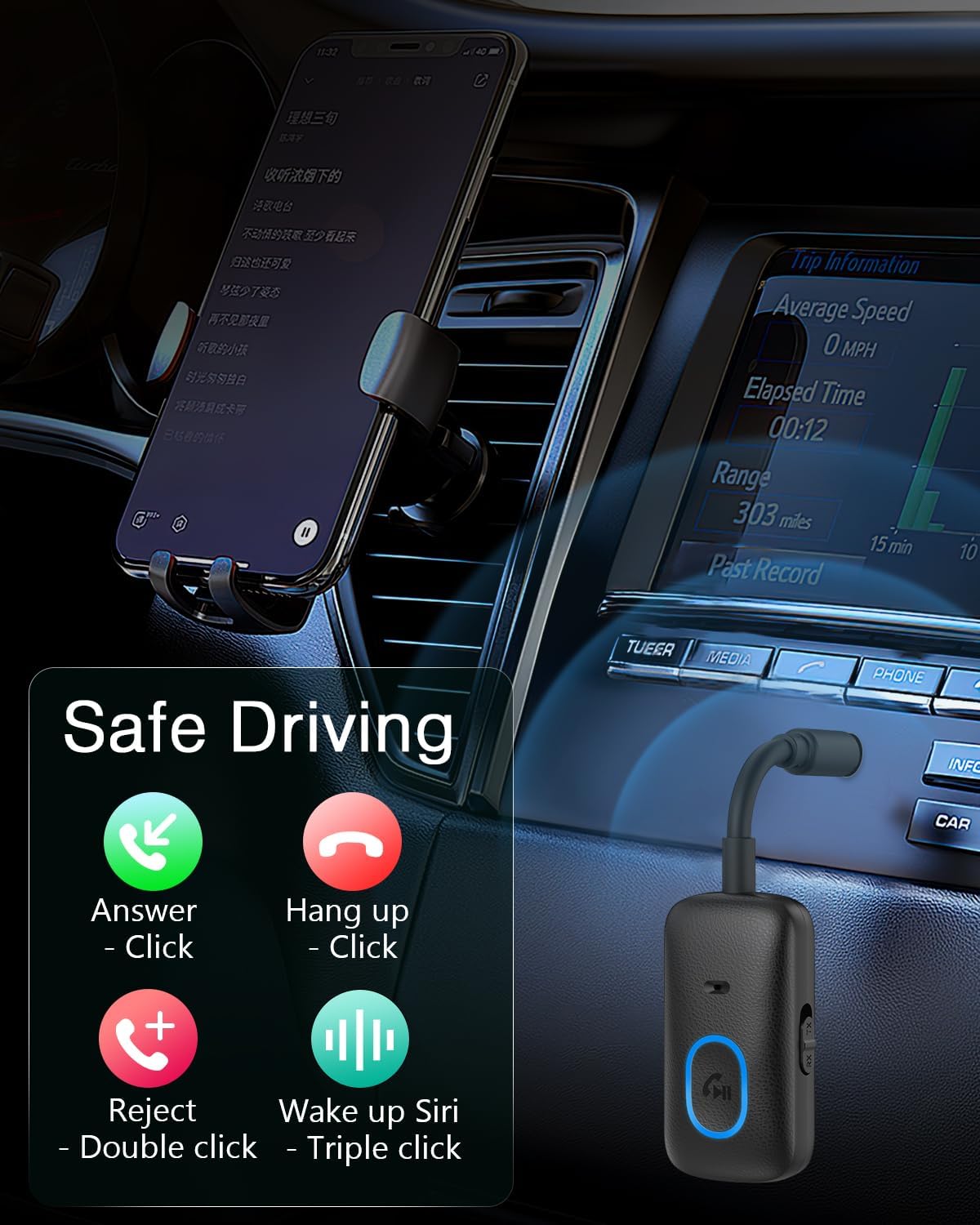
Image: Hands-free calling controls using the Multifunction Button.
Maintenance
- Keep the device dry. Avoid exposure to moisture or liquids.
- Do not attempt to disassemble or modify the device.
- Clean the device with a soft, dry cloth. Do not use harsh chemicals or abrasive cleaners.
- Store the device in a cool, dry place when not in use.
Troubleshooting
- Device does not power on:
- Ensure the device is fully charged. Connect it to a power source using the Type-C cable.
- Press and hold the MFB for at least 3 seconds to power on.
- Cannot pair with a Bluetooth device:
- Ensure the adapter is in the correct mode (TX for transmitting, RX for receiving).
- Make sure the adapter is in pairing mode (indicator light flashing).
- Ensure the target Bluetooth device (headphones/speaker in TX mode, smartphone/tablet in RX mode) is also in pairing mode and within range (10 meters).
- Turn off and on both devices and try pairing again.
- Clear previous Bluetooth connections on your device if necessary.
- No audio or poor audio quality:
- Check if the 3.5mm AUX cable is securely connected to both the adapter and the audio device.
- Ensure the volume on both the adapter and the connected audio device is turned up.
- Verify that the adapter is correctly paired and connected.
- Reduce the distance between the adapter and the paired Bluetooth device, and remove any obstacles.
- Ensure there is no interference from other wireless devices.
- Hands-free calling not working:
- Ensure the adapter is in RX mode and successfully paired with your smartphone.
- Check your smartphone's Bluetooth settings to ensure "Call Audio" is enabled for the adapter.
- Ensure the microphone is not obstructed.
Warranty and Support
The ORIA Bluetooth Auxiliary Adapter (CP329) comes with a 2-year manufacturer's warranty. For technical support, warranty claims, or any product-related inquiries, please contact ORIA customer support through your purchase platform or the official ORIA website.

Image: ORIA Customer Support details.
