
Introduction
Thank you for purchasing the VECELO Gaming Chair. This manual provides detailed instructions for assembly, operation, maintenance, and troubleshooting to ensure optimal performance and longevity of your chair. Please read this manual thoroughly before use and retain it for future reference.
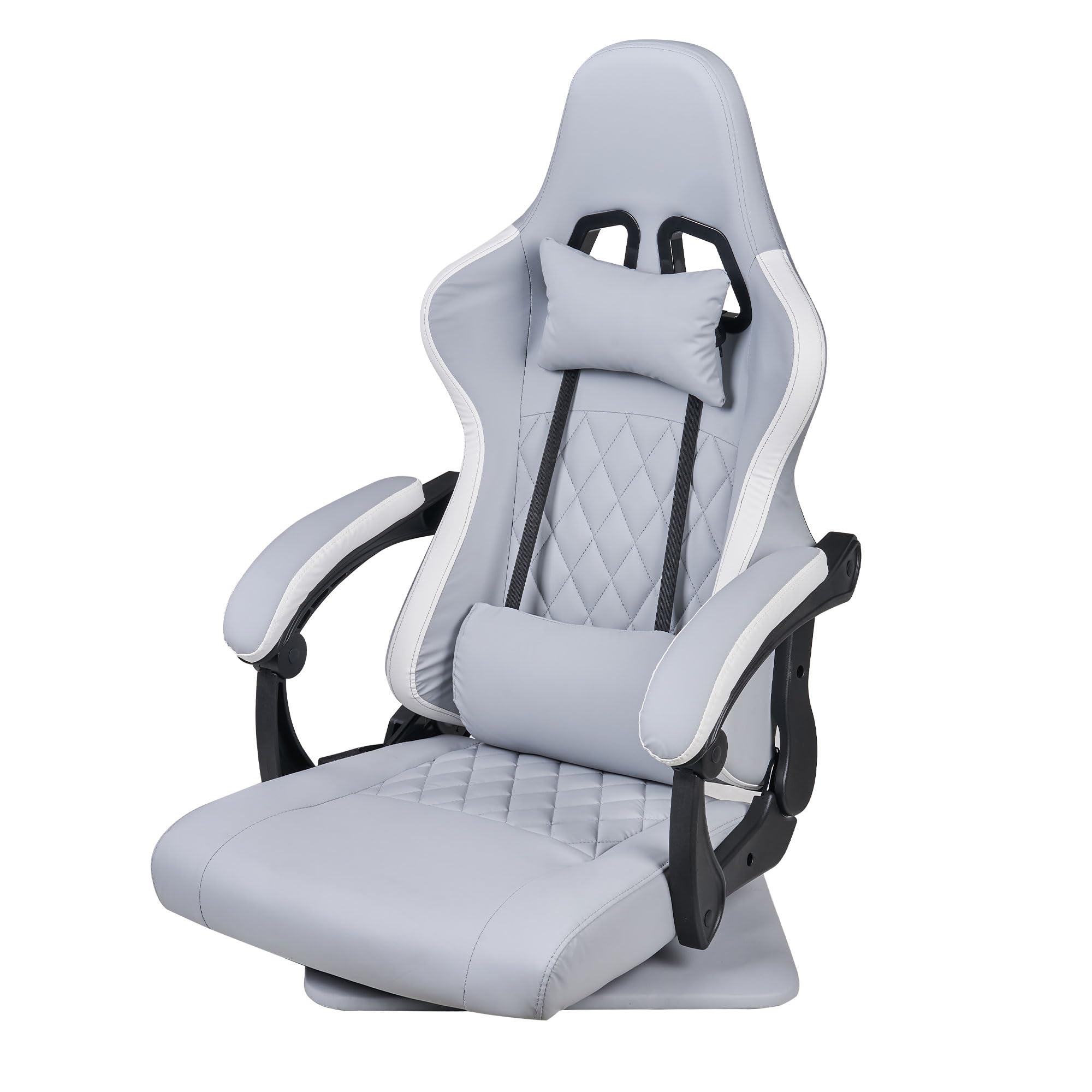
Image: The VECELO Gaming Chair in Grey, showcasing its ergonomic design and overall appearance.
Safety Information
- Ensure all components are present and undamaged before assembly.
- Follow assembly instructions carefully to prevent injury or damage to the chair.
- Do not stand on the chair or use it as a step stool.
- Avoid exposing the chair to direct sunlight or extreme temperatures.
- Keep children and pets away from the chair during assembly.
- Do not use abrasive cleaners or harsh chemicals on the chair's surfaces.
Setup and Assembly
Assembly is required for this product. Please ensure you have sufficient space and all tools provided before beginning. Refer to the included assembly guide for detailed step-by-step instructions and diagrams.
Included Components:
- Chair Base
- Seat Cushion
- Backrest
- Armrests
- Headrest Pillow
- Lumbar Support Pillow
- Assembly Hardware (screws, washers, tools)
Assembly Tips:
- Lay out all parts on a clean, soft surface to prevent scratches.
- Do not overtighten screws during initial assembly; tighten them fully once all parts are aligned.
- Seek assistance if needed, especially when attaching the backrest to the seat.
Operating Instructions
The VECELO Gaming Chair is designed for comfort and versatility. Familiarize yourself with its adjustable features.
1. Reclining Function

Image: The chair demonstrating its reclining capability, adjustable from 90 to 135 degrees for various activities like gaming or relaxing.
The backrest can be adjusted to an angle of up to 135 degrees. Locate the recline lever, typically on the right side of the seat. Pull the lever up and lean back to your desired angle. Release the lever to lock the backrest in position. To return to an upright position, pull the lever and lean forward slightly.
2. 360° Rotation
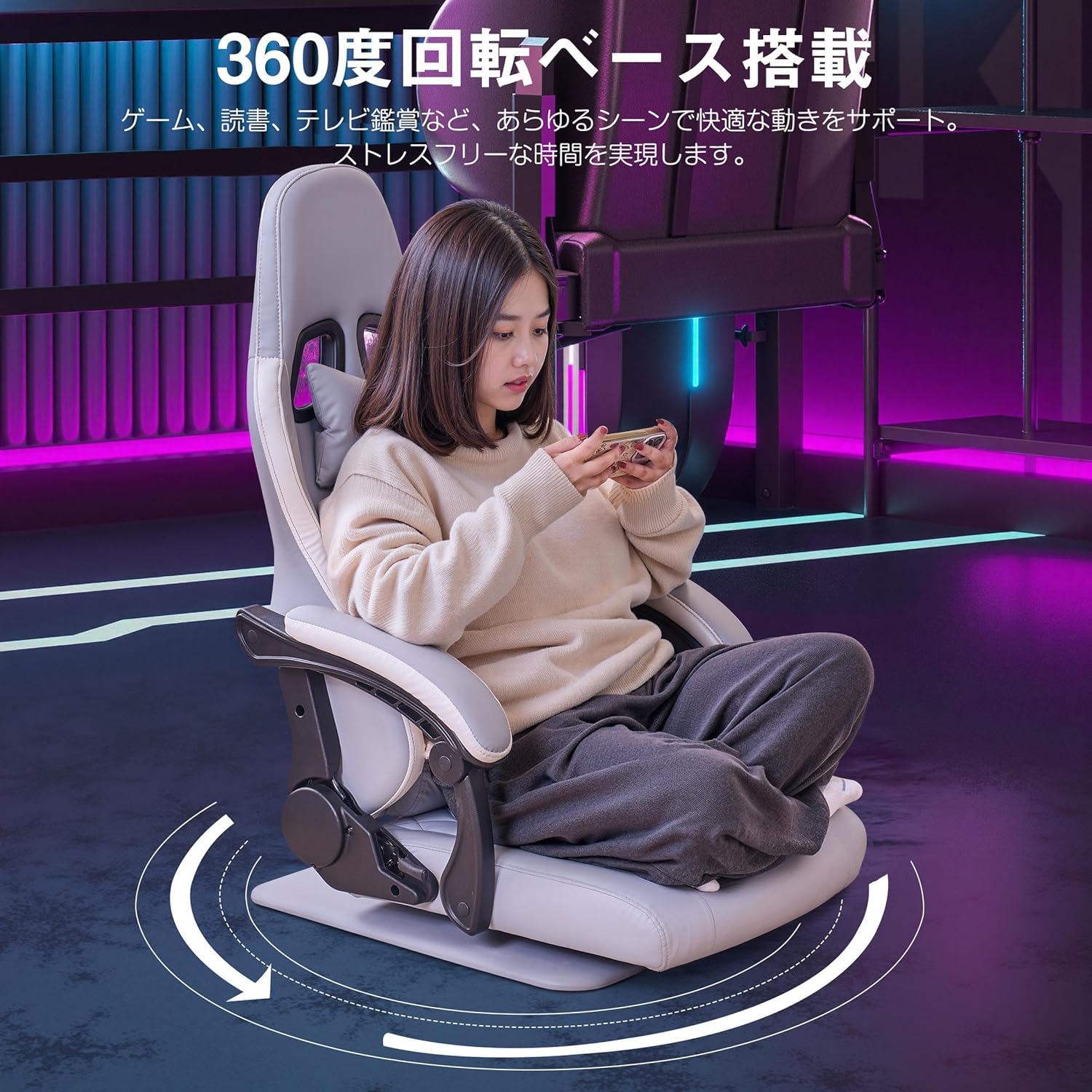
Image: A user comfortably rotating in the VECELO Gaming Chair, highlighting the 360-degree swivel base for unrestricted movement.
The chair features a 360-degree rotating base, allowing for freedom of movement and easy access to different areas around your workspace or gaming setup. Simply rotate the chair to your desired orientation.
3. Lumbar Support and Headrest

Image: An illustration demonstrating the ergonomic design of the VECELO Gaming Chair, with emphasis on how the headrest and lumbar support align with the human spine for optimal posture.
The chair includes removable headrest and lumbar support cushions. Adjust their position by sliding them along the straps to best support your neck and lower back, promoting an ergonomic posture during extended use.
Maintenance and Care
Proper maintenance will extend the life and appearance of your VECELO Gaming Chair.
- Cleaning: For the PU leather surface, wipe regularly with a soft, damp cloth. For stubborn stains, use a mild soap solution and wipe dry immediately. Avoid harsh chemicals or abrasive cleaners.
- Inspection: Periodically check all screws and bolts to ensure they are tight. Retighten if necessary.
- Avoid Damage: Do not expose the chair to sharp objects, excessive weight, or prolonged direct sunlight.
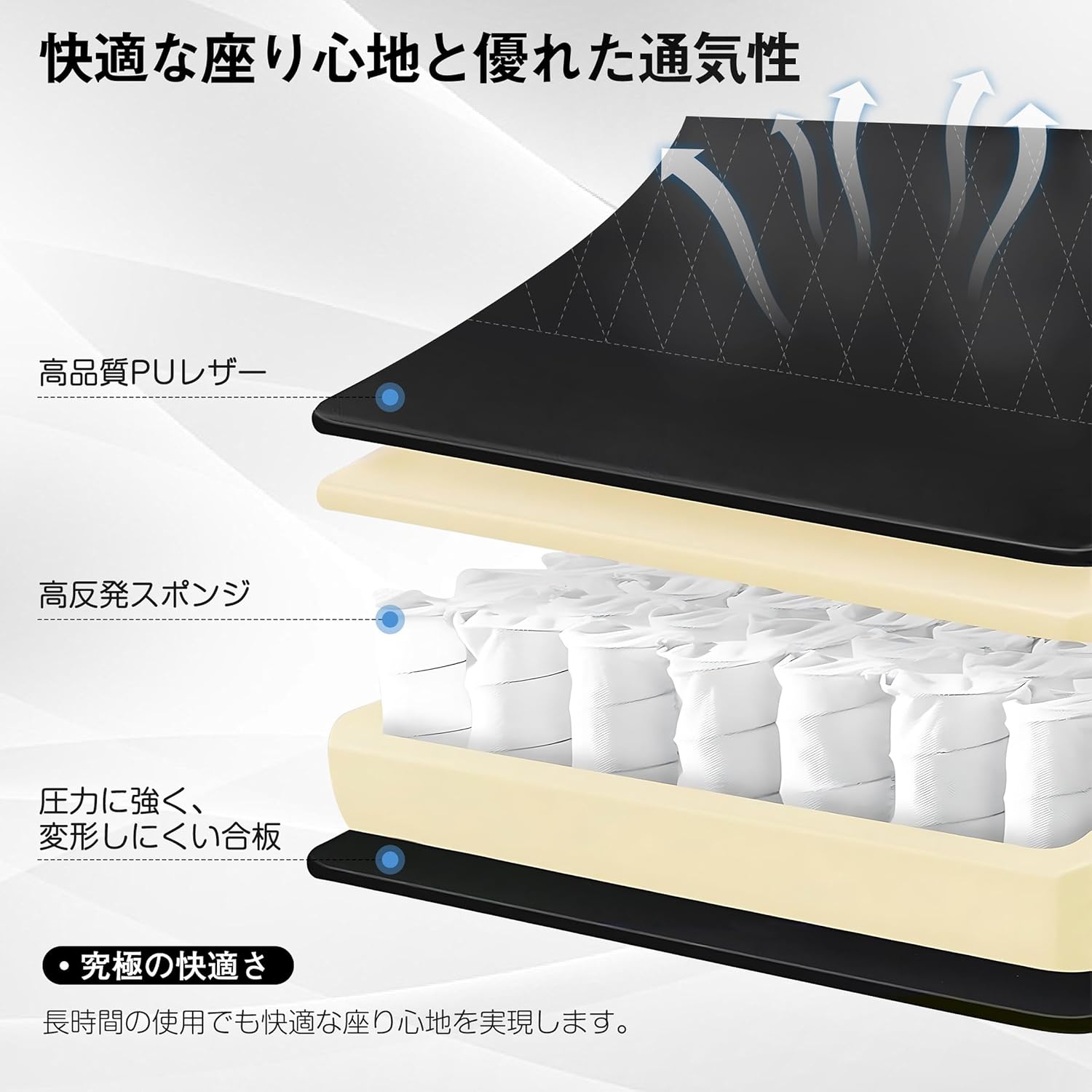
Image: A cutaway view illustrating the internal construction of the chair, showing the layers of high-quality PU leather, high-resilient sponge, and the durable wood base, which contribute to comfort and longevity.
Troubleshooting
| Problem | Possible Cause | Solution |
|---|---|---|
| Chair feels unstable or wobbly. | Loose screws or uneven assembly. | Check and tighten all assembly screws. Ensure the chair is on a flat surface. |
| Recline function not working smoothly. | Mechanism obstruction or damage. | Ensure no objects are obstructing the recline mechanism. If issues persist, contact customer support. |
| Squeaking noises. | Loose connections or friction between parts. | Tighten all screws. Apply a small amount of silicone lubricant to moving parts if necessary. |
Specifications
| Feature | Detail |
|---|---|
| Brand | VECELO |
| Model Number | KHD-CC-ZD04 |
| Color | Grey |
| Product Dimensions (D x W x H) | 28.15" x 21.46" x 37.99" (71.5 cm x 54.5 cm x 96.5 cm) |
| Item Weight | 16.4 Kilograms (36.1 pounds) |
| Material | PU Leather, High-Resilient Sponge, Wood |
| Recline Angle | Up to 135 degrees |
| Rotation | 360 degrees |
| Included Components | Headrest Pillow, Lumbar Support Pillow |
| Assembly Required | Yes |
| Batteries Required | No |
| UPC | 840408986533 |
Warranty Information
VECELO products are manufactured to high-quality standards. For specific warranty details regarding your VECELO Gaming Chair, please refer to the warranty card included with your purchase or visit the official VECELO website. Keep your purchase receipt as proof of purchase for any warranty claims.
Customer Support
If you have any questions, require assistance with assembly, or encounter any issues with your VECELO Gaming Chair, please contact our customer support team. You can find contact information on the VECELO official website or through your retailer.
Online Support: Visit the VECELO Store on Amazon