
Product Overview
The iTOMA Countertop Ice Maker Machine YH16 is designed for convenient and efficient ice production in various settings. It features rapid ice generation, dual ice size options, smart self-cleaning, and user-friendly indicators for optimal performance.
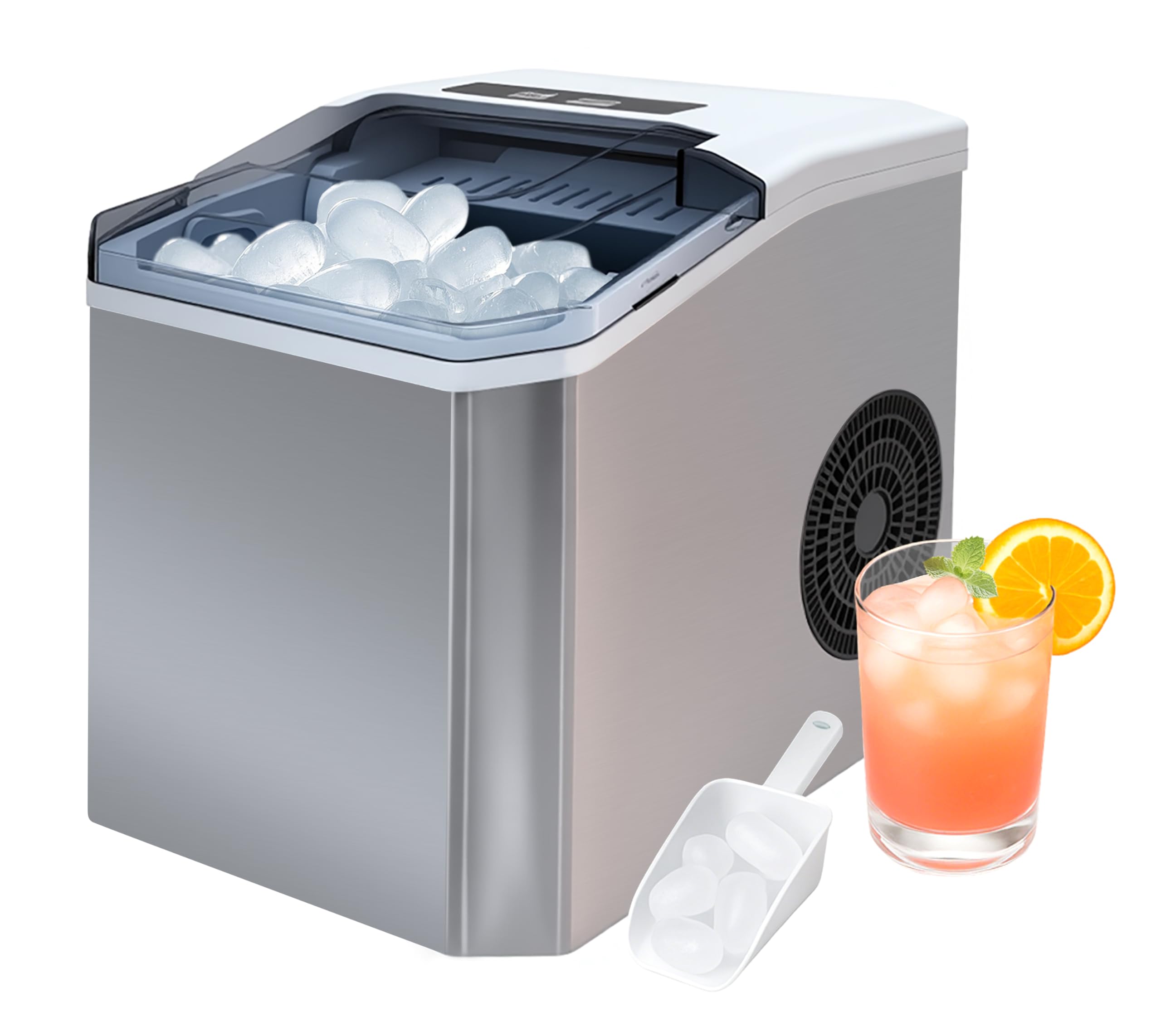
Figure 1: iTOMA Countertop Ice Maker Machine YH16.
Key Features:
- Rapid Ice Production: Generates 9 bullet-shaped ice cubes in 6-8 minutes per cycle, with a 1.3L water tank and powerful compressor producing up to 12kg daily for continuous use.
- Dual Ice Size Options: Choose Small (S) or Large (L) ice cubes, ideal for various beverages, cocktails, or food preservation.
- Smart Self-Cleaning & Safety: One-touch 20-minute auto-cleaning mode. Infrared sensor stops operation when ice is full or malfunctions. Overheat protection and anti-tip design (stops if tilted >45°).
- User-Friendly Design: Clear LED indicators (low water, ice full, power), removable ice basket, and easy-drain plug for hassle-free maintenance.
- Versatile Application: Compact size fits kitchens, offices, hotels, and parties; operates quietly below 32°C ambient temperature.
Setup
Before first use, ensure the ice maker is placed on a stable, level surface and allowed to stand upright for 24 hours to allow the refrigerant to settle. This is crucial for optimal performance and longevity of the appliance.

Figure 2: Product dimensions for placement consideration. Dimensions are 11.2D x 8.8W x 11.6H Centimetres.
Initial Cleaning:
- Open the lid and remove the ice basket.
- Pour clean water into the water reservoir up to the MAX fill line.
- Close the lid.
- Press and hold the 'ON/OFF' button for 5 seconds to activate the self-cleaning mode. The 'S' and 'L' indicators will flash back and forth during the 20-minute cleaning cycle.
- Once the cleaning cycle is complete, unplug the drain plug located at the bottom of the unit to drain the water. Re-insert the plug after draining.
Video 1: Demonstrates the initial cleaning process, including adding water and activating the self-cleaning mode, followed by draining the water.
Power Connection:
Ensure the device is connected to a 110-120V~60Hz power outlet. Verify that the voltage in your area matches this requirement to prevent equipment damage.

Figure 3: Important voltage reminder for safe operation.
Operating Instructions
Follow these steps to begin making ice with your iTOMA ice maker:
- Add Water: Open the lid and pour potable water into the reservoir up to the MAX fill line. Do not overfill.
- Power On: Plug in the ice maker. Press the 'ON/OFF' button to start the ice-making process. The 'POWER' indicator will light up.
- Select Ice Size: Press the 'SELECT' button to choose between Small (S) or Large (L) bullet ice cubes. The corresponding indicator light will illuminate.
- Ice Production: The machine will begin producing ice. The first batch of ice is typically ready in 6-8 minutes.
- Ice Full Indicator: When the ice basket is full, the 'ICE FULL' indicator will light up, and the machine will automatically pause. Remove ice to resume production.
- Add Water Indicator: If the water level is too low, the 'ADD WATER' indicator will light up. Add more water to the reservoir, and the machine will automatically restart ice production.

Figure 4: Control panel with 'ADD WATER', 'ICE FULL', 'POWER', 'S', and 'L' indicators.

Figure 5: Visual guide for the three simple steps to operate the ice maker.
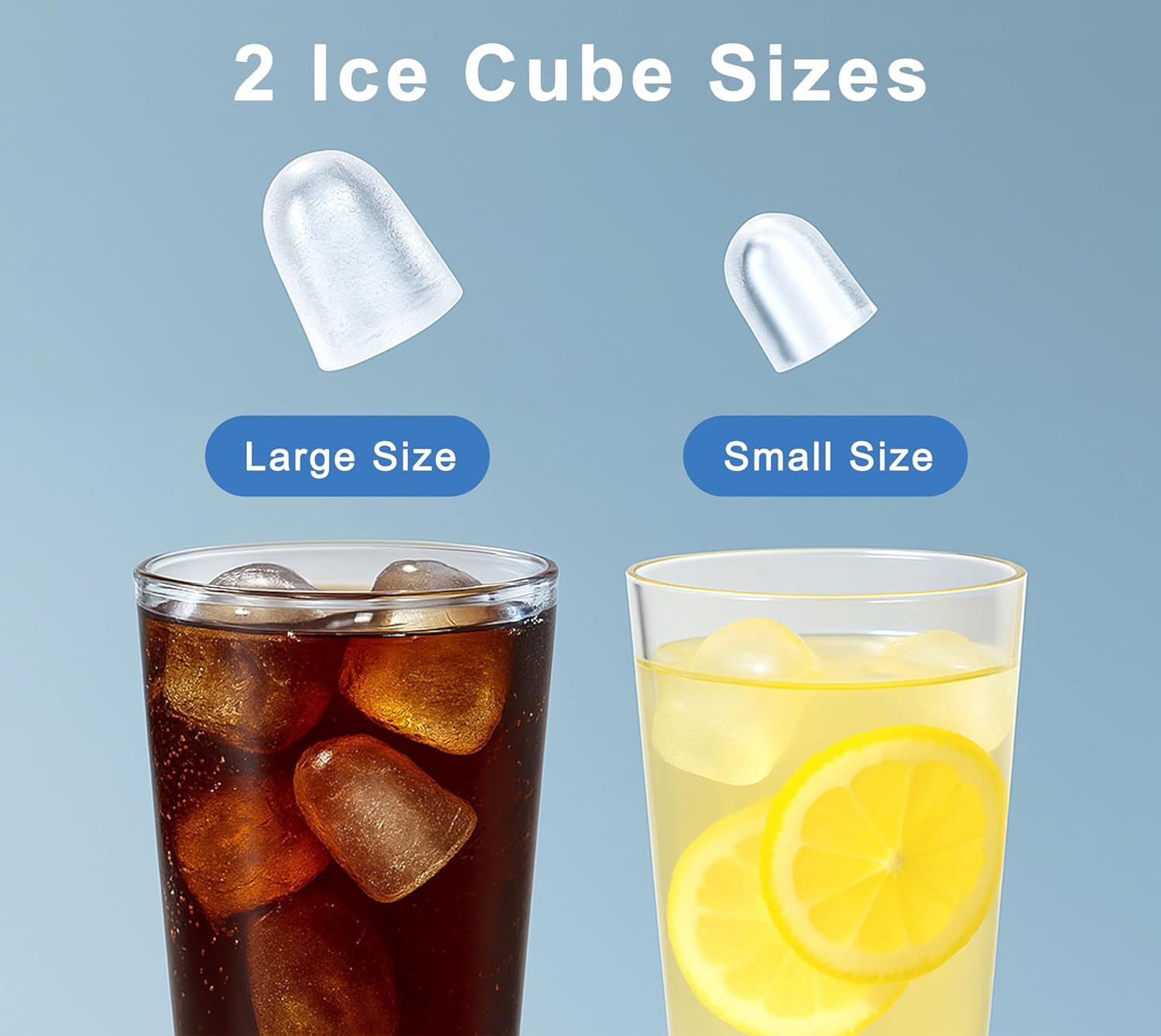
Figure 6: Illustration of the two available ice cube sizes (Small and Large).
Maintenance
Self-Cleaning Function:
The iTOMA ice maker features a convenient one-touch self-cleaning mode to maintain hygiene and performance. It is recommended to run this cycle regularly, especially after prolonged use or before storing the unit.
- Ensure the water reservoir is filled with clean water.
- Press and hold the 'ON/OFF' button for 5 seconds to initiate the 20-minute self-cleaning cycle.
- After the cycle, unplug the drain plug to empty the dirty water.

Figure 7: The self-cleaning function in action, showing water circulation within the unit.
Draining Water:
To drain water from the unit, locate the drain plug at the bottom. Unplug it to release the water, then securely plug it back in once draining is complete.
Troubleshooting
- Ice Not Forming: Ensure the water reservoir is filled and the unit is powered on. Check for any obstructions in the ice-making mechanism.
- 'ADD WATER' Indicator On: The water level is low. Refill the reservoir with potable water.
- 'ICE FULL' Indicator On: The ice basket is full. Remove some ice to resume production.
- Unusual Noise: Some operational noise is normal during ice production and ice dropping into the basket. If the noise is excessive or unusual, ensure the unit is on a stable surface and there are no loose parts.
- Ice Melting Quickly: The ice maker is not a freezer. Ice will melt over time, and the melted water will be recycled to make new ice. For longer storage, transfer ice to a freezer.
- Ice Getting Stuck: Occasionally, ice cubes may stick together. Use the provided scoop to gently loosen them.
Product Specifications
| Specification | Detail |
|---|---|
| Brand | iTOMA |
| Model Name | YH16 |
| Product Dimensions | 28.5 x 22.5 x 29.4 cm; 7.06 kg (11.2D x 8.8W x 11.6H Centimetres) |
| Capacity | 1.3 Liters (Water Tank) |
| Voltage | 220V (Note: Product image indicates 110-120V~60Hz for North America) |
| Refrigerant | R600a |
| Included Components | Ice Basket |
| Country of Origin | China |
Warranty and Support
The iTOMA Countertop Ice Maker Machine YH16 comes with a 1-year manufacturer's warranty. For any product inquiries, technical support, or warranty claims, please contact iTOMA customer service.
Manufacturer: iTOMA
Manufacturer Contact Information: Please refer to the contact details provided in your product packaging or visit the official iTOMA website for support.
