
IOWODO W40
IOWODO W40 Smartwatch User Manual
Model: W40
1. Introduction
Welcome to the IOWODO W40 Smartwatch user manual. This guide provides detailed instructions on how to set up, operate, and maintain your new smartwatch. Please read this manual carefully to ensure optimal performance and longevity of your device.
The IOWODO W40 Smartwatch combines advanced technology with a minimalist design, offering health monitoring, activity tracking, and practical features for daily life. It is designed to be a reliable companion for an efficient and healthy lifestyle.
2. What's in the Box
Upon opening your IOWODO W40 Smartwatch package, you should find the following items:
- 1 x IOWODO W40 Smartwatch
- 1 x Silicone Strap
- 1 x Woven Nylon Strap
- 1 x Magnetic Charging Cable
- 1 x User Manual
3. Setup
3.1 Initial Charging
Before first use, fully charge your smartwatch. Connect the magnetic charging cable to the charging points on the back of the watch and to a USB power source. A full charge typically takes less than 60 minutes for the 380 mAh battery.
3.2 App Installation
The IOWODO W40 Smartwatch operates with the Dafit app. Download the Dafit app from your device's app store (compatible with iOS and Android). Search for "Dafit" and install it on your smartphone.
3.3 Device Pairing
- Ensure your smartwatch is charged and powered on.
- Enable Bluetooth on your smartphone.
- Open the Dafit app and follow the on-screen instructions to add a new device.
- Select the IOWODO W40 from the list of available devices.
- Confirm the pairing request on both your smartphone and smartwatch.
Once paired, the watch will synchronize data with the app.
4. Operating Instructions
4.1 Basic Navigation
The IOWODO W40 features a 1.43-inch AMOLED touchscreen for intuitive control. Swipe across the screen to navigate through menus and functions. Press the side button to return to the home screen or access the main menu.
4.2 Bluetooth Calls
After successful Bluetooth pairing, you can make and answer calls directly from your wrist. The smartwatch synchronizes with your smartphone's call log and contacts.

Image: This image demonstrates the smartwatch's ability to make or answer calls directly from the wrist via Bluetooth, showing a call interface on the watch screen.
4.3 AI Voice Assistant
Utilize the integrated AI voice assistant for hands-free control. Activate the assistant and issue voice commands for various functions, ideal for use on the go or during sports activities.
4.4 Notifications
Receive real-time notifications for calls, messages, and app alerts directly on your smartwatch. Configure notification settings through the Dafit app.
4.5 Always-On Display (AOD)
The AMOLED Always-On Display ensures the time is perfectly readable 24/7. This feature activates automatically in standby mode, eliminating the need to press a button to check the time.

Image: This image highlights key features of the IOWODO W40 Smartwatch, including its 1.43-inch AMOLED display, Always-On Display functionality, Bluetooth call capability, comprehensive health monitoring, extended battery life of up to 25 days, AI voice assistant, over 100 sport modes, and IP68 water resistance.
5. Health Monitoring
The IOWODO W40 Smartwatch offers comprehensive health tracking features:
- 24/7 Heart Rate Monitoring: Continuously tracks your heart rate throughout the day and night.
- SpO2 (Blood Oxygen) Detection: Measures your blood oxygen saturation levels.
- Sleep Monitor: Automatically records your sleep patterns, including deep sleep, light sleep, and wake times.
- Stress Monitoring: Helps you understand and manage your stress levels.
- Women's Health Tracking: Provides features for tracking menstrual cycles and other related health data.
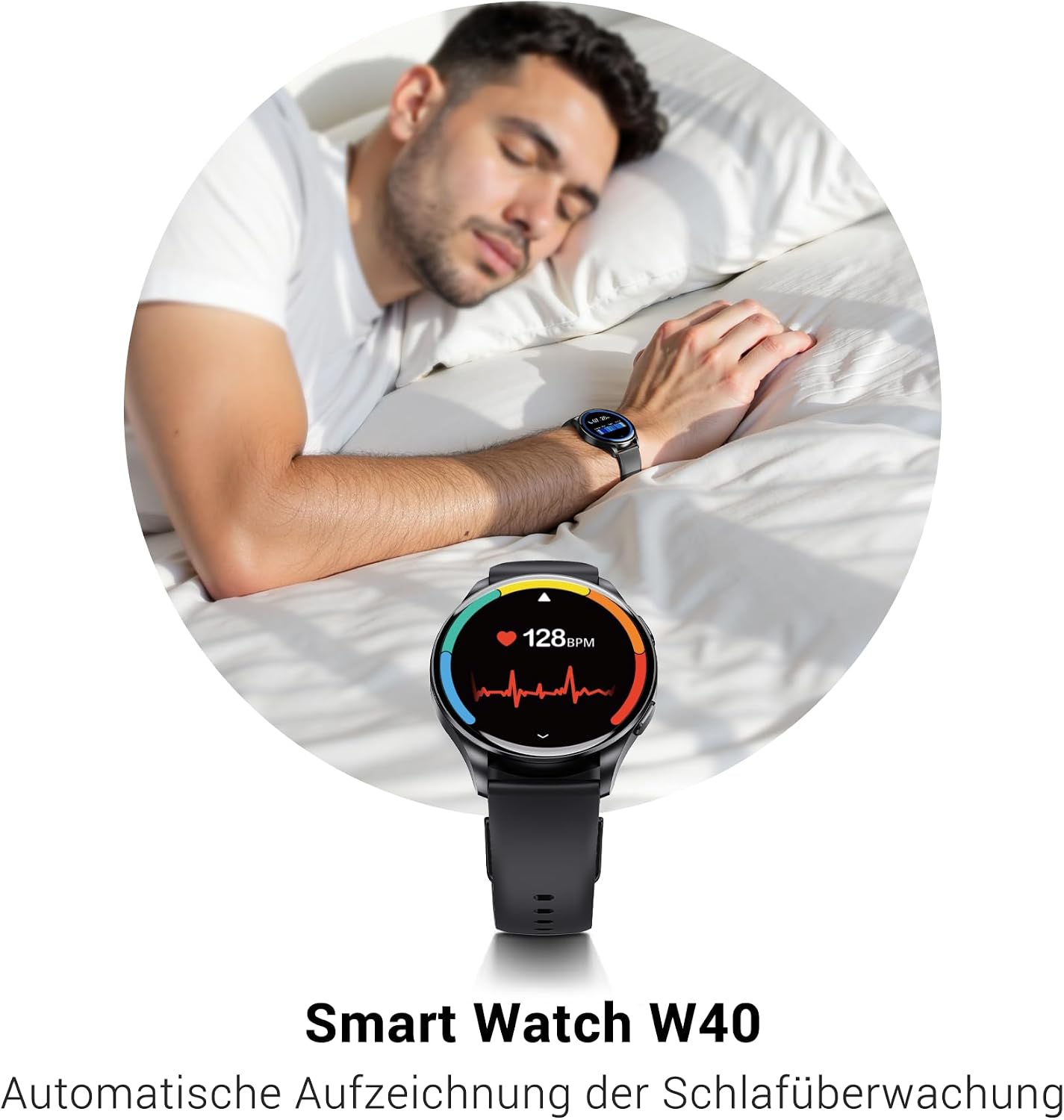
Image: This image depicts the automatic sleep monitoring function of the IOWODO W40 Smartwatch, displaying heart rate data on the watch face while a person sleeps.
6. Sport Modes and Activity Tracking
The smartwatch supports over 100 sport modes, allowing you to accurately track various indoor and outdoor activities. It analyzes calorie consumption, heart rate, and fat burning during your workouts.
- Pedometer: Counts your daily steps.
- Calorie Counter: Estimates calories burned based on your activity.
- Activity Tracker: Records your overall daily activity.

Image: The image illustrates the smartwatch's sport tracking capabilities, showing a user monitoring their training data, including steps and calories, during a workout.
7. Water Resistance
The IOWODO W40 Smartwatch is IP68 certified, meaning it is resistant to rain, sweat, and can withstand immersion in water up to 1.5 meters for 30 minutes. It is suitable for daily use and water sports, but not recommended for diving or hot water activities.
8. Battery and Charging
The smartwatch is equipped with a 380 mAh battery, offering:
- Up to 7 days of normal use.
- Up to 4 days with Always-On Display (AOD) activated.
Charging is quick, taking less than 60 minutes to reach full capacity using the provided magnetic charging cable.
9. Customization
9.1 Watch Faces
Personalize your smartwatch with over 200 interchangeable watch faces available through the Dafit app. Choose from elegant analog designs, dynamic digital layouts, or functional sport displays. You can also customize colors, widgets, and layouts to match your style.
9.2 Interchangeable Straps
The IOWODO W40 comes with two interchangeable straps: a soft silicone band for daily comfort and a robust woven nylon band for outdoor activities. These can be easily swapped to suit your occasion.

Image: The IOWODO W40 Smartwatch features a round display, a black silicone strap, and includes an additional woven strap for versatility. The watch face displays time, date, power, steps, and calories.
10. Specifications
| Feature | Specification |
|---|---|
| Brand | IOWODO |
| Model | W40 |
| Display Size | 1.43 Inches |
| Display Type | AMOLED |
| Operating System | Dafit |
| Compatible Devices | iOS and Android |
| Memory Storage Capacity | 128 MB |
| Battery Capacity | 380 mAh (Lithium-ion) |
| Charging Time | Less than 2.5 Hours (typically <60 minutes) |
| Wireless Type | Bluetooth |
| Water Resistance | IP68 |
| Input Device | Touchscreen |
| Special Features | Always On Display, 2 Straps (Nylon & Silicone), Bluetooth Calls, AI Voice Assistant, Notifications, 24/7 Heart Rate, SpO2, Sleep Monitor, Stress, Women's Health, 100+ Sport Modes, Pedometer, Calorie Counter, Activity Tracker, Alarm Clock, Sedentary Reminder, Camera Control, Drink Water Reminder, Magnetic Charging |

Image: A diagram providing the physical dimensions of the IOWODO W40 Smartwatch, indicating a total length of 10 inches with the strap, a watch face width of 1.79 inches, and a strap width of 0.86 inches. The diameter range for wrist fit is 5.51 to 9.44 inches.
11. Maintenance
11.1 Cleaning
Regularly clean your smartwatch and straps with a soft, dry cloth. If necessary, use a slightly damp cloth for the watch body. Avoid using harsh chemicals or abrasive materials.
11.2 Storage
When not in use for extended periods, store the smartwatch in a cool, dry place. Ensure it is fully charged before storing to maintain battery health.
12. Troubleshooting
If you encounter any issues with your IOWODO W40 Smartwatch, please try the following general troubleshooting steps:
- Device Not Turning On: Ensure the watch is fully charged. Connect it to the charger for at least 30 minutes.
- Bluetooth Connection Issues: Make sure Bluetooth is enabled on your smartphone and the watch. Restart both devices and try pairing again. Check if the Dafit app has necessary permissions.
- Inaccurate Data: Ensure the watch is worn snugly on your wrist. For activity tracking, ensure your profile information (height, weight) in the app is accurate.
- Notifications Not Appearing: Check notification settings in the Dafit app and your smartphone's system settings to ensure the app has permission to display notifications.
- Screen Unresponsive: Try restarting the watch. If the issue persists, contact customer support.
13. Warranty and Support
IOWODO is committed to providing quality products and excellent customer service. Your IOWODO W40 Smartwatch comes with:
- 365-Day Exchange Policy: For eligible product issues.
- Lifetime Service: Ongoing support for your device.
- 24/7 Online Customer Support: Assistance available whenever you need it.
For further assistance or to claim warranty services, please refer to the contact information provided in the Dafit app or on the official IOWODO website.

Image: This image details IOWODO's commitment to customer satisfaction, including a 365-day exchange policy, lifetime service, 24/7 online customer support, and fast delivery through FBA.
Related documentsW40


Ask a question about this manual
Ask about setup, troubleshooting, compatibility, parts, safety, or missing instructions. Manuals+ will review the question and use this page’s manual context to help answer it.