1. Introduction
This instruction manual provides detailed guidance for the assembly, operation, maintenance, and troubleshooting of your YOMILUVE 50.4 Inch Computer Desk. Please read this manual thoroughly before beginning assembly or use to ensure proper setup and safe operation. Keep this manual for future reference.
2. Product Overview
The YOMILUVE 50.4 Inch Computer Desk is designed for home office, study, or gaming environments, offering a spacious work surface and integrated storage solutions. Key features include:
- Eight Fabric Drawers: Provides ample storage for office supplies, documents, and personal items.
- Integrated Power Strip: Equipped with 2 AC outlets and 2 USB ports for convenient device charging.
- Durable Construction: Made from high-quality MDF board with a sturdy metal frame for stability and longevity.
- Adjustable Feet: Ensures stability on uneven surfaces.
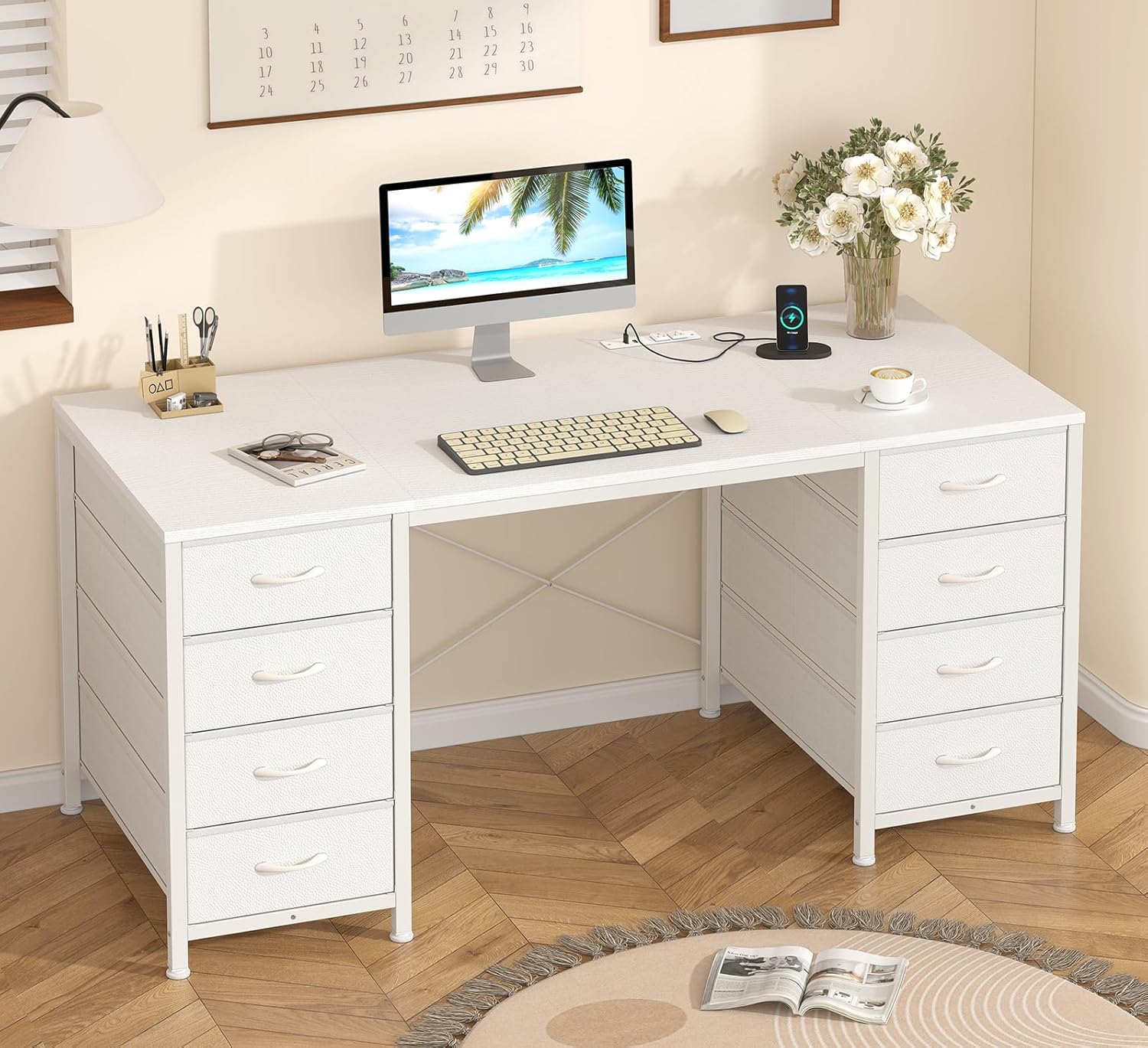
Image 2.1: The YOMILUVE 50.4 Inch Computer Desk, showcasing its design and storage capabilities.

Image 2.2: Detail of the eight fabric drawers, designed for organized storage.
3. Setup and Assembly Instructions
Assembly of the YOMILUVE Computer Desk requires careful attention to the included instructions. All necessary parts and tools are provided in the package.
3.1 Before You Begin
- Verify all components are present by comparing them with the parts list in your separate assembly guide.
- Ensure you have adequate space for assembly.
- Keep children and pets away from the assembly area.
3.2 Assembly Steps
- Follow the step-by-step instructions provided in the separate assembly manual included with your desk.
- Identify each part using the labels.
- Assemble the metal frame first, ensuring all screws are tightened securely.
- Attach the desktop to the assembled frame.
- Insert the fabric drawers into their designated compartments. Refer to the diagram for proper drawer assembly.
- Adjust the leveling feet at the bottom of the desk to ensure stability.

Image 3.1: Illustration of the fabric drawer assembly process.
4. Operating Instructions
4.1 Using the Integrated Power Strip
The desk features a built-in power strip for convenient access to power. It includes 2 standard AC outlets and 2 USB ports.
- Connect the desk's power cord (approximately 4.9 feet long) to a grounded wall outlet.
- Plug your devices into the AC outlets (125V/12A) or USB ports (5V/2A) as needed.
- Ensure devices are compatible with the provided power specifications.

Image 4.1: The integrated power strip with 2 AC outlets and 2 USB ports.
4.2 Using the Fabric Drawers
The eight fabric drawers are designed for lightweight storage and easy access.
- Pull the drawer handles to open and push to close.
- Avoid overloading drawers to ensure smooth operation and prevent damage.
- The drawers are suitable for storing books, headphones, files, and various office supplies.
5. Maintenance
To ensure the longevity and appearance of your YOMILUVE Computer Desk, follow these maintenance guidelines:
- Cleaning: Wipe the desk surface with a soft, damp cloth. Avoid abrasive cleaners or harsh chemicals, as the MDF board is scratch and dust resistant, and waterproof.
- Drawer Care: The fabric drawers can be spot cleaned with a mild detergent and a damp cloth. Allow to air dry completely.
- Hardware: Periodically check all screws and fasteners to ensure they remain tight. Retighten if necessary.
- Placement: Avoid placing the desk in direct sunlight or near heat sources to prevent material degradation.
6. Troubleshooting
If you encounter issues with your YOMILUVE Computer Desk, refer to the following common solutions:
| Problem | Possible Cause | Solution |
|---|---|---|
| Desk is wobbly | Uneven floor; loose fasteners | Adjust the leveling feet; check and tighten all assembly screws. |
| Power strip not working | Not plugged in; tripped circuit breaker | Ensure the desk's power cord is securely plugged into a functional wall outlet. Check your home's circuit breaker. |
| Drawers are difficult to open/close | Overloaded; improperly assembled | Reduce the weight in the drawer; ensure the drawer is correctly inserted and not obstructed. |
If the problem persists, please contact YOMILUVE customer support for further assistance.
7. Specifications
Detailed product specifications for the YOMILUVE 50.4 Inch Computer Desk:
- Brand: YOMILUVE
- Model: 50.4 Inch Desk
- Product Dimensions (D x W x H): 18.9" x 50.4" x 29.3"
- Color: White
- Style: Modern
- Base Material: Metal
- Top Material Type: Engineered Wood
- Number of Drawers: 8
- Drawer Type: Multi-drawer, Fabric
- Special Feature: Built-In USB Outlet, Built-in Power Strip
- Power Strip Output: 2 AC Outlets (125V/12A), 2 USB Ports (5V/2A)
- Power Cord Length: Approximately 4.9 feet
- Assembly Required: Yes (Tools included)
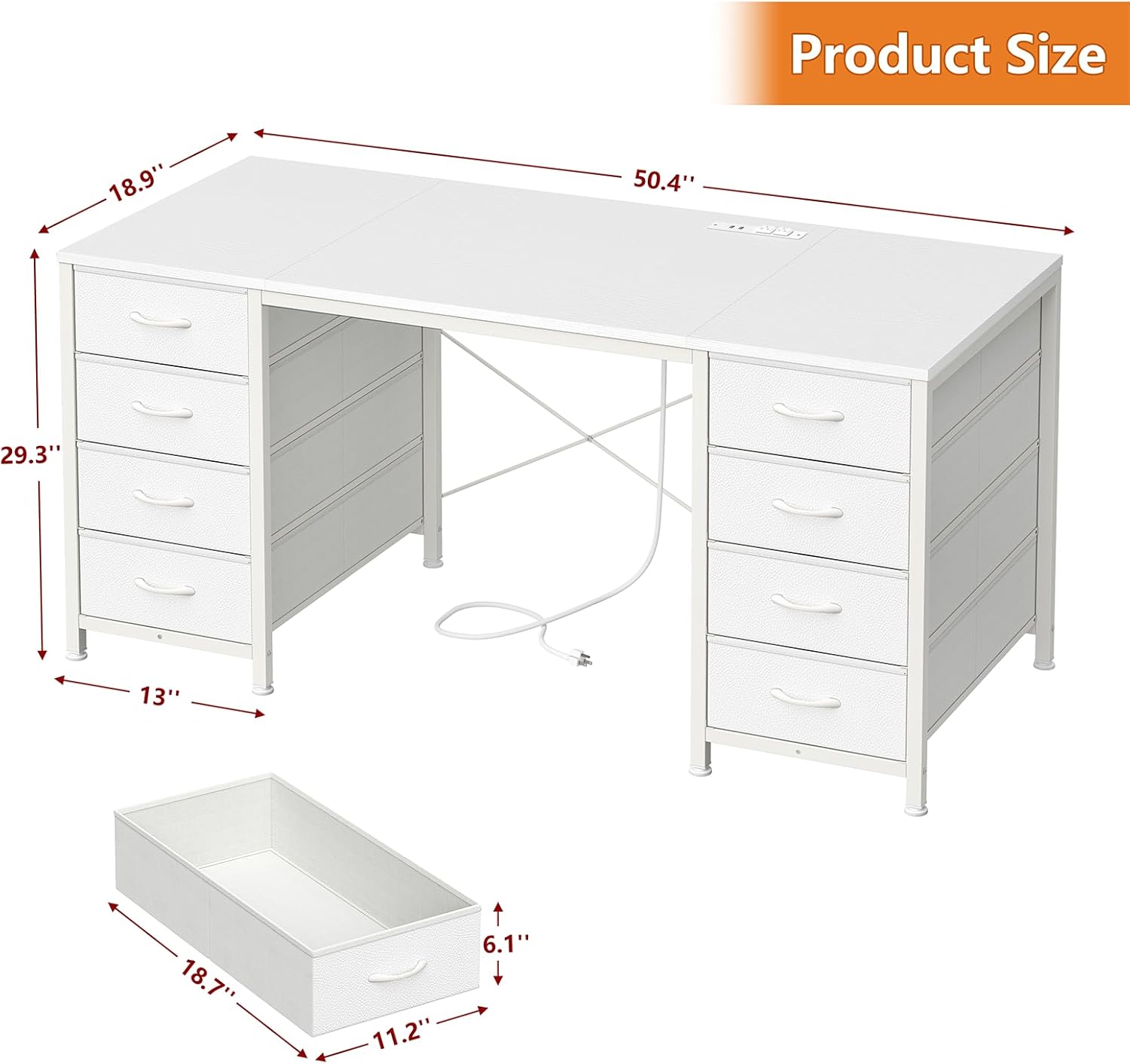
Image 7.1: Product dimensions of the YOMILUVE 50.4 Inch Computer Desk.
8. Warranty and Support
For any questions, concerns, or issues regarding your YOMILUVE 50.4 Inch Computer Desk, please contact YOMILUVE customer support. Refer to the product packaging or the YOMILUVE official website for contact information and details regarding warranty coverage.


