
1. Product Overview
The BOSGAME M4 Neo Mini PC is a compact yet powerful micro desktop computer designed for both gaming and office use. It features an AMD Ryzen 7 7840HS processor, ample memory and storage, and versatile connectivity options.
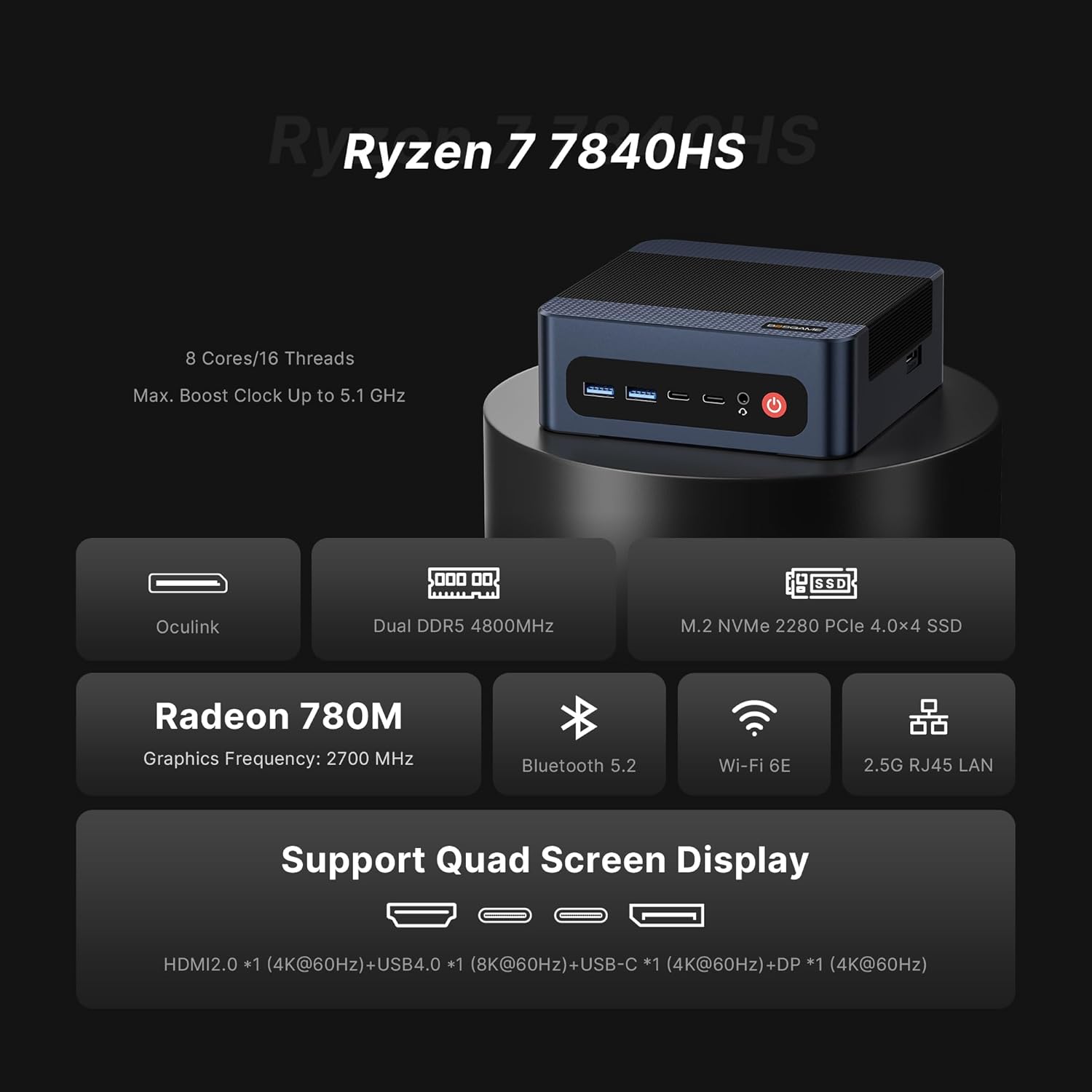
Image 1.1: Overview of the M4 Neo Mini PC highlighting its core features including Ryzen 7 7840HS, DDR5 RAM, PCIe SSD, Radeon 780M graphics, Bluetooth 5.2, Wi-Fi 6E, 2.5G RJ45 LAN, and Quad Screen Display support.
Key Features:
- Processor: AMD Ryzen 7 7840HS (8 Cores/16 Threads, up to 5.1GHz) with integrated Radeon 780M graphics.
- Memory: 32GB DDR5 dual-channel RAM (16GB x 2).
- Storage: 1TB PCIe 4.0x4 NVMe SSD, with an additional M.2 NVMe PCIe 4.0 x4 slot for expansion up to 4TB.
- Display Support: 4K Triple Display output via HDMI 2.0, USB4.0, and DisplayPort.
- Connectivity: Dual 2.5G LAN ports, Wi-Fi 6E, and Bluetooth 5.2.
- Expansion: Oculink Port supporting PCIe 4.0 (40Gbps) for eGPU or NVMe SSD RAID arrays.
- Cooling: Efficient copper tube and fan cooling system.

Image 1.2: Close-up view of the AMD Ryzen 7 7840HS processor, highlighting its 8 cores, 16 threads, 5.10 GHz max boost clock, and 54W default TDP.
2. Setup Guide
2.1 Unboxing
Carefully open the product packaging and ensure all components are present. The box should contain the following items:
- BOSGAME M4 Neo Mini PC
- Power Adapter
- HDMI Cable
- VESA Mount with Screws
- User Manual
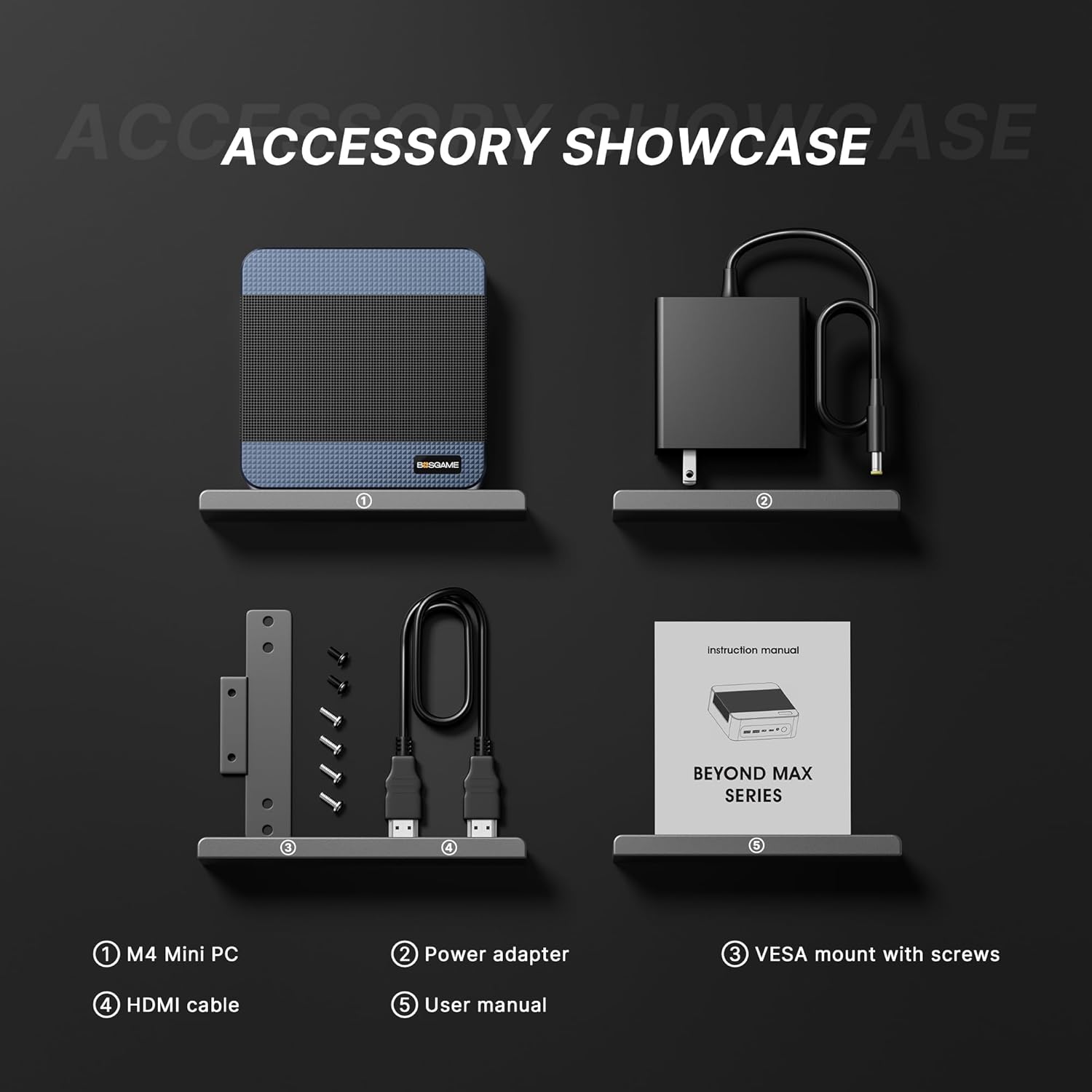
Image 2.1: An accessory showcase displaying the M4 Mini PC, power adapter, VESA mount with screws, HDMI cable, and user manual.
2.2 Connecting Peripherals
Connect your monitor(s), keyboard, mouse, and other necessary peripherals to the Mini PC's available ports. Refer to the image below for port identification.

Image 2.2: Detailed view of the M4 Neo Mini PC's interfaces, including USB3.2 10Gbps*2, USB-C 4K@60Hz, USB 4.0 8K@60Hz, Audio Jack, and Power on the front; Oculink on the side; and DC, 2.5G RJ45 LAN*2, HDMI2.0 4K@60Hz, DP 4K@60Hz, and USB2.0 480Mbps*2 on the back.
2.3 Initial Power On
- Connect the power adapter to the DC-in port on the Mini PC and then to a power outlet.
- Press the power button located on the front of the Mini PC.
- Follow the on-screen instructions to complete the initial setup of your operating system (e.g., Windows).
2.4 VESA Mount Installation (Optional)
The M4 Neo Mini PC comes with a VESA mount bracket, allowing you to attach it to the back of a compatible monitor or to a wall for a cleaner workspace.
- Fix the VESA mount bracket to the Mini PC with the provided screws.
- Fix the bracket (with the Mini PC attached) to the back of your display or desired surface with screws.

Image 2.3: Easy installation guide for the BOSGAME M4 Mini PC using the wall-mounted bracket, showing how to fix the bracket to the PC and then to the back of a display.
3. Operating Instructions
3.1 Operating System
The BOSGAME M4 Neo Mini PC supports Windows, Ubuntu, and Linux operating systems. Ensure your preferred OS is installed and updated for optimal performance.
3.2 Display Configuration
The Mini PC supports up to three displays simultaneously, offering flexibility for multitasking and immersive experiences. Connect your displays using the HDMI, USB4.0, and DisplayPort outputs.

Image 3.1: The M4 Neo Mini PC supporting a quad-screen display setup, demonstrating its capability for multiple monitors for work and entertainment.
3.3 Network and Wireless Connectivity
The M4 Neo Mini PC offers robust network options:
- Dual 2.5G LAN: For high-speed wired network connections, ideal for gaming and large data transfers.
- Wi-Fi 6E: For fast and reliable wireless internet access.
- Bluetooth 5.2: For connecting wireless peripherals such as keyboards, mice, and headphones.

Image 3.2: The M4 Neo Mini PC showcasing its Dual 2.5G RJ45 LAN ports, emphasizing their speed advantage over traditional Gigabit ports.
4. Maintenance
4.1 Cleaning
To maintain optimal performance and longevity, regularly clean the exterior of the Mini PC with a soft, dry cloth. Ensure ventilation vents are free from dust and obstructions. Do not use liquid cleaners directly on the device.
4.2 Storage Upgrades
The M4 Neo Mini PC supports storage expansion via an additional M.2 NVMe PCIe 4.0 x4 slot, allowing upgrades up to 4TB. For detailed instructions on accessing the internal components for upgrades, please consult a qualified technician or refer to online resources provided by BOSGAME.
4.3 Cooling System
The Mini PC utilizes a copper tube and fan cooling combination with high-spec cooling silicone grease to effectively manage CPU temperature. Ensure proper airflow around the device to prevent overheating, especially during prolonged high-load operations.

Image 4.1: An exploded view diagram illustrating the highly efficient heat dissipation system of the M4 Neo Mini PC, showing the copper tube and fan components.
5. Troubleshooting
This section addresses common issues you might encounter with your BOSGAME M4 Neo Mini PC.
5.1 No Power / System Not Starting
- Ensure the power adapter is securely connected to both the Mini PC and a working power outlet.
- Verify the power outlet is functional by plugging in another device.
- Try a different power adapter if available and compatible.
5.2 No Display Output
- Check that the HDMI, DisplayPort, or USB4.0 cables are securely connected to both the Mini PC and the monitor.
- Ensure the monitor is powered on and set to the correct input source.
- Try connecting to a different display or using a different cable to rule out monitor or cable issues.
5.3 Network Connectivity Issues
- For wired connections, ensure the Ethernet cable is properly connected to both the Mini PC and the router/modem. Check router status.
- For Wi-Fi, ensure Wi-Fi is enabled on the Mini PC and you are connected to the correct network with the correct password.
- Restart your router/modem and the Mini PC.
5.4 System Performance Issues (Slowness, Freezing)
- Close unnecessary applications running in the background.
- Ensure the operating system and drivers are up to date.
- Check for sufficient free storage space on the SSD.
- Ensure the Mini PC has adequate ventilation and is not overheating.
6. Technical Specifications
| Feature | Specification |
|---|---|
| Processor | AMD Ryzen 7 7840HS (3.8 GHz, up to 5.1 GHz) |
| Graphics Coprocessor | AMD Radeon 780M (12-core, 2600MHz) |
| RAM | 32GB DDR5 (5600 MHz) |
| Hard Drive | 1TB M.2 2280 PCIe 4.0 SSD |
| Max Screen Resolution | 3840x2160 (4K) |
| Operating System | Support Win/Ubuntu/Linux |
| USB Ports | 3x USB 3.0, 1x USB 2.0, 1x USB4.0 (8K@60Hz) |
| Video Output | HDMI 2.0, DisplayPort, USB4.0 (Triple Display Support) |
| Network | Dual 2.5G LAN, Wi-Fi 6E, Bluetooth 5.2 |
| Special Ports | Oculink Port (PCIe 4.0, 40Gbps) |
| Item Weight | 2.72 pounds |
| Color | Space Gray |
7. Warranty Information
BOSGAME products typically come with a standard manufacturer's warranty. Please refer to the warranty card included in your product packaging or visit the official BOSGAME website for detailed warranty terms and conditions specific to your region and purchase date. Keep your proof of purchase for warranty claims.
8. Customer Support
For technical assistance, troubleshooting, or general inquiries regarding your BOSGAME M4 Neo Mini PC, please contact BOSGAME customer support through the following channels:
- Official Website: Visit the BOSGAME Store on Amazon for product information and support links.
- Email Support: Refer to your product documentation for specific support email addresses.
- Online FAQs: Check the BOSGAME support page for frequently asked questions and troubleshooting guides.
When contacting support, please have your product model (M4 Neo) and serial number ready to expedite the process.