
1. Introduction
The DALY BMS (Battery Management System) 16S 48V 150A with Bluetooth Module is designed to provide comprehensive protection and management for LiFePO4 battery systems. This system ensures the safety and extends the lifespan of your battery by monitoring various parameters and implementing protective measures. It supports 16 series cells with a nominal voltage of 48V and a continuous discharge current of 150A.
Key features include real-time monitoring via a Bluetooth application, support for multiple parallel systems to scale capacity, and various interface functions for flexible integration.
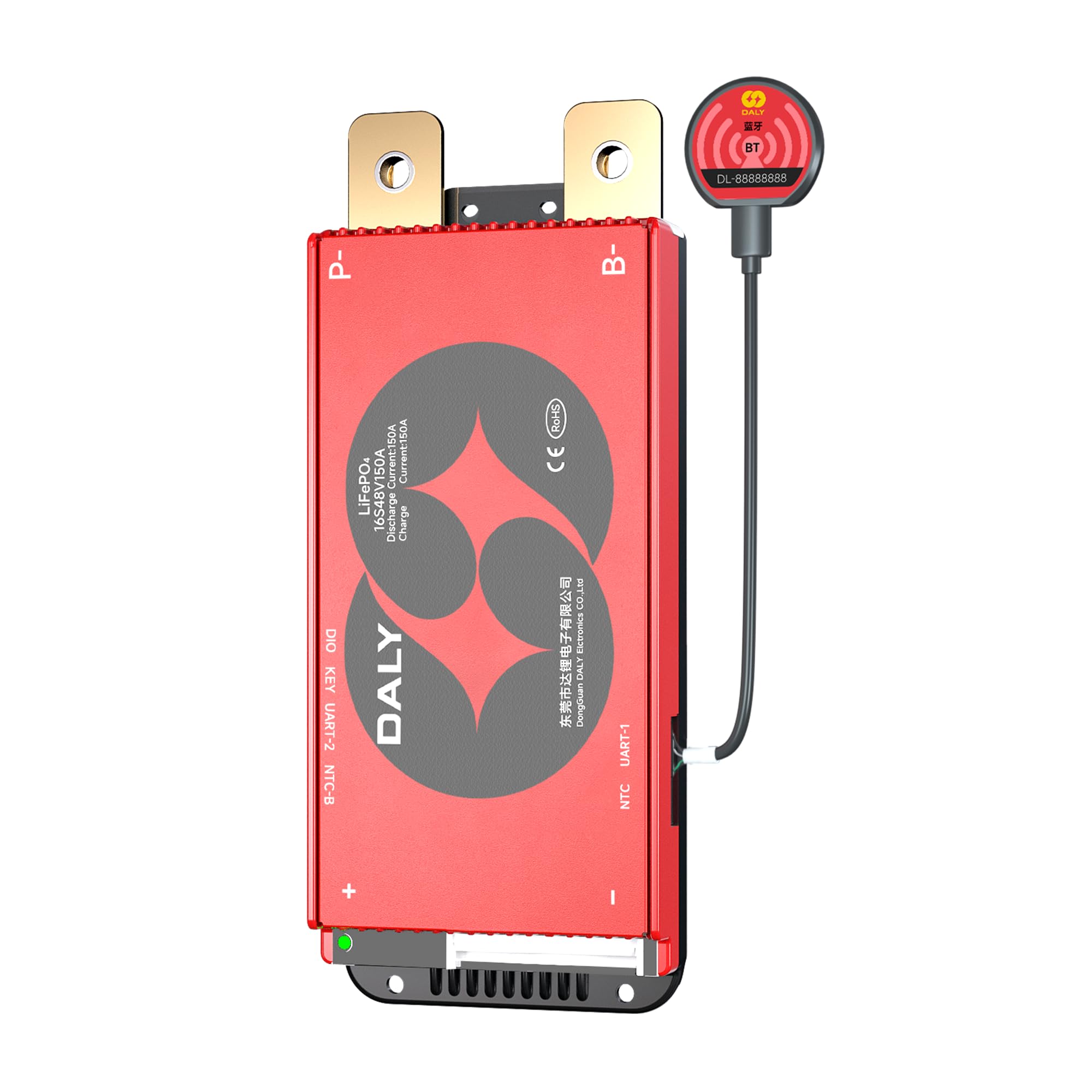
Image 1.1: DALY BMS 16S 48V 150A with Bluetooth Module and included accessories.
Video 1.1: Official DALY BMS overview video, showcasing product features and design.
2. Safety Information and Protections
The DALY BMS is equipped with multiple safety features to protect your battery system from potential damage and ensure safe operation. Adhere to all wiring diagrams and safety precautions during installation and use.
2.1. Integrated Safety Protections
- Low Voltage Cutoff: Prevents over-discharging of battery cells, preserving battery health.
- High Voltage Cutoff: Prevents over-charging of battery cells, avoiding cell damage.
- Overcurrent Protection: Safeguards against excessive current draw during discharge.
- Short Circuit Protection: Automatically disconnects the battery in case of a short circuit.
- Temperature Protection: Monitors battery temperature to prevent operation outside safe thermal limits.
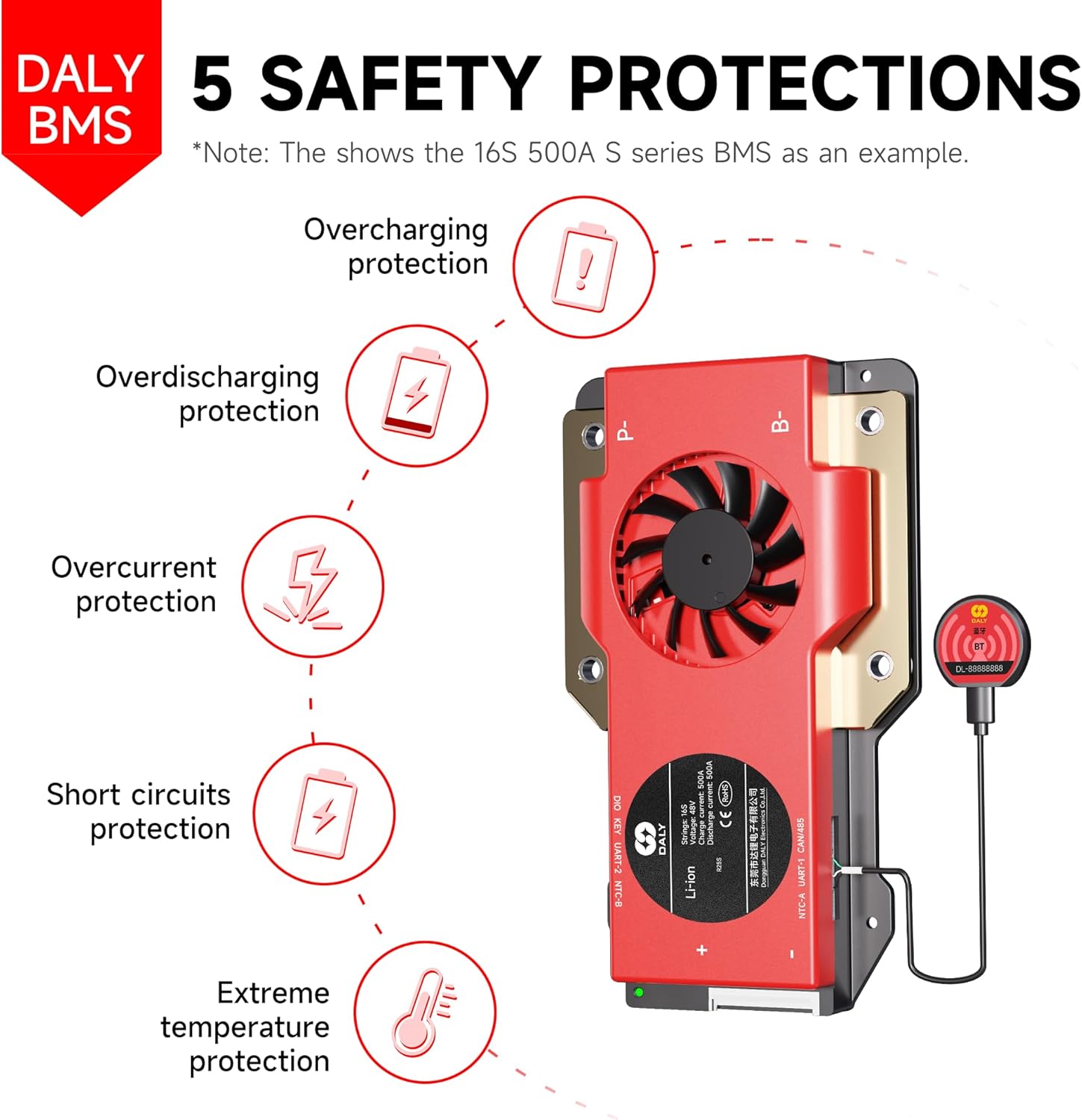
Image 2.1: Diagram illustrating the five core safety protections provided by the DALY BMS.
2.2. Certifications
This product is certified with ISO, FCC, RoHS, PSE, and CE standards, ensuring compliance with international safety and quality regulations.
3. Package Contents
Verify that all items listed below are included in your package:
- 16S 48V 150 Amps Smart BMS ×1
- B-P-Output line ×1
- BT dongle (Bluetooth module) ×1
- Sampling cable ×1
- NTC (Temperature Sensor) ×1
- Instruction Manual ×1

Image 3.1: Visual representation of the items included in the DALY BMS package.
4. Setup and Installation
Proper installation is crucial for the safe and efficient operation of your DALY BMS. Always ensure power is disconnected before making any connections.
4.1. Wiring the BMS to the Battery Pack
Connect the BMS to your 16S LiFePO4 battery pack according to the provided wiring diagram in the included manual. Ensure that the sampling cable is correctly connected to each cell in series, and the main B- and P- output lines are securely fastened. Incorrect wiring can lead to damage to the BMS or battery.

Image 4.1: Guidance on selecting the correct BMS and understanding wiring principles for your battery configuration.
4.2. Bluetooth Module Connection
The Bluetooth module (BT dongle) connects to the designated port on the BMS. Once connected, the BMS features a Bluetooth activation-free function, allowing you to simply open the mobile application to establish a connection and begin monitoring.
4.3. Supporting Multiple Parallel Systems
The DALY BMS is designed to support multiple parallel battery packs, allowing you to expand your system's capacity. The built-in current limiting module facilitates the connection of 8 or more battery packs in parallel. Consult the detailed wiring instructions for parallel configurations in the full manual.

Image 4.2: Illustration of how the DALY BMS supports multiple parallel battery systems to increase overall capacity.
5. Operating the BMS
The DALY BMS offers smart monitoring and configuration capabilities through its Bluetooth module and dedicated mobile application.
5.1. Bluetooth App Monitoring
Download the official DALY BMS application to your smartphone. Once connected via Bluetooth, the app provides real-time data on your battery system, including:
- State of Charge (SOC)
- Total Voltage and Individual Cell Voltages
- Current (Charge/Discharge)
- Temperature
- Protection Status and Notifications
The app also allows for configuration and optimization of various battery parameters, enhancing safety and performance.
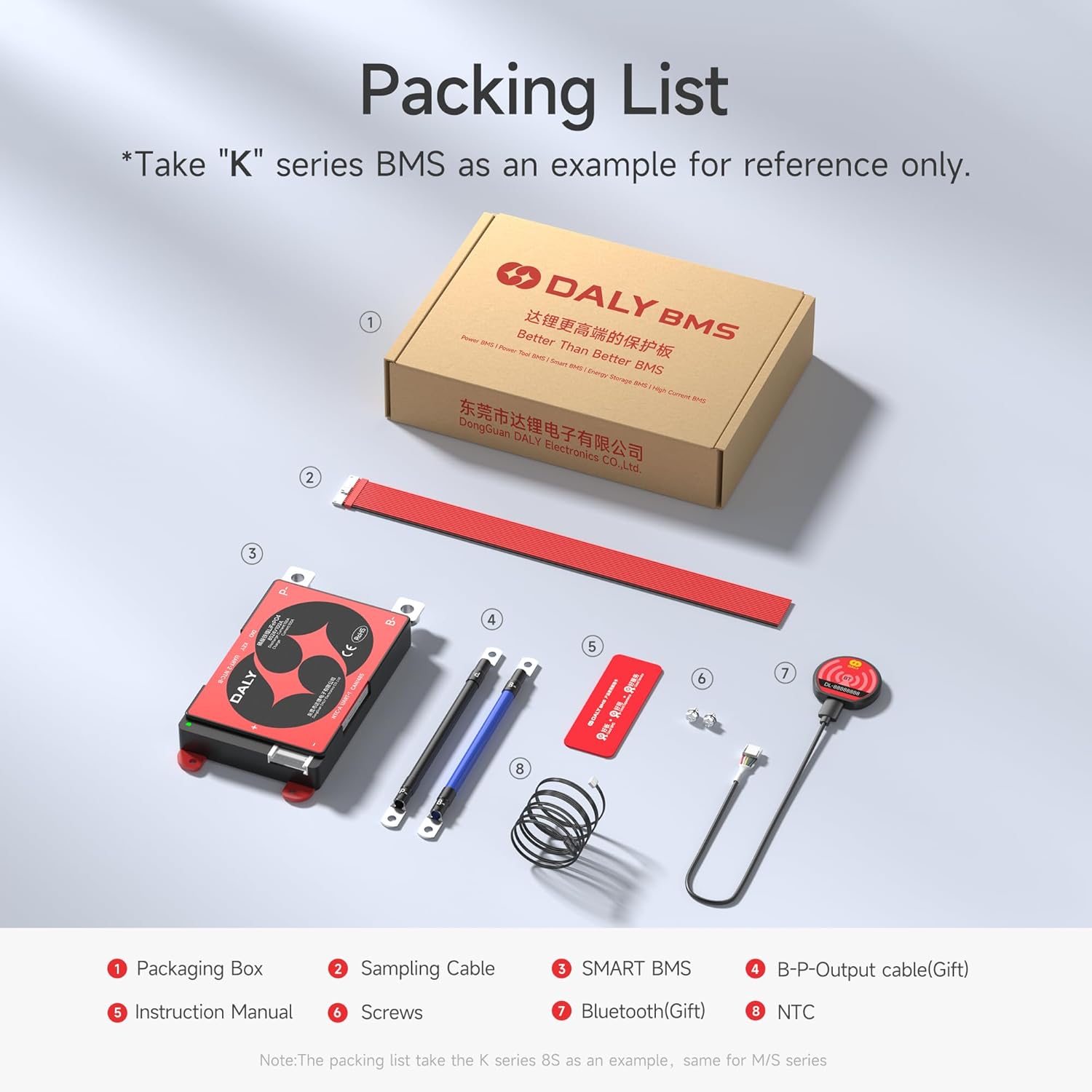
Image 5.1: Screenshots of the DALY BMS mobile application interface, showing status display, protection parameters, and system settings.
5.2. Multiple Interface Functions
The BMS supports dual UART communication, allowing for connection to other accessories or systems. In addition to the Bluetooth module, options for touch display integration are available for direct monitoring and control (sold separately).
6. Maintenance
Regular monitoring and occasional checks ensure the longevity and optimal performance of your battery system and BMS.
- Regular Monitoring: Periodically check battery parameters via the Bluetooth app to ensure all values are within normal operating ranges.
- Connection Checks: Ensure all wiring connections remain secure and free from corrosion.
- Environmental Conditions: Operate the BMS and battery within recommended temperature ranges to prevent thermal stress.
7. Troubleshooting
If you encounter issues with your DALY BMS, consider the following troubleshooting steps:
- No Power/No Communication: Verify all wiring connections, especially the main power leads and the sampling cable. Ensure the Bluetooth module is properly seated.
- App Not Connecting: Confirm Bluetooth is enabled on your device and the BMS is powered on. Try restarting the app or your device.
- Unexpected Shutdowns: Check the app for any active protection notifications (e.g., over-discharge, over-current, high/low temperature). Address the root cause of the protection event.
- Inaccurate Readings: If the app displays unusual voltage or current readings, cross-reference with a reliable multimeter. Ensure the sampling cable is correctly connected to each cell.
- Mismatched BMS: Ensure the BMS current rating is appropriate for your application. Using an undersized BMS can lead to damage. Refer to the guidance in Image 4.1 for selecting the correct amperage.
For persistent issues, consult the detailed troubleshooting section in the complete manual or contact DALY customer support.
8. Specifications
Below are the general specifications for the DALY BMS 16S 48V 150A + Bluetooth Module Set. Specific parameters may vary slightly based on firmware versions.
| Feature | Specification |
|---|---|
| Model | 16S 150A+BT |
| Cell Configuration | 16 Series |
| Nominal Voltage | 48V (for LiFePO4) |
| Continuous Discharge Current | 150A |
| Continuous Charge Current | 150A |
| Communication | Bluetooth, Dual UART |
| Protection Features | Overcharge, Overdischarge, Overcurrent, Short Circuit, Temperature |
| Parallel Support | Yes (8+ battery packs) |
| Certifications | ISO, FCC, RoHS, PSE, CE |
| UPC | 753252853060 |

Image 8.1: Detailed table of BMS parameters including various protection thresholds and current ratings.
9. Warranty and Support
9.1. Warranty Information
The DALY BMS 16S 48V 150A + Bluetooth Module Set comes with a 5-YEAR WARRANTY from the date of purchase. This warranty covers defects in materials and workmanship under normal use. Please retain your proof of purchase for warranty claims.
9.2. Technical Support
For technical assistance, installation queries, or troubleshooting beyond the scope of this manual, please contact DALY customer support. Refer to the contact information provided with your product or visit the official DALY website for support resources.


