
Tapo Tapo C660 KIT
Tapo C660 KIT 4K Outdoor Camera User Manual
Model: Tapo C660 KIT | Brand: Tapo
1. Introduction
The Tapo C660 KIT is a state-of-the-art 4K outdoor wireless security camera system designed to provide comprehensive surveillance for your property. Featuring a solar panel for continuous power, 360° pan and tilt capabilities, advanced AI detection for people, vehicles, and pets, and versatile storage options, this camera offers a robust and user-friendly solution for your security needs. This manual provides detailed instructions for setup, operation, maintenance, and troubleshooting to ensure optimal performance of your device.

Image: The Tapo C660 KIT camera with its accompanying solar panel, designed for outdoor installation.
2. What's in the Box
Please verify that all components are present and in good condition upon opening the package:
- Tapo C660 KIT Camera (x1)
- Power Adapter (x1)
- Mounting Template (x1)
- Mounting Bracket (x1)
- Mounting Anchors (x4)
- Mounting Screws (x4)
- Bracket Screws (x2)
- Waterproof Seal (x1)
- Waterproof Cable Attachments (x1)
- Quick Start Guide (x1)

Image: The Tapo C660 KIT camera and its included accessories laid out, ready for installation.
3. Key Features
3.1. 4K Ultra HD Clarity
Experience superior image quality with 4K resolution, providing 4 times the detail of standard 1080p. This allows for clearer identification of objects, faces, and license plates, enhancing overall surveillance effectiveness.

Image: A demonstration of 4K Ultra HD clarity, highlighting the ability to discern fine details such as a car's license plate.
3.2. 360° Pan and 90° Tilt with Smart Motion Tracking
Gain complete visual coverage with the camera's ability to pan horizontally up to 360 degrees and tilt vertically up to 90 degrees. Smart motion tracking automatically follows detected subjects, ensuring they remain in view.

Image: A visual representation of the camera's 360-degree horizontal pan and 90-degree vertical tilt capabilities, illustrating its extensive coverage.
3.3. Solar Powered & Wireless Installation
The included solar panel provides continuous power to the camera, minimizing the need for manual battery recharges. The wireless design allows for flexible placement without the constraints of power outlets, with the solar panel installable up to 13 feet away for optimal sun exposure.

Image: The Tapo camera and its solar panel installed in separate locations, demonstrating the flexibility of placement for optimal sunlight.
3.4. Advanced AI Detections
The camera features intelligent AI that accurately identifies people, vehicles, and pets, reducing false alerts and ensuring you receive notifications for relevant events. This feature operates without requiring a subscription.

Image: Examples of the camera's AI detection capabilities, accurately identifying and outlining a person, a vehicle, and a pet in different scenarios.
3.5. Dual-Band Wi-Fi Connectivity
Supports both 5 GHz and 2.4 GHz Wi-Fi bands, offering flexibility for network connection. The 5 GHz band provides faster speeds for closer distances, while the 2.4 GHz band offers a longer range for broader coverage.

Image: A diagram illustrating the typical coverage areas of 5 GHz and 2.4 GHz Wi-Fi bands within a home environment, highlighting the camera's dual-band support.
3.6. Adaptive Night Vision
Choose between black-and-white infrared (IR) night vision or full-color night vision. The full-color mode utilizes built-in spotlights and a starlight sensor to provide vivid color images even in low-light conditions, automatically switching when motion is detected.

Image: A comparison demonstrating the difference between full-color night vision, which provides detailed color images, and traditional black-and-white IR night vision.
3.7. Local and Cloud Storage Options
Recordings can be stored locally on a microSD card (up to 512GB, purchased separately) without any subscription fees. For enhanced features and backup, cloud storage is available through the Tapo Care subscription service.
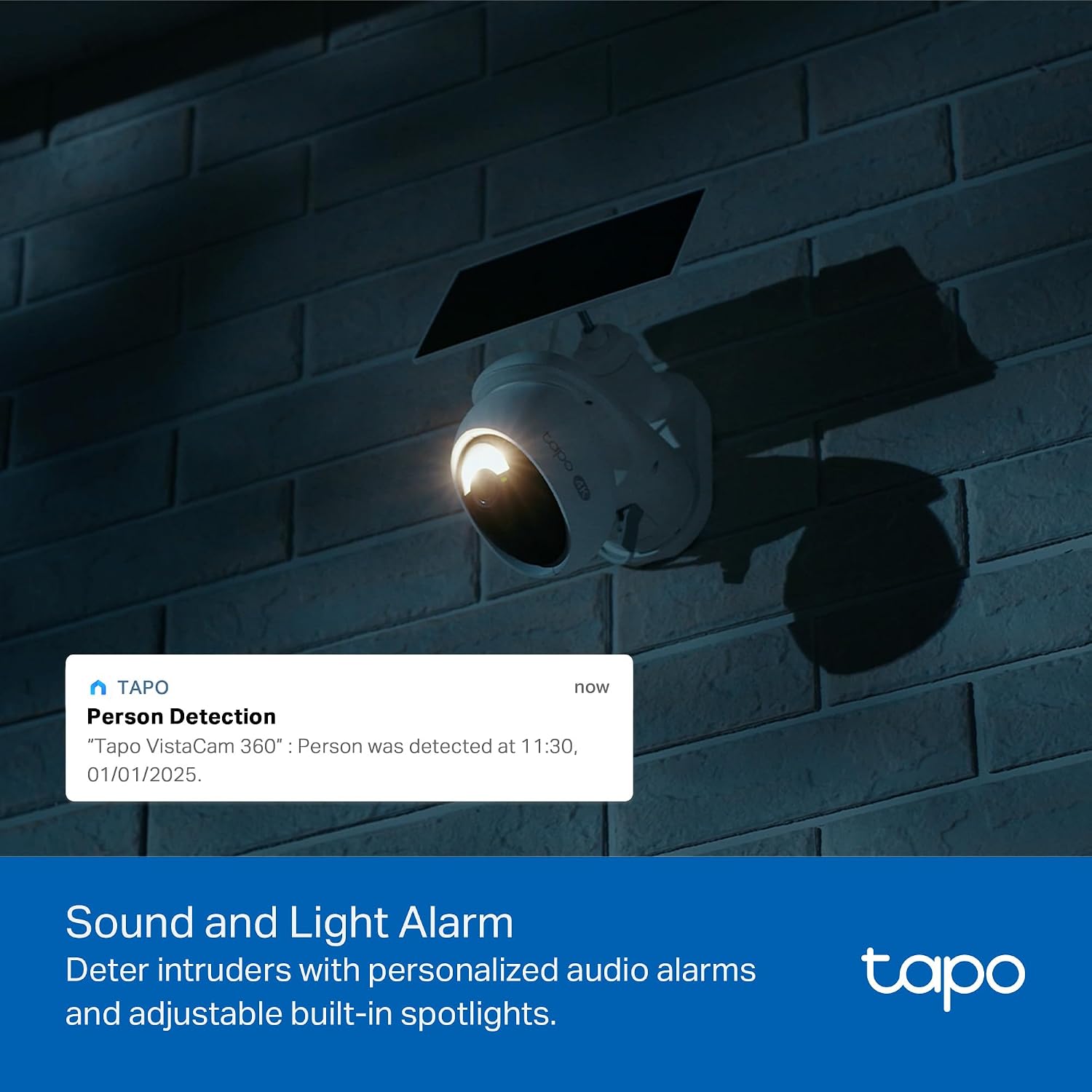
Image: The Tapo camera illustrating its support for both local storage via a microSD card and optional cloud storage services.
3.8. Sound and Light Alarm
Deter unwanted visitors with a customizable sound and light alarm system. Upon detecting suspicious activity, the camera can activate an audible alarm and flash its built-in spotlights to warn off intruders.

Image: The Tapo camera's spotlight illuminating an area at night, accompanied by a notification indicating a person detection alert, demonstrating its active deterrence feature.
4. Setup Guide
4.1. Initial Charging
Before installation, fully charge the camera's internal battery using the provided power adapter. This ensures the camera has sufficient power for initial setup and operation, especially before the solar panel can provide consistent charging.
4.2. Download the Tapo App
Download the Tapo app from the App Store (iOS) or Google Play Store (Android). Create a Tapo account or log in if you already have one. The app will guide you through the process of adding your new camera.
4.3. Mounting the Camera and Solar Panel
Choose a suitable location for your camera and solar panel. The camera is IP65 weatherproof, suitable for outdoor use. The solar panel should be placed in an area that receives at least 45 minutes of direct sunlight daily for optimal charging.
Mounting Considerations:
- Use the mounting template to mark drill holes accurately.
- Ensure the mounting surface is sturdy enough to support the camera and solar panel.
- The solar panel can be mounted separately from the camera using the extra-long 13ft cable for maximum sun exposure.
- Secure all screws firmly to prevent movement.
- Apply the waterproof seal and cable attachments to protect connections from moisture.

Image: Two installation methods for the Tapo camera and solar panel: one where they are combined on a single mount, and another where they are separated to optimize solar panel exposure.
5. Operating the Camera
5.1. Live View and Playback
Access the live feed of your camera through the Tapo app. You can view real-time footage, take snapshots, and record video. The app also allows you to review recorded events from your microSD card or cloud storage using a timeline interface.

Image: A smartphone displaying the Tapo app's smart playback feature, allowing users to quickly navigate and download specific moments from the recorded timeline.
5.2. Motion Detection and Alerts
Configure motion detection zones and sensitivity settings within the Tapo app. When motion is detected, the camera will send instant notifications to your smartphone and begin recording. The AI detection helps filter out irrelevant movements.
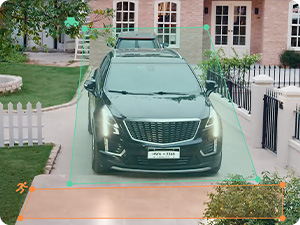
Image: A visual representation of the Tapo app's interface for setting up and customizing motion detection zones within the camera's view.
5.3. Pan and Tilt Control
Use the directional controls in the Tapo app to remotely adjust the camera's viewing angle. You can manually pan and tilt, or activate the smart tracking feature to automatically follow moving subjects.
5.4. Two-Way Audio
The built-in microphone and speaker allow for two-way communication. You can listen to audio from the camera's location and speak through the camera using the Tapo app, useful for interacting with visitors or deterring intruders.
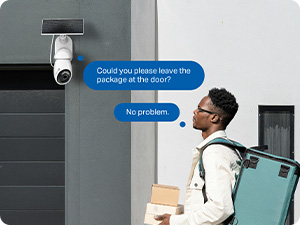
Image: A person using the two-way audio feature via the Tapo app on their smartphone to communicate through the camera.
5.5. Time-Lapse Capture
The 24/7 Time-Lapse Capture feature allows the camera to take images at customizable intervals (e.g., every 1s, 5s, 10s, or up to 60s) even when no motion is detected. This creates a continuous time-lapse video of your property, which can be reviewed in the Tapo app.
5.6. Intelligent AI Zoom
When the camera detects objects, it can automatically zoom in and follow the target's movement, providing a closer and more detailed view of the activity.

Image: A demonstration of the intelligent AI zoom feature, showing the camera automatically focusing on and tracking a person, a dog, and a car within its field of view.
5.7. Upgraded Patrol Mode
The camera can be set to scan 360° and record videos following a set schedule, or cruise among custom points at different times, providing automated surveillance of specific areas.

Image: The Tapo camera actively scanning its surroundings in a 360-degree patrol mode, providing continuous surveillance of a property's exterior.
5.8. One-Tap Sharing
Easily share memorable moments or grant access to your Tapo cameras with family and friends directly through the Tapo app.

Image: A smartphone displaying the Tapo app's one-tap sharing interface, allowing users to easily share camera access or recorded content.
6. Maintenance
6.1. Cleaning the Camera and Solar Panel
Periodically clean the camera lens and the surface of the solar panel with a soft, damp cloth to remove dust, dirt, or debris. This ensures clear image quality and efficient solar charging. Avoid using harsh chemicals or abrasive materials.
6.2. Battery Management
While the solar panel provides continuous power, monitor the battery level in the Tapo app, especially during prolonged periods of low sunlight. If the battery level drops significantly, consider temporarily charging the camera with the power adapter.
6.3. Firmware Updates
Regularly check for and install firmware updates via the Tapo app. Firmware updates often include performance improvements, new features, and security enhancements.
7. Troubleshooting
This section addresses common issues you might encounter with your Tapo C660 KIT camera.
| Issue | Possible Cause | Solution |
|---|---|---|
| Camera not powering on | Low battery; Solar panel not receiving enough sunlight; Power adapter issue. | Fully charge the camera with the power adapter. Ensure solar panel is in direct sunlight. Check power adapter connection. |
| Cannot connect to Wi-Fi | Incorrect Wi-Fi password; Camera too far from router; Router band incompatibility. | Verify Wi-Fi password. Move camera closer to router or use a Wi-Fi extender. Ensure your router supports 2.4 GHz or 5 GHz as needed. |
| Poor image quality | Dirty lens; Low light conditions; Network bandwidth issues. | Clean the camera lens. Ensure adequate lighting or enable full-color night vision. Check network speed and stability. |
| Frequent false alerts | High motion sensitivity; Environmental factors (e.g., moving branches, shadows). | Adjust motion detection sensitivity in the Tapo app. Define specific detection zones to exclude irrelevant areas. |
| MicroSD card not recording | Card full or corrupted; Incorrect formatting; Card not inserted properly. | Check card status in app. Format the microSD card via the app. Reinsert the card. Replace if corrupted. |
8. Technical Specifications
| Feature | Detail |
|---|---|
| Model Name | Tapo C660 KIT |
| Indoor/Outdoor Usage | Outdoor, Indoor |
| Power Source | Battery Powered (10000 mAh) with Solar Panel |
| Connectivity Protocol | Wi-Fi (Dual-Band: 2.4 GHz & 5 GHz) |
| Video Capture Resolution | 4K (Ultra HD) |
| Pan/Tilt Range | 360° Horizontal Pan, 90° Vertical Tilt |
| Night Vision | IR Night Vision, Full-Color Starlight Night Vision (up to 40 feet) |
| Storage Options | MicroSD Card (up to 512GB), Tapo Care Cloud Storage |
| AI Detection | Person, Vehicle, Pet Detection (Free) |
| Audio | Two-Way Audio |
| Weather Resistance | IP65 (Water Resistant) |
| Dimensions (L x W x H) | 7.28 x 5.79 x 2.95 inches |
| Item Weight | 1.34 Pounds |
| Compatible Devices | Smartphone, Tablet (via Tapo App), Amazon Alexa, Google Assistant |
| UPC | 810142822251 |
9. Warranty and Support
For warranty information and technical support, please refer to the official Tapo website or contact Tapo customer service. The Quick Start Guide included in your package also contains details on how to register your product and access support resources.
You can typically find support and warranty details at: www.tapo.com/support/
Ask a question about this manual
Ask about setup, troubleshooting, compatibility, parts, safety, or missing instructions. Manuals+ will review the question and use this page’s manual context to help answer it.