Introduction
This instruction manual provides detailed guidance for the safe and effective use of your Godox TT520III Camera Flash Speedlite. Please read this manual thoroughly before operation to ensure optimal performance and to prevent damage to the unit.
What's in the Box
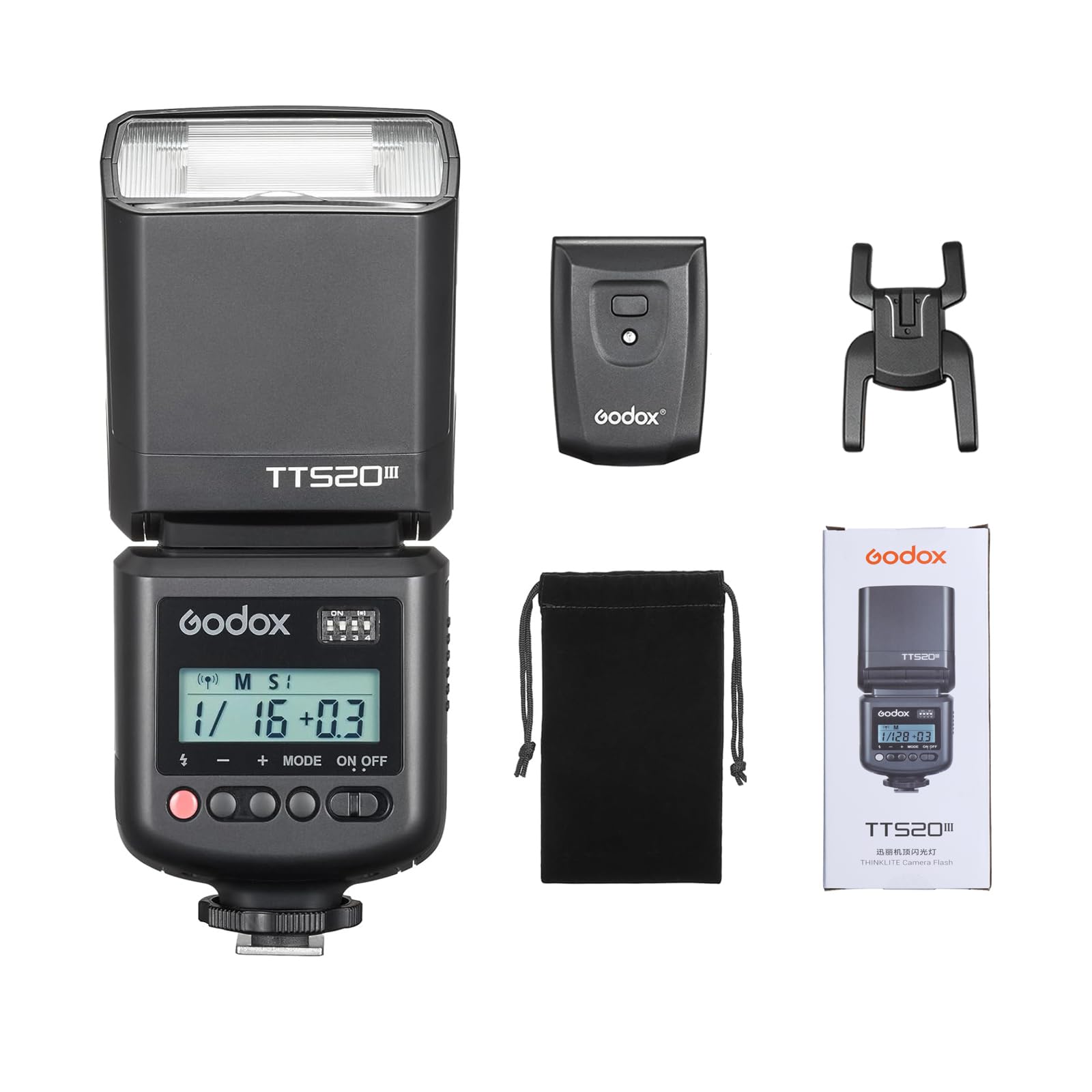
- Camera Flash
- RT Transmitter
- Mini Stand
- Storage Bag

Setup
1. Battery Installation
The Godox TT520III flash unit requires 4 AA (LR6) or NiMH batteries (sold separately). Open the battery compartment by pressing the 'BATT PUSH' button and inserting the batteries according to the polarity indicators inside the compartment. Close the cover securely.
2. Mounting the Flash
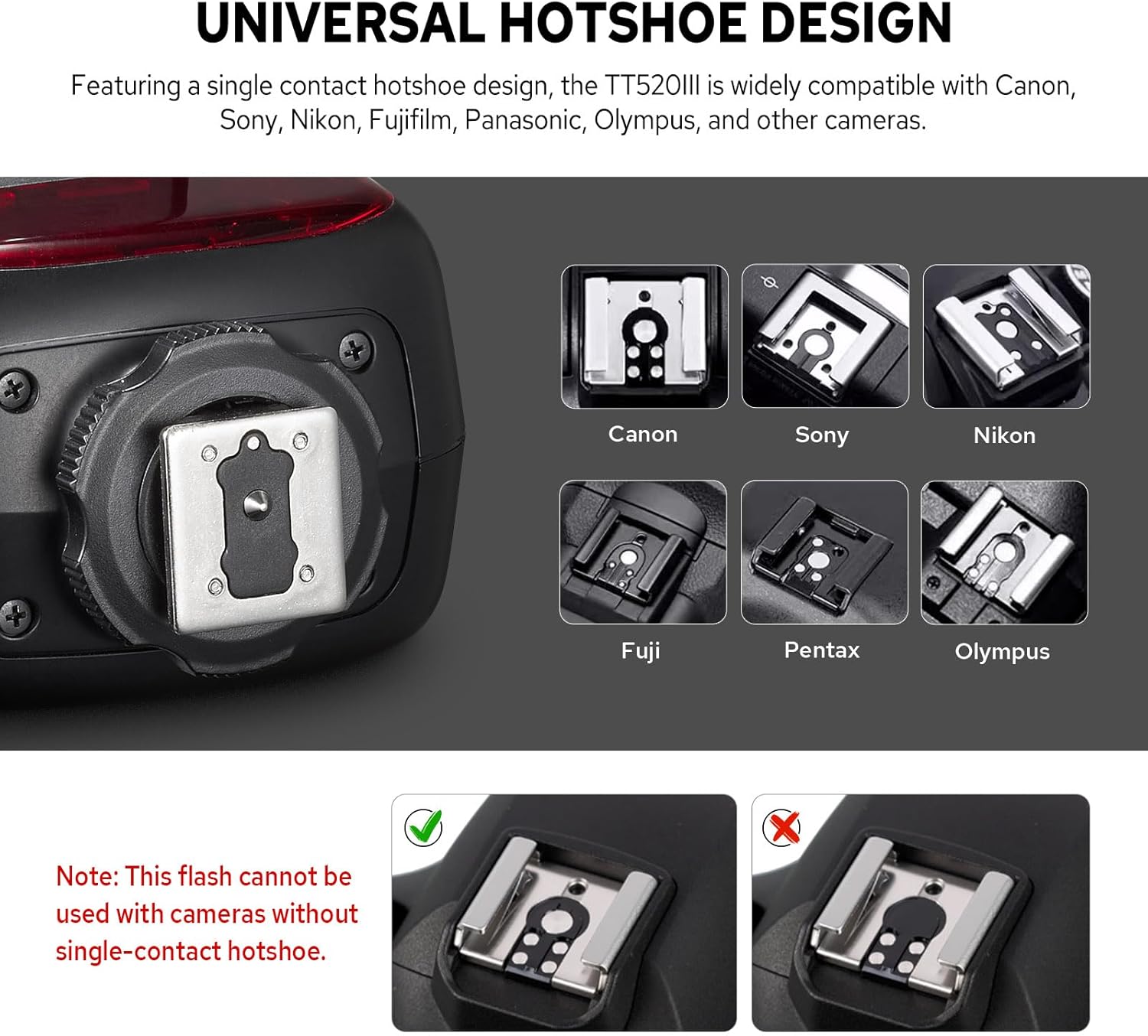
Attach the flash unit to your camera's hotshoe. The TT520III features a single-contact hotshoe design, making it compatible with most camera brands including Canon, Sony, Nikon, Fujifilm, Panasonic, and Olympus. Ensure the flash is securely mounted before use. Note: This flash does not support TTL (Through-The-Lens) metering or camera menu setting functions.


Operating Instructions
1. Power On/Off and Mode Selection
Press the ON/OFF button to power the flash unit on or off. The TT520III offers multiple flash triggering options:
- Manual (M) Mode: In this mode, you can manually adjust the flash output from 1/128 to full power in ±1/3-stop increments. Use the "+" and "-" buttons to adjust the power.
- S1/S2 Optical Sync Modes: Short-press the MODE button to toggle between S1 and S2 optical sync modes. These modes allow the flash to be triggered by another flash unit.

2. 433MHz Wireless Triggering
The TT520III features a built-in 433MHz wireless receiver system. To activate wireless triggering, long-press the MODE button on the flash unit. Use the included RT-16 transmitter to trigger the flash wirelessly. Ensure the channel settings on both the flash and the transmitter match for proper synchronization. The RT-16 transmitter has 16 channels.


Video 1: This video demonstrates the installation of batteries, mounting the flash on a camera, adjusting flash power in M mode, toggling S1/S2 optical sync modes, and setting up 433MHz wireless triggering with the RT-16 transmitter. It also shows connecting an external power pack and using the PC sync port.
3. External Power & PC Sync
- External Power: The flash unit includes a power box port compatible with the optional PB960 power pack (sold separately). Connecting an external power pack can significantly shorten recycle times and increase the number of flashes.
- PC Sync Port: A PC sync port is provided for wired camera-to-flash synchronization, offering an alternative to hotshoe or wireless triggering.
Features Overview
- Universal Hotshoe: Compatible with Canon, Sony, Nikon, Fujifilm, Panasonic, Olympus, and other cameras with a single-contact hotshoe.
- 433MHz Wireless Triggering: Built-in wireless transmission with an RT-16 transmitter offering 16 channels for reliable synchronization.
- Flexible Flash Modes: Operates as an on-camera flash, with RT transmitter, or via S1/S2 optical sync. Includes a PC sync port for wired control.
- Bright Output & Quick Recycle: Guide Number (GN) 33 (ISO 100, in meters). Delivers up to 400 full-power flashes with a recycle time of approximately 1.8 seconds. Flash duration ranges from 1/510 to 1/31000 seconds.
- Easy & Precise Power Control: Manual (M) mode offers 8 power settings from 1/128 to full power in ±1/3-stop increments. Features a clear display for easy setting adjustments.
- Adjustable Flash Head: The flash head can be rotated horizontally from 0° to 330° and vertically from -7° to 120° for flexible light positioning.

Expandable Accessories
The Godox TT520III is designed to be compatible with various accessories to enhance your lighting capabilities:
- PB960 Power Box: Connects to the flash unit for faster recycle times and extended flash duration.
- AK-R1 Magnetic Modifiers: Use S-R1/S-R2 adapters to attach Godox AK-R1 magnetic round-head accessories such as diffusers, grids, and snoots.
- S2 Bracket: Attach the optional S2 bracket for Bowens-mount modifiers like softboxes and reflectors.

Specifications
| Feature | Specification |
|---|---|
| Model | TT520III |
| Guide Number (GN) | Approx. 33 (ISO 100, in meters) |
| Photocell Modes | S1/S2 |
| Vertically Rotatable Flash Angle | -7° to 120° |
| Horizontally Rotatable Flash Angle | 0° to 330° |
| Battery | Four AA NiMH batteries (recommended) / LR6 alkaline batteries |
| Flash Duration (t0.1) | 1/510s to 1/31000s |
| Time of Flashes (1/1 step) | Approx. 400 (NiMH batteries) |
| Recycle Time (1/1 step) | Approx. 1.8s (NiMH batteries) |
| Wireless Channels | 16 groups |
| Wireless Transmission Frequency | 433MHz |
| Wireless Transmission Distance (Max.) | Approx. 15m |
| Dimensions | 7.17" x 2.91" x 2.83" (Package Dimensions: 8.7 x 3.46 x 2.83 inches) |
| Net Weight | Approx. 304g (Item Weight: 15.8 ounces) |
| Manufacturer | GODOX |
RT-16 Transmitter Specifications
| Feature | Specification |
|---|---|
| Power Source | 23A (12V) Li-ion battery |
| Wireless Transmission Distance (Max.) | Approx. 20m (indoor) / Approx. 30m (outdoor) |
| Wireless Frequency | 433MHz |
| Dimensions | 2.36" x 1.65" x 1.18" |
| Net Weight | Approx. 31g |
Troubleshooting
If you encounter issues with your Godox TT520III, please refer to the following common solutions:
- Flash not firing:
- Ensure batteries are correctly installed and charged.
- Check if the flash is powered on.
- Verify that the flash is securely mounted on the camera hotshoe or that wireless channels match if using the RT transmitter.
- If using optical sync (S1/S2), ensure the master flash is firing correctly and the sensor on the TT520III is unobstructed.
- Inconsistent flash output:
- Check battery levels; low batteries can affect flash consistency.
- Ensure flash settings (power level) are appropriate for your shooting conditions.
- Wireless triggering issues:
- Confirm that both the flash and the RT transmitter are set to the same channel.
- Ensure there are no significant obstructions between the transmitter and the flash.
- Check the battery in the RT transmitter.
For further assistance, please contact Godox customer support.
Warranty and Support
For warranty information and customer support, please refer to the official Godox website or contact your local distributor. Keep your purchase receipt as proof of purchase for warranty claims.
Manufacturer: GODOX
Date First Available: April 29, 2025


