
Fastrack Jupiter Retro
Contents
Fastrack Jupiter Retro Smart Watch User Manual
Model: Jupiter Retro (38157PM04A)
1. Introduction
Welcome to the user manual for your new Fastrack Jupiter Retro Smart Watch. This guide provides essential information on setting up, operating, maintaining, and troubleshooting your device. Please read this manual thoroughly to ensure optimal performance and longevity of your smartwatch.
The Fastrack Jupiter Retro features a 1.83" UltraVU HD Display, Bluetooth calling, comprehensive health monitoring, and over 100 sports modes, designed for an active and connected lifestyle.
2. What's in the Box
Please check the package contents:
- Fastrack Jupiter Retro Smart Watch
- Charging Cable
- User Manual (this document)
3. Setup Guide
3.1 Charging the Smart Watch
- Connect the magnetic end of the provided charging cable to the charging pins on the back of your Fastrack Jupiter Retro Smart Watch.
- Connect the USB-A end of the charging cable to a standard USB power adapter (5V/1A recommended) or a computer's USB port.
- The watch display will indicate charging status. Ensure the watch is fully charged before first use.
3.2 App Installation and Pairing
To unlock the full potential of your Fastrack Jupiter Retro, download and install the companion app on your smartphone.
- Download the App: Search for "Fastrack Smart World" in the Apple App Store (for iOS devices) or Google Play Store (for Android devices), or scan the QR code provided in the quick start guide.
- Create Account: Open the "Fastrack Smart World" app and follow the on-screen instructions to create a new account or log in if you already have one.
- Enable Bluetooth: Ensure Bluetooth is enabled on your smartphone.
- Pair Device: In the app, navigate to the device pairing section. Select "Add Device" or a similar option. The app will search for nearby devices. Select "Fastrack Jupiter Retro" from the list.
- Confirm Pairing: A pairing request may appear on your watch and phone. Confirm the pairing on both devices.
- Complete Setup: Follow any remaining prompts in the app to complete the setup process, including granting necessary permissions for health tracking and notifications.
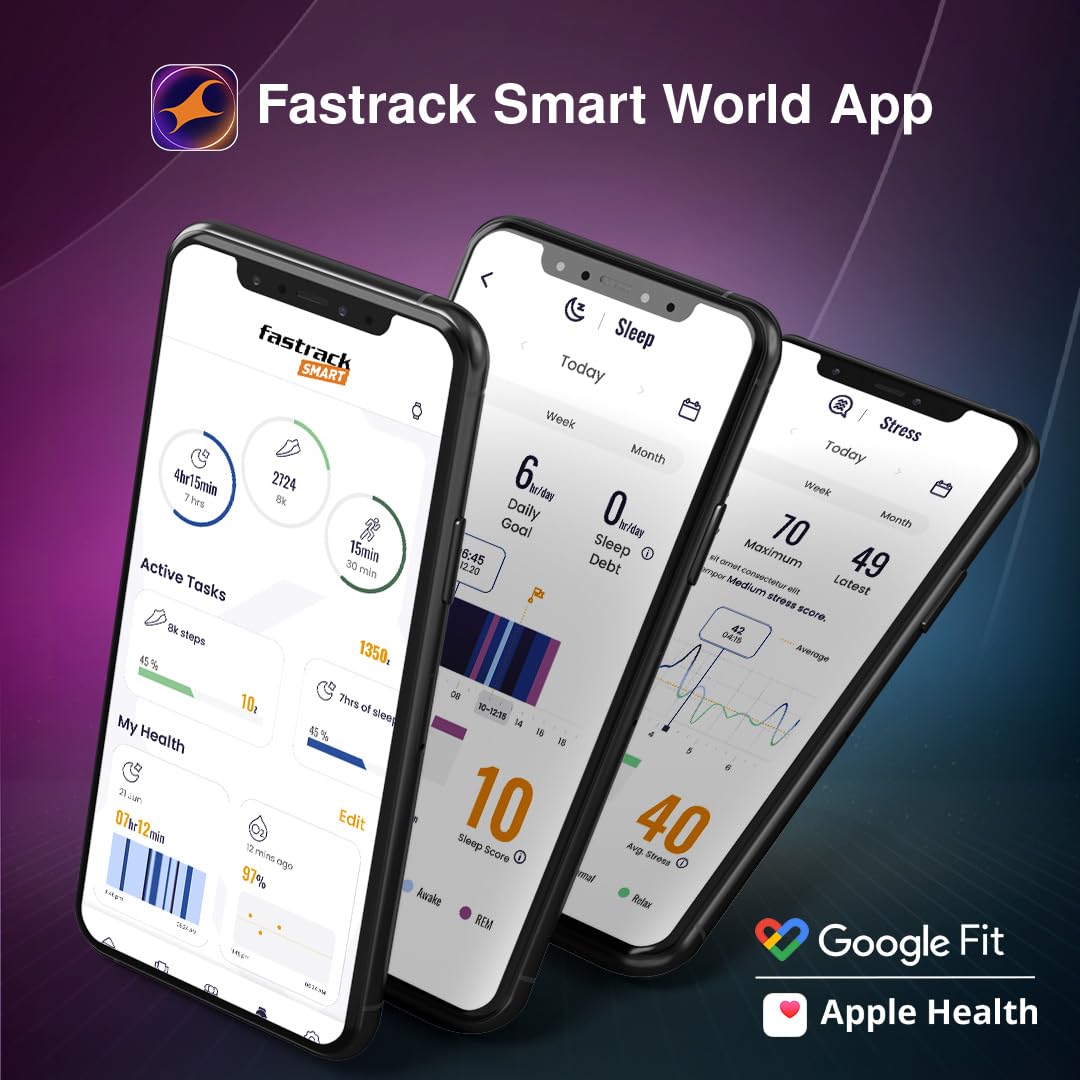
Image: The Fastrack Smart World App displayed on multiple smartphones, showing health and activity tracking interfaces. This app is essential for managing your smartwatch data and settings.
4. Operating Your Smart Watch
4.1 Display and Navigation
Your Fastrack Jupiter Retro features a vibrant 1.83" UltraVU HD display and a functional crown for intuitive navigation.
- Touchscreen: Swipe left, right, up, or down to access different menus, notifications, and quick settings. Tap to select items.
- Functional Crown: Rotate the crown to scroll through lists and menus. Press the crown to return to the watch face or confirm selections.

Image: Close-up of the Fastrack Jupiter Retro Smart Watch display, highlighting its 1.83-inch UltraVU HD screen with a watch face showing time, heart rate, and step count. The metal strap is also visible.
4.2 Bluetooth Calling (SingleSync™)
With SingleSync™ Bluetooth calling, you can make and receive calls directly from your watch.
- Making Calls: Access the dialer or contacts list on your watch to initiate a call.
- Receiving Calls: When a call comes in, you can answer or reject it from your watch.
- Call Logs & Contacts: Access recent call logs and saved contacts directly on your watch.
- AI Voice Assistant: Use the integrated AI voice assistant for hands-free commands.

Image: The Fastrack Jupiter Retro Smart Watch screen showing an incoming call from 'KABIR', with options to answer or decline. Icons for AI Voice, Quick Reply, and BT 5.3v are also displayed, indicating its Bluetooth calling capabilities.
4.3 Advanced Health Monitoring
Your smartwatch continuously monitors various health metrics.
- 24x7 Heart Rate Monitor: Tracks your heart rate throughout the day.
- SpO2 Monitoring: Measures your blood oxygen saturation levels.
- Sleep with REM: Analyzes your sleep patterns, including REM sleep.
- Auto Stress Monitoring: Helps you understand your stress levels.
- Breathing Exercise: Guided breathing sessions for relaxation.
- Women's Health: Provides tracking and insights for menstrual cycles.

Image: The Fastrack Jupiter Retro Smart Watch displaying a detailed heart rate graph. Surrounding icons represent other health monitoring features: 24x7 Heart Rate Monitor, SpO2, Sleep with REM, Auto Stress, Breathing Exercise, and Women's Health.
4.4 Sports Modes
Choose from over 100 sports modes to track your workouts accurately.
- Accessing Modes: Navigate to the Sports or Workout section on your watch.
- Selecting Activity: Choose your desired activity (e.g., Outdoor Run, Cycling, Walking).
- Tracking: The watch will record duration, calories burned, heart rate, and other relevant metrics.
- Auto Multisport Recognition: The watch can automatically detect certain activities.

Image: A man running outdoors, with the Fastrack Jupiter Retro Smart Watch in the foreground displaying 'Sports Records' for 'Outdoor Run' and 'Outdoor Walk'. Icons representing various sports activities are shown in the background.
4.5 Other Features
- 100+ Watchfaces: Customize your watch face through the app or directly on the watch.
- Weather Display: Get real-time weather updates.
- In-Built Games: Enjoy casual games like Jigsaw puzzle, Color blindness, and Tic Tac Toe.
- Calculator: A basic calculator for quick computations.
- Music & Camera Control: Control music playback and your phone's camera remotely.
- SOS Function: For emergency situations.
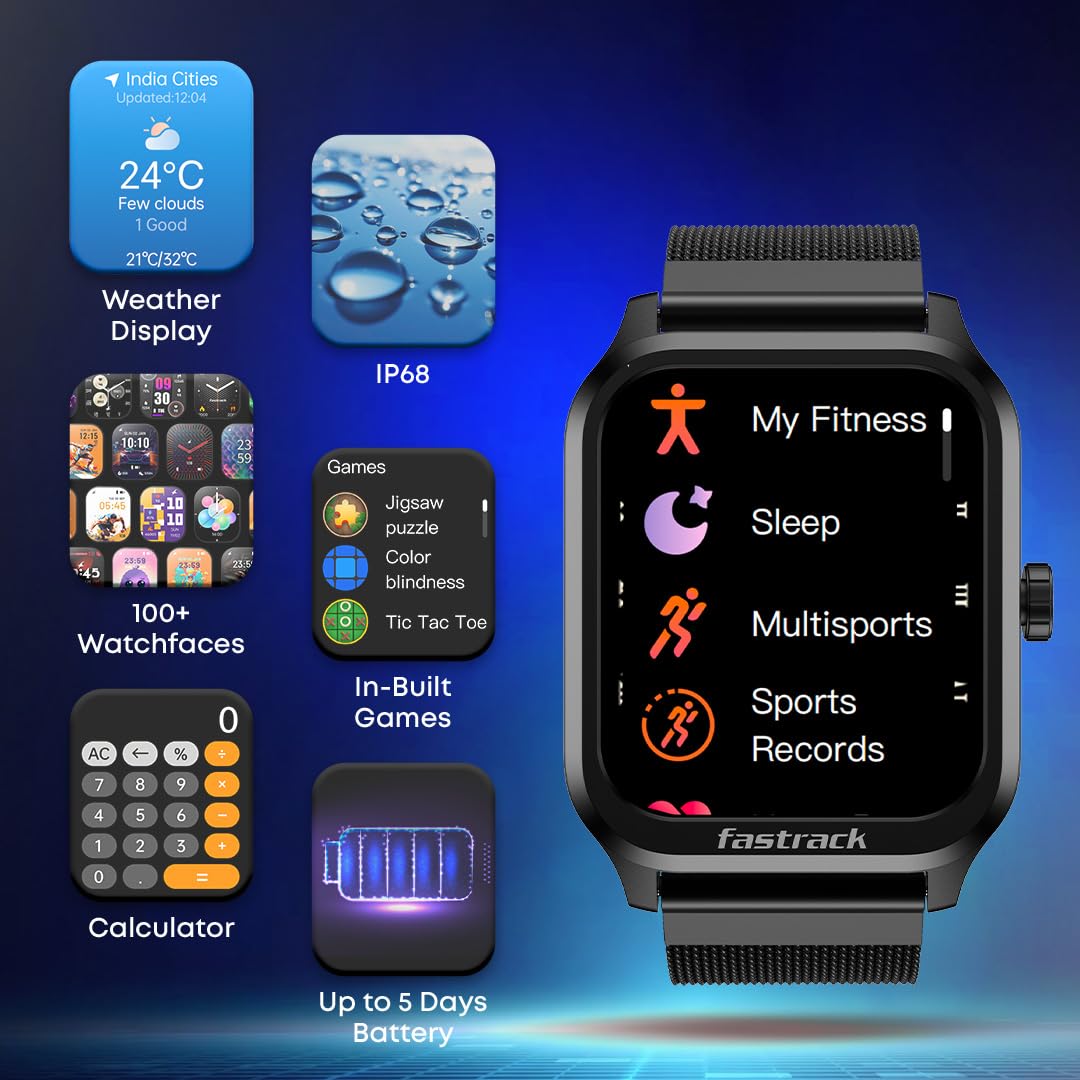
Image: The Fastrack Jupiter Retro Smart Watch displaying its main menu with icons for 'My Fitness', 'Sleep', 'Multisports', and 'Sports Records'. Surrounding elements highlight other features: Weather Display, IP68 rating, 100+ Watchfaces, In-Built Games, Calculator, and Up to 5 Days Battery life.
5. Maintenance and Care
5.1 Cleaning Your Smart Watch
- Wipe the watch screen and body with a soft, lint-free cloth.
- For stubborn dirt, slightly dampen the cloth with water. Avoid using harsh chemicals, abrasive cleaners, or solvents.
- Ensure the charging pins are clean and dry before charging.
5.2 Water Resistance (IP68)
Your Fastrack Jupiter Retro Smart Watch is IP68 water-resistant, meaning it is protected against dust and can withstand immersion in water up to 1.5 meters for up to 30 minutes.
- It is suitable for daily use, such as hand washing, rain, or accidental splashes.
- Avoid using the watch during hot showers, sauna, or diving, as steam and high-pressure water may compromise the seals.
- After exposure to water, wipe the watch dry with a soft cloth.
6. Troubleshooting
If you encounter issues with your smartwatch, try the following solutions:
| Problem | Solution |
|---|---|
| Watch not turning on | Ensure the watch is fully charged. Press and hold the power button (functional crown) for several seconds. |
| Cannot pair with phone | Ensure Bluetooth is enabled on your phone. Restart both the watch and the phone. Make sure the watch is within range. Reset Bluetooth settings on your phone. |
| Inaccurate health data | Ensure the watch is worn snugly on your wrist, about one finger's width above the wrist bone. Keep the sensor clean. Avoid excessive movement during measurements. |
| Notifications not received | Check app permissions on your phone to ensure notifications are allowed for the Fastrack Smart World app. Ensure the watch is connected via Bluetooth. Check notification settings within the app. |
| Short battery life | Reduce screen brightness, disable always-on display, limit frequent heart rate monitoring, and turn off unnecessary notifications. |
7. Specifications
| Feature | Detail |
|---|---|
| Model Name | Jupiter Retro |
| Model Number | 38157PM04A |
| Display | 1.83" UltraVU HD LCD, 240 x 284 Resolution, 500 Nits Brightness |
| Connectivity | Bluetooth 5.3 |
| Battery Life | Up to 5 Days (typical usage) |
| Water Resistance | IP68 |
| Sensors | Heart Rate Monitor, SpO2 Sensor |
| Case Material | Polycarbonate (PC) |
| Band Material | Metal |
| Dimensions (D x W x H) | 1.2D x 5.2W x 4H Centimeters |
| Weight | 105 Grams |
| Supported Application | Fastrack Smart World App (Android, iOS) |
8. Warranty Information
Your Fastrack Jupiter Retro Smart Watch comes with a 1-Year Limited Warranty from the date of purchase. This warranty covers manufacturing defects under normal use.
The warranty does not cover damage caused by accidents, misuse, unauthorized repairs, or normal wear and tear. Please retain your proof of purchase for warranty claims.
9. Customer Support
For further assistance, technical support, or warranty claims, please contact Fastrack customer service or visit the official Fastrack website:
- Fastrack Official Website: www.fastrack.in
- Refer to the contact information provided in your product packaging for specific regional support details.
Documents and downloads
Ask a question about this manual
Ask about setup, troubleshooting, compatibility, parts, safety, or missing instructions. Manuals+ will review the question and use this page’s manual context to help answer it.