
1. Introduction
Thank you for choosing the GBC ISNATCH G+ 20000mAh Power Bank. This portable charger is designed to provide reliable and fast power to your mobile devices. Please read this manual carefully before use to ensure optimal performance and safety.
- High Capacity: 20000mAh Li-Po battery for multiple device charges, ideal for modern smartphones.
- Fast Charging: 22.5W Power Delivery technology with multiple outputs (5V 3A, 9V 2.2A, 12V 1.67A) for quick and efficient charging.
- LED Display: Intuitive digital monitor showing remaining charge level and charging status of connected devices.
- Integrated Cables: Includes built-in Lightning and Type-C cables for convenience, eliminating the need for extra cables.
- Compact Design: Dimensions of 147x69x16 mm and weight of 228g, elegant white structure with intelligent charging management system.
2. Safety Information
To prevent damage to the power bank or injury to yourself or others, please observe the following safety precautions:
- Do not expose the power bank to extreme temperatures (above 60°C/140°F or below 0°C/32°F).
- Do not disassemble, modify, or attempt to repair the device.
- Keep away from water, moisture, and flammable materials.
- Do not drop, hit, or subject the power bank to strong impacts.
- Keep out of reach of children.
- Use only compatible charging cables and adapters.
- If the power bank swells, emits an odor, or becomes excessively hot, discontinue use immediately.
- Dispose of the power bank responsibly according to local regulations.
3. Package Contents
Please check the package for the following items:
- GBC ISNATCH G+ 20000mAh Power Bank
- User Manual (this document)
- Note: Charging adapter for the power bank itself is not included.
4. Product Overview
Familiarize yourself with the components of your power bank.
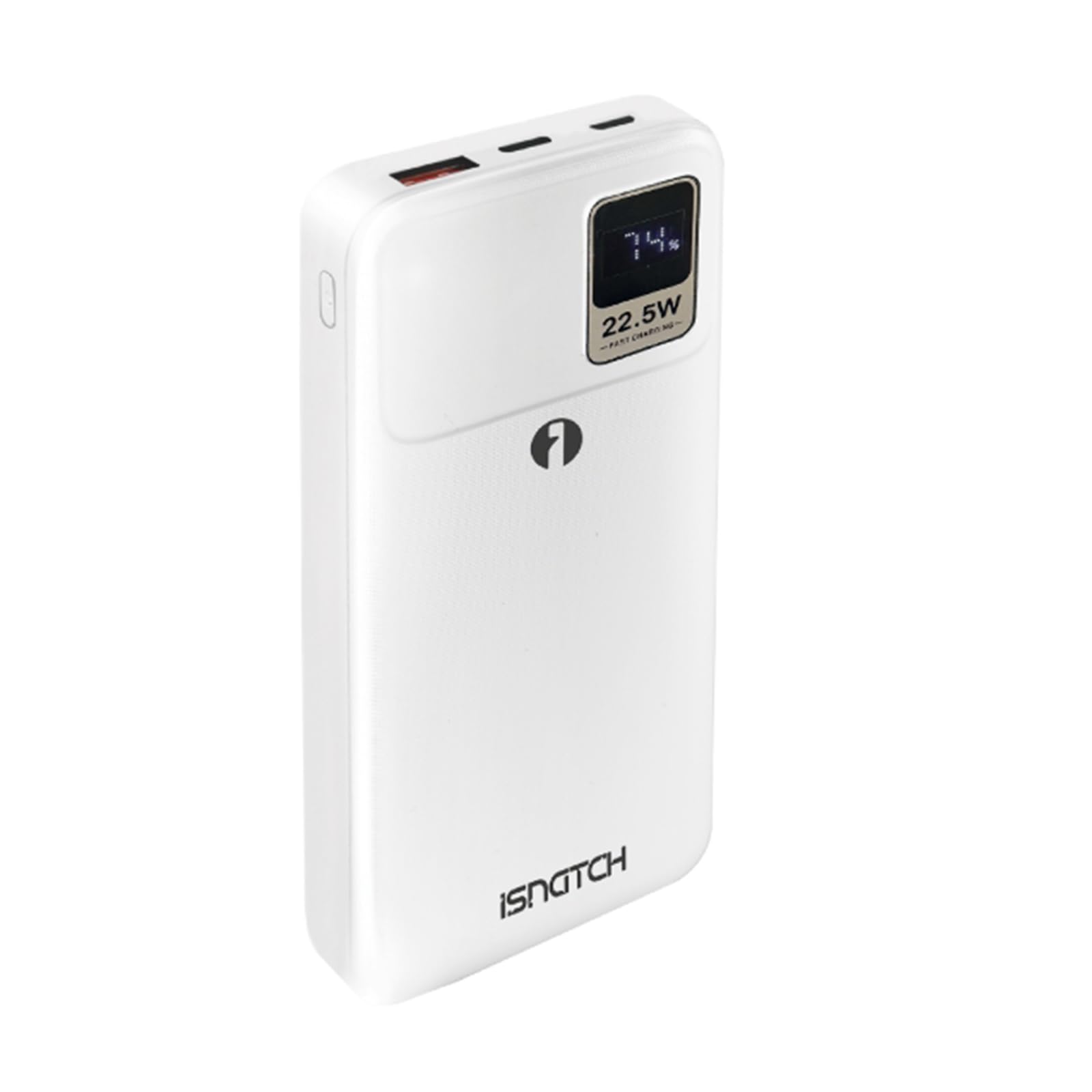
Image 1: Front view of the ISNATCH G+ Power Bank, showing the integrated Lightning and Type-C charging cables neatly tucked into their slots.

Image 2: Top-down view of the ISNATCH G+ Power Bank, illustrating the integrated Lightning and Type-C cables extended for use, alongside the LED display and charging ports.
Components:
- LED Display: Shows battery percentage and charging status.
- Integrated Lightning Cable: For Apple devices.
- Integrated Type-C Cable: For Android and other USB-C devices.
- USB-A Output Port: Additional output for standard USB devices.
- USB-C Input/Output Port: For charging the power bank or output to devices.
- Lightning Input Port: For charging the power bank using a Lightning cable.
- Power Button: To check battery level or initiate charging.
5. Setup
5.1 Charging the Power Bank
Before first use, fully charge your power bank.
- Connect a compatible USB-C cable to the power bank's USB-C input port, or a Lightning cable to the power bank's Lightning input port.
- Connect the other end of the cable to a USB wall adapter (not included) or a computer's USB port.
- The LED display will show the charging progress. When it reaches 100%, the power bank is fully charged.
- Charging time is approximately 4 hours with a suitable fast charger.
5.2 Checking Battery Level
Press the power button once to view the remaining battery percentage on the LED display.
6. Operating Instructions
6.1 Charging Your Devices
The power bank can charge up to three devices simultaneously using its integrated cables and additional ports.
- Using Integrated Cables:
- Gently pull out the integrated Lightning cable and connect it to your Apple device.
- Gently pull out the integrated Type-C cable and connect it to your USB-C device.
- Using USB-A Output:
- Connect your device's USB-A charging cable to the power bank's USB-A output port.
- Using USB-C Output:
- Connect your device's USB-C charging cable to the power bank's USB-C port (this port functions as both input and output).
- The power bank will automatically detect the connected device and begin charging. The LED display will show the charging status.
- Disconnect your device once it is fully charged.
Note: The intelligent charging management system optimizes charging speed for connected devices.
7. Maintenance
Proper maintenance ensures the longevity of your power bank.
- Clean the power bank with a soft, dry cloth. Do not use harsh chemicals or abrasive materials.
- Store the power bank in a cool, dry place away from direct sunlight and extreme temperatures.
- If not used for extended periods, charge the power bank at least once every three months to maintain battery health.
- Avoid overcharging or completely draining the battery frequently.
8. Troubleshooting
| Problem | Possible Cause | Solution |
|---|---|---|
| Power bank not charging |
|
|
| Device not charging from power bank |
|
|
| Slow charging |
|
|
9. Specifications
| Brand | GBC |
| Model Name/Number | G+ |
| Manufacturer | Isnotch |
| Capacity | 20000mAh |
| Battery Type | Li-Po |
| Fast Charging Performance | 22.5W Power Delivery |
| Input (USB-C) | 5V/3A, 9V/2.2A, 12V/1.67A |
| Input (Lightning) | 5V/2A, 9V/2A |
| Output (Integrated Lightning Cable) | 5V/2.4A, 9V/2.2A |
| Output (Integrated Type-C Cable) | 5V/3A, 9V/2.2A, 12V/1.67A |
| Output (USB-A Port) | 5V/3A, 9V/2A, 12V/1.5A |
| Output (USB-C Port) | 5V/3A, 9V/2.2A, 12V/1.67A |
| Number of Ports | 3 (USB-A, USB-C, plus 2 integrated cables) |
| Battery Charging Time | Approx. 4 hours (with 22.5W PD input) |
| Dimensions (L x W x H) | 14.7 x 6.9 x 1.6 cm |
| Weight | 228 Grams |
| Color | White |
| Compatible Devices | Lightning Devices, USB-C Devices, Smartphones |
10. Warranty and Support
Your GBC ISNATCH G+ Power Bank comes with a 2-year product warranty from the date of purchase.
For warranty claims, technical support, or any questions regarding your product, please contact your retailer or the manufacturer, Isnotch, through their official support channels. Please retain your proof of purchase for warranty validation.
Note: The warranty does not cover damage caused by misuse, accidents, unauthorized modifications, or normal wear and tear.


