
1. Introduction
This manual provides detailed instructions for the safe and efficient operation of your DEWENWILS Outdoor Dimmer with Timer. Please read this manual thoroughly before use and retain it for future reference.
The DEWENWILS Outdoor Dimmer is designed to control the brightness of compatible outdoor string lights and other dimmable lighting fixtures. It features wireless remote control, a dusk-to-dawn sensor, and a programmable timer function.
2. Product Features
- Wireless Remote Dimming: Adjust brightness from 1% to 100% with stepless dimming. Includes four quick preset dimming levels (25%, 50%, 75%, 100%). Offers a 100ft control distance. Features power-off memory.
- Dusk to Dawn Sensor: Automatically activates connected lights at nightfall and deactivates them at dawn. This cycle repeats daily for consistent, energy-saving operation.
- Timer Function with Countdown: Set a countdown timer to turn off lights after 2, 4, 6, or 8 hours. This function can be combined with the light sensor, allowing lights to turn on at night and turn off after the set duration.
- Plug & Play Operation: No complex programming required. Simply plug in and control your lighting.
- Compatibility: Supports a maximum load of 300W for Tungsten bulbs and 75W for dimmable LED bulbs. Suitable for both indoor and outdoor use.
- Waterproof & Durable Design: Equipped with a single 3-pin grounded outlet and a sturdy SJTW 14/3C cable. The rugged, wear-resistant outer casing ensures reliable performance in various weather conditions (rainy, humid, windy, dusty).
3. Package Contents
- 1 x DEWENWILS Outdoor Dimmer Body (Model IT106+OR01C)
- 1 x Wireless Remote Control
- 1 x User Manual
4. Specifications
| Specification | Value |
|---|---|
| Model | IT106+OR01C |
| Operation Mode | ON-OFF-ON |
| Current Rating | 2.5 A |
| Operating Voltage | 125 Volts |
| Wattage | 300W (Tungsten), 75W (Dimmable LED) |
| Control Method | Remote |
| Control Type | Wireless |
| Remote Control Range | Up to 100 ft |
| Material | Plastic |
| Item Dimensions (L x W x H) | 4.01 x 2.27 x 5.35 inches |
| International Protection Rating | IP44 (Waterproof) |
| Compatible Devices | Dimmable LED, Tungsten, String Lights |
5. Safety Information
Please read and understand all safety instructions before using this product. Failure to follow these instructions may result in electric shock, fire, or serious injury.
- Do not exceed the maximum electrical ratings: 300W for Tungsten bulbs, 75W for dimmable LED bulbs.
- Ensure the connected lights are dimmable. Non-dimmable lights may not function correctly or could be damaged.
- This device is designed for outdoor use and is IP44 rated for water resistance. However, for optimal performance and safety, ensure the dimmer is installed with the outlet facing vertically downward to prevent water accumulation.
- Do not immerse the dimmer in water or expose it to direct water jets.
- Always plug the dimmer into a grounded 3-prong outdoor power outlet.
- Keep children away from the device and remote control.
- Unplug the device from the power source before cleaning or when not in use for extended periods.
- Do not disassemble or modify the device. Contact customer support for service.
6. Setup
- Unpack the Device: Carefully remove the dimmer and remote control from the packaging.

Image: The DEWENWILS outdoor dimmer unit and its wireless remote control.
- Connect Lights: Plug your dimmable string lights or other compatible lighting fixture into the 3-pin grounded outlet on the dimmer.

Image: Close-up of string lights connected to the dimmer, showing compatibility for Tungsten (300W) and LED (75W) bulbs.
- Mount the Dimmer: For outdoor use, mount the dimmer vertically downward using the integrated hanging hole to ensure proper water drainage and protection.

Image: The dimmer unit installed outdoors during rain, emphasizing the vertical downward orientation for weather protection.
- Plug into Power: Insert the dimmer's plug into a standard 125V grounded outdoor power outlet.
7. Operating Instructions
The DEWENWILS Outdoor Dimmer can be operated using the included wireless remote control.
7.1 Remote Control Overview

Image: The dimmer and remote control with labels indicating the On/Off switch, dimming buttons, preset brightness buttons, Dusk to Dawn mode, and countdown timer buttons.
- ON/OFF Button: Turns the connected lights on or off.
- Dimming Up/Down Buttons: Adjusts brightness incrementally.
- Preset Brightness Buttons (25%, 50%, 75%, 100%): Sets the brightness to a specific level instantly.
- Dusk to Dawn Mode Button: Activates the automatic dusk-to-dawn function.
- Countdown Timer Buttons (2H, 4H, 6H, 8H): Sets the lights to turn off after the specified duration.
7.2 Basic On/Off and Dimming
- Press the ON button on the remote to turn on the lights.
- Press the OFF button to turn off the lights.
- Use the Dimming Up or Dimming Down buttons to adjust the brightness steplessly.
- Alternatively, press the 25%, 50%, 75%, or 100% buttons for quick brightness selection.
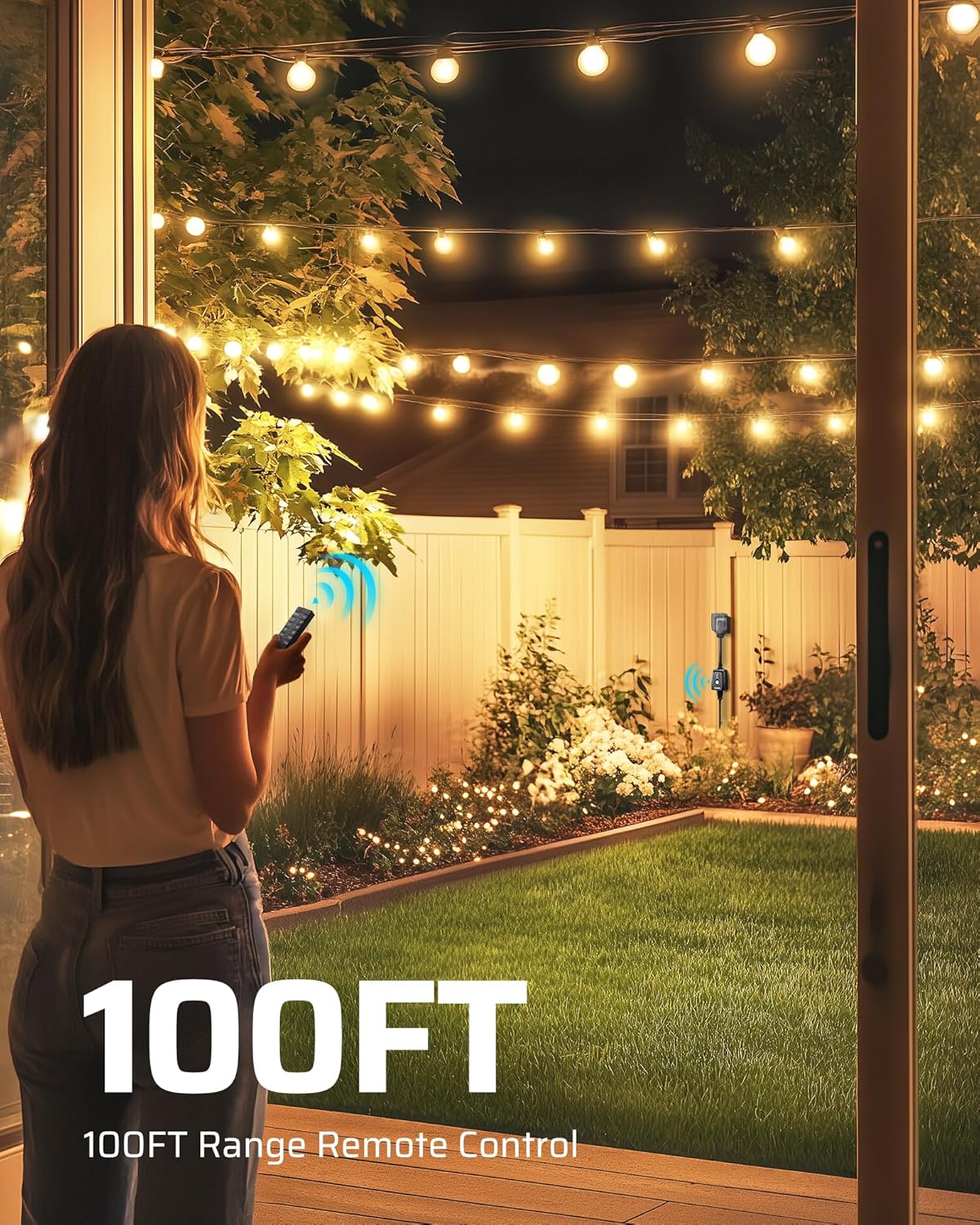
Image: A person using the remote control to adjust the brightness of outdoor string lights, demonstrating the 100ft control range.
7.3 Dusk to Dawn Mode
- Press the Dusk to Dawn button on the remote.
- The lights will automatically turn on when it gets dark and turn off when it gets light.
- This mode will repeat daily until deactivated.

Image: Visual representation of Dusk to Dawn mode, showing lights turning on at dusk and off at dawn.
7.4 Countdown Timer Function
- With the lights on, press one of the 2H, 4H, 6H, or 8H buttons.
- The lights will remain on for the selected duration and then automatically turn off.
- This function can be combined with Dusk to Dawn mode: if Dusk to Dawn is active, the timer will start when the lights turn on at dusk.
Video: This video demonstrates the Dusk to Dawn mode and the countdown timer functions of the DEWENWILS outdoor dimmer, showing how lights automatically turn on at dusk and can be set to turn off after a specific duration.
7.5 Memory Function
The dimmer remembers the last brightness level set when it is turned off and then back on, provided it was not unplugged from the power source.

Image: Illustration of the memory function, showing the dimmer retaining the last set brightness level (e.g., 75%) after being turned off and on.
8. Maintenance
- Cleaning: Disconnect the dimmer from the power outlet before cleaning. Wipe the exterior with a soft, damp cloth. Do not use harsh chemicals or abrasive cleaners.
- Storage: When not in use for extended periods, store the dimmer in a cool, dry place away from direct sunlight and extreme temperatures.
- Remote Battery Replacement: If the remote control's range or responsiveness decreases, the battery may need replacement. Refer to the remote control's specific instructions for battery type and replacement procedure.
9. Troubleshooting
| Problem | Possible Cause | Solution |
|---|---|---|
| Lights do not turn on. |
|
|
| Lights do not dim or flicker. |
|
|
| Remote control not working. |
|
|
| Dusk to Dawn mode not functioning. |
|
|
10. Warranty and Support
DEWENWILS products are designed for reliability and performance. For warranty information, technical support, or customer service inquiries, please refer to the contact information provided with your product packaging or visit the official DEWENWILS website.
Return Policy: This product typically comes with a 30-day refund/replacement policy. Please check your purchase details for specific terms.
Manufacturer: DEWENWILS