
ANLEON S3D
ANLEON S3D Wireless In-Ear Monitor System User Manual
Model: S3D | Brand: ANLEON
Introduction
This user manual provides detailed instructions for the setup, operation, and maintenance of your ANLEON S3D Wireless In-Ear Monitor System. The S3D system is designed to provide high-quality audio monitoring for live performances, studio recording, and band rehearsals, operating in the 560-596MHz frequency band.
Product Overview
The ANLEON S3D system consists of a stereo transmitter and a beltpack receiver, designed for robust and clear audio transmission.
Components
- S3D Transmitter (Rack-mountable unit)
- S3D Beltpack Receiver (Portable unit)
- Power Adapter for Transmitter
- Antennas
- Audio Cables (as included)

Figure 1: The ANLEON S3D Wireless In-Ear Monitor System, showing both the main transmitter unit and the compact beltpack receiver.

Figure 2: Front panel of the S3D Transmitter, featuring the display, control buttons, headphone output, and volume knob.

Figure 3: The S3D Beltpack Receiver, showing its compact size, display, and antenna connection.
Setup
Follow these steps to set up your ANLEON S3D Wireless In-Ear Monitor System.
- Transmitter Placement: Place the S3D Transmitter on a stable surface, ideally in a rack or near your audio mixer. Ensure adequate ventilation.
- Antenna Connection: Connect the provided antenna to the antenna port on the rear of the transmitter.
- Audio Input: Connect your audio source (e.g., mixer output) to the "AF IN BAL/UNBAL" inputs on the rear of the transmitter using appropriate cables (XLR or 1/4" TRS).
- Power Connection: Connect the power adapter to the 12V DC input on the transmitter and plug it into a power outlet.
- Receiver Battery: Ensure the S3D Beltpack Receiver has a charged 2000mAh battery. The battery life is approximately 17 hours, with a charging time of about 3 hours via the Type-C connector.
- Receiver Connection: Connect your in-ear monitors or headphones to the 3.5mm output jack on the beltpack receiver.
- Power On: Power on both the transmitter and the receiver.
- Frequency Synchronization: Follow the on-screen instructions on both units to synchronize the transmitter and receiver to the same frequency within the 560-596MHz band. The system supports up to 12 sets operating simultaneously without mutual interference.
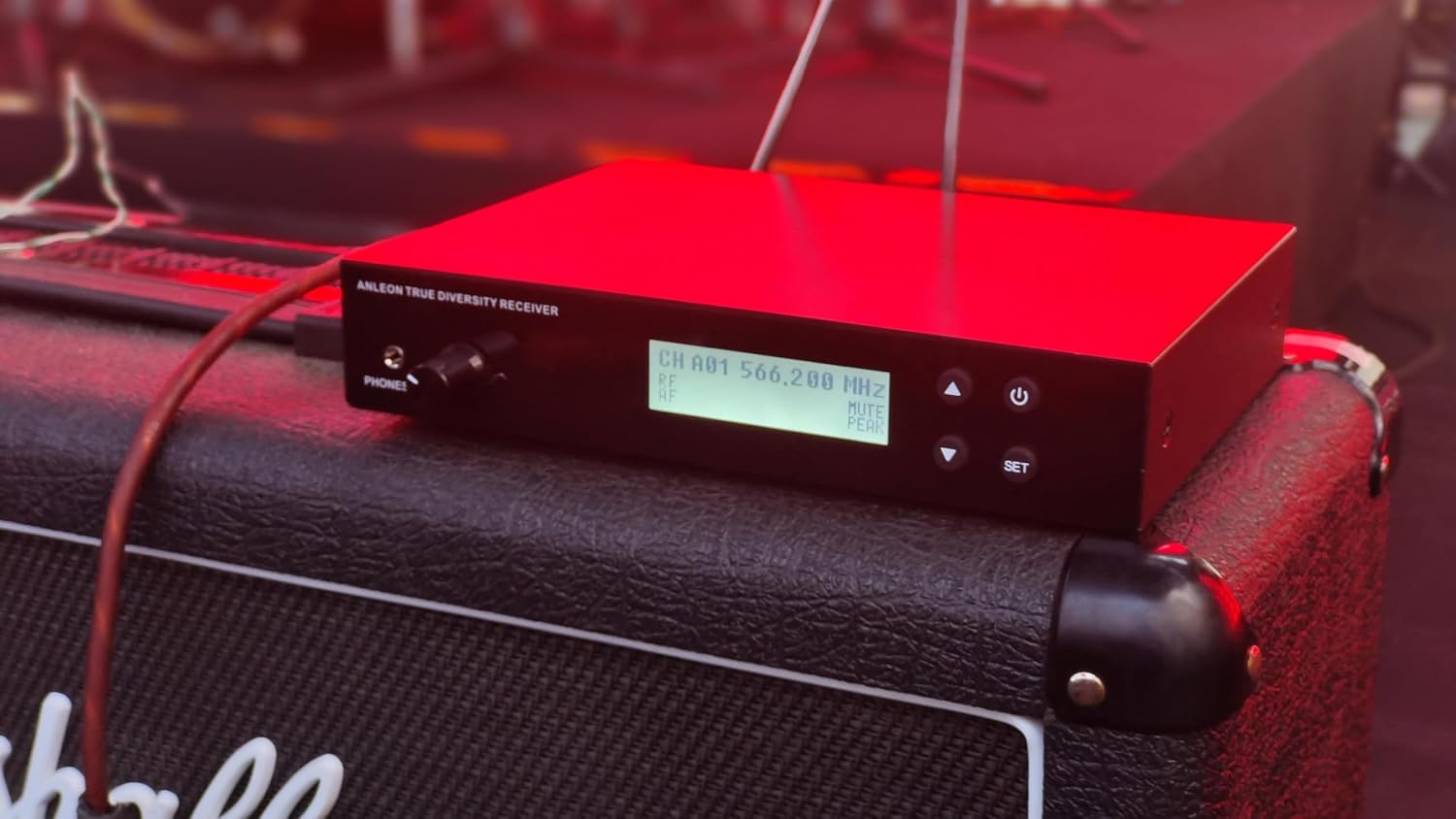
Figure 4: The S3D Transmitter integrated into a live stage setup, demonstrating typical placement near other audio equipment.
Operation
Once set up, operate your ANLEON S3D system as follows:
- Volume Control: Adjust the volume on the beltpack receiver to a comfortable listening level. The transmitter also has a headphone output with volume control for local monitoring.
- Frequency Selection: Use the menu on both the transmitter and receiver to select and change operating frequencies. The LCD displays frequency, channel, and battery level.
- Stereo Separation: The optimized internal digital signal processing provides exceptional stereo separation for a clear monitoring experience.
- Range: The system offers a long operating range of up to 50 meters (approximately 164 feet).
- Advanced Features: The user-friendly menu offers more control options, including HiBoost and balance adjustments on the receiver.

Figure 5: A musician wearing the S3D beltpack receiver, demonstrating its discreet and practical placement during a performance.
Maintenance
Proper maintenance ensures the longevity and optimal performance of your ANLEON S3D system.
- Cleaning: Use a soft, dry cloth to clean the exterior of both the transmitter and receiver. Avoid using liquid cleaners or solvents.
- Storage: Store the system in a cool, dry place away from direct sunlight and extreme temperatures when not in use.
- Battery Care: For the receiver, fully charge the battery before extended storage. Avoid completely draining the battery frequently to prolong its lifespan.
- Antenna Care: Handle antennas carefully to prevent bending or damage.
Troubleshooting
If you encounter issues with your ANLEON S3D system, refer to the following common problems and solutions:
| Problem | Possible Cause | Solution |
|---|---|---|
| No audio from receiver |
|
|
| Interference or static |
|
|
| Receiver display not working |
|
|
Specifications
| Feature | Detail |
|---|---|
| Model Name | S3D |
| Operating Frequencies Band | 560-596MHz |
| Sampling Rate | 24-bit/48 kHz |
| Max Operating Range | Up to 50m |
| Receiver Battery Capacity | 2000mAh |
| Receiver Battery Life | ~17 hours |
| Receiver Charging Time | Typ 3 hours (via Type-C) |
| Noise Control | Passive Noise Cancellation |
| Connectivity Technology | Wired (for input to transmitter) |
| Included Components | Cable (as per product description) |
| Transmitter Housing | Sturdy metal |
| Receiver Display | High visibility TFT LCD |
Warranty and Support
For warranty information or technical support, please refer to the documentation included with your purchase or visit the official ANLEON website. Keep your proof of purchase for warranty claims.
Related documentsS3D


Ask a question about this manual
Ask about setup, troubleshooting, compatibility, parts, safety, or missing instructions. Manuals+ will review the question and use this page’s manual context to help answer it.