
1. Introduction
Thank you for choosing the LVWIT 6-Inch LED Recessed Light. This manual provides essential information for the safe installation, operation, and maintenance of your new lighting fixtures. Please read it thoroughly before installation and retain it for future reference.

Figure 1: LVWIT 6-Inch LED Recessed Light Kit
Key Features:
- 5-in-1 Color Selectable: Easily switch between five color temperatures (2700K, 3000K, 4000K, 5000K, 6000K) to suit different room ambiances.
- High Performance: Delivers 1000 Lumens at 3000K, with 5%-100% dimmable functionality and a Color Rendering Index (CRI) of 80+ for accurate color representation.
- Energy Efficient: Consumes only 13 Watts while providing brightness equivalent to a 120 Watt halogen lamp, resulting in up to 90% energy savings.
- Quick Installation: Designed for straightforward installation in both retrofit and new construction applications.
2. Important Safety Information
WARNING: Risk of electric shock. Disconnect power at the fuse or circuit breaker before installing or servicing.
- Read all instructions carefully before installation.
- Ensure the electrical rating of the fixture matches your supply voltage.
- All wiring connections must be in accordance with local and national electrical codes. If you are unfamiliar with proper electrical wiring, consult a qualified electrician.
- Do not install in locations where the operating temperature exceeds the fixture's rated temperature.
- Do not modify or alter the fixture. Any modifications may void the warranty and create safety hazards.
- This fixture is suitable for damp locations.
- Ensure the fixture is securely mounted to the ceiling.
- The fixture is IC rated, meaning it is suitable for direct contact with insulation.
3. Package Contents
Verify that all components are present and undamaged before beginning installation.
- 6x LVWIT 6-Inch LED Recessed Lights
- 6x Junction Boxes
- 6x E26 Adapters
- 1x Hole Template
- 1x User Manual

Figure 2: LED Recessed Light with Junction Box
4. Product Specifications
| Feature | Specification |
|---|---|
| Brand | LVWIT |
| Style | LED Recessed Light and Junction Box |
| Power Consumption | 13 Watts |
| Lumen Output | 1200 Lumens |
| Voltage | 120V |
| Color Temperature (CCT) | 2700K / 3000K / 4000K / 5000K / 6000K (Selectable) |
| Dimmability | 5% - 100% |
| Color Rendering Index (CRI) | ≥80 |
| Beam Angle | 120° |
| Lifespan | 30,000 hours |
| Certifications | IC Rated |
| Cutout Hole Diameter | 6.1 inches (155mm) |
| Fixture Diameter | 6.57 inches (167mm) |
| Fixture Height | 1.26 inches (32mm) |

Figure 3: Product Dimensions and Key Specifications
5. Installation Instructions
Follow these steps for a safe and proper installation. Always ensure power is disconnected before starting.
- Turn Off Power: Locate the circuit breaker controlling the lighting circuit and turn it OFF. Verify power is off using a voltage tester.
- Cut Hole: Use the provided 1:1 hole template to mark the desired location on the ceiling. Cut a circular hole with a diameter of 6.1 inches (155mm).
- Connect Junction Box: Open the junction box cover. Connect the household wiring (live, neutral, ground) to the corresponding wires inside the junction box using wire nuts. Ensure all connections are secure.
- Select Color Temperature (CCT): Before closing the junction box, locate the CCT switch inside. Select your desired color temperature (2700K, 3000K, 4000K, 5000K, or 6000K).
- Connect Light Module: Connect the cable from the LED recessed light to the junction box. Ensure the connection is firm.
- Position Junction Box: Place the junction box through the cutout hole into the ceiling.
- Install Light Fixture: Rotate and hold both spring clips on the LED light fixture upwards. Carefully push the light fixture into the ceiling hole until the clips snap into place, securing the light flush with the ceiling.
- Restore Power: Turn the power back ON at the circuit breaker.
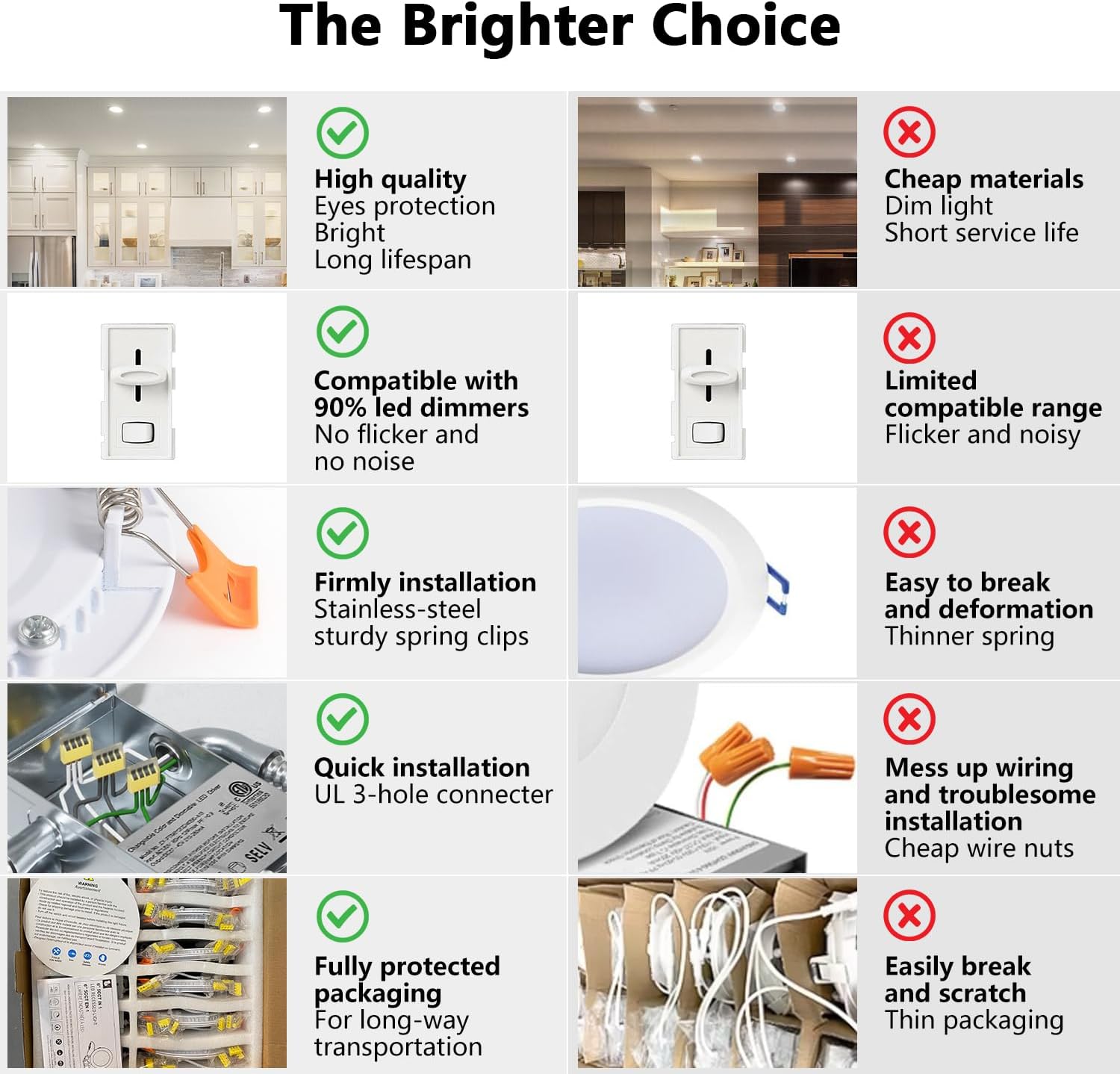
Figure 4: Detailed Installation Steps
Optional E26 Adapter Installation: If replacing an existing recessed can with an E26 socket, you can use the provided E26 adapter. Screw the E26 adapter into the existing socket, then connect the light module to the adapter's connector. Follow steps 7 and 8 above.

Figure 5: Installation with E26 Adapter
6. Operating Instructions
The LVWIT LED Recessed Light is designed for simple operation once installed.
- Turning On/Off: Use your standard wall switch to turn the lights on or off.
- Color Temperature Selection: The desired color temperature (2700K, 3000K, 4000K, 5000K, or 6000K) is set via a switch located inside the junction box during installation. To change the CCT, you must turn off power, remove the fixture, access the junction box, adjust the switch, and then reinstall.
- Dimming: This fixture is compatible with most standard LED dimmers (5%-100% dimmable). Ensure your dimmer switch is compatible with LED lighting for optimal performance and to avoid flickering or buzzing.

Figure 6: Internal Components and CCT Switch Location
7. Maintenance
The LVWIT LED Recessed Light requires minimal maintenance.
- Cleaning: Ensure power is off before cleaning. Wipe the fixture with a soft, dry, or slightly damp cloth. Do not use harsh chemicals, abrasive cleaners, or solvents, as these can damage the finish or electrical components.
- No User-Serviceable Parts: There are no user-serviceable parts inside the fixture. Do not attempt to open or repair the light module or junction box.
8. Troubleshooting
If you encounter issues with your LVWIT LED Recessed Light, refer to the following common problems and solutions:
| Problem | Possible Cause | Solution |
|---|---|---|
| Light does not turn on. | No power supply. Loose wiring connection. Faulty switch. | Check circuit breaker. Verify all wire connections are secure. Test the wall switch. |
| Light flickers or buzzes. | Incompatible dimmer switch. Loose wiring. | Ensure dimmer is LED compatible. Check wiring connections. |
| Incorrect color temperature. | CCT switch set incorrectly. | Turn off power, remove fixture, adjust CCT switch inside the junction box. |
| Light output is too dim. | Dimmer setting too low. | Adjust dimmer to a higher setting. |
9. Warranty and Support
LVWIT products are manufactured to high-quality standards. For warranty information, technical support, or any questions regarding your product, please contact LVWIT customer service through the retailer where the product was purchased or visit the official LVWIT website. Please have your purchase receipt and product model information available when contacting support.


