
1. Introduction
This manual provides essential information for the safe and efficient installation, operation, and maintenance of the Bolisila Electronic Actuator Controller, specifically model ER5050SI-1. This guide is also applicable to models ER5000SI-1 and ER5000FI-1, which share similar operational principles and features. Please read this manual thoroughly before using the product to ensure proper function and to prevent damage or injury.
2. Safety Information
Always observe the following safety precautions to reduce the risk of electric shock, fire, or injury:
- Ensure all power is disconnected before installation, maintenance, or troubleshooting.
- Installation and servicing should only be performed by qualified personnel.
- Do not operate the controller in wet or damp conditions.
- Verify correct wiring connections according to the provided diagrams to prevent damage to the unit or connected equipment.
- Use only specified voltage and current ratings.
3. Product Overview
The Bolisila Electronic Actuator Controller is designed for precision pressure control in various industrial applications. Its durable construction ensures long-lasting reliability and seamless integration with compatible systems.
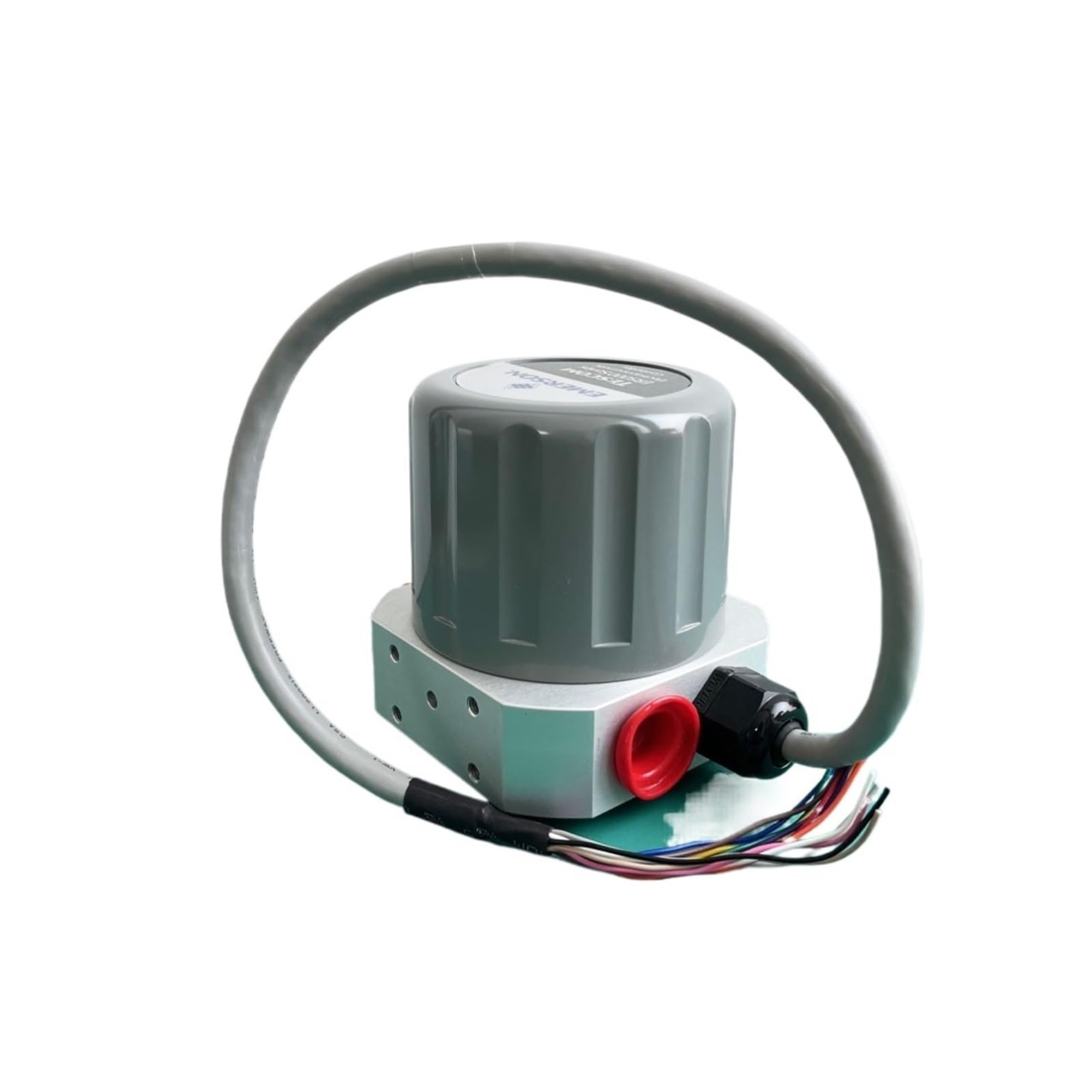
Figure 3.1: Bolisila Electronic Actuator Controller. The unit features a grey metallic housing, red input/output ports, and a multi-colored wiring harness for electrical connections. A label on the side includes a QR code and text indicating "USER MANUAL: EMERSON.COM/ER5000" and a document revision date of October 2019.
Key Features:
- Precision pressure control capabilities.
- Durable construction for extended operational life.
- Designed for easy installation and adjustment.
- Compatible with various industrial systems.
4. Setup and Installation
Follow these steps for proper installation of the electronic actuator controller:
- Mounting: Securely mount the controller in a stable location, away from excessive heat, moisture, and vibration. Ensure adequate ventilation around the unit.
- Electrical Connections:
- Identify the power input terminals and connect them to a suitable power source according to local electrical codes and the controller's specifications.
- Connect the actuator control wires to the designated output terminals. Refer to your specific actuator's wiring diagram for correct connections.
- Ensure all connections are tight and secure to prevent intermittent operation or electrical hazards.
- Pressure Line Connections: Connect the pressure lines to the red ports on the controller. Ensure proper sealing to prevent leaks.
- Initial Power-Up: After all connections are made and verified, apply power to the controller. Observe for any error indicators or unusual behavior.
5. Operating Instructions
The Bolisila Electronic Actuator Controller is designed for straightforward operation. Specific operational details may vary based on the integrated system. Generally, operation involves:
- Power On/Off: Use the main power switch of the system to energize or de-energize the controller.
- Parameter Adjustment: If the controller features adjustable parameters (e.g., setpoint, gain), refer to the system's interface or specific documentation for adjustment procedures. The controller provides precision pressure control, which may require calibration or tuning for optimal performance in your application.
- Monitoring: Observe system pressure and actuator response to ensure the controller is functioning as expected.
6. Maintenance
Regular maintenance ensures the longevity and reliable performance of your Bolisila Electronic Actuator Controller. Its durable construction minimizes the need for frequent servicing.
- Cleaning: Periodically clean the exterior of the controller with a soft, dry cloth. Do not use abrasive cleaners or solvents. Ensure no dust or debris accumulates in ventilation openings.
- Inspection: Regularly inspect all electrical and pressure connections for signs of wear, corrosion, or looseness. Tighten any loose connections.
- Environmental Check: Ensure the operating environment remains within the specified temperature and humidity ranges.
- Firmware Updates: If applicable, check the manufacturer's website for any available firmware updates. Follow update instructions carefully.
7. Troubleshooting
This section provides solutions to common issues. If the problem persists, contact technical support.
| Problem | Possible Cause | Solution |
|---|---|---|
| Controller not powering on. | No power supply; incorrect wiring; faulty power source. | Check power connections and source. Verify wiring against diagram. |
| Actuator not responding. | Incorrect control signal; wiring issue; actuator fault. | Verify control signal from controller. Check actuator wiring. Test actuator independently if possible. |
| Inaccurate pressure control. | Sensor issue; calibration needed; external interference. | Check pressure sensor connections. Perform system calibration. Isolate from strong electromagnetic fields. |
| Overheating. | Insufficient ventilation; excessive load; high ambient temperature. | Ensure proper airflow around the unit. Reduce load if possible. Relocate to a cooler environment. |
8. Specifications
| Attribute | Detail |
|---|---|
| Model Numbers | ER5050SI-1, ER5000SI-1, ER5000FI-1 |
| Brand | Bolisila |
| Package Dimensions | 1.18 x 0.79 x 0.39 inches |
| Item Weight | 2.2 pounds |
| Manufacturer | Bolisila |
| Assembly Required | No |
| Number of Pieces | 1 |
| Key Feature 1 | Precision pressure control |
| Key Feature 2 | Durable construction ensures long-lasting reliability |
| Key Feature 3 | Compatible models for seamless integration |
| Key Feature 4 | Easy installation and adjustment |
| Key Feature 5 | Ideal for various applications including industrial |
9. Warranty Information
Specific warranty terms and conditions for the Bolisila Electronic Actuator Controller are provided by the manufacturer or the authorized seller at the time of purchase. Please retain your proof of purchase for warranty claims. For detailed warranty information, refer to the documentation included with your product or contact your point of purchase.
10. Technical Support
If you encounter issues that cannot be resolved using the troubleshooting guide, or require further assistance, please contact the seller or manufacturer's technical support. When contacting support, please have your product model number (ER5050SI-1) and purchase details readily available.