
1. Introduction
Thank you for choosing the MOES Smart WiFi Energy Meter. This device is designed to provide real-time monitoring of your electricity usage, offering convenience through its LCD display, remote control via the Tuya app, and compatibility with voice assistants like Alexa and Google Home. Please read this manual carefully before installation and operation to ensure safe and optimal performance.
2. Safety Information
- Installation must be performed by a qualified electrician in accordance with local electrical codes and regulations.
- Ensure the main power supply is disconnected before any installation or maintenance.
- Do not operate the device if it appears damaged.
- Keep the device away from water and high humidity environments.
- The device is designed for indoor use only.
- This product features a V0 fire-resistant rating and a high-temperature resistant casing for enhanced safety.
3. Product Features
- Clear LCD Display: View voltage, current, power, energy consumption, and frequency in real-time directly on the device, without needing to open the app. This provides immediate insight into electrical parameters for informed decisions.
- Advanced Protection System: Customizable alerts for over-voltage, under-voltage, and over-current protect valuable electronic devices and prevent damage to your home's electrical system.
- Remote Management Anywhere: Control and monitor energy usage from any location using the Tuya app. Create schedules, track consumption, and share access with family members for collaborative energy management.
- Voice Control Compatibility: Seamlessly integrates with Alexa and Google Assistant for convenient, hands-free operation.
- Superior Safety Design: Features V0 fire-resistant rating and a high-temperature resistant casing for durability. DIN rail mountable with an operating range of -20°C to 70°C ensures reliable performance in various environments.
4. Setup
4.1 Package Contents
Please check the package for the following items:
- MOES Smart WiFi Energy Meter
- User Manual
4.2 Installation
The MOES Smart WiFi Energy Meter is designed for DIN rail mounting. Follow these steps for installation:
- Power Off: Ensure the main power supply to the circuit where the meter will be installed is completely turned off.
- Mounting: Securely mount the energy meter onto a standard DIN rail.
- Wiring: Connect the input (IN) and output (OUT) terminals according to the wiring diagram provided on the device or in the detailed wiring instructions. Ensure correct polarity (Live and Neutral).
- Power On: Once wiring is complete and secure, restore power to the circuit. The LCD display should light up.
4.3 App Pairing (Tuya Smart App)
To utilize smart features, connect the device to the Tuya Smart app:
- Download App: Download the "Tuya Smart" or "Smart Life" app from your smartphone's app store (iOS or Android).
- Register/Login: Open the app and register for a new account or log in with an existing one.
- Add Device: In the app, tap '+' to add a new device. Select 'Electrical Engineer' -> 'Circuit Breaker (Wi-Fi)'.
- Pairing Mode: On the energy meter, press and hold the pairing button (usually indicated by a Wi-Fi icon or 'SET' button) until the Wi-Fi indicator light starts blinking rapidly.
- Connect to Wi-Fi: Follow the in-app instructions to connect the device to your 2.4GHz Wi-Fi network. Enter your Wi-Fi password when prompted.
- Completion: Once connected, the Wi-Fi indicator light will become solid, and the device will appear in your app. You can then rename the device and configure settings.
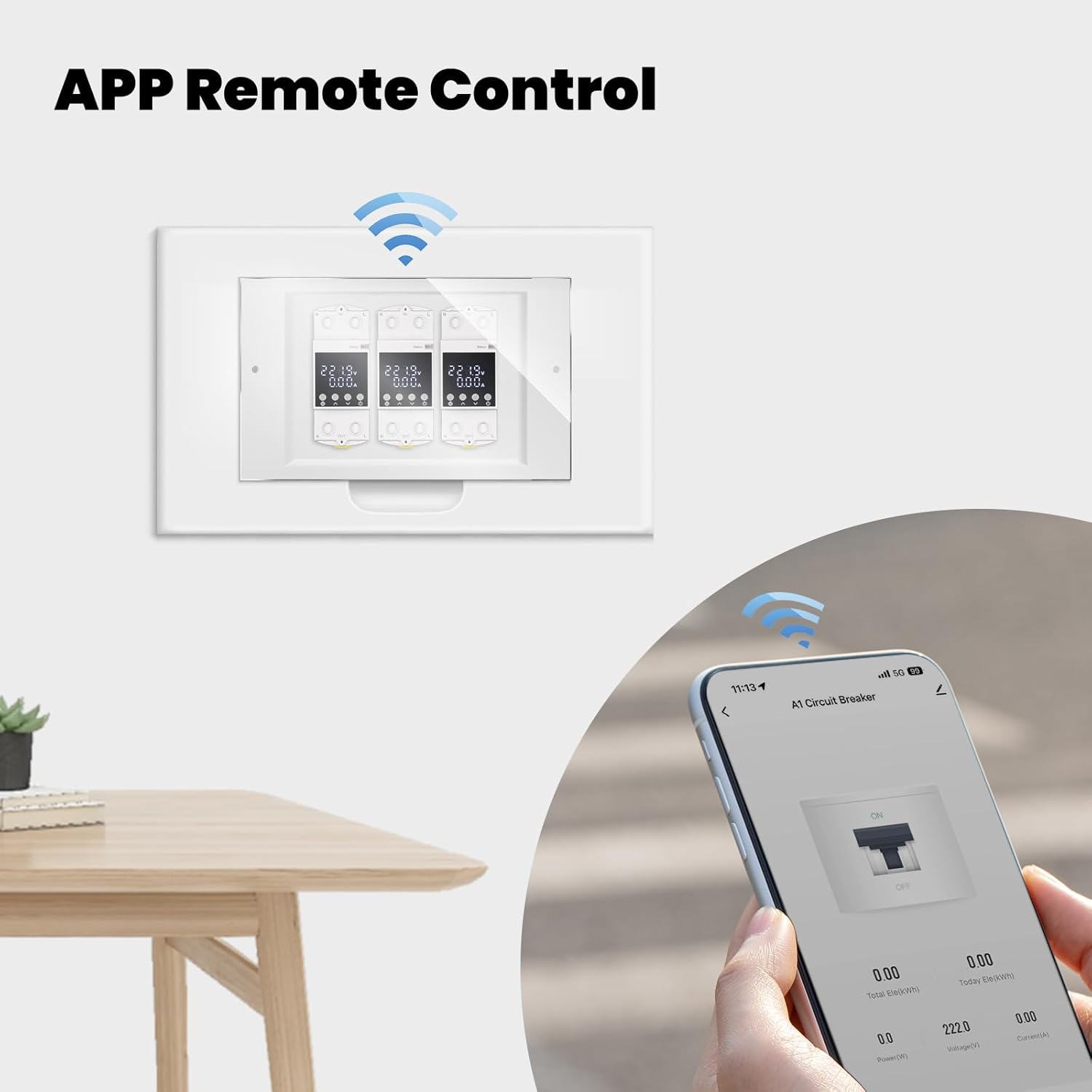
Image: The Tuya Smart app interface demonstrating remote control capabilities for the MOES Smart WiFi Energy Meter.
5. Operating Instructions
5.1 Real-time Monitoring
The LCD display on the device provides instant readings:
- Voltage (V): Current electrical potential difference.
- Current (A): Current flow.
- Power (W): Instantaneous power consumption.
- Energy (kWh): Total accumulated energy consumption.
- Frequency (Hz): Electrical frequency.

Image: A visual representation of the MOES Smart WiFi Energy Meter's electricity monitoring capabilities, showing data on the device's LCD and a connected smartphone app.
5.2 Remote Control via Tuya App
Through the Tuya Smart app, you can:
- Turn On/Off: Remotely switch the connected circuit on or off.
- View Data: Access detailed historical and real-time energy consumption data.
- Set Schedules: Create automated schedules for turning the circuit on or off at specific times (e.g., 18:00 Auto ON, 22:00 Auto OFF).
- Timing Functions: Utilize advanced timing features like countdown, sunrise/sunset automation, and circulation schedules.
- Share Control: Share device control with family members.

Image: The MOES Smart WiFi Energy Meter displaying its timing function capabilities, including scheduled on/off times, sunrise/sunset automation, and circulation settings.
5.3 Protection Settings
Configure protection thresholds in the Tuya app to safeguard your appliances:
- Over-current Alarm: Set a maximum current threshold. If exceeded, the device can trigger an alarm or trip the circuit.
- Over-voltage Alarm: Define a maximum voltage limit. An alarm or trip will occur if this limit is surpassed.
- Under-voltage Alarm: Set a minimum voltage threshold. If voltage drops below this, an alarm or trip can be activated.
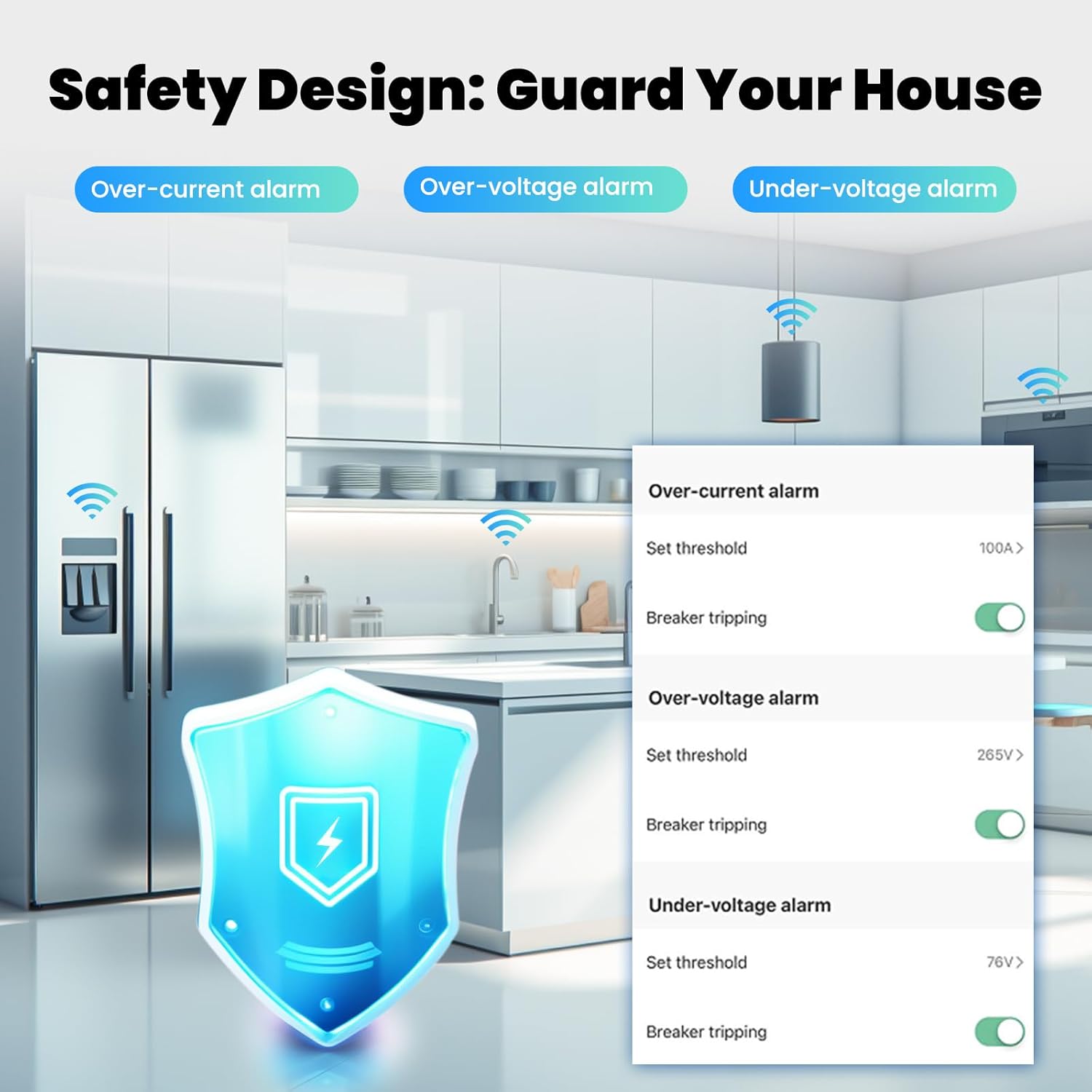
Image: An illustration of the MOES Smart WiFi Energy Meter's safety design, highlighting the customizable over-current, over-voltage, and under-voltage alarm settings available within the app to protect connected appliances.
5.4 Voice Control
Integrate with Amazon Alexa or Google Assistant for hands-free control:
- Link Account: In the Alexa or Google Home app, enable the 'Tuya Smart' skill/service and link your Tuya account.
- Discover Devices: Ask your voice assistant to discover new devices.
- Voice Commands: Use commands such as:
- "Alexa, turn on [Device Name]"
- "Hey Google, turn off [Device Name]"
- "Alexa, what is the power consumption of [Device Name]?" (Functionality may vary by assistant)

Image: The MOES Smart WiFi Energy Meter shown in a kitchen environment, illustrating its connection to high-power appliances such as an air conditioner, refrigerator, and water heater, emphasizing its 80A capacity for managing significant loads.
6. Maintenance
- Cleaning: Wipe the device with a soft, dry cloth. Do not use abrasive cleaners or solvents.
- Firmware Updates: Periodically check the Tuya app for available firmware updates to ensure optimal performance and security.
- Regular Checks: Ensure all wiring connections remain secure and free from corrosion.
7. Troubleshooting
- Device not powering on: Check the main power supply and wiring connections. Ensure the device is correctly installed on the DIN rail.
- Cannot connect to Wi-Fi: Ensure your Wi-Fi network is 2.4GHz. Check your Wi-Fi password. Make sure the device is in pairing mode (blinking Wi-Fi indicator). Move the device closer to your router if signal is weak.
- Inaccurate readings: Verify that the wiring is correct and secure. If issues persist, contact support.
- App control not working: Check your internet connection. Ensure the device is online in the Tuya app. Restart the app or the device.
- Voice control not responding: Ensure your Tuya account is correctly linked to Alexa/Google Assistant. Check your internet connection and the device's online status.
8. Specifications
| Manufacturer | Company Winzo Nova New Energy Limited |
| Part Number | WM-AXA1-TW-E2S-AE |
| Item Weight | 180 g |
| Package Dimensions | 9.6 x 7.8 x 4.2 cm |
| Adjustable Current Range | 6-80A |
| Style | Multi-view Command |
| Batteries Required | No |
| ASIN | B0F5GQ6GSL |
| First Available Date | July 6, 2025 |
9. Warranty and Support
MOES products are designed for reliability and performance. This product comes with a standard manufacturer's warranty. For detailed warranty information, please refer to the warranty card included with your purchase or visit the official MOES website.
If you encounter any issues or have questions regarding the installation, operation, or maintenance of your MOES Smart WiFi Energy Meter, please contact our customer support team. You can find contact information on our official website or through the Tuya Smart app's help section.
Please have your model number (WM-AXA1-TW-E2S-AE) and purchase details ready when contacting support.
