
1. Introduction
Thank you for choosing the HiQiS V10 Electric Scooter. This manual provides essential information for the safe operation, assembly, maintenance, and troubleshooting of your scooter. Please read it thoroughly before your first ride and keep it for future reference.
2. Safety Information
Operating an electric scooter carries inherent risks. To ensure your safety and the safety of others, please observe the following guidelines:
- Always wear a helmet and appropriate protective gear (knee pads, elbow pads) when riding.
- Familiarize yourself with local laws and regulations regarding electric scooter use.
- Do not ride in heavy traffic, on slippery surfaces, or in adverse weather conditions.
- Maintain a safe distance from other vehicles and pedestrians.
- Avoid sudden turns, rapid acceleration, or abrupt braking.
- Ensure the scooter is fully charged and all components are securely fastened before each ride.
- The recommended age range for riders is 14-60 years.
- Do not exceed the maximum weight limit of 264 pounds (120 kg).
3. What's in the Box
Upon unpacking your HiQiS V10 Electric Scooter, please verify that all the following items are included:
- HiQiS V10 Electric Scooter
- User Manual
- Charger
- Tools for assembly
4. Setup
4.1 Unfolding the Scooter
- Place the scooter on a flat surface.
- Release the folding latch mechanism, typically located near the base of the handlebar stem.
- Carefully lift the handlebar stem until it locks into the upright position. Ensure the locking mechanism is fully engaged.
4.2 Handlebar Assembly
Attach the handlebars to the stem if they are not pre-assembled. Ensure all screws are tightened securely using the provided tools.
4.3 Initial Charging
Before first use, fully charge the scooter's battery. Connect the charger to the charging port on the scooter and then to a power outlet. The charging indicator on the charger will typically change color when charging is complete (e.g., red to green). Charging time is approximately 4-5 hours.

Image: The HiQiS V10 Electric Scooter connected to its charger, indicating the charging process.
4.4 Tire Pressure Check
Ensure the 10-inch pneumatic tires are properly inflated before each ride for optimal performance and safety. Refer to the tire sidewall for recommended pressure.
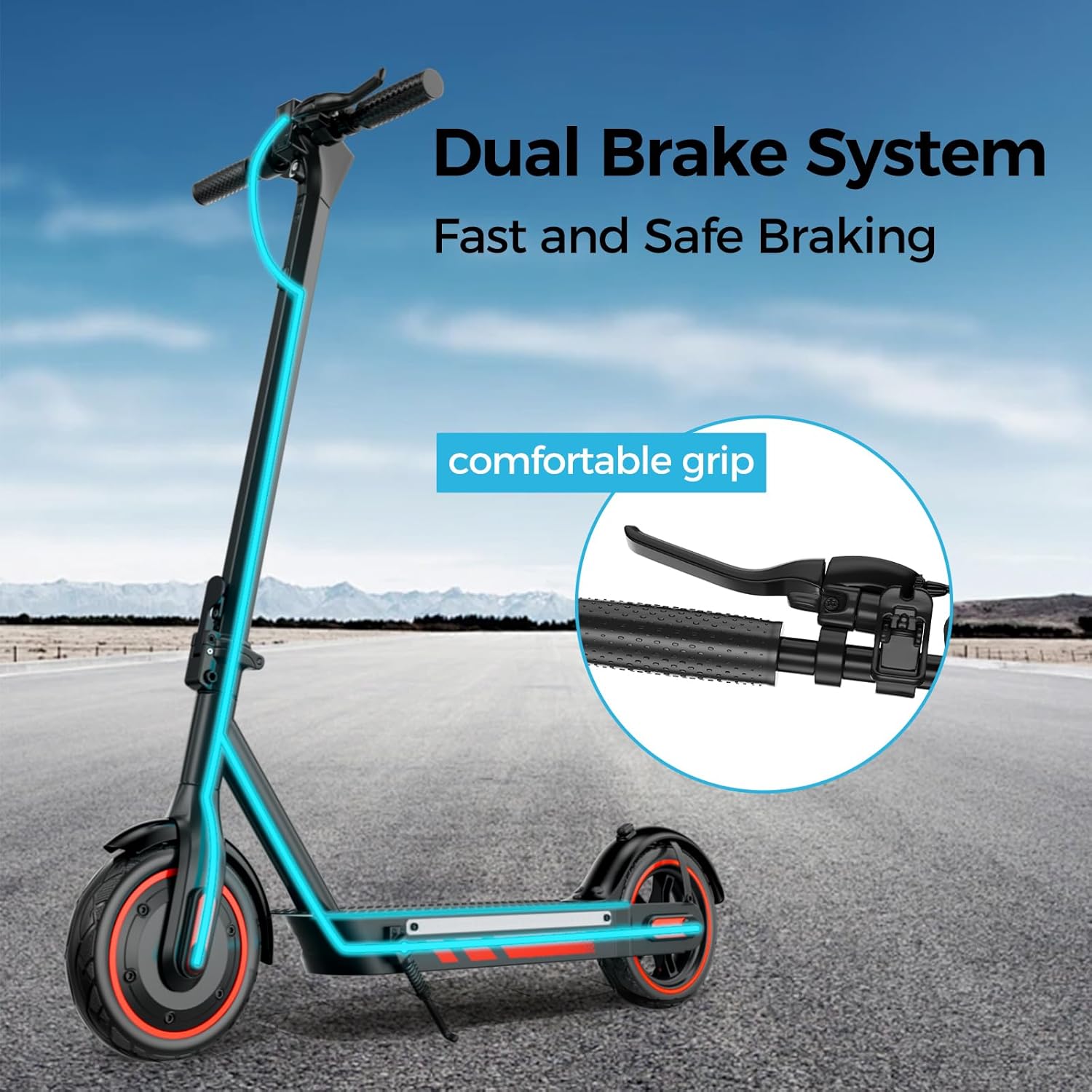
Image: A close-up view of the 10-inch pneumatic tire and powerful motor, highlighting its suitability for various road conditions.
5. Operating Instructions
5.1 Power On/Off
Press and hold the power button on the handlebar display to turn the scooter on or off.
5.2 Digital Display
The integrated digital display shows current speed, selected driving mode (ECO, D, S), and remaining battery level.
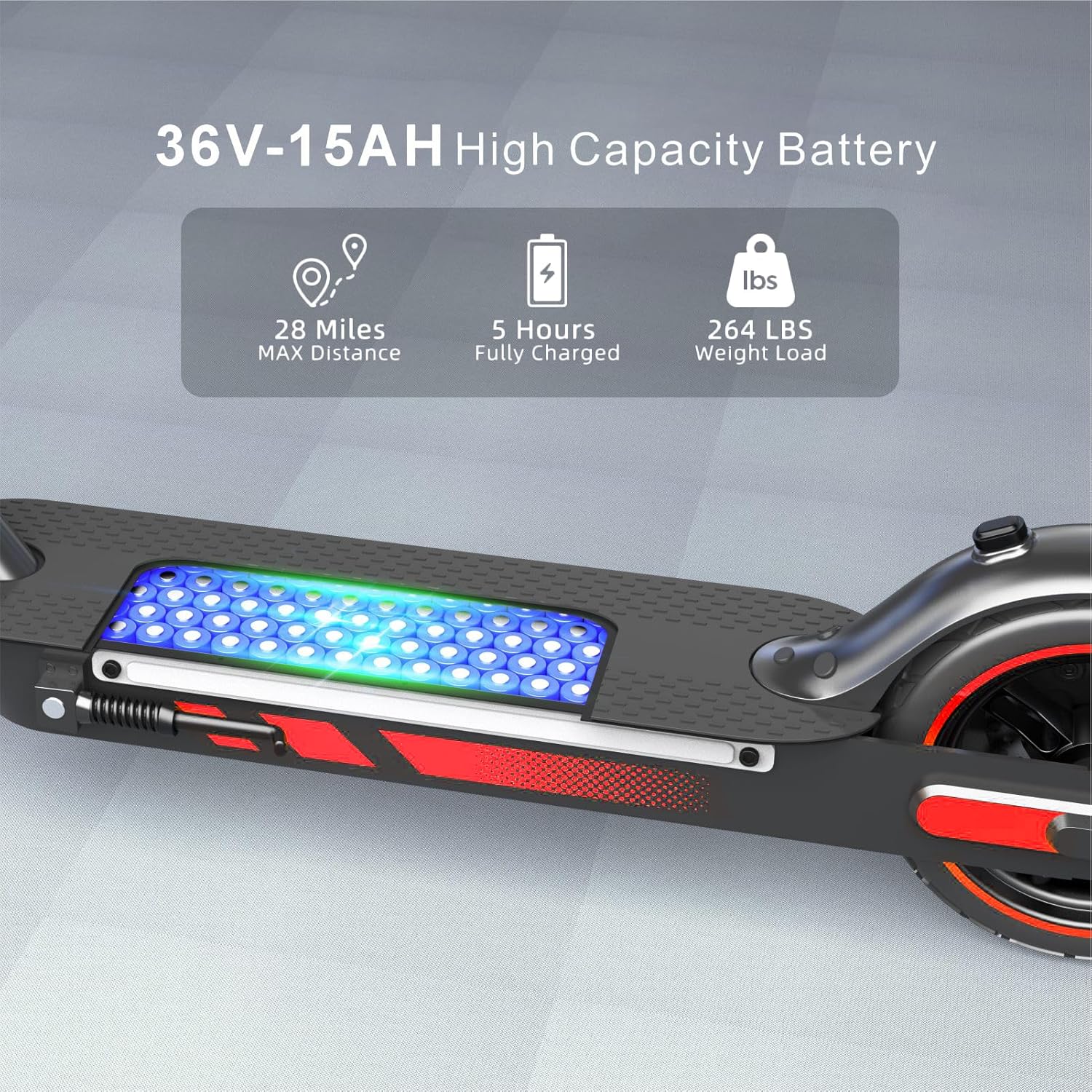
Image: A rider's perspective of the handlebar with the digital display, indicating speed, driving mode, and battery status.
5.3 Riding Modes
The HiQiS V10 offers three riding modes:
- ECO Mode: Safe Slow Mode (10 MPH Max Speed) - Ideal for beginners and crowded areas.
- D Mode: Standard Mode (15 MPH Max Speed) - Suitable for daily commuting.
- S Mode: High Speed Mode (25 MPH Max Speed) - For experienced riders seeking maximum performance.
Switch between modes by pressing the power button briefly after the scooter is on.

Image: The scooter's handlebar display illustrating the three distinct riding modes and their corresponding maximum speeds.
5.4 Acceleration and Braking
Use the throttle lever to accelerate. Apply the dual braking system (electronic brake and drum brake) for timely and stable stopping. Always brake smoothly to avoid loss of control.
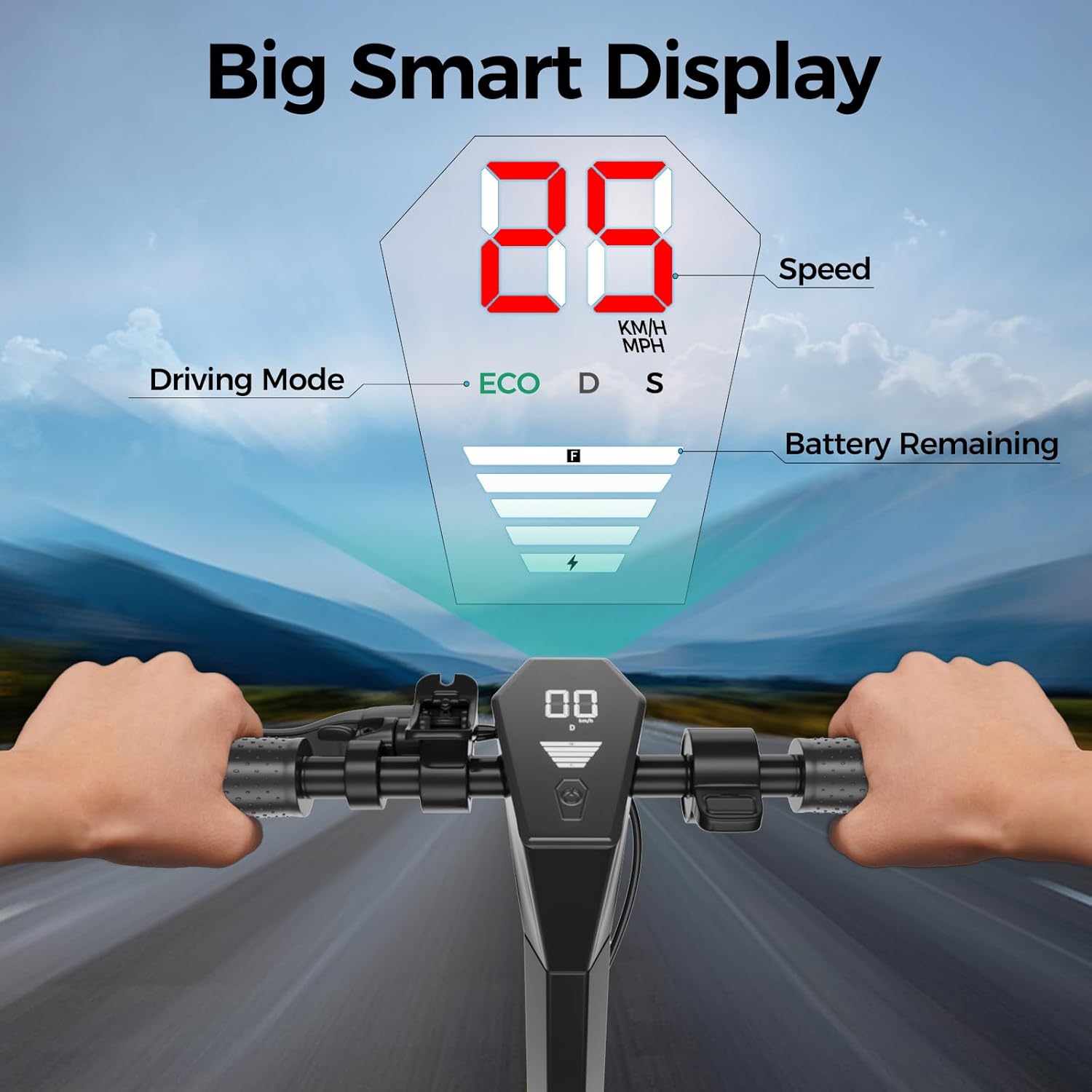
Image: The HiQiS V10 Electric Scooter highlighting its dual brake system and ergonomically designed comfortable grip.
5.5 Folding Mechanism
The quick-folding design allows the scooter to be folded in approximately 3 seconds for easy transport and storage. Engage the folding latch and collapse the stem until it clicks into the folded position.
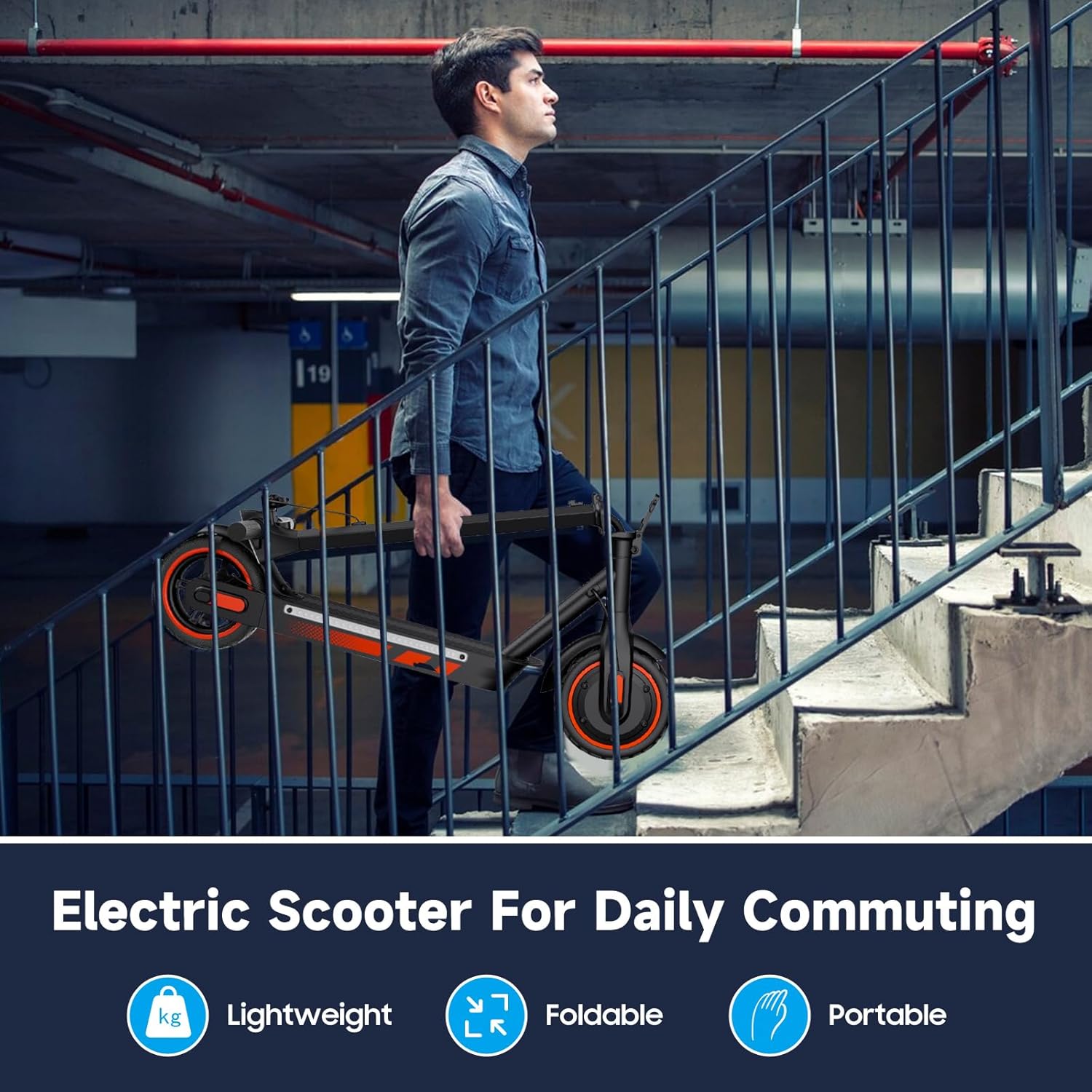
Image: A person carrying the folded electric scooter up a flight of stairs, illustrating its lightweight and portable design for daily commuting.

Image: The folded electric scooter neatly stored in the trunk of a car, demonstrating its ease of transport.
5.6 RGB Side Lights
The scooter features RGB strip lights on both sides of the pedal. These can be turned on/off via the companion APP or by pressing the power button 3 times consecutively.

Image: The HiQiS V10 Electric Scooter with its vibrant RGB side lights activated, enhancing visibility and style.
6. Smart APP Control
Enhance your riding experience by connecting your HiQiS V10 Electric Scooter to the dedicated smartphone application. The app allows you to:
- Activate cruise control.
- Select between 2 riding modes and 3 speed models.
- Monitor battery status, mileage, and temperature.
- Turn RGB side lights on/off.
- Lock and unlock the scooter.

Image: A user interacting with the smart control application on a smartphone, showing various functions like cruise control, speed mode, and battery status.
7. Maintenance
Regular maintenance ensures the longevity and safe operation of your scooter.
7.1 Battery Care
- Charge the battery regularly, even if not in use, to maintain its health.
- Avoid completely draining the battery before recharging.
- Store the scooter in a cool, dry place when not in use, away from direct sunlight and extreme temperatures.
7.2 Tire Maintenance
- Check tire pressure before each ride.
- Inspect tires for wear, punctures, or damage. Replace worn tires promptly.
7.3 General Cleaning
Wipe down the scooter with a damp cloth. Do not use high-pressure water jets or immerse the scooter in water, despite its IPX5 water resistance rating. Ensure the charging port cover is securely closed.

Image: The electric scooter shown with water splashes, indicating its IPX5 waterproof rating for normal use on wet roads. Note: Do not submerge the scooter.
7.4 Brake Checks
Regularly inspect the brake levers and cables for proper function and adjustment. Ensure the dual braking system provides effective stopping power.
8. Troubleshooting
| Problem | Possible Cause | Solution |
|---|---|---|
| Scooter does not power on | Low battery; Loose connections; Power button malfunction | Charge the battery; Check all cable connections; Contact support if issue persists. |
| Reduced range or speed | Low tire pressure; Overloaded; Battery degradation | Inflate tires to recommended pressure; Ensure rider weight is within limits; Fully charge battery. |
| Brakes feel weak | Brake cable adjustment needed; Worn brake pads | Adjust brake cable tension; Inspect and replace brake pads if necessary. |
| Unusual noises during operation | Loose components; Debris in wheels/motor | Inspect scooter for loose parts and tighten; Clean wheels and motor area; Contact support if noise continues. |
9. Specifications
| Feature | Specification |
|---|---|
| Brand | HiQiS |
| Model Name | V10 |
| Motor Power | 600W Brushless Motor |
| Max Speed | 25 MPH |
| Battery | 36V 15Ah (540Wh) |
| Max Range | 28 Miles (under specific conditions) |
| Charging Time | 4-5 Hours |
| Tires | 10 Inch Pneumatic |
| Braking System | Dual (E-brake and Drum Brake) |
| Max Load Capacity | 264 Pounds (120 kg) |
| Scooter Weight | 35 Pounds (15.8 kg) |
| Product Dimensions (Unfolded) | 44.5"L x 18.2"W x 46.3"H |
| Frame Material | Aluminum Alloy Steel |
| Special Features | Cruise Control, Digital Display, Foldable, Replaceable Battery, RGB Side Lights, Smart APP Control |
| Water Resistance | IPX5 |
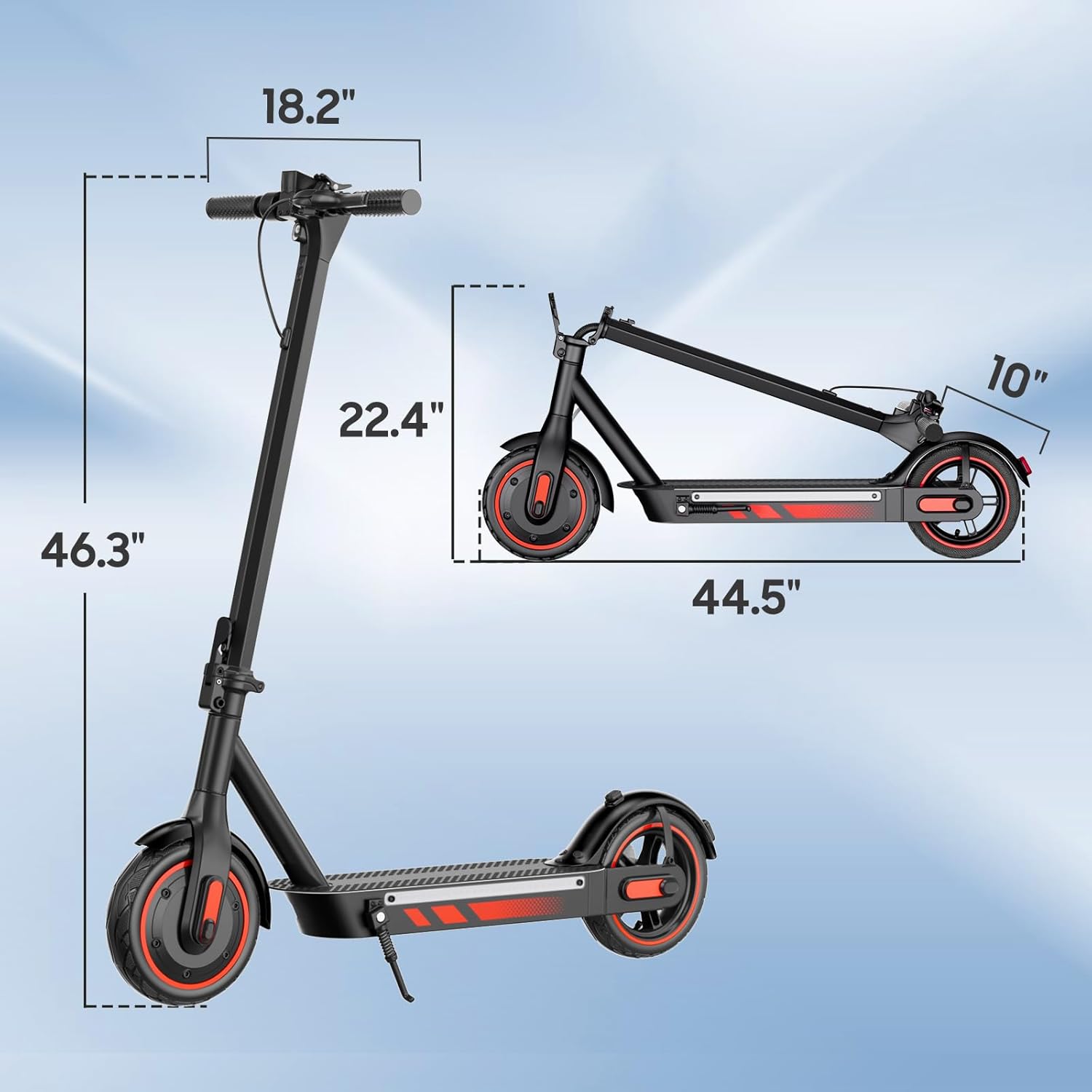
Image: Technical drawing showing the unfolded and folded dimensions of the HiQiS V10 Electric Scooter.
10. Warranty and Support
10.1 Warranty Information
The HiQiS V10 Electric Scooter comes with a 1-Year Manufacturer Warranty. This warranty covers defects in materials and workmanship under normal use. Please retain your proof of purchase for warranty claims. The warranty does not cover damage caused by misuse, accidents, unauthorized modifications, or normal wear and tear.
10.2 Customer Support
For technical assistance, warranty claims, or any questions regarding your HiQiS V10 Electric Scooter, please contact the manufacturer, Shenzhen Lwheels Technology Co., Ltd, or your retailer. Refer to your purchase documentation for specific contact details.


