
1. Introduction
This manual provides instructions for the proper installation, use, and maintenance of your Aroepurt inoi A75 Elegance Phone Case with Tempered Glass Screen Protector. Please read this manual carefully before use to ensure optimal performance and protection for your device.
2. Package Contents
Verify that all items are present in your package:
- 1 x Aroepurt inoi A75 Elegance Phone Case (JSL-LDL)
- 1 x Tempered Glass Screen Protector
3. Setup and Installation
3.1 Installing the Tempered Glass Screen Protector
- Clean the Screen: Use the provided cleaning wipes (if included) to thoroughly clean your phone's screen. Ensure there are no dust particles, smudges, or fingerprints.
- Align the Protector: Carefully align the tempered glass screen protector with your phone's screen, ensuring that cutouts for the camera and sensors match perfectly.
- Apply: Gently place the protector onto the screen. It will adhere automatically. If bubbles appear, gently push them towards the edges using a soft cloth or squeegee.

Figure 1: Tempered Glass Screen Protector Features. This image illustrates the key attributes of the included screen protector, such as its 9H hardness for durability, perfect adhesion for easy application, shatterproof design for safety, case-friendly dimensions, high transparency, and anti-fingerprint coating.

Figure 2: Screen Protector Scratch Resistance Test. This image shows a hammer impacting the screen protector, highlighting its scratch-proof and impact-resistant properties designed to protect against sharp objects and abrasion.
3.2 Installing the Phone Case
- Insert Phone: Gently slide your inoi A75 Elegance phone into the soft silicone frame of the case.
- Secure Fit: Ensure all corners and edges of the phone are securely seated within the case. The case is designed with a hard PC back panel and soft silicone frame for a snug fit.
4. Operating Instructions
4.1 Shock Protection
The case features a 2-in-1 design with a hard PC back and soft silicone frame, enhanced with four-corner shock airbags. This construction provides robust protection against drops and impacts, safeguarding your device.
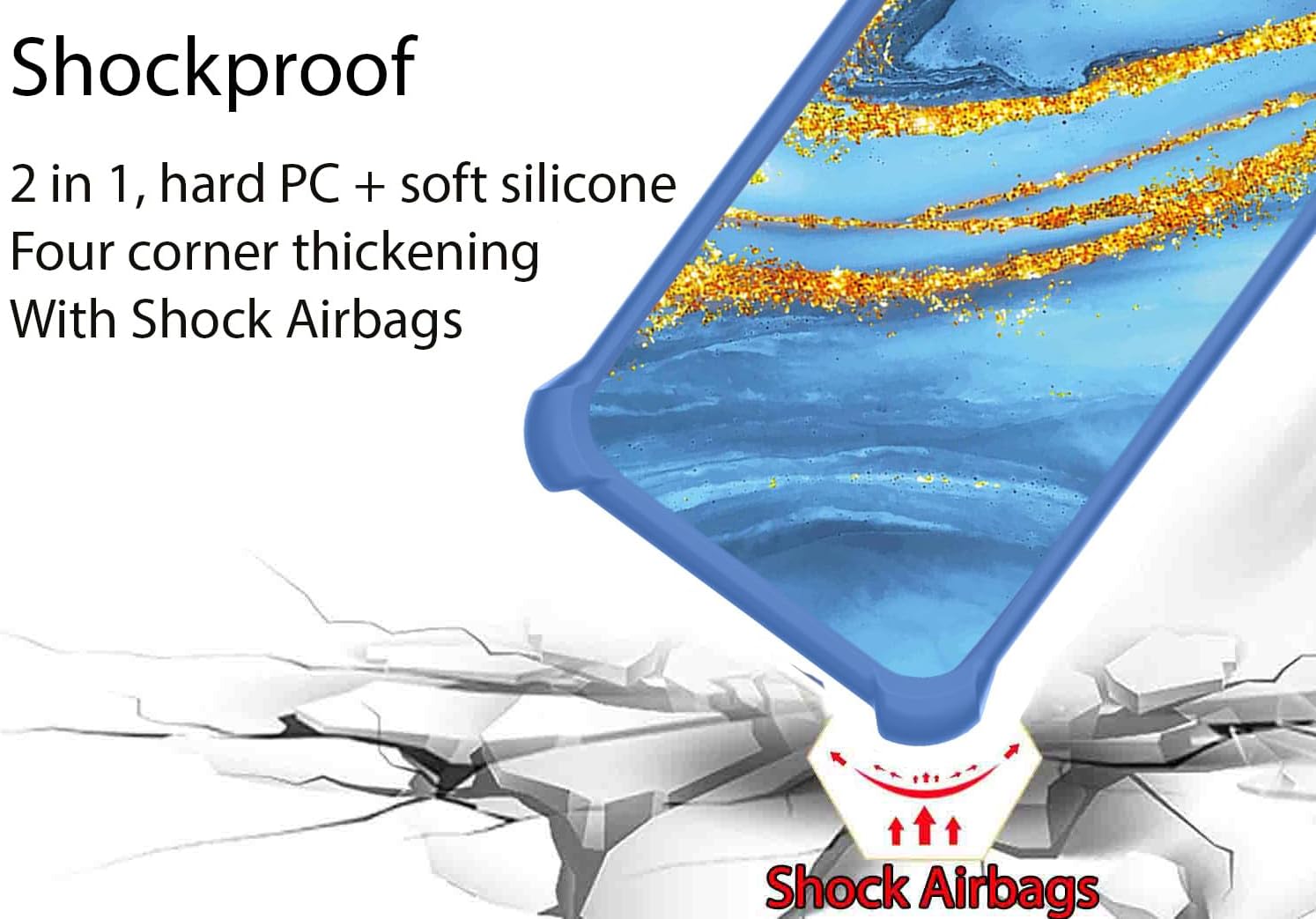
Figure 3: Shockproof Design. This image demonstrates the case's shock-absorbing capabilities, featuring a 2-in-1 hard PC and soft silicone construction with reinforced corners and integrated shock airbags for enhanced drop protection.
4.2 Ring Support Functionality
The integrated metal finger ring support offers multiple functionalities:
- Secure Grip: Insert your finger through the ring for a more secure hold, reducing the risk of accidental drops.
- Kickstand: Rotate the ring 360 degrees to position your phone at a comfortable viewing angle for media consumption.
- One-Hand Operation: The ring allows for easier reach across the screen, improving one-hand usability.

Figure 4: One-Hand Operation with Ring Support. This image illustrates how the integrated ring stand facilitates easier and more comfortable one-hand operation of the phone, allowing users to reach more areas of the screen.
4.3 Magnetic Car Mount Compatibility
The metal ring support is compatible with magnetic car mounts. Simply attach your phone to a magnetic car mount (not included) for hands-free navigation or calls. Note: This case does not support wireless charging due to the metal ring.

Figure 5: Magnetic Car Mount Support. This image demonstrates the compatibility of the phone case's ring stand with magnetic car mounts, showing its 180-degree and 360-degree rotation capabilities for flexible viewing angles. Please note that the magnetic car mount itself is not included.
4.4 Aesthetic Features
The case incorporates a gold glitter layer that produces a shining effect under light. It also features a luminous effect, allowing the case to glow in dark environments after absorbing light.

Figure 6: Gold Glitter and Luminous Style. This image details the multi-layered construction of the case, including a frosted, scratch-free, and fingerprint-free surface, a golden shiny light-absorbing layer, an ultra HD print pattern layer, and a PC rugged protective backplate, contributing to its unique gold glitter and luminous aesthetic.
5. Maintenance
5.1 Cleaning the Phone Case
To clean your phone case, gently wipe it with a soft, damp cloth. Avoid using harsh chemicals or abrasive materials, as these may damage the case's finish or luminous properties.
5.2 Cleaning the Screen Protector
The screen protector has an anti-fingerprint coating. For cleaning, use a microfiber cloth to gently wipe away smudges. For more stubborn marks, a screen cleaner spray designed for electronics can be used sparingly.
6. Troubleshooting
6.1 Screen Protector Bubbles
If small bubbles appear after screen protector installation, gently push them towards the nearest edge using a soft cloth. For persistent bubbles, carefully lift the nearest edge of the protector and reapply, ensuring no dust is trapped underneath.
6.2 Ring Stand Adhesion
The adhesive metal finger ring support is designed for strong adhesion. If you choose to re-position it, ensure the surface is clean and dry before re-applying. Repeated re-positioning may reduce adhesive strength.
7. Specifications
| Product Dimensions | 0.39 x 0.39 x 0.39 inches |
| Item Weight | 2.46 ounces |
| Material | Hard PC (Polycarbonate) back panel, Soft Silicone frame |
| Special Features | 360 Rotating Ring, Car Magnetic Fixing, Gold Glitter + Luminous effect, Shock Airbags |
| Screen Protector Hardness | 9H |
8. Warranty and Support
For any questions, concerns, or support needs regarding your Aroepurt product, please contact the seller or manufacturer through the platform where the purchase was made. Please retain your proof of purchase for warranty claims, if applicable.