Introduction
This manual provides essential information for the safe and efficient operation of your Samsung WindFree Comfort S2 12000 BTU Air Conditioner. Please read this manual thoroughly before using the appliance and keep it for future reference. This air conditioner features advanced WindFree technology, SmartThings and AI integration, and uses R32 refrigerant for improved environmental performance.
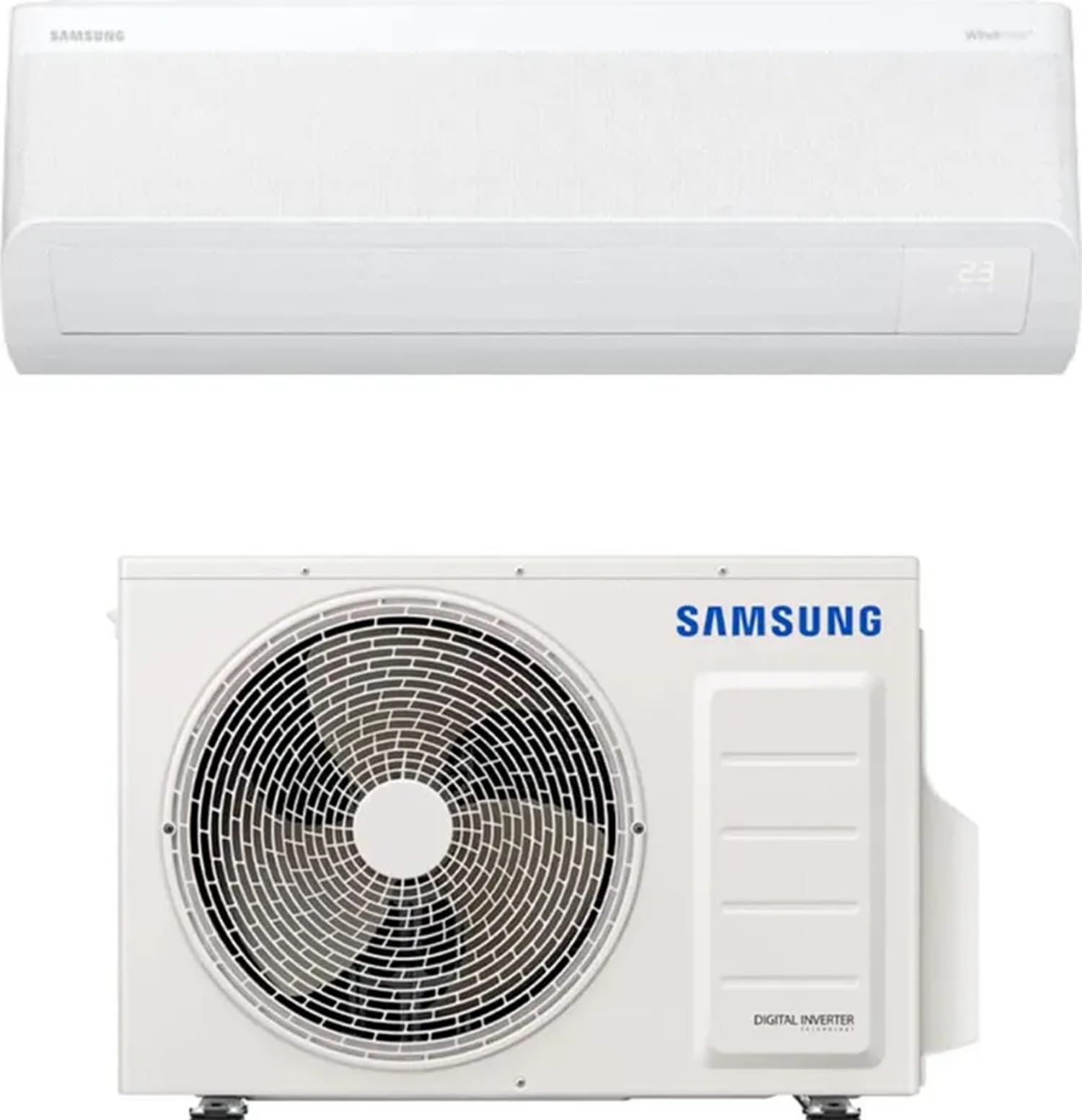
Image: The indoor unit of the Samsung WindFree Comfort S2 air conditioner, showcasing its sleek design. This unit is designed for quiet and efficient air distribution.
Safety Information
Always follow basic safety precautions when using electrical appliances to reduce the risk of fire, electric shock, and injury. This appliance is not intended for use by persons (including children) with reduced physical, sensory, or mental capabilities, or lack of experience and knowledge, unless they have been given supervision or instruction concerning use of the appliance by a person responsible for their safety.
- Ensure the power supply matches the voltage specified on the unit.
- Do not operate the air conditioner with wet hands.
- Do not insert fingers or foreign objects into the air inlet/outlet.
- Keep flammable materials away from the unit.
- Installation and maintenance should only be performed by qualified personnel.
- The refrigerant R32 is flammable. Handle with care and ensure proper ventilation during installation and servicing.
Package Contents
Verify that all components are present in the package:
- 1x Samsung WindFree Comfort S2 Indoor Unit
- 1x Samsung Outdoor Unit
- 1x Remote Control (SolarCell)
- 1x User Manual
Setup
Installation
The Samsung WindFree Comfort S2 is a split-system air conditioner. Professional installation by a certified technician is highly recommended to ensure proper functioning, safety, and compliance with local regulations. Incorrect installation can lead to refrigerant leaks, electric shock, fire, or water leakage.
- Choose an appropriate location for both indoor and outdoor units, ensuring adequate space for airflow and maintenance.
- Mount the indoor unit securely on a wall, ensuring it is level.
- Install the outdoor unit on a stable surface, away from direct sunlight and obstructions.
- Connect the refrigerant pipes and electrical wiring between the indoor and outdoor units according to the wiring diagram provided in the detailed installation guide (typically provided to installers).
- Perform a vacuum test and charge the system with R32 refrigerant.
- Connect the unit to a dedicated power outlet.
Initial Power-On
- After installation is complete, turn on the main power supply to the air conditioner.
- The unit may perform an initial self-check.
- Use the remote control to turn on the unit and select your desired mode.
Operating Instructions
Remote Control Overview
The unit comes with a SolarCell remote control. Familiarize yourself with its buttons for various functions.
Operating Modes
- Cool (WindFree): Activates the WindFree cooling function, distributing air gently through 23,000 micro-holes to avoid direct cold drafts.
- Fast Cooling: Provides rapid cooling to quickly reach the desired temperature in the room.
- Heat: Heats the room to the set temperature.
- Dry (Comfort Drying): Dehumidifies the air to optimal humidity levels without excessive cooling.
- Fan: Circulates air without heating or cooling.
- Auto: Automatically selects the appropriate mode based on the room temperature.
Smart Features and AI
- Wi-Fi Connectivity: The unit has integrated Wi-Fi. Connect it to your home network for remote control and smart features.
- SmartThings App: Download the Samsung SmartThings app on your smartphone or tablet. Follow the in-app instructions to add and control your air conditioner remotely.
- Voice Control: Compatible with Bixby, Amazon Alexa, and Google Assistant. Enable the Samsung SmartThings skill/action in your voice assistant app to control the unit using voice commands.
- AI Energy Mode: This intelligent mode analyzes your usage habits and external conditions to optimize temperature settings and reduce energy consumption by up to 30%.
- Good Sleep Mode: When paired with compatible wearable devices (e.g., Galaxy Watch), the unit can detect sleep patterns and automatically adjust temperature and humidity for optimal sleep comfort.
Low Noise Operation
The WindFree Comfort S2 is designed for quiet operation, maintaining low air speed and reduced noise levels compared to standard cooling modes.
Maintenance
Regular maintenance ensures optimal performance and longevity of your air conditioner. Always turn off the power supply before performing any maintenance.
Filter Cleaning and Replacement
- PM1.0 Filter: This washable filter captures ultra-fine dust and bacteria. Clean it regularly (e.g., every 2 weeks or as needed) by rinsing with water and allowing it to dry completely before reinserting.
- PM2.5 4-in-1 Filter: Designed to remove viruses and allergens. Check and clean this filter as per the instructions in the detailed manual.
- Tri-Care Filter: Provides anti-allergic, anti-virus, and anti-bacterial protection. Follow specific cleaning or replacement guidelines for this filter.
- General Air Filters: The main air filters should be cleaned regularly to maintain airflow and efficiency. Remove them, wash with mild detergent and water, rinse thoroughly, and dry completely before reinstallation.
Auto Clean Function
The unit features an automatic cleaning function to prevent the accumulation of bacteria and odors inside the indoor unit. Activate this function periodically as recommended in the full manual.
Exterior Cleaning
Wipe the exterior of the indoor and outdoor units with a soft, damp cloth. Do not use harsh chemicals or abrasive cleaners.
Troubleshooting
Before contacting service, check the following common issues:
| Problem | Possible Cause | Solution |
|---|---|---|
| Unit does not turn on. | No power, remote control batteries low. | Check power supply, replace remote batteries. |
| Insufficient cooling/heating. | Dirty filters, blocked outdoor unit, wrong mode selected, room too large. | Clean filters, clear obstructions, select correct mode, ensure room size is appropriate for BTU. |
| Unusual noise. | Loose parts, foreign object, unit not level. | Check for loose parts, remove foreign objects, ensure unit is level. If noise persists, contact service. |
| Water leakage from indoor unit. | Clogged drain pipe, improper installation. | Check and clear drain pipe. If issue persists, professional service is required. |
If the problem persists after trying these solutions, please contact Samsung customer support or a qualified service technician.
Specifications
| Feature | Detail |
|---|---|
| Brand | Samsung |
| Model Number | AR60F12C1AWNEU/AR60F12C1AWXEU |
| Cooling Capacity | 12000 BTU (3.5 Kilowatts) |
| Energy Efficiency (Cooling) | A+++ |
| Energy Efficiency (Heating) | A+++ |
| Refrigerant | R-32 |
| Indoor Unit Dimensions (HxWxD) | 29.9 x 88.9 x 21.5 cm (approx.) |
| Outdoor Unit Dimensions (HxWxD) | 54.8 x 79 x 28.5 cm (approx.) |
| Total Product Weight | 33.9 kg |
| Noise Level | 16 Decibels (minimum) |
| Voltage | 220 Volts |
| Special Features | Wi-Fi Enabled, WindFree Technology, AI Energy Mode, SmartThings Integration, Voice Control (Bixby, Alexa, Google Assistant), Good Sleep Mode, Auto Clean, PM1.0/PM2.5/Tri-Care Filters. |
Warranty and Support
For warranty information, please refer to the warranty card included with your product or visit the official Samsung website for your region. Keep your proof of purchase for warranty claims.
For technical support, troubleshooting assistance, or to schedule service, please contact Samsung Customer Service. You can find contact details on the Samsung website or in your product documentation.
Samsung Official Website: www.samsung.com


