
1. Introduction
This manual provides essential information for the safe and effective installation, operation, and maintenance of your DALY 24V 8S 250A Smart Battery Management System (BMS) with 5A Active Cell Balancing. This BMS is designed for 24V LiFePO4 battery packs, offering comprehensive protection and smart monitoring capabilities via WiFi and Bluetooth.
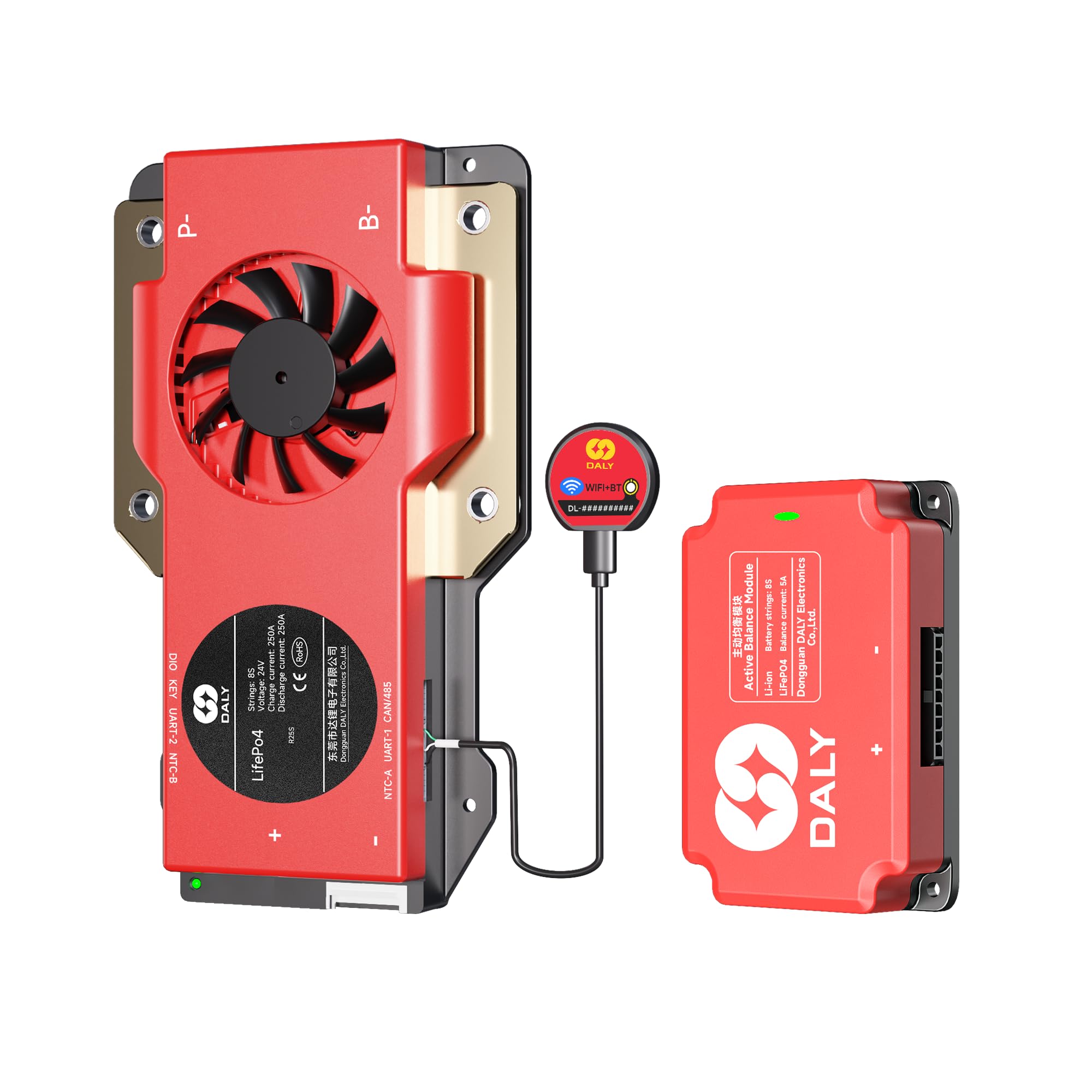
This image displays the DALY Smart BMS unit, an active balancer module, and the included 2-in-1 WiFi/Bluetooth dongle, which are the primary components of the system.
2. Product Features
- Comprehensive Battery Protection: Includes low voltage cutoff, high voltage cutoff, short circuit protection, and temperature protection to enhance performance and extend the lifespan of 8S 24V 250A battery systems.
- 2-in-1 Bluetooth/Wi-Fi Dongle: Enables local and remote battery monitoring through the Smart BMS mobile application, providing real-time system alerts and customizable parameters.
- Multiple Parallel System Support: The integrated parallel circuit allows for scaling capacity by connecting more than 8 battery packs.
- 5A Active Balancer: Facilitates faster cell balancing, reduces heat generation, improves energy efficiency, and increases system runtime.
- Certifications: ISO/FCC/RoHS/PSE/CE approved.
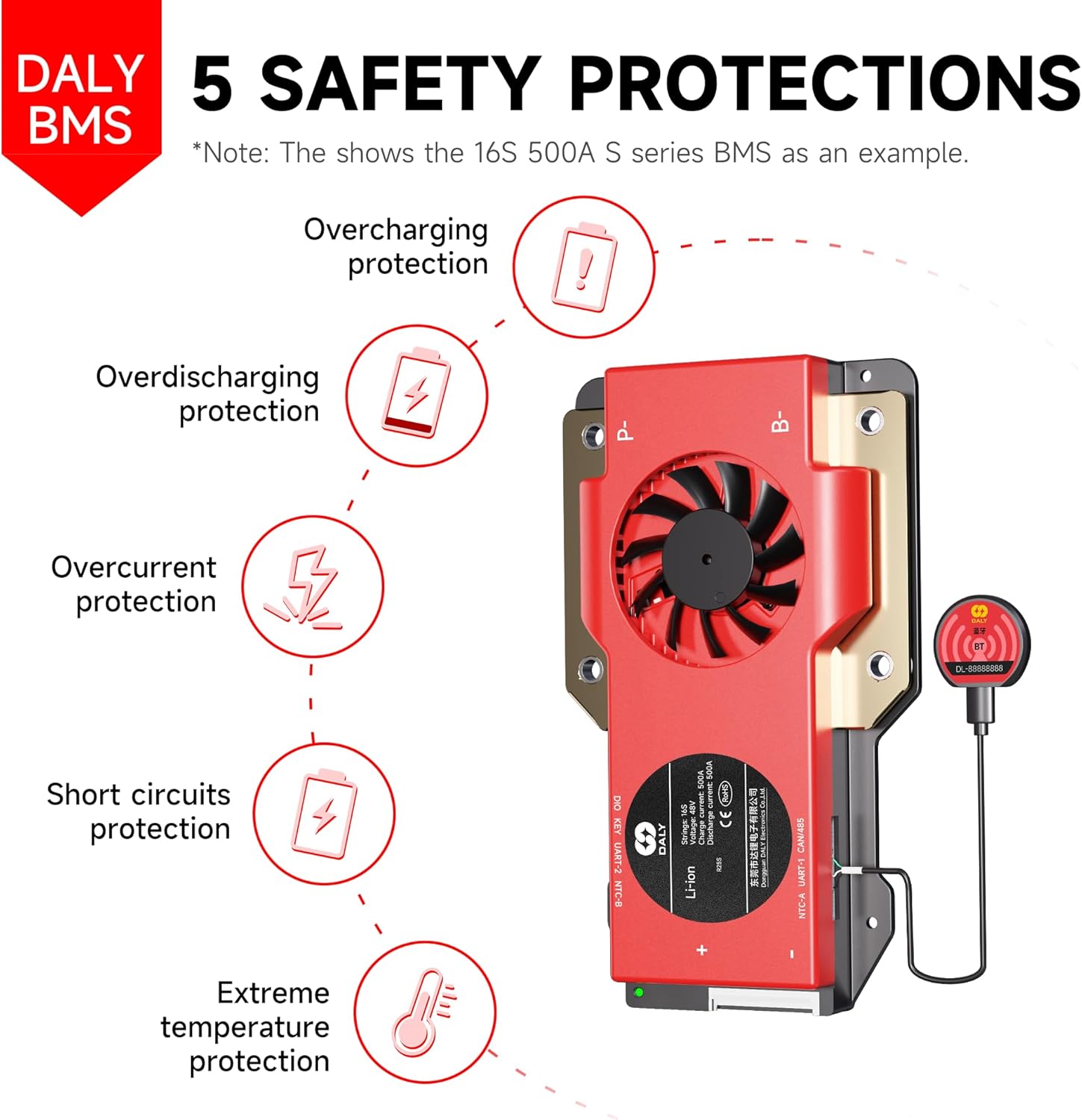
A diagram illustrating the five key safety protections provided by the DALY BMS: overcharging, overdischarging, overcurrent, short circuit, and extreme temperature protection.
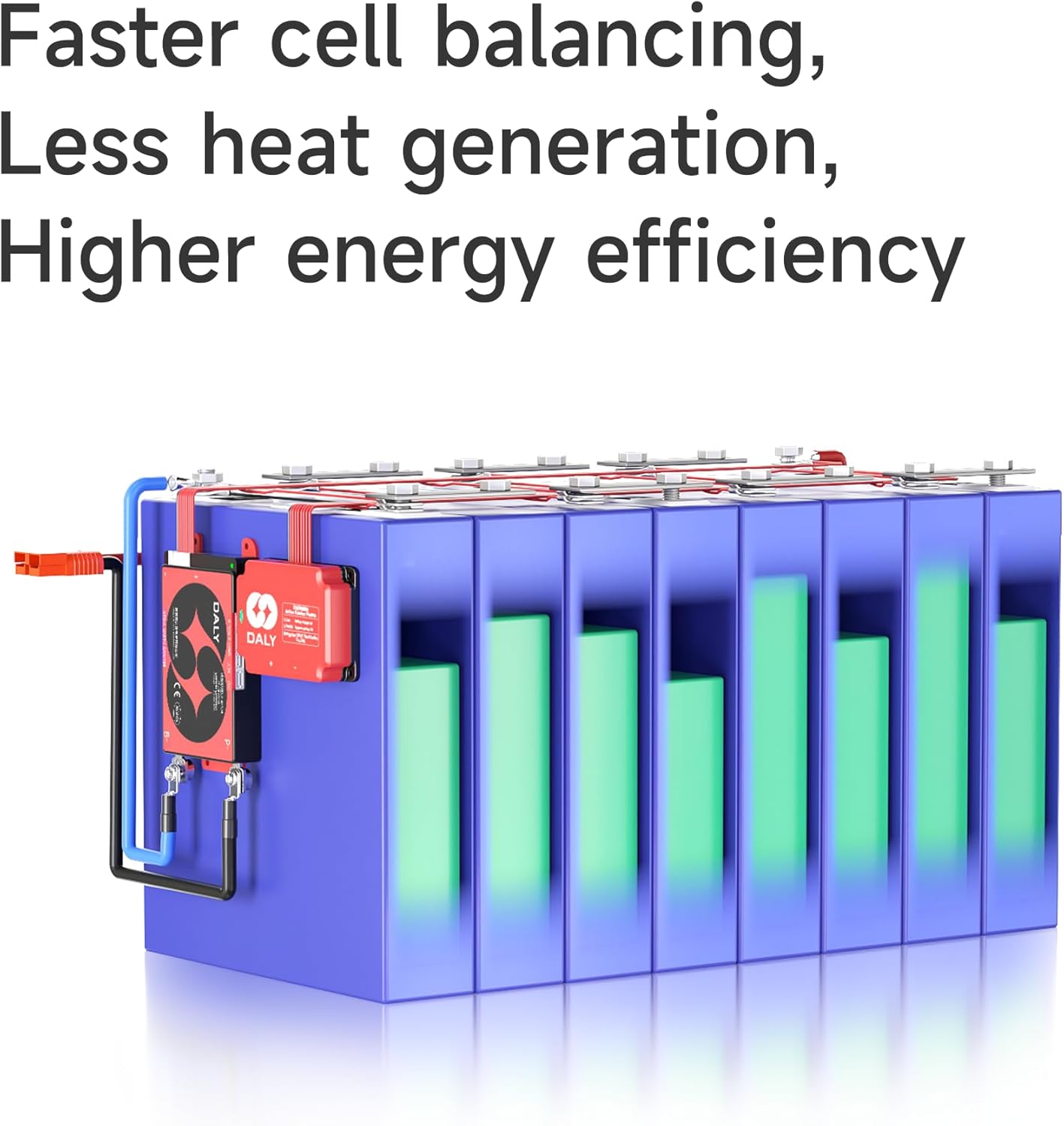
This graphic demonstrates the active cell balancing process, highlighting its benefits such as faster balancing, reduced heat generation, and improved energy efficiency within a battery pack.
3. Package Contents
Verify that all items listed below are present in your package:
- 8S 24V 250 Amps Smart BMS (x1)
- 5A 8S Active Balancer (x1)
- B-P-Output line (x1)
- 2-in-1 BT/WiFi dongle (x1)
- Sampling cable (x1)
- NTC temperature sensor (x1)
- Instruction Manual (x1)
- Screws (quantity as needed for mounting)
- CAN/RS485 5-pin connector (x1)

A visual representation of all items included in the product package: the packaging box, sampling cable, Smart BMS, B-P-Output cable, instruction manual, screws, 2-in-1 BT/WiFi dongle, CAN/RS485 5-pin connector, NTC temperature sensor, and active equalizer.
4. Installation Guide
Proper installation is crucial for the safe and optimal performance of your DALY BMS. Please follow these guidelines carefully.
4.1. Pre-Installation Checks
- Ensure your battery pack is an 8S 24V LiFePO4 system.
- Verify the current rating of the BMS (250A) matches or exceeds your system's maximum operating current.
- Confirm all components from the packing list are present and undamaged.
4.2. Connection Steps
- Connect the sampling cable to the battery cells in the correct sequence, starting from B0 (negative terminal) up to B8 (positive terminal). Ensure each cell voltage is correctly detected.
- Connect the main negative terminal of the battery pack to the B- terminal on the BMS.
- Connect the main positive terminal of the battery pack to the P+ terminal of your load/charger.
- Connect the P- terminal on the BMS to the negative terminal of your load/charger using the provided B-P-Output line.
- Connect the 5A Active Balancer to the designated port on the BMS.
- Attach the NTC temperature sensor to a central cell or area within the battery pack to monitor temperature accurately.
- Connect the 2-in-1 BT/WiFi dongle to the communication port on the BMS for monitoring.
- If using RS485 or CAN communication, connect the respective cables to the BMS and your external device.
Warning: Using a mismatched BMS could damage your battery and the BMS itself. Always ensure compatibility before connecting.
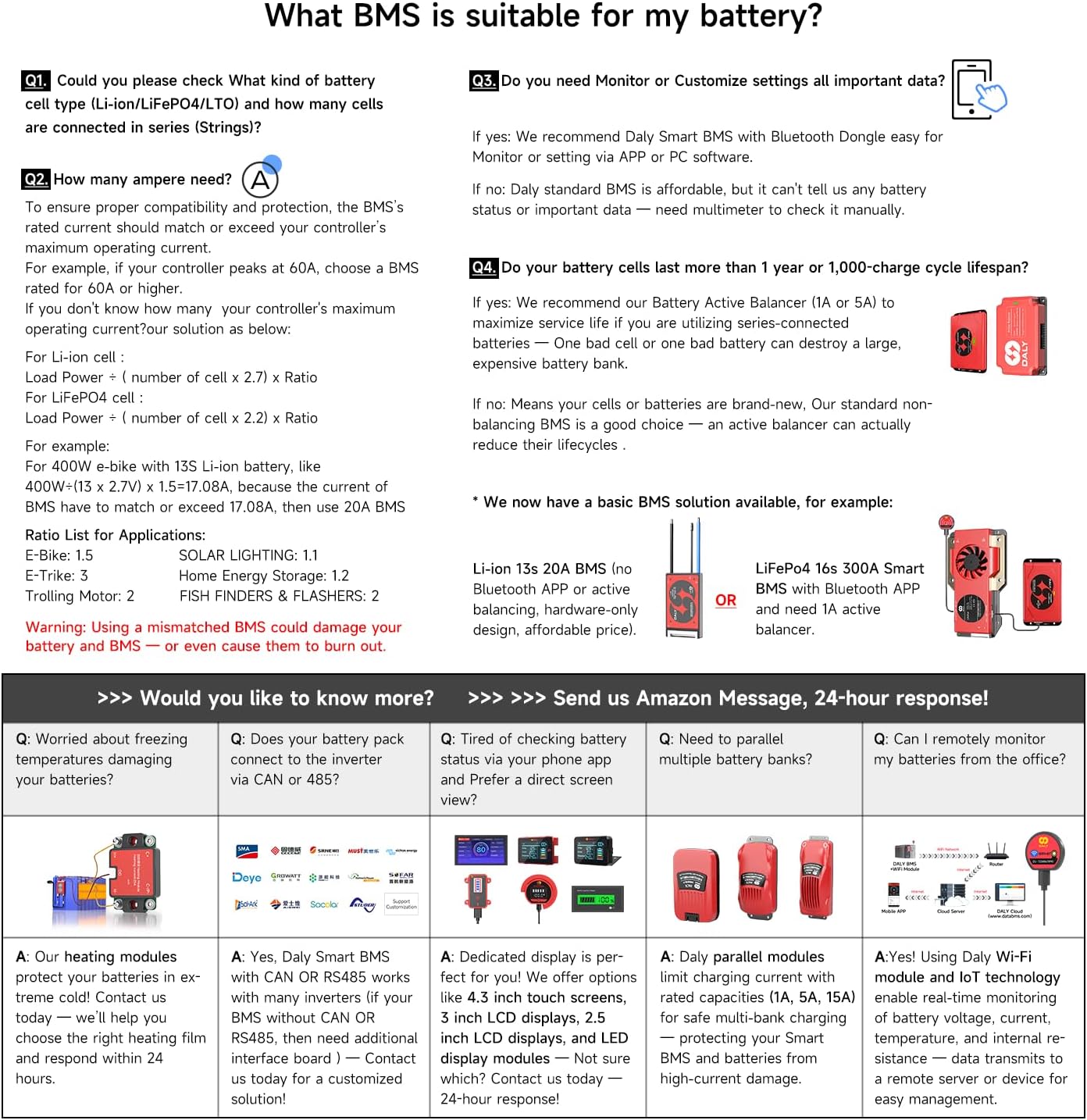
A comprehensive guide addressing common questions about BMS compatibility, ampere requirements, monitoring needs, battery lifespan, and basic troubleshooting scenarios. Refer to this for guidance on selecting the correct BMS for your battery type and series configuration.
5. Operation
5.1. Smart BMS Mobile Application
The DALY Smart BMS can be monitored and configured via a mobile application using the 2-in-1 Bluetooth/Wi-Fi dongle. Download the 'Smart BMS' app from your device's app store.
- Ensure the 2-in-1 BT/WiFi dongle is connected to the BMS.
- Open the Smart BMS app on your smartphone.
- Follow the in-app instructions to connect to your BMS via Bluetooth or Wi-Fi.
- Once connected, you can monitor real-time battery parameters such as voltage, current, temperature, and state of charge (SOC).
- Customize protection parameters and receive system alerts directly on your device.
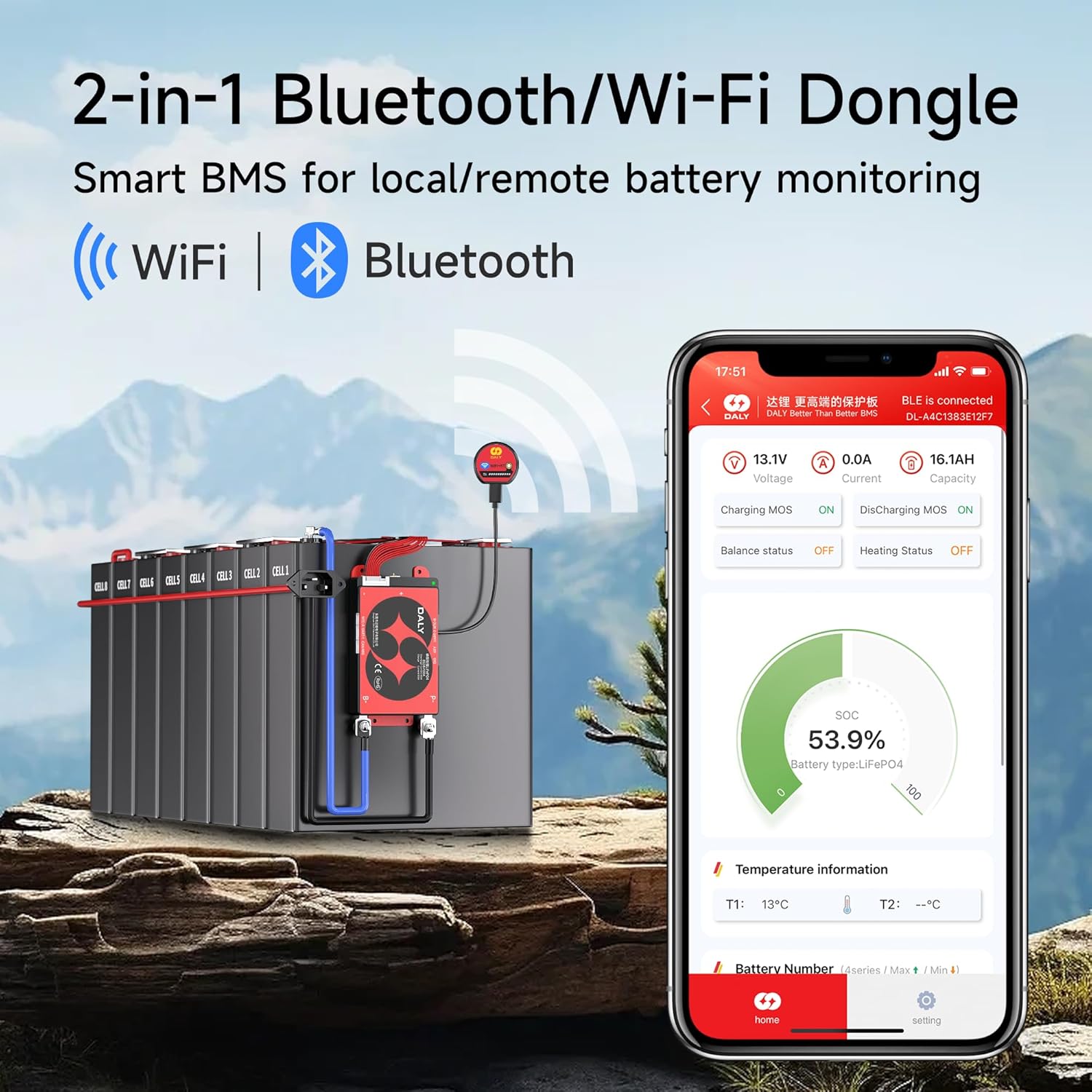
This image shows the DALY Smart BMS connected to a battery pack via the WiFi/Bluetooth dongle, with a smartphone displaying the mobile application interface for real-time monitoring of battery status.
5.2. Parallel System Operation
The DALY BMS supports multiple parallel battery systems, allowing you to expand your battery capacity. The built-in current limiting module ensures safe and efficient operation when multiple battery packs are connected in parallel.
- When connecting multiple battery packs in parallel, ensure all packs have similar voltage and state of charge before connection.
- Use appropriate cabling and fusing for parallel connections to handle increased current.
- The BMS will manage the overall battery system, providing protection and balancing across all connected packs.

An illustration depicting how the DALY BMS can be configured to support multiple battery packs in parallel, enabling increased capacity for larger power systems.
6. Specifications
| Feature | Specification |
|---|---|
| Brand | DALY |
| Model Number | 8S250AF-5B-W |
| Input Voltage | 24 Volts (DC) |
| Output Voltage | 24 Volts (DC) |
| Continuous Discharge Current | 250A |
| Continuous Charge Current | 250A |
| Active Balancing Current | 5A |
| Communication | WiFi, Bluetooth, RS485, CAN |
| Battery Type Compatibility | LiFePO4 (8S) |
| Certifications | ISO/FCC/RoHS/PSE/CE |
| UPC | 753252852810 |

A table outlining detailed technical specifications for the DALY BMS, including charge/discharge currents, overcurrent protection values, passive equalization function details, single cell overcharge/overdischarge protection, and temperature protection ranges.
7. Troubleshooting
This section addresses common issues and questions you might encounter with your DALY BMS.
7.1. Common Questions & Solutions
- Q: How to determine the correct BMS for my battery?
A: Check your battery cell type (Li-ion/LiFePO4/LTO) and the number of cells connected in series (strings). For LiFePO4, calculate load power divided by (number of cells x 2.2) x ratio to find the required ampere rating. - Q: How to ensure proper ampere capacity?
A: The BMS rated current should match or exceed your controller's maximum operating current. For example, if your controller peaks at 60A, choose a BMS rated for 60A or higher. - Q: Do I need to monitor or customize settings?
A: For monitoring and customizing settings, the DALY Smart BMS with Bluetooth Dongle is recommended for use with the mobile app or PC software. If basic monitoring is sufficient, a multimeter can be used to check manually. - Q: How to maximize battery lifespan?
A: For batteries older than 1 year or with over 1,000 charge cycles, an Active Balancer (1A or 5A) is recommended to maximize service life. For new cells or brand-new batteries, a standard non-balancing BMS is a good choice, though an active balancer can still reduce lifecycles. - Q: What if I'm worried about freezing temperatures damaging my batteries?
A: Consider heating modules to protect your batteries in extreme cold. Contact support for heating film solutions. - Q: Can I connect the battery pack to the inverter via CAN or RS485?
A: Yes, DALY Smart BMS works with CAN or RS485. Additional interface boards may be needed for specific configurations. - Q: Can I remotely monitor my batteries from the office?
A: Yes, using the DALY Wi-Fi module and IoT technology enables real-time monitoring of battery voltage, current, temperature, and internal resistance from a remote server or device.
This guide provides answers to common questions regarding BMS selection, ampere requirements, monitoring, battery lifespan, and troubleshooting.
8. Maintenance
To ensure the longevity and optimal performance of your DALY BMS and battery system, consider the following maintenance practices:
- Regular Monitoring: Periodically check battery parameters via the Smart BMS app to identify any anomalies early.
- Connection Checks: Ensure all wiring connections, especially the sampling cables and main power cables, are secure and free from corrosion.
- Environmental Conditions: Operate the BMS and battery within recommended temperature ranges. Avoid extreme heat or cold.
- Firmware Updates: Check for available firmware updates for your BMS through the mobile application or DALY's official channels to ensure you have the latest features and bug fixes.
- Cleaning: Keep the BMS unit clean and free from dust and debris to ensure proper heat dissipation.
9. Warranty and Support
9.1. Warranty Information
The DALY BMS 24V 8S 250A Smart BMS comes with a 5-year warranty. This warranty covers defects in materials and workmanship under normal use. Please retain your proof of purchase for warranty claims.
9.2. Customer Support
For technical assistance, troubleshooting, or warranty inquiries, please contact DALY customer support. You can typically reach support through the platform where you purchased the product (e.g., Amazon messaging) or by visiting the official DALY website for contact information. DALY aims to provide a 24-hour response to inquiries.


