
1. Introduction
The LEXXSON Mini Wireless CarPlay and Android Auto Adapter (Model RM-KPL075G) is designed to convert your vehicle's existing wired CarPlay or Android Auto system into a wireless connection. This adapter allows for a more convenient and clutter-free in-car experience, enabling seamless access to navigation, music, calls, and voice assistants directly from your smartphone without the need for a physical cable connection.

Image 1.1: The LEXXSON Mini Wireless CarPlay and Android Auto Adapter, shown alongside icons for CarPlay and Android Auto on smartphone screens.
2. Important Notes and Compatibility
- Vehicle Requirement: This adapter functions exclusively with vehicles that are equipped with factory-installed wired CarPlay and/or wired Android Auto functionality. Vehicles without these original wired features are not supported. Verify your vehicle's compatibility prior to use.
- Smartphone Compatibility:
- For Wireless CarPlay: Compatible with iPhones running iOS 10 or newer.
- For Wireless Android Auto: Compatible with Android phones running Android 11 or newer. Some Samsung and Google phones with Android 10 and Android 9 may also be compatible. Note: Huawei devices may not be compatible.
- Dual Functionality Note: For wireless Android Auto to function, your car must have both wired CarPlay and wired Android Auto capabilities. If your car only has wired CarPlay, wireless Android Auto will not be available.
- Wireless Connectivity: Ensure both Wi-Fi and Bluetooth are enabled on your smartphone and are not connected to other devices during the setup and operation of the adapter.
- Vehicle Model Coverage: The adapter is compatible with approximately 98% of car models equipped with original factory CarPlay.
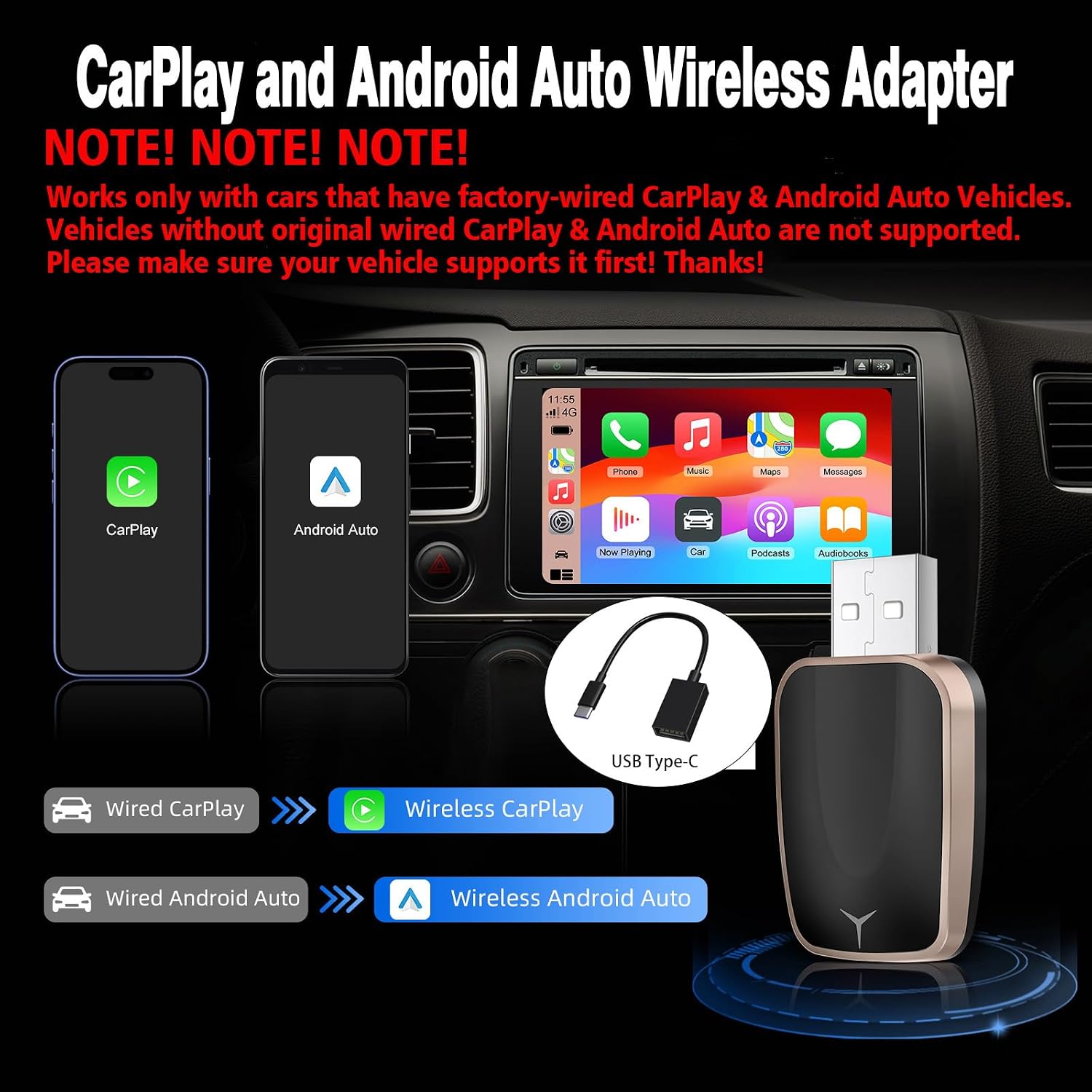
Image 2.1: Visual representation of the adapter converting wired CarPlay and Android Auto to wireless, highlighting compatibility requirements.

Image 2.2: A diagram illustrating compatible iPhone and Android phone models, along with examples of compatible car brands.
3. Setup Instructions
The LEXXSON Mini Wireless Adapter is designed for a simple plug-and-play setup. Follow these steps to establish a wireless connection:
- Plug In the Adapter: Insert the LEXXSON wireless adapter into your car's USB port that supports wired CarPlay or Android Auto.
- Enable Wi-Fi and Bluetooth: On your smartphone, ensure both Wi-Fi and Bluetooth are turned on.
- Pair with Bluetooth:
- On your car's infotainment screen, navigate to the Bluetooth settings or the CarPlay/Android Auto connection screen.
- On your smartphone, search for available Bluetooth devices and select the adapter's name (e.g., "Smart Box-5114" or similar).
- Confirm the pairing code if prompted on both your phone and car screen.
- Confirm Connection: Once paired, your car's infotainment system should automatically switch to wireless CarPlay or Android Auto. Follow any on-screen prompts to complete the connection.

Image 3.1: A visual guide detailing the three easy steps for setting up the wireless adapter: plugging it in, connecting via Wi-Fi and Bluetooth, and initiating CarPlay.
Video 3.1: An official product video demonstrating the features and setup process of the LEXXSON Mini Wireless CarPlay Adapter.
4. Operating Instructions
4.1 Automatic Reconnection
After the initial setup, the adapter supports automatic reconnection. Each time you start your car, the adapter will automatically connect to your paired smartphone within 5-10 seconds, eliminating the need for manual pairing.
4.2 Using CarPlay/Android Auto Features
Once connected, you can access all standard CarPlay or Android Auto functionalities wirelessly, including:
- Navigation (e.g., Apple Maps, Google Maps, Waze)
- Music playback (e.g., Spotify, Apple Music, Pandora)
- Phone calls and messaging
- Voice assistants (Siri for CarPlay, Google Assistant for Android Auto)
4.3 Control Methods
The adapter maintains compatibility with your car's original control methods:
- Touch Screen Control
- OEM Knob Control
- Steering Wheel Control
- Voice Assistant Control (Siri/Google Assistant)

Image 4.1: An overview of the adapter's operational benefits, including automatic reconnection, stable connection, and retention of original car controls.
5. Maintenance and Firmware Updates
To ensure optimal performance and access to the latest features, it is recommended to keep your adapter's firmware updated. If you encounter any issues or new software versions are released, you can perform an online upgrade.
5.1 Checking for Updates
Typically, firmware updates can be accessed through a dedicated web interface or an application on your smartphone when connected to the adapter's Wi-Fi network. Refer to the specific instructions provided with the adapter for detailed steps on how to check for and apply updates.

Image 5.1: A smartphone displaying an 'Update Now' option for the adapter's firmware, with a car and the adapter in the background.
6. Troubleshooting
If you experience issues with your LEXXSON Mini Wireless Adapter, consider the following troubleshooting steps:
- No Connection/Frequent Disconnections:
- Ensure your car has factory-wired CarPlay/Android Auto.
- Verify your smartphone's iOS (10+) or Android (11+) version is compatible.
- Confirm both Wi-Fi and Bluetooth are enabled on your phone and not connected to other devices.
- Try restarting your car's infotainment system and your smartphone.
- Unplug and re-plug the adapter.
- Delete the adapter from your phone's Bluetooth history and re-pair.
- Wireless Android Auto Not Working:
- Confirm your car supports both wired CarPlay and wired Android Auto. If only wired CarPlay is present, wireless Android Auto will not function.
- Audio Quality Issues (e.g., static):
- Ensure there are no other strong Wi-Fi or Bluetooth interferences nearby.
- Check for firmware updates for the adapter.
- CarPlay/Android Auto Not Launching:
- Ensure the USB port you are using is the one designated for wired CarPlay/Android Auto.
- Check your car's settings to ensure CarPlay/Android Auto is enabled.
7. Specifications
| Feature | Detail |
|---|---|
| Model Number | RM-KPL075G |
| Product Dimensions (L x W x H) | 1.88 x 1.02 x 0.43 inches (48 x 26 x 11 mm) |
| Item Weight | 1.13 ounces |
| Connector Type | USB |
| Color | Gold |
| Wireless Technology | Bluetooth V5.0, 5.8GHz WiFi |
| Manufacturer | LEXXSON |

Image 7.1: A visual representation of the adapter's compact and lightweight design, showing its dimensions and how it fits in a hand.
8. Warranty and Support
8.1 Warranty Information
The LEXXSON Mini Wireless CarPlay and Android Auto Adapter includes a 1-year return and exchange warranty service. This warranty covers manufacturing defects and ensures support if the product is found to be incompatible with your vehicle despite meeting the stated requirements.
8.2 Customer Support
For technical assistance, troubleshooting beyond this manual, or warranty claims, please contact LEXXSON customer support. Refer to the product packaging or the official LEXXSON website for the most current contact information.