
CMF BY NOTHING B187
User Manual: Buds Pro 2 Wireless Earbuds
Brand: CMF BY NOTHING | Model: B187
Introduction
This manual provides comprehensive instructions for the CMF BY NOTHING Buds Pro 2 Wireless Earbuds, model B187. These earbuds are designed to deliver high-fidelity audio with advanced features such as 50 dB Intelligent Active Noise Cancellation, Spatial Audio Effect, and a unique Smart Dial for intuitive control. Please read this manual thoroughly to ensure proper use, maintenance, and to fully utilize all features of your new earbuds.
Package Contents
Upon opening the package, please verify that all the following items are present:
- CMF BY NOTHING Buds Pro 2 Wireless Earbuds (Left and Right)
- Charging Case
- USB-C Charging Cable
- Multiple Sizes of Silicone Ear Tips (S, M, L)
- User Manual

Image: The Buds Pro 2 earbuds securely placed within their dark grey charging case, showcasing the compact design and the "CMF by NOTHING" branding subtly visible inside the case.
Setup Guide
1. Initial Charging
Before first use, fully charge the Buds Pro 2 and their charging case. Connect the provided USB-C cable to the charging port on the case and to a compatible USB power source. The indicator light on the case will show charging status. A full charge typically takes approximately 2 hours.
2. Bluetooth Pairing
- Ensure the earbuds are in the charging case and the case lid is open.
- Press and hold the function button on the charging case for 2-3 seconds until the indicator light flashes white, indicating pairing mode.
- On your device (smartphone, tablet, laptop), navigate to the Bluetooth settings.
- Select "Buds Pro 2" from the list of available devices.
- Once connected, the indicator light on the case will turn solid white or off, depending on the model.

Image: A close-up view of the two Buds Pro 2 earbuds, positioned side-by-side, highlighting their sleek dark grey finish and ergonomic shape.
3. Nothing X App Installation
For advanced customization and features, download the "Nothing X" app from your device's app store (Google Play Store for Android, Apple App Store for iOS). The app allows you to:
- Customize Smart Dial functions.
- Adjust ANC modes and intensity.
- Update firmware.
- Access equalizer settings and bass customization.
4. Optimal Ear Tip Fit
Selecting the correct ear tip size is crucial for sound quality, noise cancellation, and comfort. Experiment with the included ear tips (S, M, L) to find the best fit for your ears. A good seal will enhance bass response and ANC performance.
Operating Instructions
Smart Dial Controls
The Buds Pro 2 feature an innovative Smart Dial on the charging case for quick and intuitive control. Functions can be customized via the Nothing X app.
- Twist: Adjust volume, navigate tracks.
- Press: Control noise cancellation modes, activate voice assistant, switch to low-lag mode, mute microphone during calls.

Image: A detailed view of the Buds Pro 2 charging case, focusing on the unique Smart Dial located on its side, which allows for tactile control of various functions.
Active Noise Cancellation (ANC)
The Buds Pro 2 offer up to 50 dB of Hybrid Active Noise Cancellation with an extended frequency range of up to 5,000 Hz. This technology effectively filters out a wide range of ambient noise.
- Intelligent Adaptive ANC: The earbuds automatically detect and compensate for background noise and ear-fit gaps.
- Adaptive Mode: Switch to this mode via the Smart Dial or Nothing X app for intelligent environment-based silencing.
Spatial Audio Effect
Experience immersive 360° cinematic sound with the Spatial Audio Effect, based on Head-Related Transfer Function (HRTF). This feature is supported by a wide range of Bluetooth devices and audio sources, providing a surround-sound experience.
Crystal-Clear Calls
Equipped with six HD microphones and Clear Voice Technology 2.0, the Buds Pro 2 are optimized to effectively filter out ambient noise, ensuring your voice is heard clearly during calls. The Wind Noise Reduction 2.0 feature, with its unique windflow design, minimizes direct wind contact with the microphone.
Battery Life and Charging
Enjoy up to 10 hours of non-stop music playback on a single charge. With the charging case, the total playback time extends to 43 hours. The earbuds also support quick charging, providing significant playback time with a short charge.
ChatGPT Integration
The Buds Pro 2 offer integrated ChatGPT functionality, allowing you to use ChatGPT directly via your CMF or Nothing Phone.
Multipoint Bluetooth 5.4
Connect the Buds Pro 2 to two devices simultaneously using Bluetooth 5.4, allowing seamless switching between audio sources without re-pairing.
Water Resistance
The earbuds are IP54 water resistant, making them suitable for workouts and light rain. Avoid submerging them in water.

Image: A user demonstrating the comfortable fit and ease of interaction with the Buds Pro 2 earbuds while wearing them, indicating touch control or adjustment.
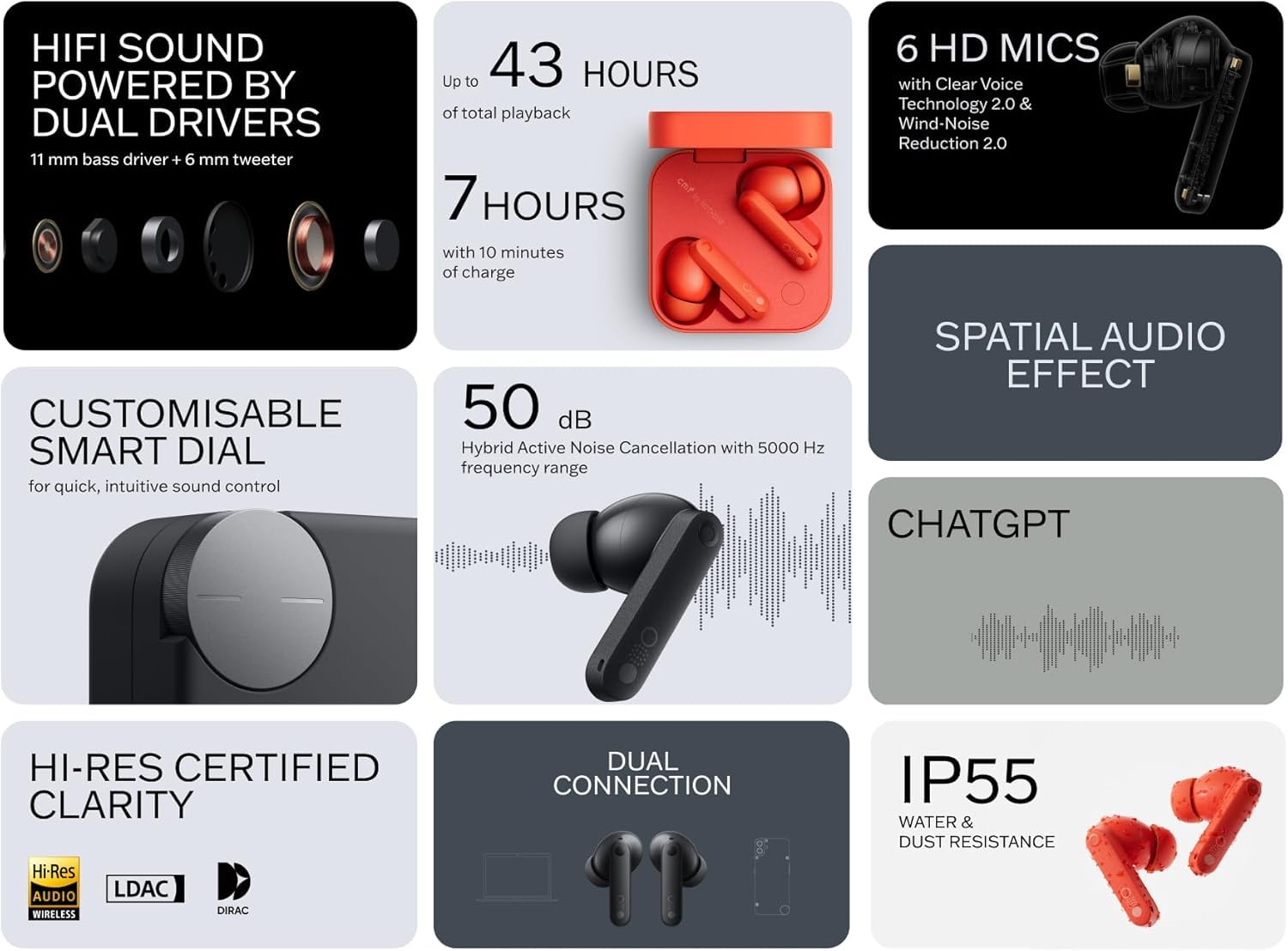
Image: A user wearing the Buds Pro 2 earbuds, holding the compact charging case, illustrating the portability and integrated design.

Image: An angled view of the Buds Pro 2 charging case alongside the two earbuds, showcasing their design and how they complement each other.
Maintenance and Care
Cleaning the Earbuds and Case
- Use a soft, dry, lint-free cloth to wipe the earbuds and charging case.
- For stubborn dirt, slightly dampen the cloth with water or a mild, non-abrasive cleaner. Avoid getting moisture into openings.
- Regularly clean the ear tips with water and mild soap, then dry thoroughly before reattaching.
- Gently clean the charging contacts on both the earbuds and inside the case with a dry cotton swab to ensure proper charging.
Storage
When not in use, always store the Buds Pro 2 in their charging case to protect them from dust, dirt, and physical damage. Store in a cool, dry place away from direct sunlight and extreme temperatures.
Troubleshooting
| Problem | Possible Solution |
|---|---|
| Earbuds not pairing/connecting. |
|
| No sound or low volume. |
|
| ANC not working effectively. |
|
| Charging issues. |
|
If the issue persists, please refer to the official CMF BY NOTHING support website or contact customer service for further assistance.
Technical Specifications
| Feature | Detail |
|---|---|
| Model Name | Buds Pro 2 (B187) |
| Brand | CMF BY NOTHING |
| Connectivity Technology | Wireless (Bluetooth 5.4) |
| Noise Control | Active Noise Cancellation (up to 50 dB) |
| Frequency Response | 5000 Hz (ANC extended range) |
| Microphones | 6 HD Microphones with Clear Voice Technology 2.0 & Wind Noise Reduction 2.0 |
| Battery Life (Earbuds) | Up to 10 hours |
| Total Battery Life (with Case) | Up to 43 hours |
| Charging Case Battery Capacity | 460 mAh |
| Water Resistance Level | IP54 (Earbuds) |
| Control Type | Smart Dial, Touch Control |
| Audio Driver Type | Dynamic Driver |
| Spatial Audio | 360° Cinematic Sound (HRTF-based) |
| Weight | 55.3 Grams (total) / 1.95 ounces |
| Dimensions (Case) | 2.1 x 0.91 x 2.1 inches (5.3 x 2.3 x 5.3 cm) |
| Material | Plastic |
| Compatible Devices | Smartphones, Tablets, Laptops, Smart Speakers, Bluetooth 5.3 compatible devices |
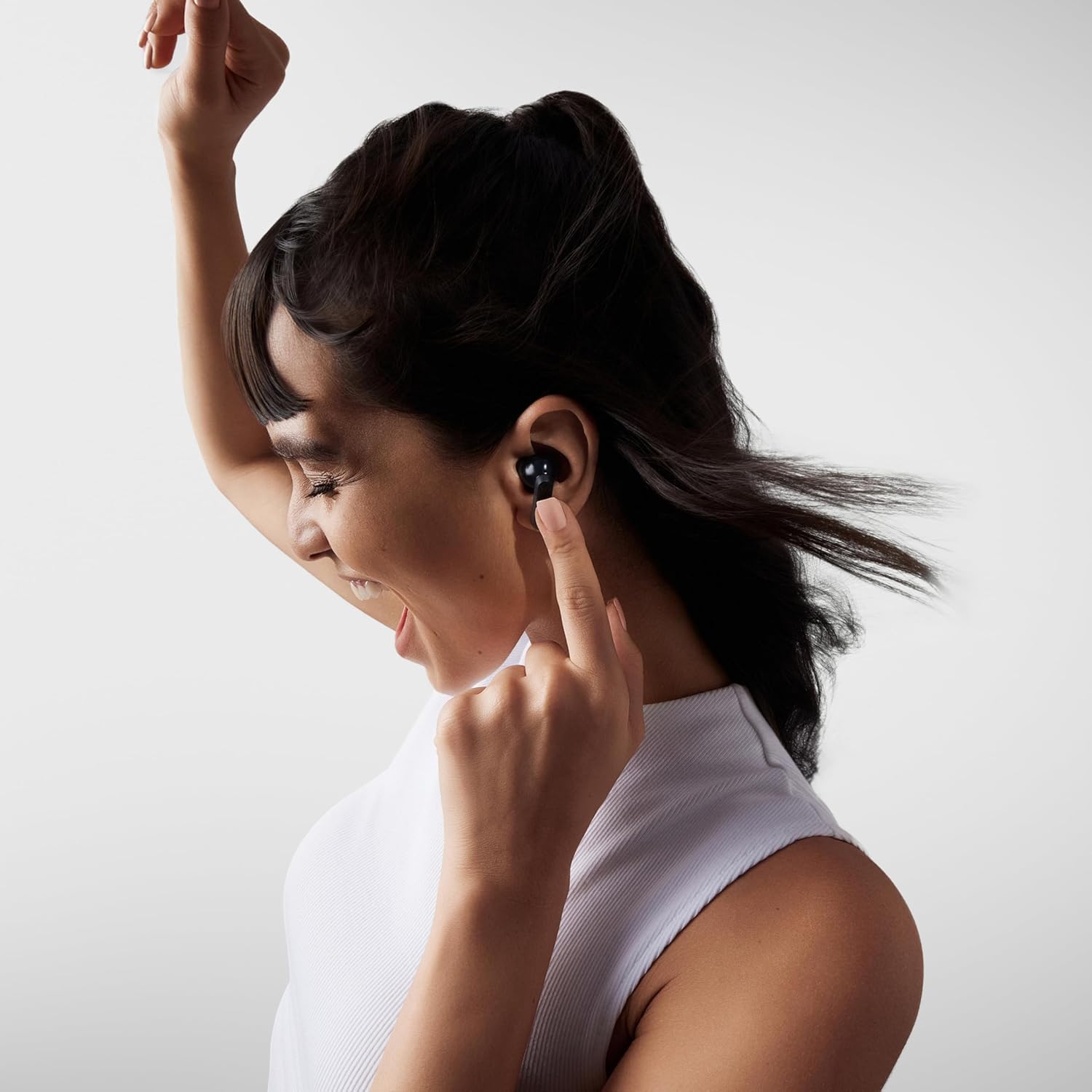
Image: An infographic summarizing the main features of the Buds Pro 2, such as 43 hours total playback, 50 dB ANC, 6 HD mics, Hi-Res certified clarity, and the customizable Smart Dial.
Warranty and Support
For detailed warranty information, please refer to the warranty card included in your product packaging or visit the official CMF BY NOTHING website. The warranty typically covers manufacturing defects for a specified period from the date of purchase.
For technical support, frequently asked questions, or to contact customer service, please visit the official CMF BY NOTHING support page:
Related documentsB187

Ask a question about this manual
Ask about setup, troubleshooting, compatibility, parts, safety, or missing instructions. Manuals+ will review the question and use this page’s manual context to help answer it.