
1. Product Overview
The VOSFEEL M01 Rechargeable Camping Fan is a versatile and portable device designed to provide cooling and illumination in various indoor and outdoor settings. It features a high-capacity battery, multiple fan speeds, an LED lantern, and convenient charging capabilities for other devices.
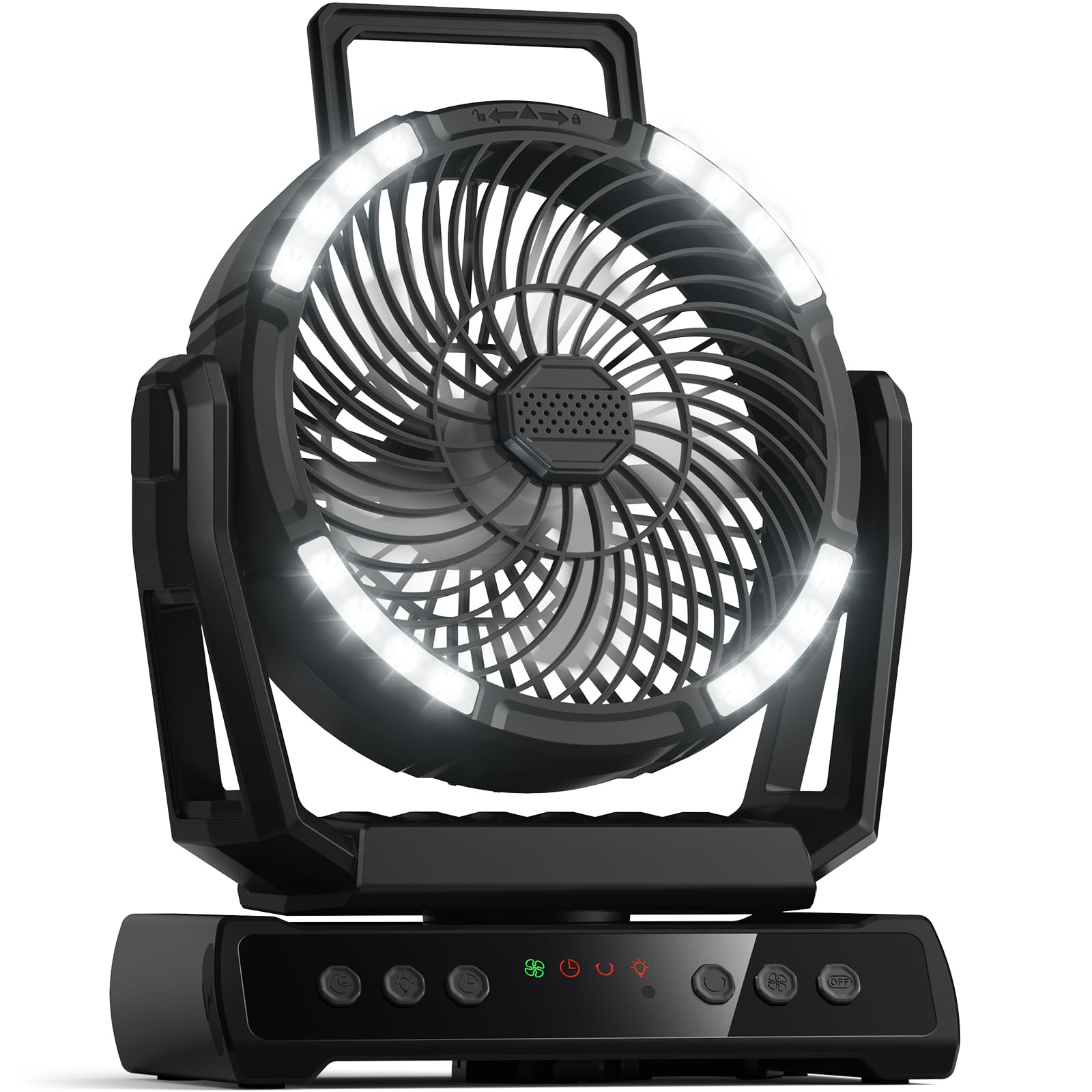
Image 1.1: The VOSFEEL M01 Rechargeable Camping Fan in use, demonstrating its fan, LED light, and device charging capabilities.
2. Package Contents
- VOSFEEL M01 Rechargeable Camping Fan
- Remote Control
- USB-C Charging Cable
- User Manual
3. Setup
3.1 Initial Charging
- Connect the provided USB-C charging cable to the fan's charging port.
- Plug the other end of the cable into a compatible USB power adapter (not included).
- The LED display will show the charging progress. Fully charge the fan before first use for optimal battery life.
3.2 Remote Control Setup
The remote control comes with batteries pre-installed. Simply remove any plastic tab protecting the battery to activate it.
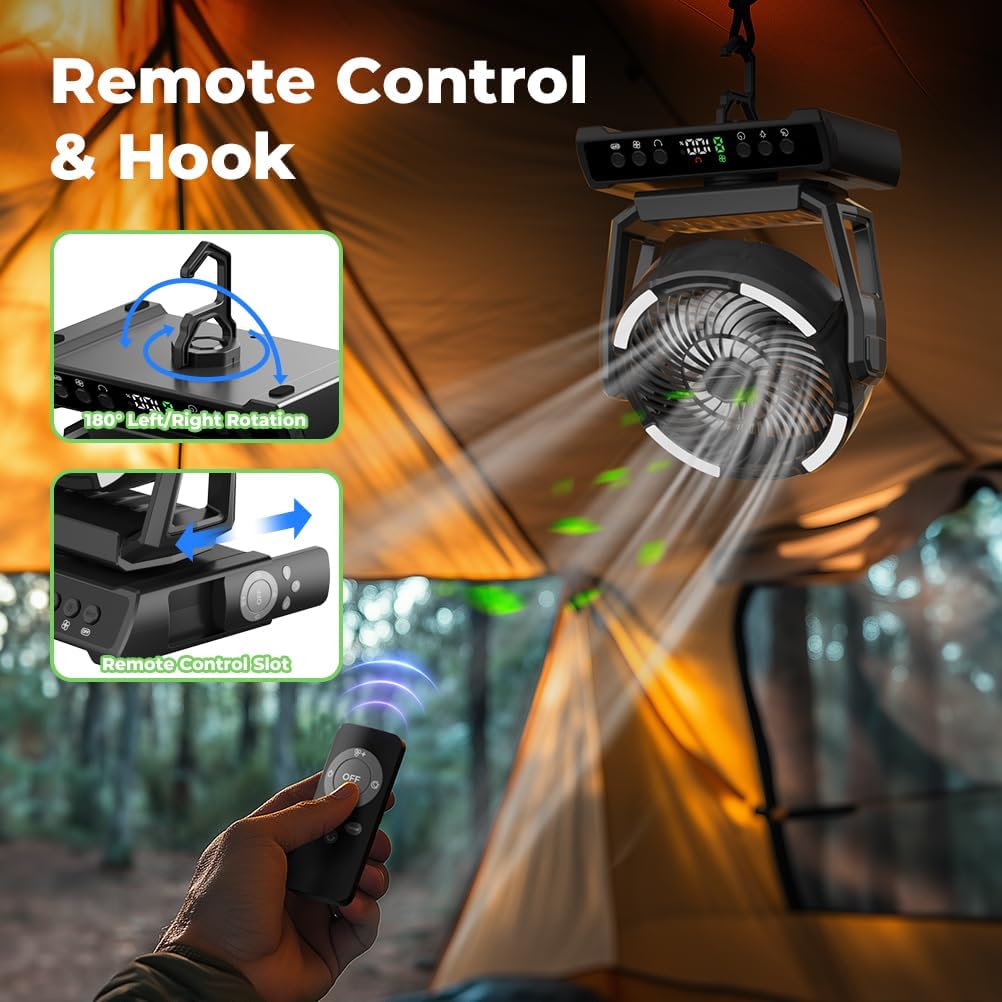
Image 3.1: The fan hanging from a tent, illustrating the remote control and its storage slot.
4. Operating Instructions
4.1 Power On/Off
- Press the Power Button on the fan's control panel or the remote control to turn the fan on.
- To turn off all functions (fan, light, oscillation), press the Master OFF Button on the control panel or remote.
4.2 Fan Speed Adjustment
The fan offers 9 wind speeds, including a natural wind mode. Use the Fan Speed Buttons (+ / -) on the control panel or remote to cycle through speeds 1-8. The 'F' setting indicates natural wind mode.

Image 4.1: Visual representation of the 9 wind speed settings.
4.3 LED Lantern Operation
The integrated LED lantern has 3 adjustable brightness levels. Press the Light Button on the fan or remote to cycle through Low, Medium, and High brightness. A dedicated Night Mode Button can dim or turn off the display light for undisturbed sleep.

Image 4.2: The fan's LED lantern demonstrating its three brightness levels.
4.4 Oscillation and Rotation
- Press the Oscillation Button on the fan or remote to activate automatic 45° to 90° left/right rotation.
- The fan head can be manually rotated 270° up and down to direct airflow precisely.
4.5 Timer Function
Set a timer for 1 to 9 hours using the Timer Button. The fan will automatically turn off after the set duration.
4.6 Power Bank Function
The fan is equipped with two USB output ports, allowing you to charge up to two external devices simultaneously. Connect your device's charging cable to the USB output port on the fan.
Video 4.1: A demonstration of the VOSFEEL Portable Camping Fan's features, including fan speeds, oscillation, and charging capabilities.
4.7 Aroma Function
To use the aromatherapy feature, gently twist and remove the aroma tablet cover located at the center of the fan grille. Insert an aromatherapy tablet or a few drops of essential oil onto the pad, then replace the cover. The fan will then disperse the aroma.

Image 4.3: Instructions for using the fan's aroma function.
5. Maintenance
5.1 Cleaning the Fan Blades
- Ensure the fan is turned off and unplugged before cleaning.
- Gently twist the front cover counter-clockwise to remove it.
- Wipe the fan blades and interior surfaces with a soft, damp cloth. Do not use abrasive cleaners or immerse the fan in water.
- Align the notches and twist the front cover clockwise to reattach it securely.

Image 5.1: Steps for easy cleaning of the fan blades.
6. Troubleshooting
- Fan not turning on: Ensure the battery is charged. Connect the fan to a power source using the USB-C cable.
- Weak airflow: Check the fan speed setting and increase if necessary. Ensure the fan blades are clean and free from obstructions.
- LED light not working: Press the Light Button to cycle through brightness levels. Ensure the fan has sufficient battery charge.
- Remote control not responding: Check if the remote control batteries are properly inserted and functional. Ensure there are no obstructions between the remote and the fan.
- Device not charging via USB: Ensure the fan has sufficient battery charge. Verify that the USB cable and the device being charged are functioning correctly.
7. Specifications
| Feature | Specification |
|---|---|
| Brand | VOSFEEL |
| Model Name | M01 |
| Battery Capacity | 30000mAh |
| Fan Speeds | 9 (including natural wind mode) |
| LED Light Levels | 3 |
| Oscillation | 45°-90° Left/Right Auto Rotation |
| Manual Rotation | 270° Up/Down |
| Timer Function | 1-9 Hours |
| Power Source | Battery Powered (Rechargeable) |
| Control Method | Push Button, Remote |
| Product Dimensions | 8.3"D x 5.3"W x 10.8"H |
| Item Weight | 2.81 pounds |
| Noise Level | 29 Decibels |
8. Warranty and Support
For warranty information and customer support, please refer to the contact details provided on the product packaging or the official VOSFEEL website. Keep your purchase receipt for warranty claims.