
1. Introduction
This manual provides instructions for the safe and effective use of the Jauarta Battery Adapter. This adapter allows you to use Worx WA3593, WA3595, WA3401 (Green Version) 5-PIN 20V Lithium Batteries with Parkside X20V Team Lithium Battery Power Tools. Please read this manual thoroughly before first use and retain it for future reference.

Figure 1: Top-down view of the Jauarta Battery Adapter, showing the connection points for the Worx battery.
2. Safety Instructions
Please observe the following safety precautions to prevent injury or damage to the product and connected devices:
- Battery Separation: The adapter is equipped with an internal circuit board. To prevent potential damage to the battery, always separate the battery from the adapter when not in use for an extended period.
- No Charging Function: This adapter is designed for power conversion only. It does not support battery charging. Do not attempt to charge batteries through this adapter.
- Compatibility: Ensure that the power tools and batteries you intend to use are compatible with this adapter as specified in the "Specifications" section. Incorrect usage may lead to malfunction or damage.
- Indoor Use: Use the adapter in dry conditions. Avoid exposure to moisture or extreme temperatures.
- Damage Inspection: Before each use, inspect the adapter for any signs of damage. Do not use a damaged adapter.
- Children and Pets: Keep the adapter out of reach of children and pets.
3. Setup
Follow these steps to properly set up your Jauarta Battery Adapter:
- Identify Components:
- The bottom of the adapter is designed for Worx WA3593, WA3595, WA3401 (Green Version) 5-PIN 20V Lithium Batteries.
- The top of the adapter is designed for PARKSIDE X20V TEAM Lithium Battery Power Tools.
- Attach Worx Battery: Align your compatible Worx 5-PIN 20V lithium battery with the bottom slot of the Jauarta adapter. Slide the battery into place until it clicks securely. The built-in buckle design ensures a non-slip, non-loosening fit.
- Attach to Parkside Tool: Align the top of the Jauarta adapter (with the Worx battery attached) with the battery port of your PARKSIDE X20V TEAM power tool. Slide the adapter into the tool until it clicks securely.

Figure 2: Side view of the adapter, illustrating the secure buckle design for battery attachment.
4. Operation
Once the Worx battery is securely attached to the adapter, and the adapter is securely attached to the Parkside power tool, the tool is ready for immediate use. The adapter facilitates the power transfer from the Worx battery to the Parkside tool.
- Direct Use: The adapter allows for direct operation of the Parkside tool using the Worx battery.
- Secure Connection: The firm structure and buckle design prevent detachment and shaking during tool operation, ensuring stable power delivery.
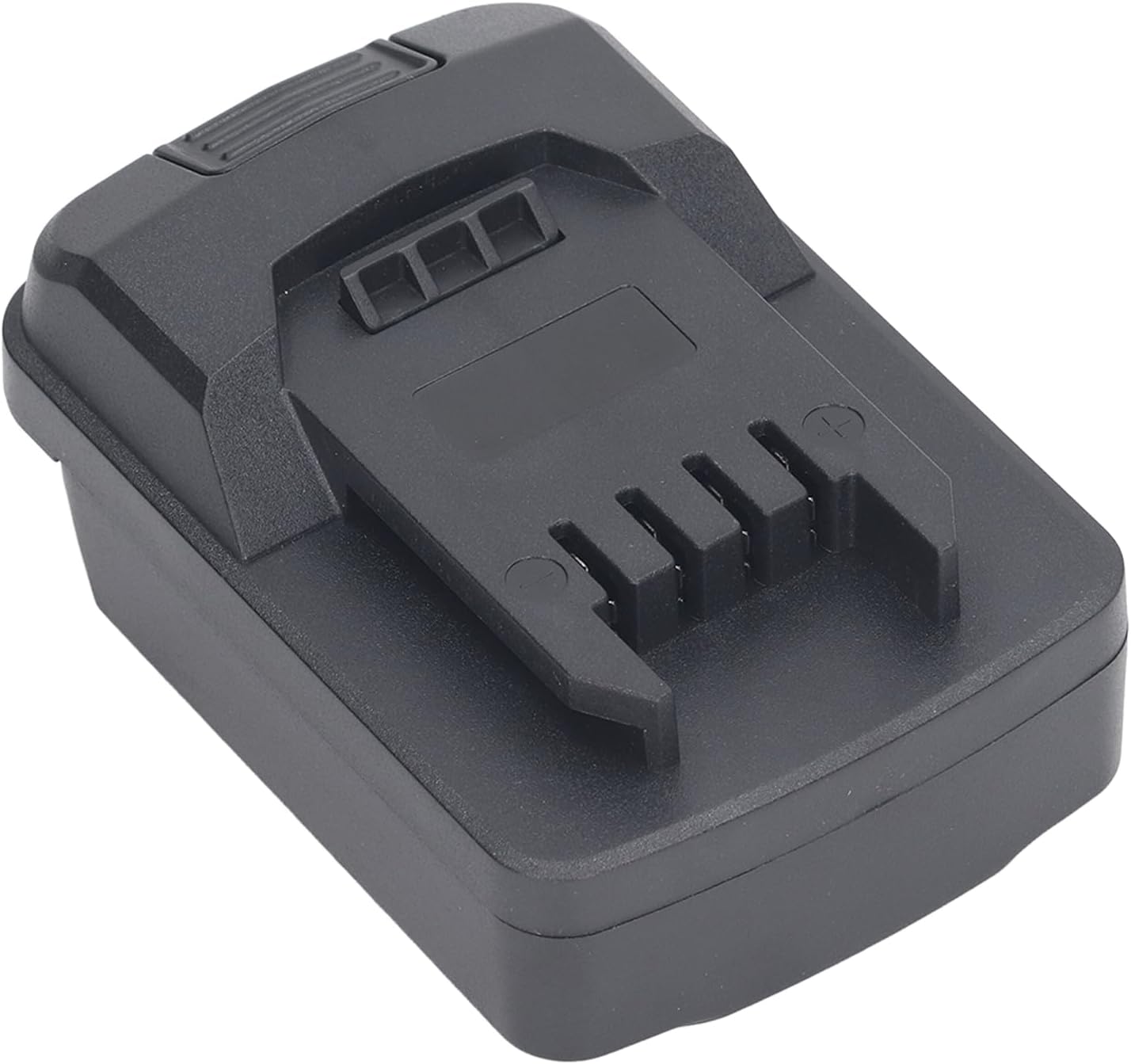
Figure 3: Angled view of the adapter, highlighting its compact design when a battery is attached.
5. Maintenance
Proper maintenance ensures the longevity and reliable performance of your battery adapter:
- Cleaning: Wipe the adapter with a dry, soft cloth to remove dust and debris. Do not use harsh chemicals or abrasive cleaners.
- Storage: When not in use, store the adapter in a cool, dry place, away from direct sunlight and moisture. As noted in safety instructions, always separate the battery from the adapter for long-term storage.
- Inspection: Periodically check the adapter for any signs of wear, cracks, or damage to the connectors.
6. Troubleshooting
If you encounter issues with your Jauarta Battery Adapter, refer to the following common problems and solutions:
| Problem | Possible Cause | Solution |
|---|---|---|
| Tool does not power on. |
|
|
| Adapter feels loose or wobbly. |
|
|
| Adapter gets unusually hot. |
|
|
7. Specifications
| Feature | Detail |
|---|---|
| Item Type | Battery Adapter |
| Material | ABS |
| Adapter Bottom Compatibility | For Worx WA3593, WA3595, WA3401 Padfoot (Green Version) 5-PIN 20V Lithium Battery |
| Adapter Top Compatibility | Suitable for PARKSIDE X20V TEAM Lithium Battery Power Tool |
| Model Number | Jauartagwqk7hxert |
| Package Dimensions | 4.33 x 3.15 x 2.36 inches |
| Item Weight | 4.3 ounces |
| Charging Function | Not supported |

Figure 4: Bottom view of the adapter, showing the connection interface for the Parkside X20V Team power tool.
8. Warranty and Support
For warranty information or technical support, please refer to the documentation provided with your purchase or contact Jauarta customer service. Keep your purchase receipt as proof of purchase.
Manufacturer: Jauarta