
dbsono T806
dbsono Wireless Bluetooth Earbuds User Manual
Model: T806
Product Overview
The dbsono Wireless Bluetooth Earbuds (Model T806) are designed to deliver a superior audio experience with powerful sound and reliable performance. Featuring 13mm dynamic drivers, they produce rich Hi-Fi audio with deep bass, making music, podcasts, and calls crisp and immersive. With up to 30 hours of total playtime from the charging case, these earbuds are perfect for all-day use, whether commuting, working out, or relaxing. The intuitive touchscreen controls provide easy access to music, volume, and calls, while the built-in high-sensitivity microphone ensures clear voice quality. Designed with an IPX5 water-resistant rating, they hold up against sweat and light rain, making them a great companion for workouts and outdoor activities.
What's Included
- Wireless Charging Case
- Earbuds (L&R)
- S/M/L Ear Tips (Size M Pre-Installed)
- Lanyard
- Type-C Charging Cable

Initial Setup
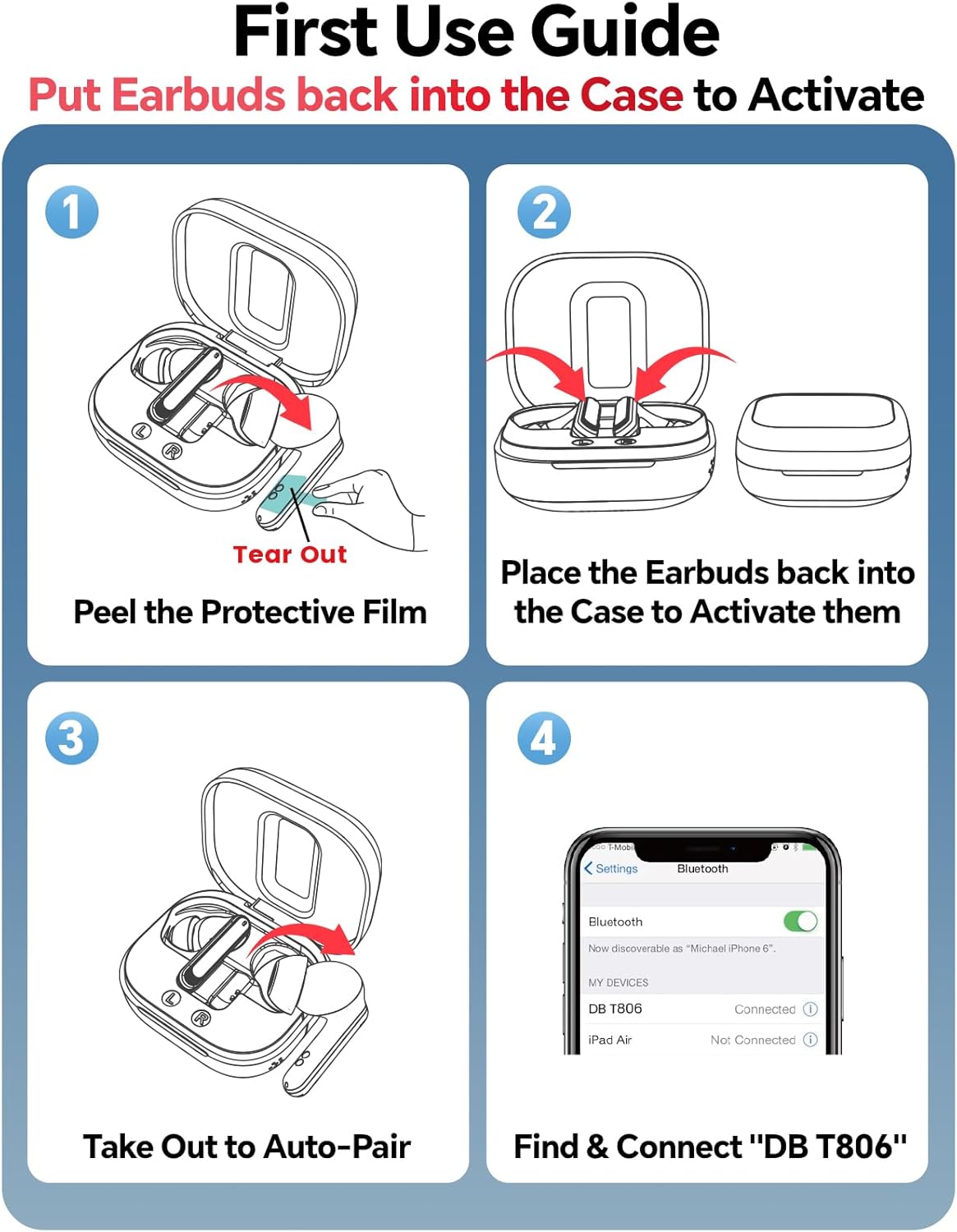
- Activate Earbuds: Upon first use, peel off any protective film from the earbuds. Place both earbuds back into the charging case to activate them.
- Automatic Pairing: Take the earbuds out of the charging case. They will automatically enter pairing mode.
- Connect via Bluetooth: On your device (smartphone, tablet, PC), open Bluetooth settings and search for "DB T806". Select it to connect.

Operating Your Earbuds
Smart Touchscreen Controls
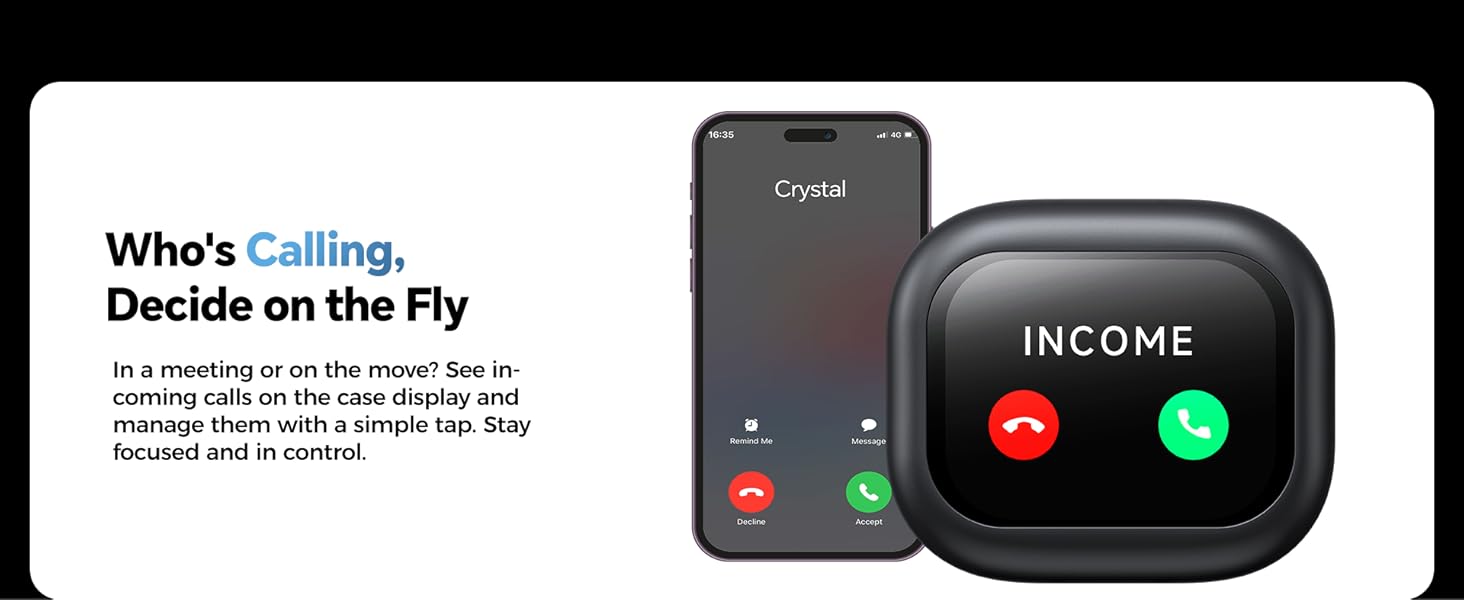
The charging case features an intuitive touchscreen display, allowing you to manage various functions directly from the case without needing your phone. Swipe through different panels for real-time call display, finding your earbuds, volume/brightness adjustment, and more.

Music Playback
Control your music directly from the earbuds or the charging case touchscreen.
- Play/Pause: Double tap L/R earbud.
- Next Track: Triple tap R earbud.
- Previous Track: Triple tap L earbud.
- Volume Up: Long press R earbud.
- Volume Down: Long press L earbud.

Call Management
Handle calls with ease using the earbud controls or the charging case display.
- Receive Call: One tap L/R earbud.
- Reject Call: Long press 2s L/R earbud.
- Activate Siri: Five tap L/R earbud.
Advanced Features
- Find My Earbuds: Use the charging case touchscreen to locate a lost earbud. The display will show options to find the left or right earbud.
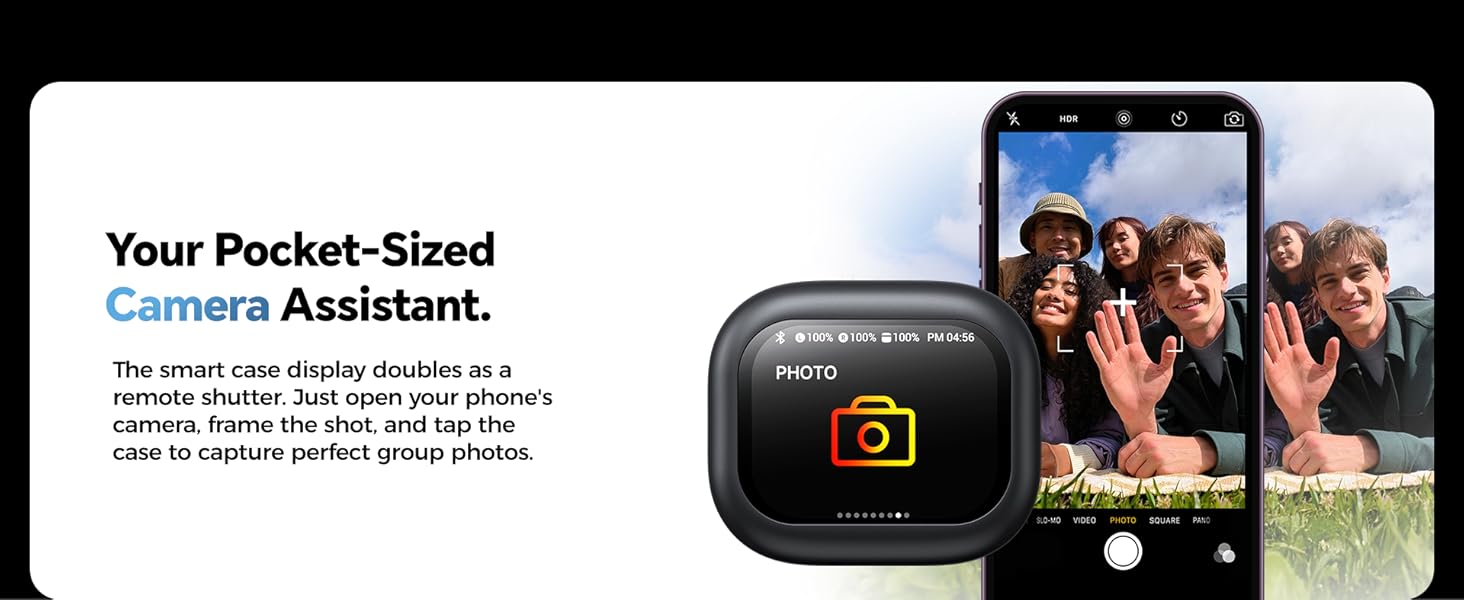
- Camera Assistant: The smart case can act as a remote shutter for your phone's camera. Open your phone's camera, frame the shot, and tap the case to capture photos.
- Pocket Timer: Set focus sessions or reminders directly on the case, without getting distracted by your phone.

Earbud Button Functions

Care and Maintenance
Cleaning Charging Points
After workouts or exposure to moisture, use a dry cloth or cotton swab to gently clean the metal contacts on the earbuds and the pins in the case. Keeping these points clean and dry prevents corrosion and ensures reliable charging.
Protective Grille Maintenance
If your earphone sound becomes muffled or quieter than before, use a soft brush or cotton swab to gently remove earwax and dust from the grille. To prevent damage, do not use sharp objects.

Troubleshooting
| Problem | Solution |
|---|---|
| Earbuds not pairing | Ensure earbuds are charged. Place them back in the case, close the lid, then open it again. Check your device's Bluetooth settings and forget/remove "DB T806" if previously connected, then try pairing again. |
| No sound from one earbud | Check battery level of both earbuds. Ensure both are properly seated in the charging case. Try resetting the earbuds (refer to full user guide for specific reset instructions). |
| Charging case display unresponsive | Ensure the charging case is charged. Try connecting it to a power source. If the issue persists, contact customer support. |
| Poor call quality | Ensure the microphone is not obstructed. Clean the microphone opening. Move closer to your connected device to improve signal strength. |
Technical Specifications
| Feature | Detail |
|---|---|
| Model Name | T806 |
| Bluetooth Version | 5.4 |
| Driver Size | 13mm |
| Total Playtime | Up to 30 hours (with charging case) |
| Water Resistance | IPX5 |
| Control Type | Touch Control |
| Microphone | Built-in high-sensitivity mic |
| Charging Time | 2.5 Hours |
| Item Weight | 0.3 Ounces |
| Ear Placement | In Ear |
| Noise Control | Sound Isolation |
Warranty and Support
Your dbsono Wireless Bluetooth Earbuds come with a standard manufacturer's warranty. For detailed warranty information, please refer to the warranty card included in your product packaging or visit the official dbsono website. If you encounter any issues or require technical assistance, please contact dbsono customer support. You may also find additional resources and a full user guide by scanning the QR code provided on the charging case display (if applicable) or by visiting the Amazon support page for this product.
Ask a question about this manual
Ask about setup, troubleshooting, compatibility, parts, safety, or missing instructions. Manuals+ will review the question and use this page’s manual context to help answer it.