
Introduction
This manual provides detailed instructions for the assembly, operation, and maintenance of your Korfile 47-inch White L-Shaped Gaming Desk. Designed for optimal gaming and workstation use, this desk features integrated LED lighting, a built-in power outlet, and ample storage. Please read this manual thoroughly before assembly and use to ensure proper setup and longevity of your product.
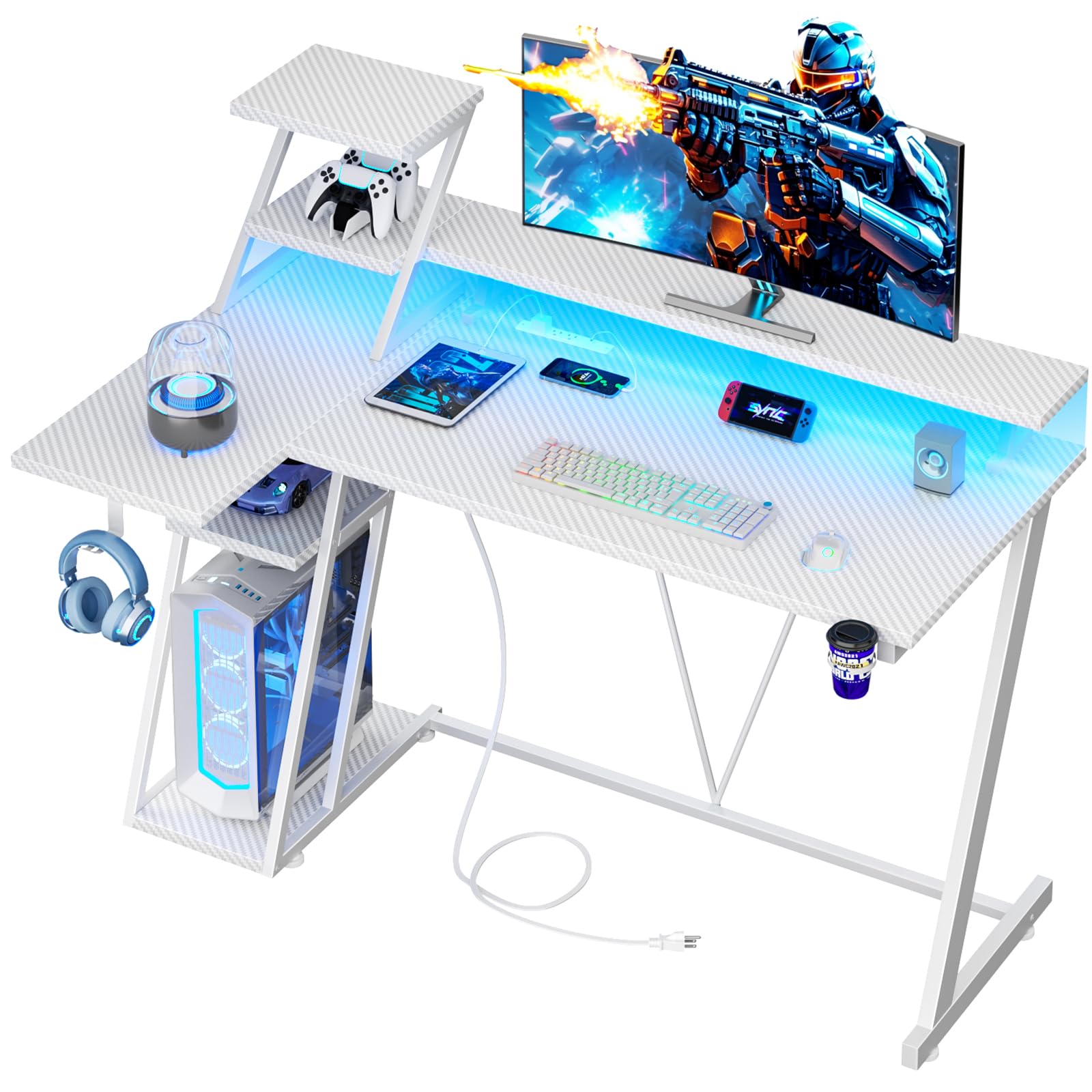
Image: The Korfile 47-inch White L-Shaped Gaming Desk, showcasing its overall design and features.
Important Safety Information
- Always assemble the desk according to the provided instructions.
- Ensure the desk is properly anchored to the floor to prevent tipping, especially when heavy equipment is placed on it.
- Be cautious when using the electrical components and follow all safety guidelines for electrical devices.
- Keep the desk and its components away from water and other potential hazards.
- Do not overload shelves or the desktop beyond their intended capacity.
Package Contents
Before beginning assembly, verify that all parts listed below are present and undamaged. If any parts are missing or damaged, please contact Korfile customer support.
- Desk frame components (metal tubes, supports)
- Desktop panels (L-shaped main desktop, monitor stand, side shelves)
- Built-in power outlet with 3 AC outlets and 2 USB ports
- RGB LED light strip with remote control
- Cup holder
- Headphone hook
- Assembly hardware (screws, dowels, adjustable feet)
- Assembly tools (Allen wrench, screwdriver)
- Instruction manual
Video: Unboxing and organized components of the Korfile gaming desk, demonstrating how parts are clearly labeled for easy identification and smooth assembly.
Assembly Instructions
Please read the manual before assembly. Follow the steps and use parts in the order indicated. It is recommended to have a clear, spacious area for assembly.
- Install Case Holder: Attach adjustable feet to the frame with screws and tubes. Then, secure the corresponding boards to complete the case holder.
- Assemble Main Frame & Desktop: Fix the specified tubes to the main frame with screws to install the main desktop.
- Install the Side Panel: Use the corresponding screws and frame to secure it to the desktop.
- Install Power Outlet: Mount the power outlet using screws into the designated slot on the desktop.
- Install Monitor Stand: Secure the stand board with screws. Connect the panels using dowels and secure with screws.
- Install Accessories: Mount the cup holder and headset holder with screws to the desired locations on the desk frame.
- Install LED Strip: Peel and stick the LED strip using its backing tape to the underside of the monitor stand or main desktop. Connect the USB plug to one of the desk's USB ports or a separate power source.

Image: Detailed dimensions of the Korfile 47-inch L-shaped gaming desk, including height, width, and depth of various sections.

Image: Illustration of the reversible design of the L-shaped gaming desk, demonstrating two possible configurations for the side shelves.
Key Features
- Carbon Fiber Texture: Made from MDF with a carbon fiber textured surface, providing a smooth, scratch-resistant, and easy-to-clean finish.
- Integrated Power Outlets: Includes 3 AC power outlets and 2 USB charging ports conveniently located under the monitor stand for simultaneous device charging.
- RGB LED Lighting: Features an RGB LED light strip with remote control and APP operation, offering over 60,000 colors, built-in microphone for music sync, and timing functions.
- Reversible Design: The L-shaped configuration can be assembled with the side shelves on either the left or right, adapting to your room layout.
- Monitor Stand: A full desktop monitor stand elevates your screen(s) to an ergonomic height, accommodating two monitors and saving desktop space.
- Extra Storage: Two additional shelves on the desktop and two underneath provide ample space for books, electronics, and gaming gear.
- Convenient Accessories: Includes a cup holder and headphone hook, both switchable to preferred sides, to keep your essentials organized and within reach.
- Sturdy Construction: Built with a durable metal frame for stability and longevity.

Image: The gaming desk highlighting its RGB LED light features, including APP control, remote control, over 60,000 colors, built-in mic for music sync, and timing function.
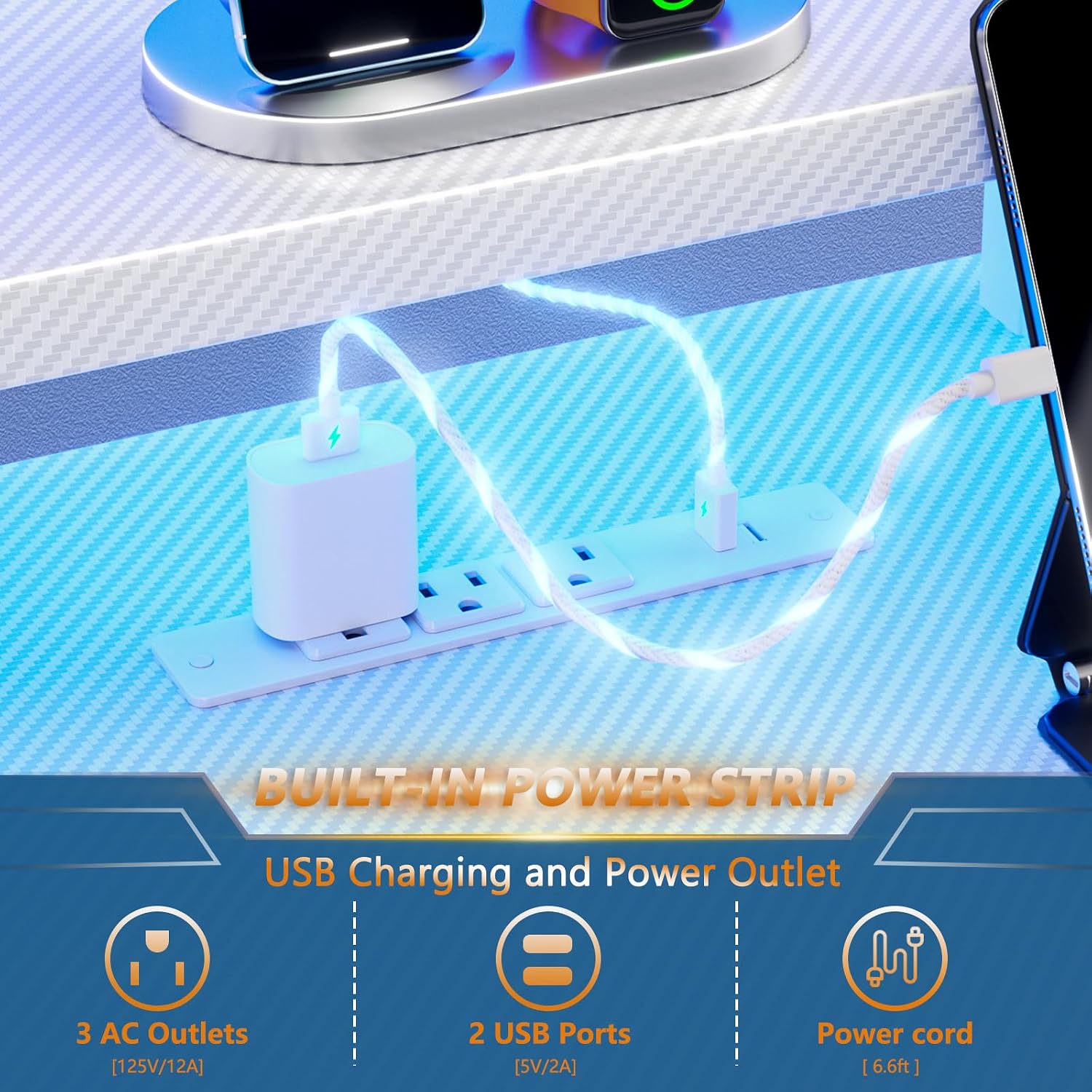
Image: Detail of the built-in power strip, showing 3 AC outlets and 2 USB charging ports with a 6.6 ft power cord.

Image: The gaming desk configured with a headphone hook, cup holder, and dedicated space for a PC tower on the lower shelf, emphasizing the sturdy metal frame.

Image: A person using the gaming desk with a monitor on the elevated stand, demonstrating how the stand helps maintain proper sitting posture and viewing angle.
Operating Instructions
Using the Built-in Power Outlet
The desk includes a built-in power strip with 3 AC outlets (125V/12A) and 2 USB ports (5V/2A). Simply plug the desk's main power cord into a wall outlet. You can then plug your devices, such as monitors, laptops, and smartphones, directly into the desk's integrated outlets for convenient power access.
Controlling the RGB LED Lights
The RGB LED light strip can be controlled via a remote control or a dedicated smartphone application. Refer to the separate LED light instruction sheet for detailed pairing and control options. Features include:
- Color selection (over 60,000 options)
- Brightness adjustment
- Dynamic lighting modes
- Music synchronization via built-in microphone
- Timing functions for automatic on/off
Video: Demonstrates the gaming desk's features, including the LED lights, power outlets, and storage, suitable for a compact setup.
Video: A detailed look at the gaming desk with LED lights and power outlets, highlighting its functionality and design for a gaming setup.
Maintenance and Care
- Cleaning: Wipe the desk surfaces with a damp cloth for general cleaning. For a streak-free finish, follow with a dry cloth. Avoid harsh chemicals or abrasive cleaners that may damage the carbon fiber texture.
- Spills: Immediately wipe up any spills to prevent damage to the desk material or electrical components.
- Inspection: Periodically check all screws and connections to ensure they remain tight. Retighten if necessary to maintain stability.
- Electrical Components: Ensure all electrical connections are secure and free from damage. Do not attempt to repair damaged electrical components; contact a qualified technician.
Troubleshooting
LED Lights Not Working
- Ensure the USB plug for the LED strip is securely connected to a power source.
- Check the remote control battery or ensure the smartphone app is correctly paired.
- Verify that the desk's main power cord is plugged into a functional wall outlet.
Power Outlets Not Functioning
- Confirm the desk's main power cord is securely plugged into a live wall outlet.
- Check if the wall outlet itself is working by plugging in another device.
- Avoid overloading the power strip; ensure total wattage of connected devices does not exceed the strip's capacity.
Desk Wobbles After Assembly
- Ensure all screws are fully tightened.
- Adjust the leveling feet at the bottom of the desk to compensate for uneven floors.
- Verify that all frame components are correctly aligned and assembled according to the instructions.
Specifications
| Brand | Korfile |
| Model Number | HK-GD-002-CL-47-1-CFW |
| Product Dimensions (D x W x H) | 18.9"D x 47.2"W x 42.1"H |
| Size | 47 Inches |
| Color | Carbon Fiber White |
| Material Type | Engineered Wood, Metal |
| Special Features | Built-In USB Outlet, Monitor Stand, Reversible, RGB LED Lights, Cup Holder, Headphone Hook |
| Number of Shelves | 4 (2 desktop, 2 under-desk) |
| Power Outlet | 3 AC Outlets (125V/12A), 2 USB Ports (5V/2A) |
| Required Assembly | Yes |
| Product Care Instructions | Wipe with Damp Cloth, Wipe with Dry Cloth |
Warranty and Support
This Korfile gaming desk comes with a Limited Warranty. For specific details regarding warranty coverage, duration, and terms, please refer to the warranty card included in your package or contact Korfile customer support.
If your items received are damaged, scratched, or missing parts, please contact us at any time, and we will provide you with satisfactory solutions within 24 hours.
For further assistance, product inquiries, or technical support, please visit the official Korfile store or contact our customer service team.