
Introduction
Thank you for purchasing the ChooChoo End Table. This manual provides detailed instructions for assembly, operation, maintenance, and troubleshooting to ensure safe and proper use of your new furniture. Please read this manual thoroughly before beginning assembly and retain it for future reference.
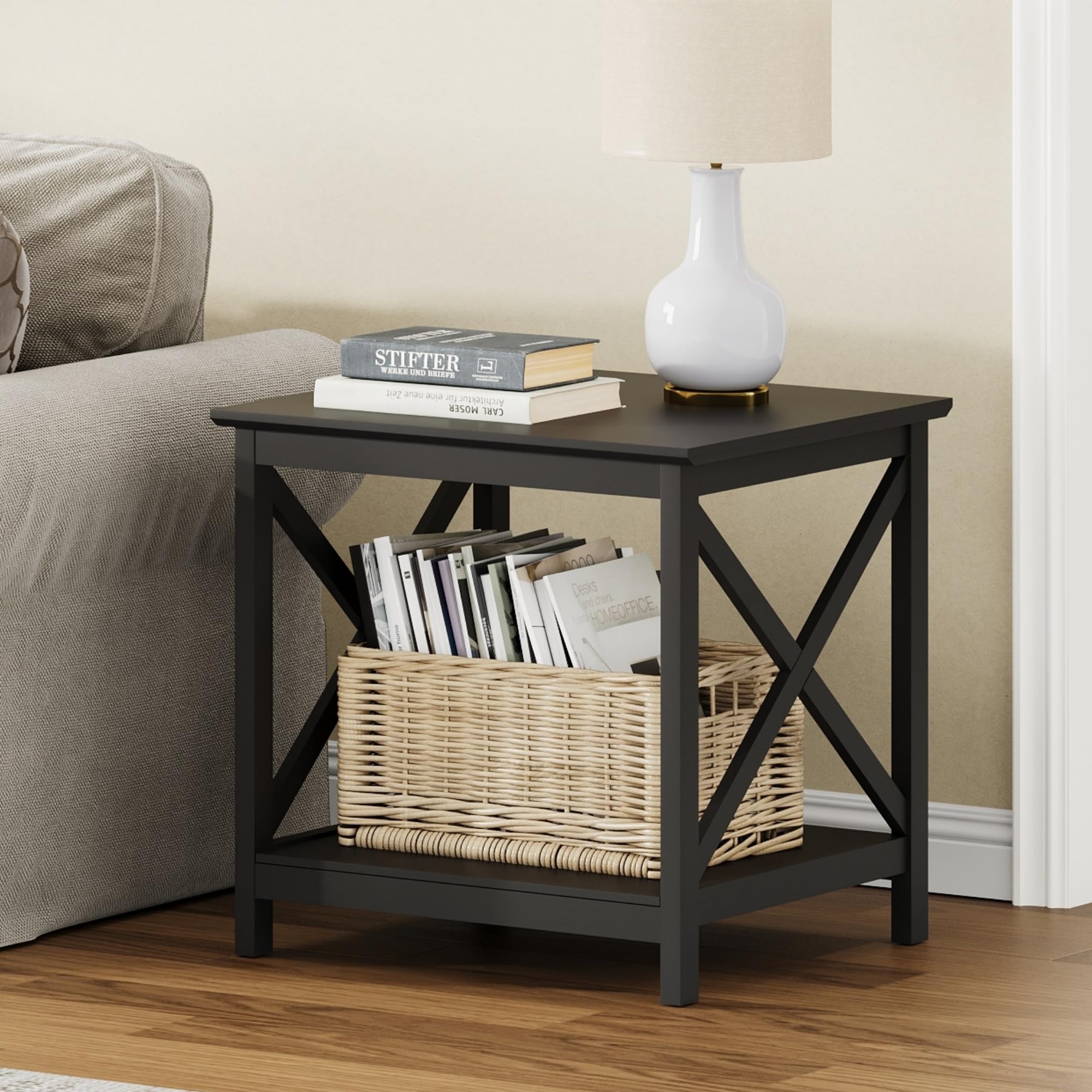
Image: The ChooChoo End Table, a square table with two tiers and X-frame sides, in black finish.
Safety Information
Caution: This product requires assembly. Use the provided tools carefully to avoid injury. Always follow assembly instructions precisely. Do not overtighten screws. Ensure all connections are secure before use. Keep small parts away from children during assembly.
Package Contents
Before assembly, verify that all components are present and undamaged. If any parts are missing or damaged, please contact customer support.
- Tabletop (A)
- Bottom Shelf (B)
- Side Panels with X-frame (C x 2)
- Support Rails (D x 2)
- Hardware Pack (screws, dowels, Allen wrench)
- Instruction Manual

Image: An illustration showing the individual components of the end table, including the top, shelves, X-frame sides, and hardware.
Setup and Assembly Instructions
Follow these steps carefully to assemble your ChooChoo End Table. It is recommended to assemble on a soft, clean surface to prevent scratches.
- Step 1: Attach Support Rails to Side Panels. Secure the support rails (D) to one of the side panels (C) using the provided screws. Ensure the pre-drilled holes align.
- Step 2: Attach Bottom Shelf. Slide the bottom shelf (B) into the grooves of the assembled side panel and support rails.
- Step 3: Attach Second Side Panel. Connect the second side panel (C) to the bottom shelf (B) and the support rails (D). Tighten all screws.
- Step 4: Attach Tabletop. Place the tabletop (A) onto the assembled base, aligning the pre-drilled holes. Secure the tabletop with the remaining screws.
- Step 5: Final Tightening. Gently tighten all screws to ensure stability. Do not overtighten.
Video: Official ChooChoo Furniture video demonstrating the assembly and various uses of the end table and other matching living room furniture pieces.

Image: Diagram showing the dimensions of the assembled end table: 23.6 inches (60cm) in depth, width, and height, with 18.5 inches (47cm) clearance between shelves.
Operating Instructions
The ChooChoo End Table is designed for versatile use in various rooms. Its two-tier design provides ample storage and display space.
- Living Room Side Table: Position next to a sofa or armchair to hold drinks, remote controls, books, or decorative items.
- Bedroom Nightstand: Use beside your bed for a lamp, alarm clock, and personal items.
- Office Accent Table: Ideal for holding a printer, office supplies, or as a decorative piece in a home office.
- Mini Fridge Stand: The sturdy construction can support a mini-fridge on the top surface, with the lower shelf for beverages or accessories.

Image: The end table positioned next to a sofa, serving as a convenient side table.

Image: The end table functioning as a nightstand beside a bed, holding a lamp and books.

Image: The end table in an office setting, supporting a printer on its top surface.

Image: The end table supporting a mini-fridge, demonstrating its use as a beverage station.
Maintenance
To maintain the appearance and longevity of your ChooChoo End Table, follow these simple care instructions:
- Cleaning: Wipe surfaces with a soft, damp cloth. Avoid harsh chemicals or abrasive cleaners, which can damage the painted finish.
- Spills: Clean spills immediately to prevent staining or damage to the wood.
- Protection: Use coasters under drinks and placemats under hot items to protect the tabletop.
- Sunlight: Avoid prolonged exposure to direct sunlight to prevent fading or discoloration.
- Stability Check: Periodically check and retighten all screws to ensure the table remains stable.

Image: A close-up view of the smooth, painted surface of the end table, highlighting its finish.
Troubleshooting
If you encounter any issues with your ChooChoo End Table, refer to the following common solutions:
| Problem | Possible Cause | Solution |
|---|---|---|
| Table is wobbly | Screws are loose or uneven floor. | Retighten all assembly screws. Ensure the table is on a flat, level surface. Use furniture pads if necessary. |
| Parts do not align during assembly | Incorrect orientation of parts or manufacturing defect. | Review the assembly instructions carefully to ensure all parts are oriented correctly. If parts still do not align, contact customer support. |
| Surface damage (scratches, chips) | Impact or abrasive cleaning. | For minor scratches, touch-up paint may be used. For significant damage, contact customer support for advice. |
Specifications
| Feature | Detail |
|---|---|
| Brand | ChooChoo |
| Model Number | ET2501-BK |
| Product Dimensions (D x W x H) | 23.62" x 23.62" x 23.62" (60cm x 60cm x 60cm) |
| Item Weight | 10.8 Kilograms |
| Frame Material | Engineered Wood |
| Top Material Type | Engineered Wood |
| Color | Black |
| Furniture Finish | Painted |
| Assembly Required | Yes |
| Recommended Tools for Assembly | Hammer, Screwdriver (usually included or standard household tools) |
Warranty Information
Specific warranty details for the ChooChoo End Table are not provided in the product information. Please refer to the retailer's return policy or contact ChooChoo customer support for warranty inquiries.
Generally, products purchased from Amazon.com are subject to a 30-day return policy for refunds or replacements, as indicated by the buybox winner information.
Customer Support
For any questions, missing parts, or assistance with assembly, please contact ChooChoo Furniture customer service. You can typically find contact information on the packaging, the retailer's website, or through your purchase order details.
For online purchases, you may also visit the ChooChoo Store on Amazon for more information or to contact the seller directly.