
Introduction
This manual provides detailed instructions for setting up, operating, and maintaining your Arktronic 27-inch FHD IPS WiFi Digital Picture Frame. This device allows you to display high-quality photos and videos, share memories with family and friends, and enjoy various smart features.
Setup
1. Unboxing and Initial Power-Up
Carefully remove the digital picture frame and all accessories from its packaging. Locate the power adapter.

Image: The Arktronic digital picture frame being carefully removed from its packaging.
2. Connecting Power
Plug the power cord into the designated port on the back of the frame. Connect the other end to a power outlet. The frame will automatically begin the startup process.

Image: The back of the digital picture frame with the power cord connected to the port.
3. Language and Wi-Fi Setup
Once powered on, the frame will display a welcome screen. Use the included remote control to select your preferred language and connect to your Wi-Fi network. Ensure a stable internet connection for optimal performance.
4. VPhoto App Connection
Download the VPhoto app from your smartphone's app store (Apple App Store or Google Play Store). On the frame, navigate to the settings menu to find the connection code or QR code. Scan the QR code with the VPhoto app to link your device to the frame. This allows for easy photo and video sharing.

Image: A smartphone scanning the QR code displayed on the digital picture frame to establish a connection with the VPhoto app.
Video: Demonstrates the unboxing, setup, and initial photo sharing process for the Arktronic digital picture frame.
Operating Instructions
1. Sharing Photos and Videos
You can share photos and videos to your frame securely and privately via the VPhoto app or email. Friends and family can also upload content once connected. The frame has 64GB of built-in memory, capable of storing up to 160,000 photos. It supports popular image formats (JPG, GIF, BMP, PNG) and video formats (MPEG1, MPEG2, MPEG4, Xvid, AVI, M-JPEG, H.264.MOV, VOB, MKV, DIVX4, DIVX5).

Image: A user interacting with a smartphone app to send photos to the digital picture frame.
2. Auto-Rotate Feature
The frame automatically rotates images and videos to fit vertical or horizontal orientations, ensuring your content is always displayed correctly.

Image: The digital picture frame demonstrating its auto-rotate function, adjusting content orientation as the frame is physically rotated.
3. Remote Control Functions
The included remote control allows for easy navigation through menus and settings, making it convenient for all users. (Note: AAA batteries for the remote are not included).

Image: A hand holding the remote control, pointing towards the digital picture frame to adjust settings or content.
4. Additional Features
- Captions: Display captions at the bottom of photos to add context or stories.
- Background Music: Play background music during slideshows.
- Light Sensor: Adjust screen brightness automatically based on ambient light.
- Sleep Mode: Schedule the frame to turn on/off at specific times.
- Image Zoom: Zoom in on photos for detailed viewing.
- Slideshow Mode: Customize slideshow intervals and playback order.
- USB/Micro SD Support: Directly play photos and videos from USB flash drives and Micro SD cards.
Video: A detailed review demonstrating the features, setup, and user interface of the Arktronic digital picture frame, including auto-rotate and app connectivity.
Video: Showcases the Arktronic smart frame's ability to bring photos to life, highlighting its display quality and ease of sharing.
Maintenance
To ensure the longevity and optimal performance of your digital picture frame, follow these maintenance guidelines:
- Cleaning: Gently wipe the screen with a soft, dry, lint-free cloth. For stubborn smudges, slightly dampen the cloth with water or a screen-safe cleaner. Avoid harsh chemicals or abrasive materials.
- Placement: Place the frame in a location away from direct sunlight, excessive heat, or moisture to prevent damage to the screen and internal components.
- Ventilation: Ensure proper ventilation around the frame to prevent overheating. Do not block the ventilation holes on the back.
- Power: Disconnect the power adapter during electrical storms or when the device will be unused for extended periods.
Troubleshooting
If you encounter any issues with your Arktronic digital picture frame, please refer to the following common solutions:
- Frame Not Turning On: Ensure the power adapter is securely connected to both the frame and a working power outlet. Try a different outlet if necessary.
- No Wi-Fi Connection: Check your router and ensure it is working correctly. Re-enter your Wi-Fi password on the frame. If issues persist, try restarting both the frame and your router.
- Photos Not Displaying: Verify that photos are in supported formats (JPG, GIF, BMP, PNG). Ensure they are properly uploaded via the VPhoto app, email, USB, or Micro SD card.
- Screen Freezing: Unplug the power adapter, wait for 10 seconds, and then plug it back in to restart the device. If the issue recurs, consider performing a factory data reset (refer to the settings menu).
- Remote Control Not Working: Check if the remote control batteries (AAA, not included) are correctly inserted and not depleted. Ensure there are no obstructions between the remote and the frame's sensor.
Specifications
| Feature | Detail |
|---|---|
| Screen Size | 27 Inches |
| Resolution | 1920x1080 FHD IPS |
| Display Type | IPS Matte Screen |
| Internal Storage | 64GB (up to 160,000 photos) |
| Connectivity | WiFi, USB, Micro SD |
| Supported Image Formats | JPG, GIF, BMP, PNG |
| Supported Video Formats | MPEG1, MPEG2, MPEG4, Xvid, AVI, M-JPEG, H.264.MOV, VOB, MKV, DIVX4, DIVX5 |
| Product Dimensions | 25 x 14.7 x 0.99 inches |
| Item Weight | 14.15 pounds |
| Manufacturer | Arktronic |
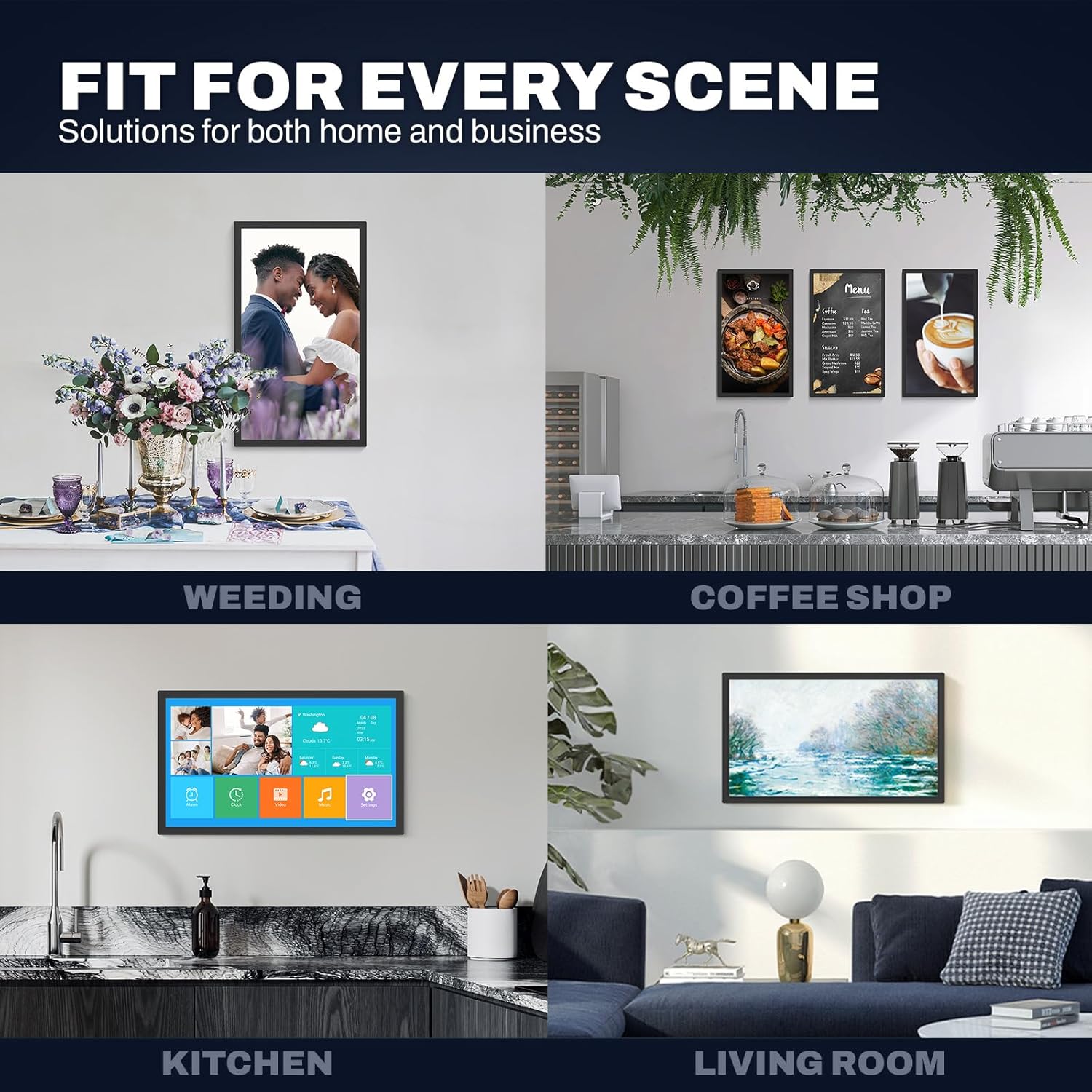
Image: The digital picture frame displayed in a home setting, highlighting its dimensions and how it blends with decor.
Warranty and Support
Arktronic is committed to providing high-quality products and customer satisfaction. Your digital picture frame comes with the following:
- 30-Day Money Back Commitment: If you are not satisfied with your purchase, you may return it within 30 days for a full refund.
- 1-Year Worry-Free Warranty: The product is covered by a 1-year warranty against manufacturing defects.
- Lifetime Professional Service: Arktronic offers lifetime professional customer support for any inquiries or assistance you may need.
For customer service, please refer to the contact information provided in your Quick Start Guide or visit the official Arktronic website.