
Introduction
This manual provides instructions for the SCS Sentinel AAM0121 4-Channel Gate Remote Control. This device is designed to remotely control the opening and closing of your gate or garage door. It features 4 independent channels, allowing control of up to four different devices or functions. Enhanced security is provided by its rolling code technology, which changes the transmission code automatically with each use, preventing unauthorized access.
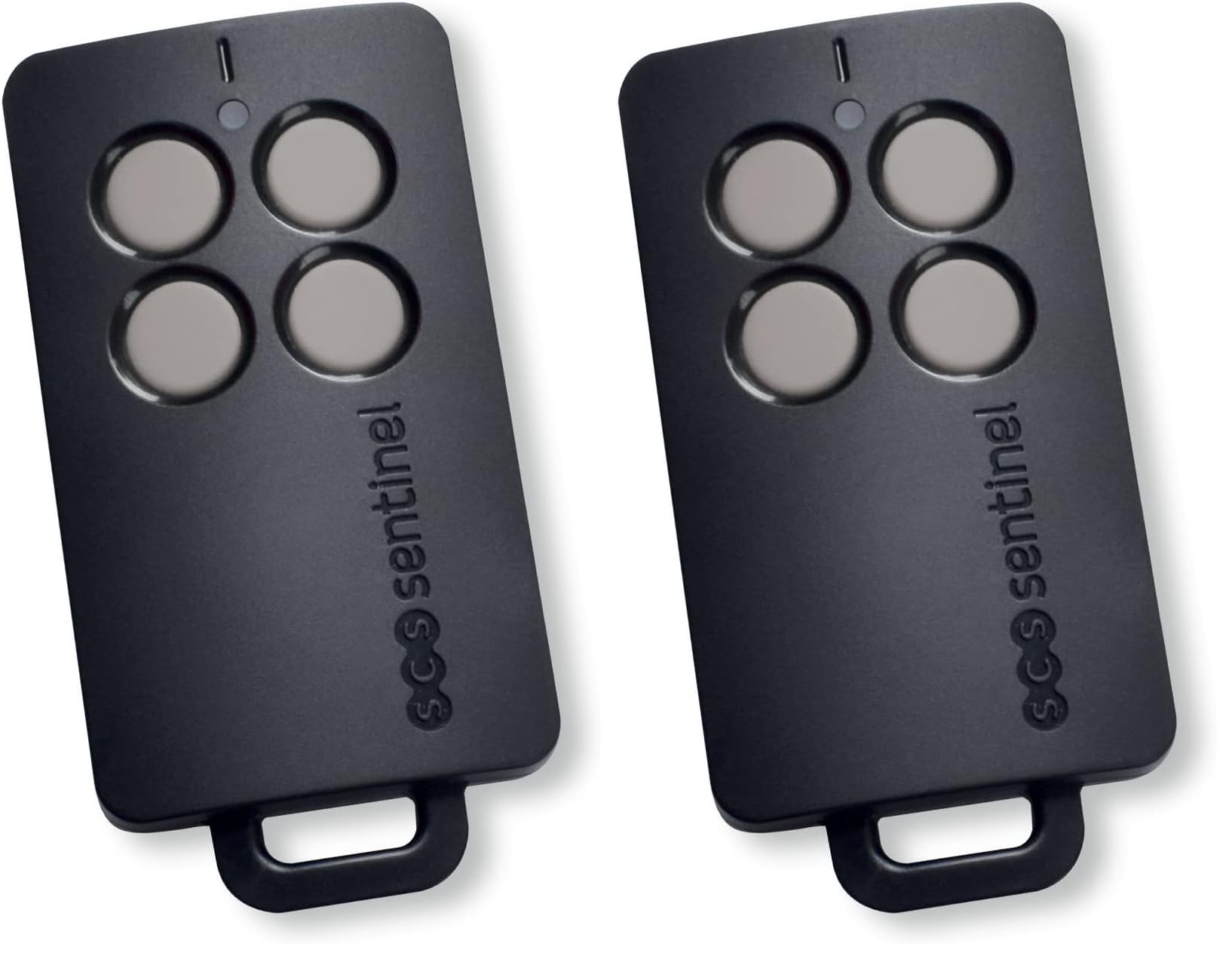
Image: The SCS Sentinel AAM0121 4-Channel Gate Remote Control, a compact black device with four grey buttons and a key ring loop.
The remote operates within a range of 50 meters and transmits on a frequency between 433.05 MHz and 434.79 MHz, ensuring compatibility with most standard gate motorization systems. It is powered by a single CR2032 lithium battery.
Setup and Programming
Battery Installation
The remote control comes with a CR2032 lithium battery pre-installed. If replacement is needed, carefully open the remote's casing to access the battery compartment. Ensure the new CR2032 battery is inserted with the correct polarity.
Programming the Remote Control
To program this remote control, refer to the user manual of your specific gate or garage door motorization system. The programming procedure is typically performed on the receiver unit of your motorization. This remote is compatible with SCS Sentinel OpenGate 1 (ram), 2 (articulated arm), 3 (rack), Prim' by SCS Sentinel, SG 1,2,3 CarGate 800, and CarOne 600 motorization boards.

Image: A close-up view of the four grey buttons on the remote control, indicating the control interface.
Follow the instructions provided by your motorization system manufacturer to pair the AAM0121 remote control. This usually involves pressing a programming button on the motorization unit and then a button on the remote control.
Operating Instructions
The AAM0121 remote control features four distinct buttons, each corresponding to a channel. Once programmed, each button can control a different function or device connected to your gate motorization system.
- Activation: Press the desired button firmly to activate the corresponding function (e.g., open gate, close gate, partial opening).
- Range: The remote has an effective operating range of up to 50 meters. Optimal performance is achieved when there are no significant obstructions between the remote and the receiver.
- Security: The integrated rolling code technology ensures that the transmission code changes with each use, enhancing the security of your gate system against unauthorized duplication.

Image: A hand pressing one of the grey buttons on the SCS Sentinel remote control, demonstrating typical use.

Image: A hand holding the remote control, pointing towards a gate and garage door, illustrating its function in controlling access.
Maintenance
Battery Replacement
When the remote's operating range decreases significantly or the indicator light (if present) does not illuminate, the CR2032 lithium battery may need replacement. To replace the battery:
- Carefully open the remote control casing.
- Remove the old CR2032 battery.
- Insert a new CR2032 battery, ensuring the positive (+) side faces up.
- Close the casing securely.
Cleaning
Clean the remote control with a soft, dry cloth. Avoid using abrasive cleaners, solvents, or excessive moisture, as these can damage the device.
Storage
Store the remote control in a dry place, away from direct sunlight and extreme temperatures. Avoid dropping the remote or exposing it to strong impacts.
Troubleshooting
- Remote not responding:
- Check the battery: Replace the CR2032 battery if it is low or depleted.
- Verify programming: Ensure the remote is correctly programmed to your gate motorization system. Refer to your motorization manual for programming steps.
- Check range: Ensure you are within the 50-meter operating range and there are no significant obstructions.
- Reduced operating range:
- Low battery: Replace the battery.
- Interference: Strong radio interference or physical obstructions (walls, vehicles) can reduce the range. Try operating from a different position.
- Programming difficulties:
- Consult your gate motorization system's manual for specific programming instructions.
- Ensure the motorization receiver is in programming mode.
- If issues persist, contact technical support.
Specifications
| Feature | Specification |
|---|---|
| Brand | SCS Sentinel |
| Model Number | AAM0121 |
| Color | Black |
| Material | Plastic |
| Number of Channels | 4 |
| Emission Frequency | 433.05 MHz to 434.79 MHz |
| Operating Range | Up to 50 meters |
| Battery Type | 1 x CR2032 Lithium |
| Security Feature | Rolling Code |
| Control Interface | Push-buttons |
| Shape | Rectangular |
Warranty
SCS Sentinel is committed to providing reliable and innovative technical products that are easy to install and use, combining comfort and security. This product is covered by a manufacturer's warranty. Please retain your proof of purchase for any warranty claims. For specific warranty terms and conditions, refer to the documentation included with your product or visit the SCS Sentinel official website.
Technical Support
Our technical assistance team is available to help you with the installation and use of your product. Our technicians provide informed and personalized advice. Your satisfaction is our priority.
For technical support, please visit the official SCS Sentinel website or refer to the contact information provided in your product packaging.