
1. Introduction
Thank you for choosing the HYCHIKA 3.6V Cordless Rotary Tool TX110. This versatile and lightweight tool is designed for a wide range of DIY projects, crafting, and precision tasks such as drilling, sanding, polishing, and engraving. To ensure safe and efficient operation, please read this manual thoroughly before use and keep it for future reference.
2. General Safety Instructions
Always follow basic safety precautions when using electric tools to reduce the risk of fire, electric shock, and personal injury.
- Work Area Safety: Keep your work area clean and well-lit. Cluttered or dark areas invite accidents. Do not operate power tools in explosive atmospheres, such as in the presence of flammable liquids, gases, or dust.
- Electrical Safety: Avoid body contact with earthed or grounded surfaces. Do not expose power tools to rain or wet conditions.
- Personal Safety: Always wear eye protection. Use hearing protection when operating for extended periods. Dress properly; avoid loose clothing or jewelry that can get caught in moving parts.
- Tool Use and Care: Do not force the power tool. Use the correct tool for your application. Disconnect the plug from the power source and/or the battery pack from the power tool before making any adjustments, changing accessories, or storing power tools.
- Battery Tool Use and Care: Recharge only with the charger specified by the manufacturer. Do not use battery packs with any other power tools.
3. Product Overview
3.1 Components
The HYCHIKA TX110 Cordless Rotary Tool comes with a comprehensive set of components to support various tasks:
- HYCHIKA 3.6V Cordless Rotary Tool (Model TX110)
- 77-Piece Accessory Kit (including grinding heads, polishing pads, drill bits, engraving tools)
- Type-C Charging Cable
- Storage Pouch for accessories
3.2 Key Features
- Powerful 3.6V Motor: Provides reliable performance for various tasks.
- Integrated 2000mAh Battery: Offers extended operation time.
- Fast Type-C Charging: Fully recharges in approximately 2 hours.
- Tool-Free Chuck: Allows for quick and secure accessory changes without additional tools.
- Lightweight and Ergonomic Design: Weighs only 250g (0.55 lbs) with a non-slip rubber grip for comfortable, fatigue-free use.
- Three Optimized Speed Settings:
- Slow: 5,000-8,000 RPM
- Medium: 10,000-12,000 RPM
- Fast: 15,000 RPM
- Multifunctional Application: Ideal for sanding, polishing, drilling, engraving, carving, and repairing various materials.
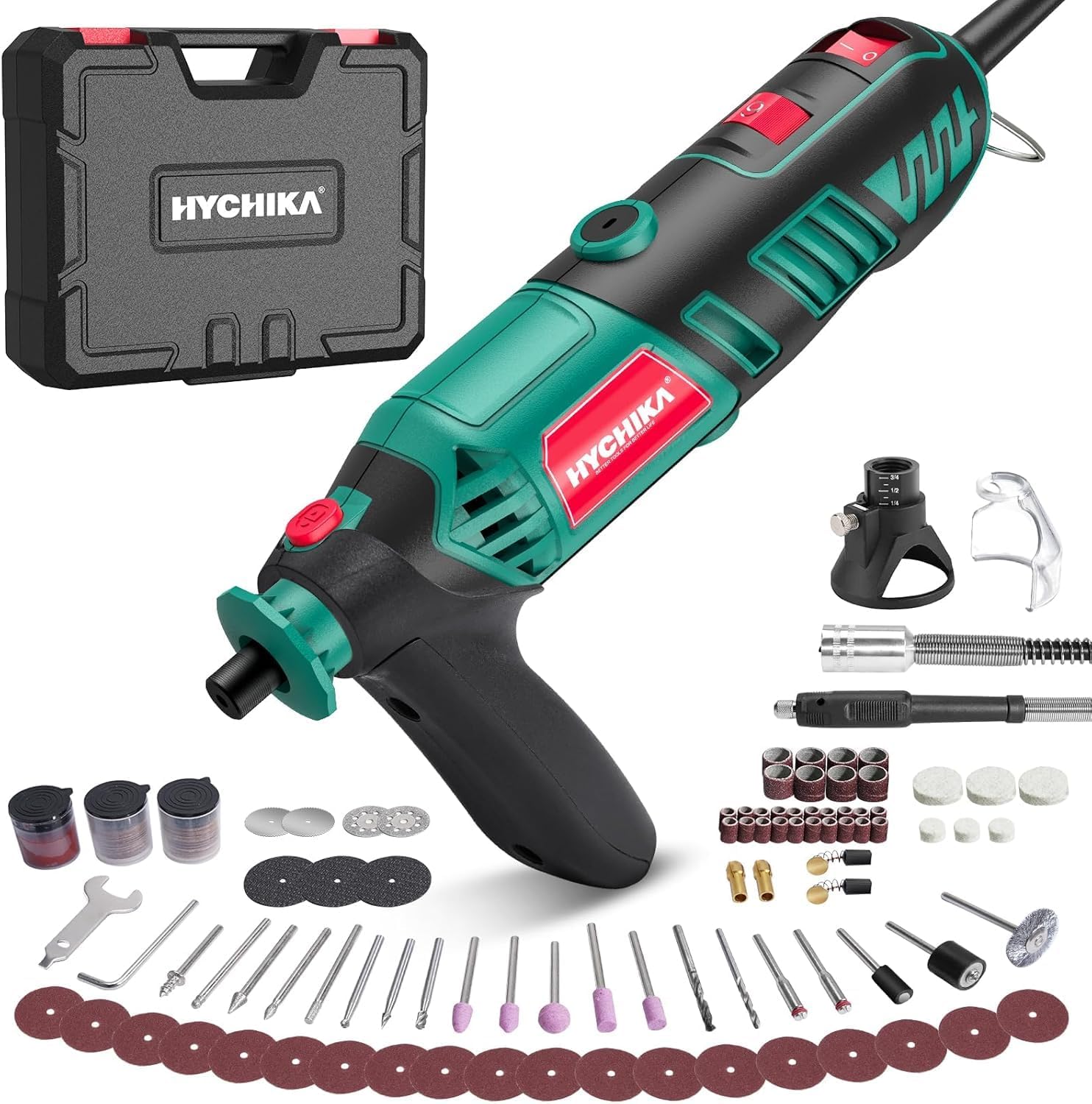
Figure 1: HYCHIKA 3.6V Cordless Rotary Tool TX110 and included accessories.
4. Setup
4.1 Charging the Battery
- Connect the Type-C charging cable to the charging port on the rotary tool.
- Plug the other end of the cable into a compatible USB power adapter (not included) or a USB port.
- The charging indicator light will illuminate, typically red, during charging. It will change color (e.g., green or off) when fully charged.
- A full charge takes approximately 2 hours. Ensure the tool is fully charged before first use for optimal battery life.
4.2 Attaching Accessories
- Ensure the tool is turned off before attaching or removing any accessories.
- Locate the tool-free chuck at the end of the rotary tool.
- Unscrew the chuck counter-clockwise until the jaws are open wide enough to insert the accessory shank.
- Insert the desired accessory (e.g., drill bit, grinding head) into the chuck, ensuring it is seated firmly.
- Tighten the chuck clockwise by hand until the accessory is securely clamped. Do not overtighten.
- Gently pull on the accessory to confirm it is securely fastened and will not slip during operation.
5. Operating Instructions
5.1 Powering On/Off
- To turn on the tool, press the power button. The tool will start at the lowest speed setting.
- To turn off the tool, press the power button again until the tool stops.
5.2 Selecting Speed Settings
The tool features three optimized speed settings:
- Press the speed adjustment button (usually located near the power button) to cycle through the speeds: Slow (5K-8K RPM), Medium (10K-12K RPM), and Fast (15K RPM).
- Select the appropriate speed for your task and material. Lower speeds are suitable for polishing, delicate engraving, and softer materials. Higher speeds are ideal for drilling, sanding, and harder materials.
5.3 General Usage Tips
- Drilling: Start with a low speed and gradually increase as needed. Apply light, steady pressure.
- Sanding/Polishing: Use appropriate sanding bands or polishing pads. Move the tool in a consistent motion to achieve an even finish.
- Engraving/Carving: Hold the tool like a pen for precision. Use a light touch and let the tool do the work.
- Always test on a scrap piece of material first to determine the best speed and accessory for your project.
- Avoid applying excessive pressure, as this can stall the motor, damage the accessory, or cause injury.

Figure 2: Demonstrating precision work with the HYCHIKA rotary tool.
6. Maintenance
6.1 Cleaning
- Always disconnect the tool from any charging source before cleaning.
- Wipe the tool's exterior with a clean, damp cloth. Do not use harsh chemicals or abrasive cleaners.
- Use a soft brush or compressed air to clear dust and debris from ventilation openings.
6.2 Accessory Care
- Clean accessories after each use to remove material residue.
- Store accessories in the provided pouch or a suitable container to prevent damage and loss.
- Replace worn or damaged accessories immediately to ensure optimal performance and safety.
6.3 Battery Storage
- Store the tool in a cool, dry place, away from direct sunlight and extreme temperatures.
- For long-term storage, charge the battery to approximately 50% capacity. Recharge every 3-6 months to maintain battery health.
7. Troubleshooting
| Problem | Possible Cause | Solution |
|---|---|---|
| Tool does not turn on. | Battery is depleted. | Charge the battery fully using the Type-C cable. |
| Accessory slips or is not secure. | Chuck not tightened sufficiently or accessory shank is too small. | Ensure the chuck is hand-tightened securely. Use accessories with appropriate shank sizes. |
| Tool stalls during operation. | Excessive pressure applied or material is too hard for the selected speed/accessory. | Reduce pressure. Increase speed or use a different accessory suitable for the material. |
| Reduced battery life. | Battery not fully charged or aging battery. | Ensure full charge. If battery life significantly degrades, consider contacting support for replacement options. |
8. Specifications
| Brand | HYCHIKA |
| Model Number | TX110 |
| Voltage | 3.6 Volts |
| Power Source | Battery Powered |
| Battery Type | Lithium-ion (1 included) |
| Dimensions (L x W x H) | 19.5 x 10 x 4 cm (7.68 x 3.94 x 1.57 inches) |
| Weight | 250 grams (0.55 lbs) |
| No-Load Speed | 5,000-15,000 RPM (3 variable speeds) |
| Charging Port | Type-C |
| Included Components | Rotary Tool, 77 Accessories, Type-C Cable |
9. Warranty and Support
For warranty information, please refer to the documentation included with your purchase or visit the official HYCHIKA website. If you encounter any issues or require technical assistance, please contact HYCHIKA customer support through their official channels.
Manufacturer: HYCHIKA