1. Introduction
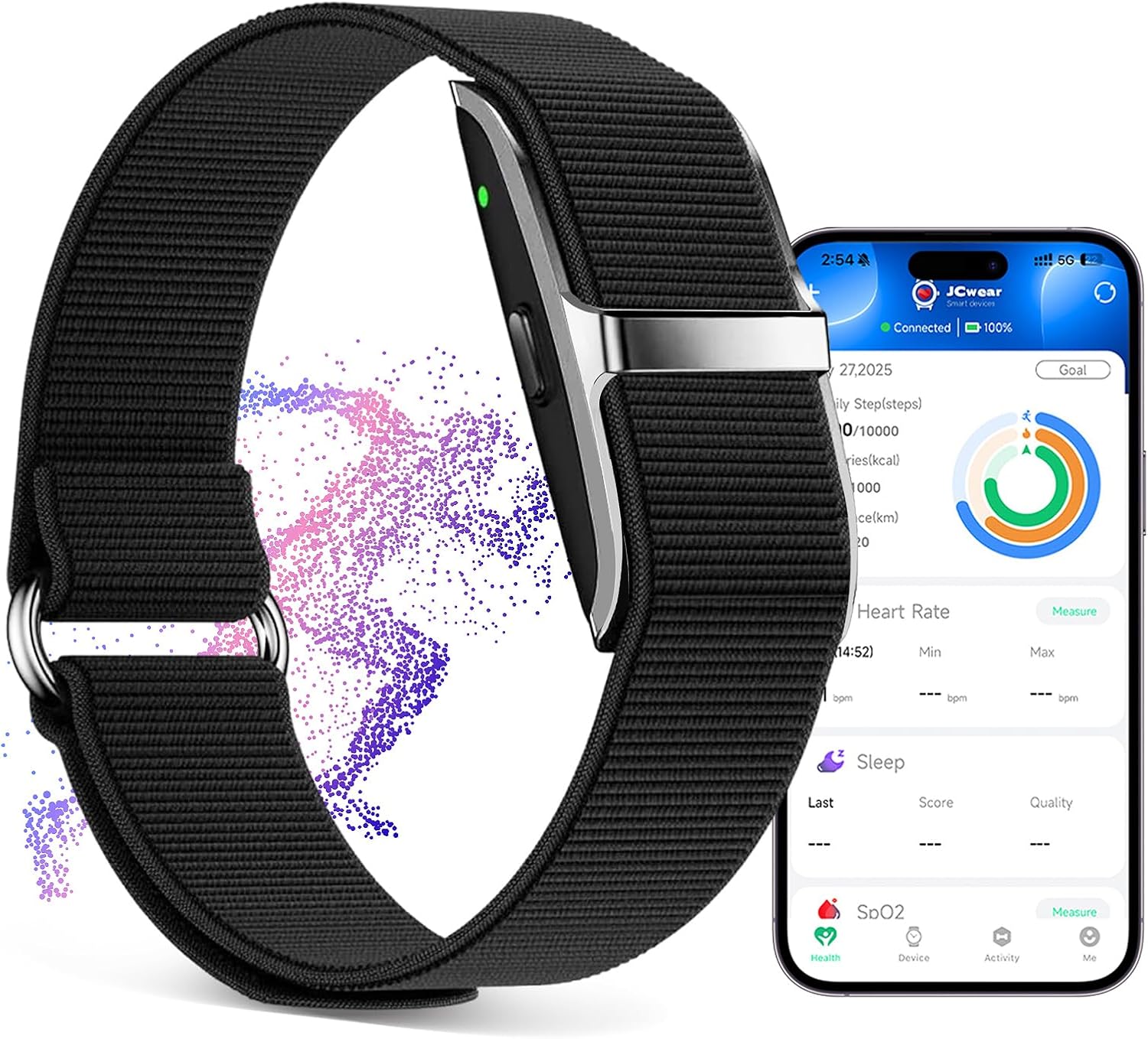
Thank you for choosing the VUHIGIB Smart Health Wristband. This wearable activity and fitness tracker is designed to provide comprehensive health insights and support your active lifestyle. It continuously monitors vital health metrics such as heart rate, blood oxygen, blood pressure, and body temperature, while also tracking sleep patterns and stress levels. With over 50 sports modes and smart notification features, this wristband is an ideal companion for managing your overall well-being.
Please read this manual carefully to ensure proper use and maintenance of your device.
2. What's in the Box
Upon opening your package, please verify that all the following items are included:
- Smart Health Wristband
- Charging Cable
- User Manual

An illustration detailing the components included in the product package: the Smart Health Wristband, its user manual, the charging cable, and the product's retail packaging.
3. Setup
3.1. Charging the Device
Before first use, fully charge your Smart Health Wristband. The device uses a magnetic USB charging dock for convenience.
- Connect the magnetic charging cable to the charging contacts on the wristband. Ensure a secure connection.
- Plug the USB end of the cable into a standard USB power adapter (not included) or a computer's USB port.
- Charging typically takes 1.5 to 2 hours for a full charge.
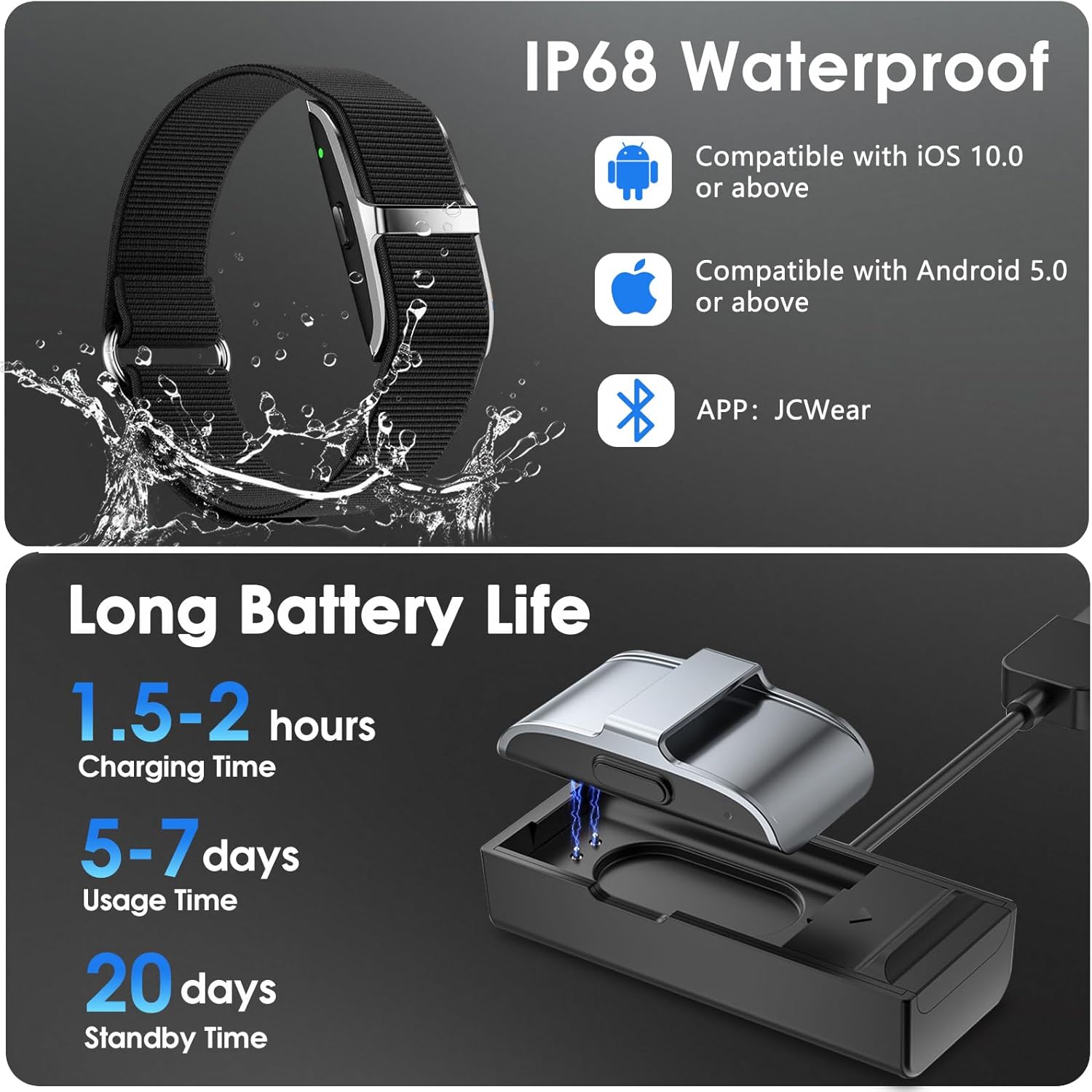
The image illustrates the magnetic charging process for the wristband and highlights its long battery life, including charging time, usage time, and standby time.
3.2. App Installation and Pairing
To unlock the full potential of your Smart Health Wristband, download and install the official JCWear app on your smartphone.
- Scan the QR code below or search for "JCWear" in your mobile app store (Google Play Store for Android, Apple App Store for iOS).
- Install the JCWear app.
- Open the app and follow the on-screen instructions to create an account or log in.
- Enable Bluetooth on your smartphone.
- In the JCWear app, navigate to the device pairing section and select your Smart Health Wristband from the list of available devices.
- Confirm the pairing request on both your phone and the wristband (if prompted).
The JCWear app is compatible with Android 5.0 or higher and iOS 10.0 or higher.

Scan this QR code to download the JCWear app, which provides detailed health reports and device management. The image also displays various screens of the JCWear app, showcasing its features.
Direct link to app download: https://qr06.cn/CZuyPV
4. Operating Instructions
4.1. 24/7 Health Monitoring
The Smart Health Wristband continuously tracks various health metrics to provide a comprehensive overview of your well-being. All data is synchronized with the JCWear app for detailed reports and historical trends.
- Heart Rate: Monitors your heart rate throughout the day and during exercise.
- Blood Oxygen (SpO₂): Measures your blood oxygen saturation levels.
- Blood Pressure: Provides estimates of your blood pressure.
- Body Temperature: Tracks your body temperature.
- HRV (Heart Rate Variability): Analyzes variations in heart rate for insights into stress and recovery.
- Stress Levels: Assesses your stress levels based on physiological data.

This image illustrates the 24/7 automatic health monitoring capabilities, showing how heart rate, temperature, blood oxygen (SpO2), and heart rate variability (HRV) measurements are displayed within the companion app.
4.2. Accurate Sleep Tracking
The wristband automatically tracks your sleep stages, including REM sleep, deep sleep, and light sleep, providing insights to help improve your sleep quality and develop healthier sleep habits.
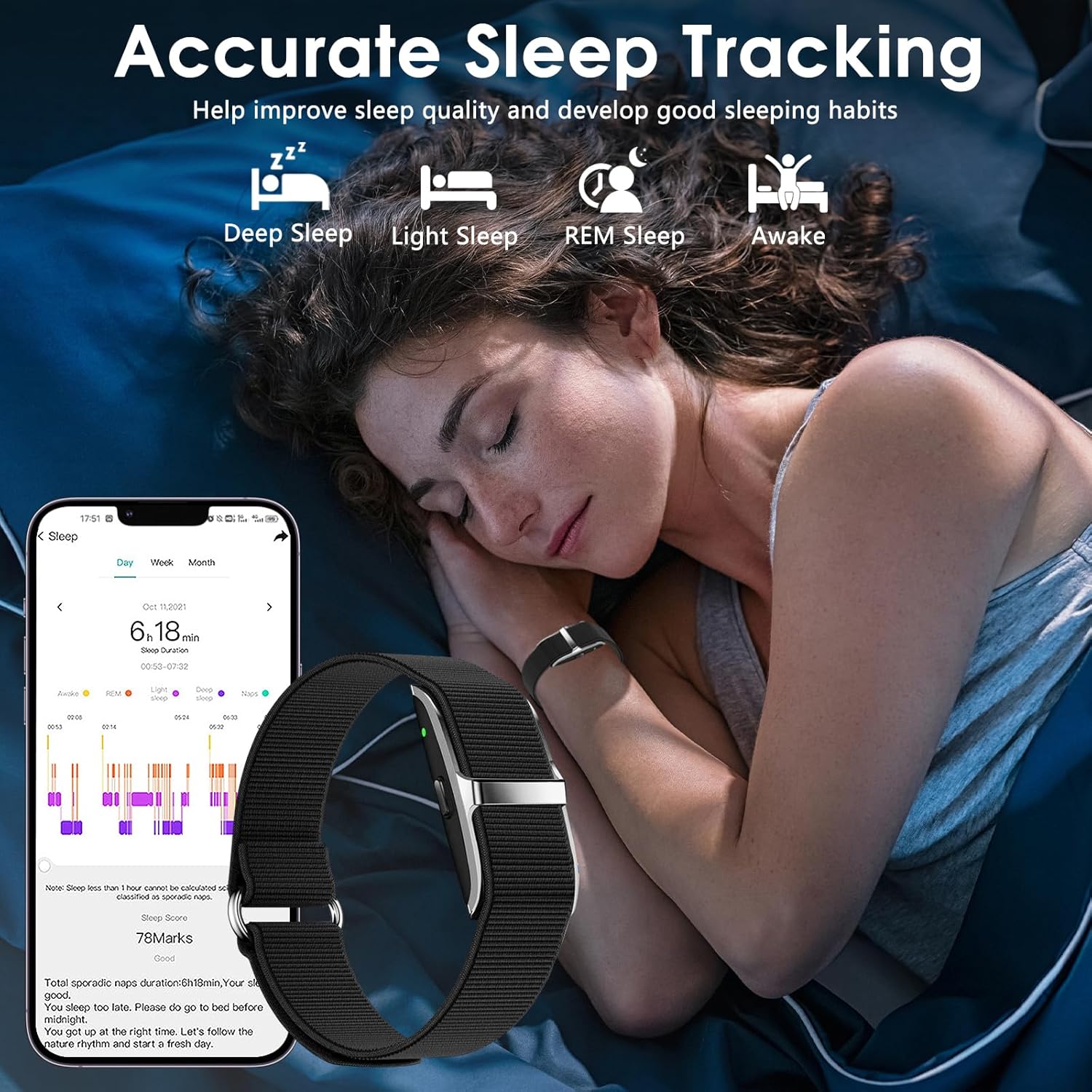
The image shows a woman sleeping while wearing the Smart Health Wristband, with a corresponding smartphone screen displaying detailed sleep tracking data, including different sleep stages like deep sleep, light sleep, REM sleep, and awake times.
4.3. 50+ Sports Modes & GPS Connectivity
The wristband supports over 50 different sports modes, allowing you to accurately track your exercise data. When connected to your mobile phone's GPS, the JCWear app can draw real-time routes for outdoor activities.
- Accurately records calories burned, steps taken, and distance covered.
- Suitable for various activities from gym workouts to outdoor adventures.
- Connects to your phone's GPS for real-time route mapping during outdoor runs, cycles, or hikes.

This image depicts a woman engaging in outdoor running while wearing the wristband, with an overlay showing various sports mode icons and a smartphone screen displaying activity tracking data including total distance, steps, calories, and a map of the outdoor route.
4.4. Smart Reminders and Notifications
Stay connected and informed with smart reminders and notifications directly on your wristband. The LED indicator flashes different colors and vibrates to alert you.
- Call and Text Notifications: Receive alerts for incoming calls and text messages.
- Social Media Notifications: Get notifications from apps like WhatsApp and Skype.
- Sedentary Reminders: Prompts you to move after periods of inactivity.
- Goal Reminders: Helps you stay on track with your fitness goals.
- Alarm Clock: Set silent vibrating alarms.

The image shows a man using a laptop while wearing the wristband, with a smartphone screen displaying the sedentary reminder settings, illustrating how the device provides smart reminders through light and vibration.
4.5. Women's Health Tracking
The JCWear app includes a unique female health design, allowing you to track and record important physiological periods.
- Menstrual Cycle Tracking: Monitor your menstrual cycle.
- Pregnancy Preparation: Track stages related to preparing for pregnancy.
- Pregnancy Stages: Monitor different stages of pregnancy.

This image illustrates the women's health tracking feature, showing a woman experiencing discomfort, with the wristband and a smartphone displaying a calendar interface for recording menstrual cycles, pregnancy, and preparation for pregnancy.
5. Maintenance
5.1. Cleaning Your Wristband
To maintain hygiene and ensure accurate readings, regularly clean your wristband.
- Wipe the wristband and sensor area with a soft, damp cloth.
- Avoid using harsh chemicals or abrasive cleaners, as these can damage the device.
- Ensure the device is dry before charging.
5.2. Waterproofing
The Smart Health Wristband has an IP68 waterproof rating, meaning it can resist common water stains.
- Suitable for washing hands, showering, swimming, and running in the rain.
- Avoid prolonged submersion in water, hot water, or exposure to high-pressure water jets.
- Do not operate the device buttons underwater.
5.3. Battery Care
To maximize battery life and performance:
- Charge the device fully when the battery is low.
- Avoid extreme temperatures, which can affect battery performance.
- If storing the device for an extended period, charge it to about 50% before storage.
6. Troubleshooting
If you encounter issues with your Smart Health Wristband, try the following solutions:
6.1. Device Not Turning On or Charging
- Ensure the charging cable is securely connected to both the wristband and the power source.
- Try a different USB port or power adapter.
- Clean the charging contacts on both the wristband and the cable.
6.2. Unable to Pair with App
- Make sure Bluetooth is enabled on your smartphone.
- Ensure the wristband is sufficiently charged.
- Restart both your smartphone and the wristband.
- Ensure the JCWear app is updated to the latest version.
- If previously paired, try unpairing the device from your phone's Bluetooth settings and then re-pairing through the app.
6.3. Inaccurate Readings
- Ensure the wristband is worn snugly on your wrist, about one finger's width above your wrist bone.
- Clean the sensor area on the back of the wristband.
- Avoid excessive movement during measurements.
- Note that environmental factors and individual physiology can affect readings. This device is not a medical device and should not be used for medical diagnosis.
6.4. Notifications Not Appearing
- Check notification settings within the JCWear app to ensure they are enabled.
- Verify that your phone's Bluetooth connection to the wristband is active.
- Ensure the JCWear app has the necessary permissions to access notifications on your phone.
7. Specifications
| Feature | Detail |
|---|---|
| Brand | VUHIGIB |
| Model | Smart Health Wristband |
| ASIN | B0F53XN7ZY |
| Screen Display Size | 1 Inch / 3 cm (Screenless Design) |
| Memory Storage Capacity | 1 MB |
| Operating System Compatibility | Android 5.0 or above, iOS 10.0 or above |
| Special Features | Activity Tracker, Cycle Tracking, Lightweight, Multisport Tracker, Sedentary Reminder |
| Battery Capacity | 95 Milliamp Hours |
| Battery Life (Normal Use) | 7-10 days |
| Battery Life (Standby) | Approx. 20 days |
| Charging Time | 1.5-2 hours |
| Connectivity Technology | Bluetooth |
| GPS | GPS Via Smartphone |
| Waterproof Rating | IP68 |
| Item Weight | 2.39 ounces |
| Package Dimensions | 4.06 x 4.02 x 1.14 inches |
| Manufacturer | VUHIGIB |
| Date First Available | April 16, 2025 |
8. Warranty and Support
Your VUHIGIB Smart Health Wristband comes with a standard manufacturer's warranty. Please refer to the warranty card included in your product packaging or visit the official VUHIGIB website for detailed warranty terms and conditions.
For technical support, troubleshooting assistance, or any inquiries regarding your device, please contact VUHIGIB customer service through the contact information provided on their official website or within the JCWear application.
Always ensure you have your product model and purchase details ready when contacting support.


