Introduction
Thank you for choosing the Xmenha M127 AI Translation Earbuds. These earbuds are designed to provide seamless real-time language translation and high-quality audio, enabling effortless communication across over 140 languages. Featuring an open-ear design for comfort and situational awareness, along with advanced AI capabilities, the M127 enhances both your listening and communication experiences. Please read this manual thoroughly to understand the product's features and ensure proper usage.
Package Contents
- Xmenha M127 AI Translation Earbuds (Left and Right)
- Charging Case
- USB-C Charging Cable
- Ear Cushions (various sizes)
- User Manual
Product Overview
The Xmenha M127 earbuds feature an open-ear design for comfort and awareness, integrated touch controls, and a portable charging case.

Image: The Xmenha M127 AI Translation Earbuds shown with their open charging case, highlighting the sleek design and "AI Translation Headphones" branding.
Components
- Earbuds: Left and Right, with integrated microphones and touch sensors.
- Charging Case: Stores and charges the earbuds, features a digital display for battery status.
- USB-C Port: For charging the case.
Controls
The earbuds feature touch controls for various functions, including playback, call management, volume adjustment, and activating translation modes. Refer to the app for customizable shortcuts.
Setup
1. Charging the Earbuds and Case
- Place the earbuds into the charging case. Ensure they are correctly seated.
- Connect the USB-C charging cable to the charging port on the case and to a power source.
- The digital display on the case will indicate the charging status. A full charge provides approximately 7 hours of earbud playtime, with the case offering 7 additional full charges.
2. Pairing with Your Device
- Open the charging case. The earbuds will automatically enter pairing mode (indicated by a flashing LED on the earbuds).
- On your smartphone (iPhone or Android), go to Bluetooth settings.
- Select "Xmenha M127" from the list of available devices to connect.
- Once connected, a voice prompt will confirm successful pairing.
3. Installing the Companion App
For full functionality, including translation modes, EQ settings, and voice assistant shortcuts, download the dedicated companion app from your device's app store (iOS or Android). Search for "WearFIT Pro" or refer to the QR code in the quick start guide.
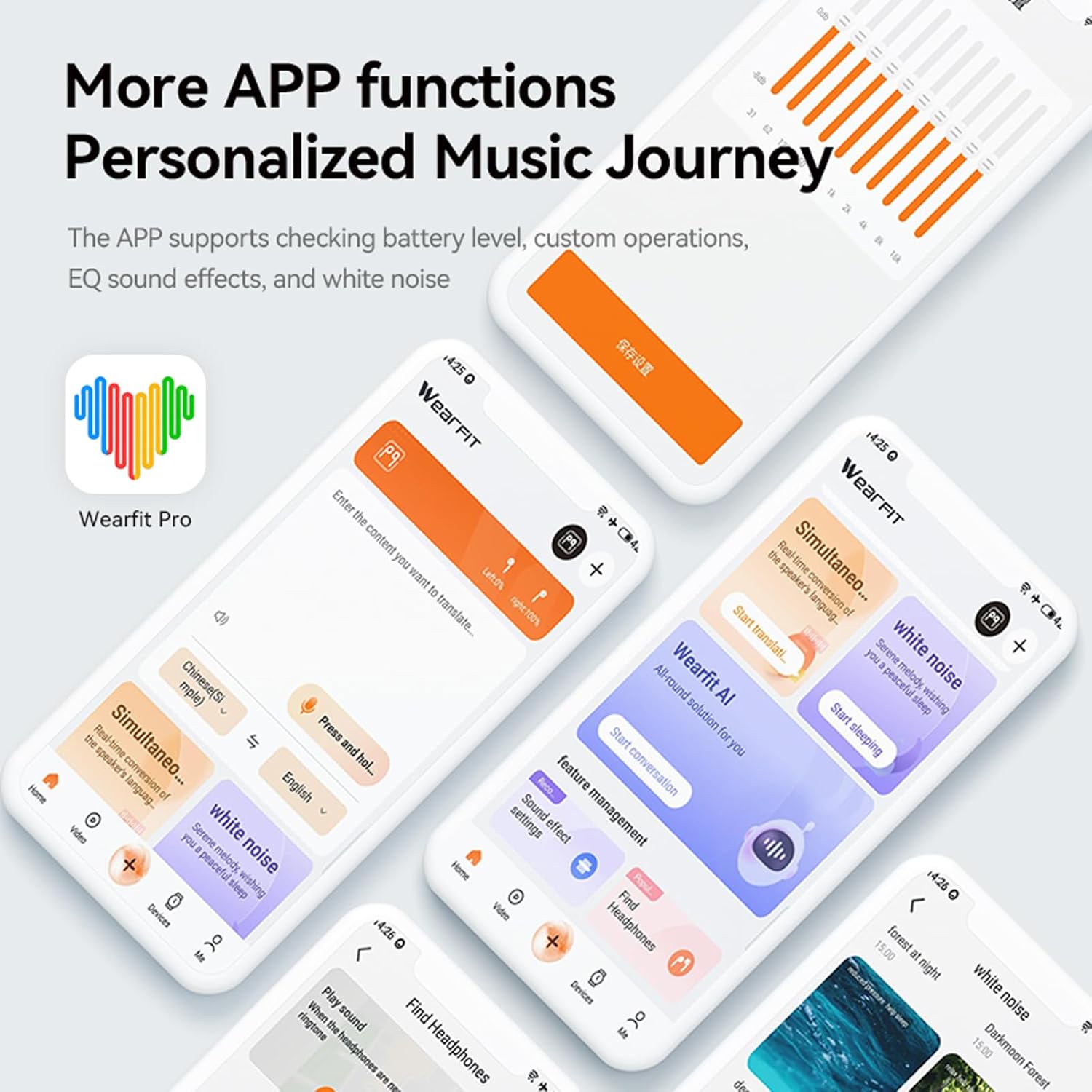
Image: Screenshots of the companion app, showing various functions like battery level, custom operations, EQ settings, and white noise options.
Operating Instructions
Real-Time Translation
The M127 earbuds support real-time translation for over 140 languages. This feature requires the companion app to be active and connected.
- Open the companion app and navigate to the translation section.
- Select the source and target languages for translation.
- Choose your desired translation mode (e.g., Simultaneous Interpretation, Dialogue Mode).
- Speak clearly into the earbud's microphone. The translated audio will be played back through the earbuds or your phone's speaker, depending on the mode.

Image: Two individuals engaging in a conversation, demonstrating the simultaneous interpretation feature of the earbuds for cross-border communication.
AI Assistant & Q&A
Utilize the integrated AI assistant for quick answers to your questions. This feature leverages a large AI model to provide comprehensive information.
- Activate the AI assistant via the companion app or a customizable touch control.
- Ask your question naturally.
- The AI assistant will provide an answer through the earbuds.

Image: A person interacting with their smartphone, with text bubbles indicating questions being asked to an intelligent AI assistant, such as "How to write event planning" or "Today's gold price."
Recording, Translation, and Transcription
The earbuds can record audio from mobile phone calls, on-site conversations, and conference apps, then translate and transcribe the content.
- Access the recording feature within the companion app.
- Start recording during a call or in a live environment.
- The app will process the audio for translation and provide a transcribed text.

Image: A man wearing the earbuds while looking at a smartphone screen displaying a recording interface with real-time transcription and translation of a conversation.
Music Playback and Calls
- Music: Enjoy high-fidelity audio with deep bass and crisp treble. Use touch controls for play/pause, skip tracks, and volume adjustment.
- Calls: The earbuds feature noise reduction technology for clear vocals during phone calls. Answer/end calls using the touch controls.

Image: A woman wearing the earbuds in a public setting, illustrating the noise reduction feature for clear calls, with sound waves visually representing noise cancellation.
Maintenance
- Cleaning: Regularly wipe the earbuds and charging case with a soft, dry, lint-free cloth. Do not use harsh chemicals or abrasive materials.
- Water Resistance: The earbuds are IPX5 sweat resistant, suitable for workouts and outdoor activities. Avoid submerging them in water.
- Storage: When not in use, store the earbuds in their charging case to protect them and keep them charged.
- Battery Care: To prolong battery life, avoid fully discharging the earbuds and case frequently. Charge them regularly.
Troubleshooting
| Problem | Solution |
|---|---|
| Earbuds not pairing |
|
| No sound or low volume |
|
| Translation not working |
|
| Charging case not charging |
|
Specifications
| Model Name | M127 |
| Connectivity Technology | Wireless (Bluetooth) |
| Wireless Communication Technology | Bluetooth |
| Control Type | Volume Control, Touch |
| Battery Life (Earbuds) | 7 Hours |
| Total Playtime with Case | Up to 60 Hours (with 7 full charges from case) |
| Water Resistance Level | IPX5 (Sweat Resistant) |
| Item Weight | 3.8 Ounces |
| Product Dimensions | 1.27 x 0.63 x 1.65 inches |
| Material | Plastic |
| Form Factor | Over Ear (Open Ear Design) |
| Noise Control | Sound Isolation (for calls), Noise Reduction |
| Supported Languages | 140+ (via companion app) |
Warranty and Support
Limited Warranty
Xmenha products are covered by a limited warranty from the date of purchase. This warranty covers manufacturing defects. It does not cover damage caused by misuse, accidents, unauthorized modifications, or normal wear and tear. Please retain your proof of purchase for warranty claims.
Customer Support
For technical assistance, warranty inquiries, or any questions regarding your Xmenha M127 AI Translation Earbuds, please contact Xmenha customer support through the official website or the contact information provided with your purchase. You can also visit the Xmenha Store on Amazon for more information.


