
Introduction
Thank you for choosing the Bettdow GD13 Ultra Stylus Pen. This manual provides essential information for setting up, operating, and maintaining your stylus. Please read it thoroughly to ensure optimal performance and longevity of your device.
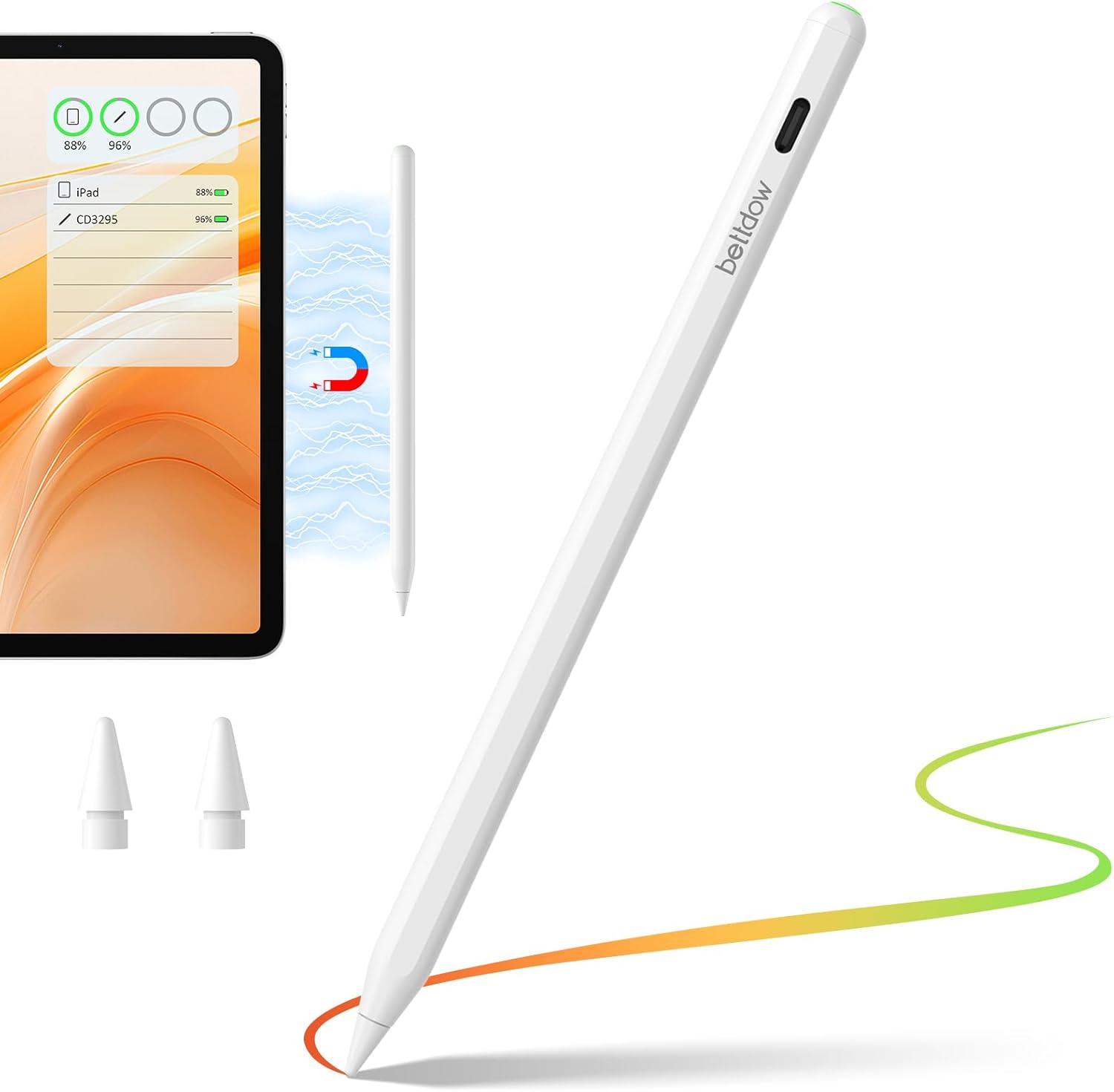
Image: Bettdow GD13 Ultra Stylus Pen, showing the pen, compatible iPad, and replacement nibs.
Compatibility
The GD13 Ultra Stylus Pen is designed for a wide range of iPad models released between 2018 and 2025. Please verify your iPad model for compatibility.
- iPad Pro: 11" (M4/1st/2nd/3rd/4th Gen), 12.9" (3rd/4th/5th/6th Gen), 13" (M4)
- iPad Air: (M3/M2/6th/5th/4th/3rd Gen)
- iPad Mini: (6th/5th Gen)
- iPad: (A16/10th/9th/8th/7th/6th Gen)
Note: This stylus is not compatible with iPad models released before 2018 or other tablet brands.

Image: Detailed compatibility chart for various iPad models, including magnetic charging support indicators.

Image: Visual guide on locating your iPad's model name and number in the device settings.
Setup
- Power On/Off: Press and hold the top button of the stylus for 2 seconds to turn it on or off. The LED indicator will illuminate when powered on.
- Bluetooth Pairing: No app installation is needed. Simply enable Bluetooth on your iPad. The stylus will appear in the device list as "ESR Geo Digital Pencil" or similar. Tap to connect.
Video: Demonstrates how to turn on the stylus, connect to Bluetooth, and use its shortcut functions. This video is provided by Minghutech-US.
Charging
The GD13 Ultra Stylus Pen offers two convenient charging methods:
- Magnetic Wireless Charging: For compatible iPad models (iPad Pro 12.9” 3rd-6th Gen, iPad Pro 11” 1st-4th Gen, iPad Air 10.9” 4th-5th Gen, iPad Mini 6th), the stylus can be magnetically attached to the side of the iPad for wireless charging.
- Type-C Quick Charge: For other supported models, use the provided Type-C cable to charge the stylus. A full charge takes approximately 30 minutes, providing up to 10 hours of continuous use.
Battery Indicator: The stylus features an LED indicator to show battery status:
- Green: 80%-100% battery
- Blue: 20%-79% battery
- Red: Below 20% battery
The pen automatically enters sleep mode after 5 minutes of inactivity to conserve battery life, offering an extended standby time of 365 days.
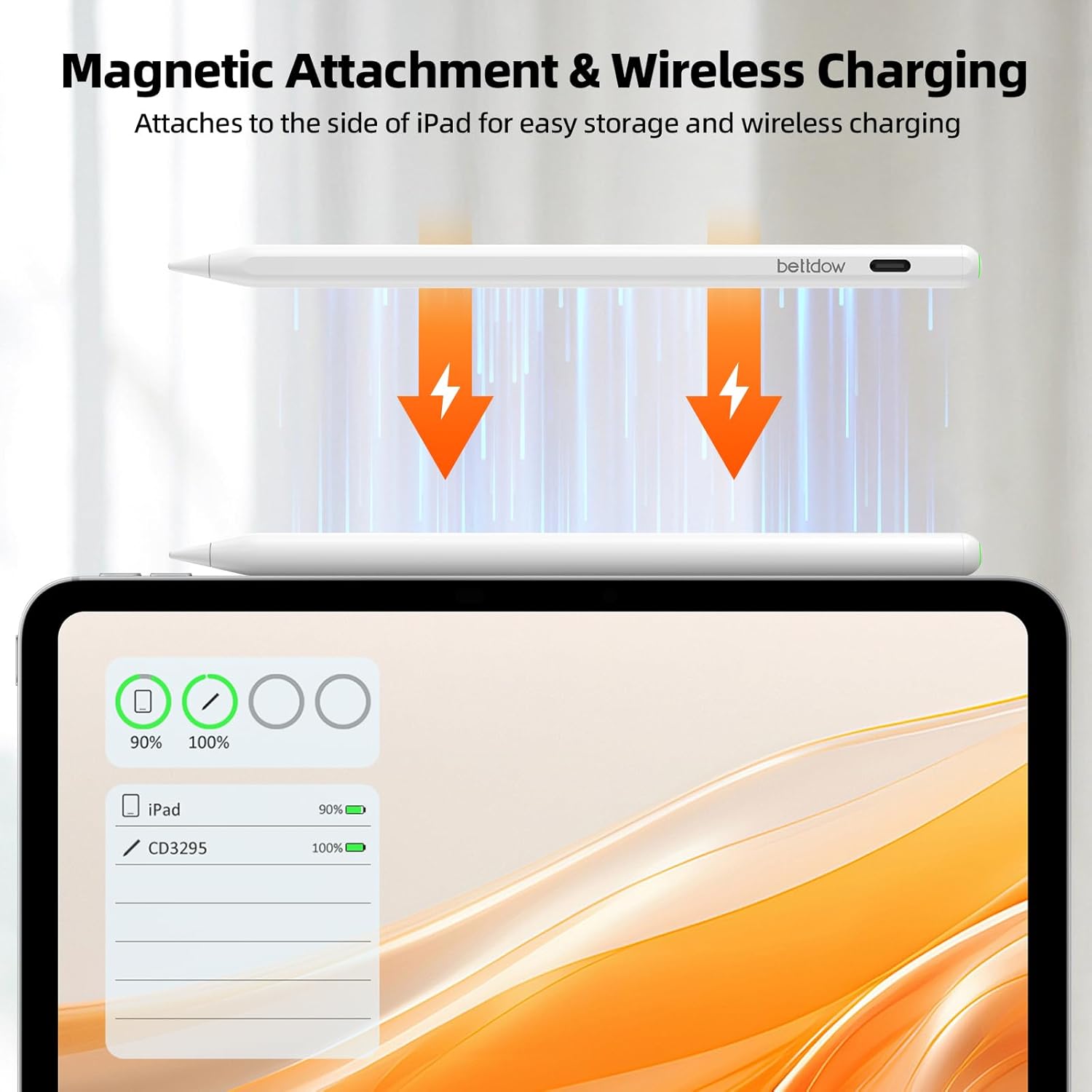
Image: The stylus magnetically attaching to the side of an iPad for wireless charging.
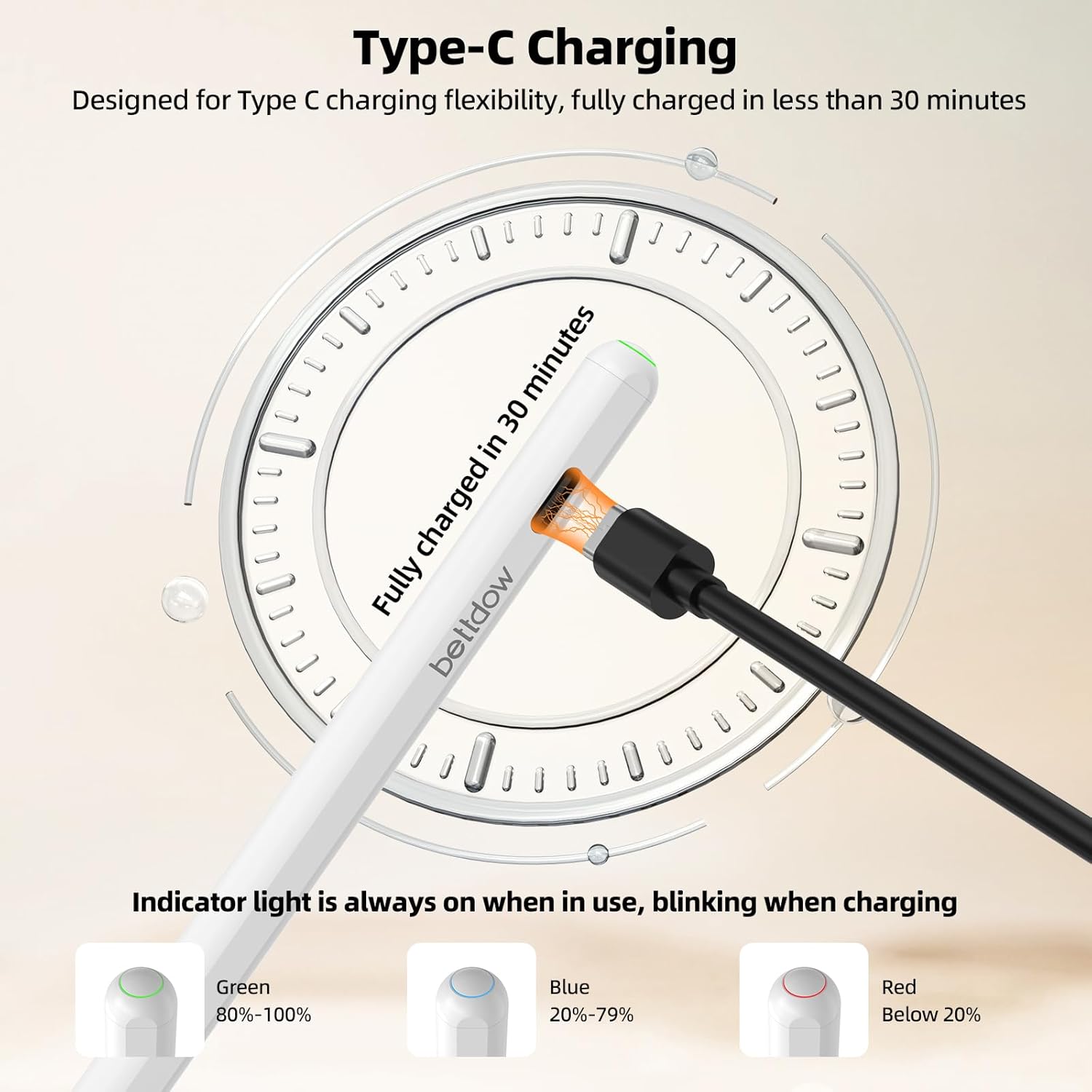
Image: The stylus being charged via Type-C cable, showing the different colored indicator lights for battery levels.
Operating Instructions
The GD13 Ultra Stylus Pen enhances your iPad experience with several advanced features:
- Smooth Writing: Experience high recognition accuracy and responsive, clear handwriting, making writing feel as natural as using a pencil on paper.
- Tilt Sensitivity: Adjust line thickness and shading effortlessly by simply changing the pen’s angle. Ideal for sketching, shading, and detailed artwork.
- Palm Rejection: With built-in palm rejection, your iPad recognizes only the stylus tip, preventing accidental touches from your hand.
- Shortcut Buttons:
- Single-click the top button to return to the home page.
- Double-click the top button to access the task management page.

Image: A user demonstrating smooth writing on an iPad using the stylus pen.

Image: Visual representation of the stylus's tilt sensitivity, showing different line thicknesses based on the pen's angle.

Image: A user drawing on an iPad with their palm resting on the screen, illustrating the palm rejection feature.
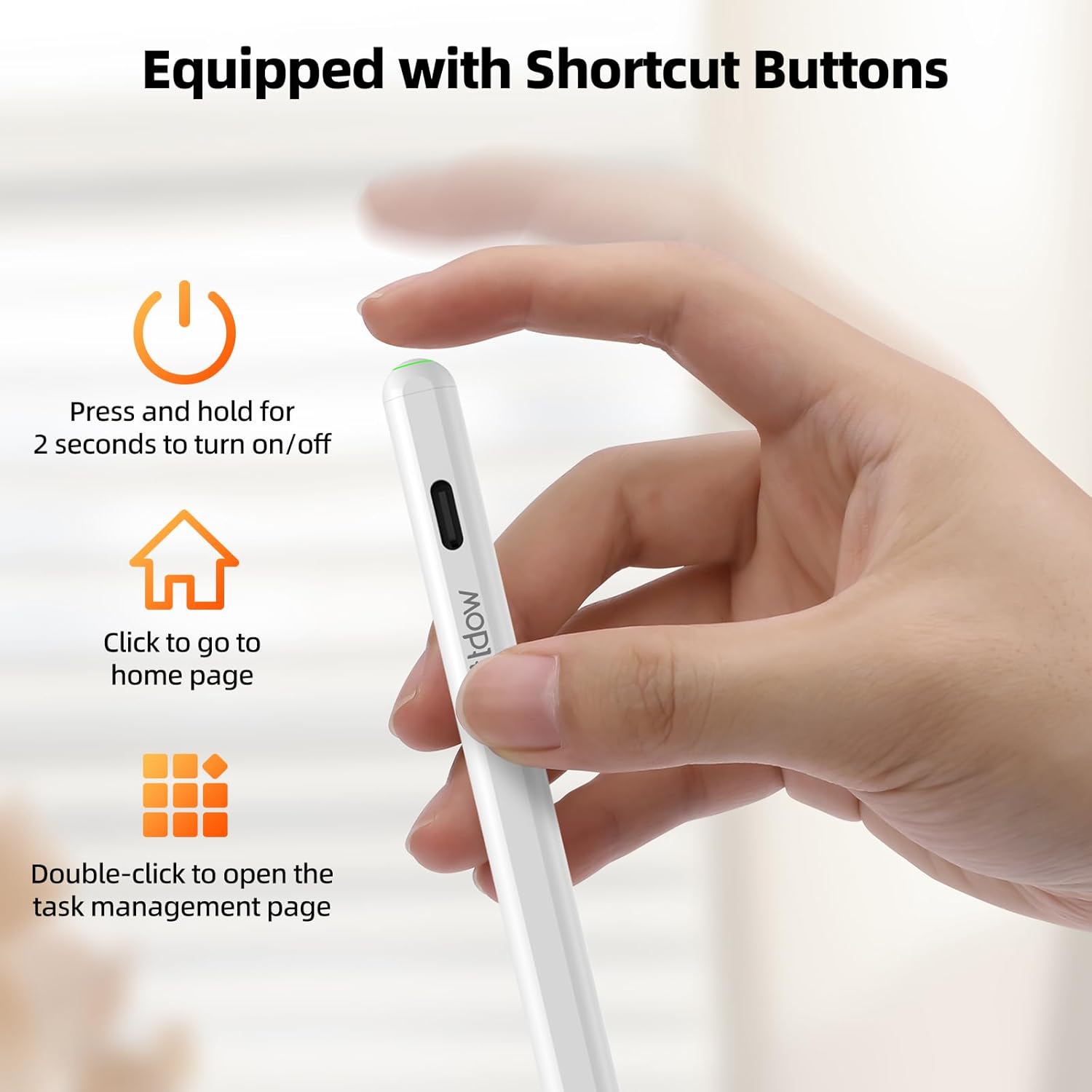
Image: Visual guide to the shortcut buttons on the stylus pen for power, home page, and task management.
Nib Replacement
The stylus nibs are replaceable. The package includes extra nibs for your convenience.
- Gently twist the old nib counter-clockwise to remove it.
- Align a new nib with the stylus tip and twist clockwise until it is securely in place.
Maintenance
- Keep the stylus clean by wiping it with a soft, dry cloth.
- Avoid exposing the stylus to extreme temperatures or direct sunlight.
- Store the stylus in a safe place to prevent damage when not in use.
Troubleshooting
- Stylus not responding: Ensure the stylus is powered on and fully charged. Check your iPad's Bluetooth settings to confirm it is paired.
- Inaccurate input: Ensure the nib is securely attached. If the issue persists, try replacing the nib.
- Magnetic charging not working: Verify your iPad model supports magnetic charging. Ensure the stylus is correctly aligned on the iPad's magnetic strip.
- Battery draining quickly: Ensure the stylus is turning off when not in use. The auto-sleep feature should activate after 5 minutes of inactivity.
Specifications
| Feature | Detail |
|---|---|
| Brand | Bettdow |
| Model | GD13 Ultra |
| Color | White |
| Item Weight | 0.353 ounces (10 Grams) |
| Battery Type | 1 Lithium Metal battery (included) |
| Charging Time | 30 minutes |
| Continuous Use Time | Up to 10 hours |
| Standby Time | 365 days |
| Charging Options | Magnetic Wireless Charging, Type-C Quick Charge |
| Features | Tilt Sensitivity, Palm Rejection, Battery Indicator, Shortcut Buttons |
Warranty and Support
This product comes with a one-year (365 days) limited warranty from the date of purchase. If you encounter any issues with the product, please contact customer support for assistance. Please provide your order number when contacting support.
Support Email: tujufree@outlook.com